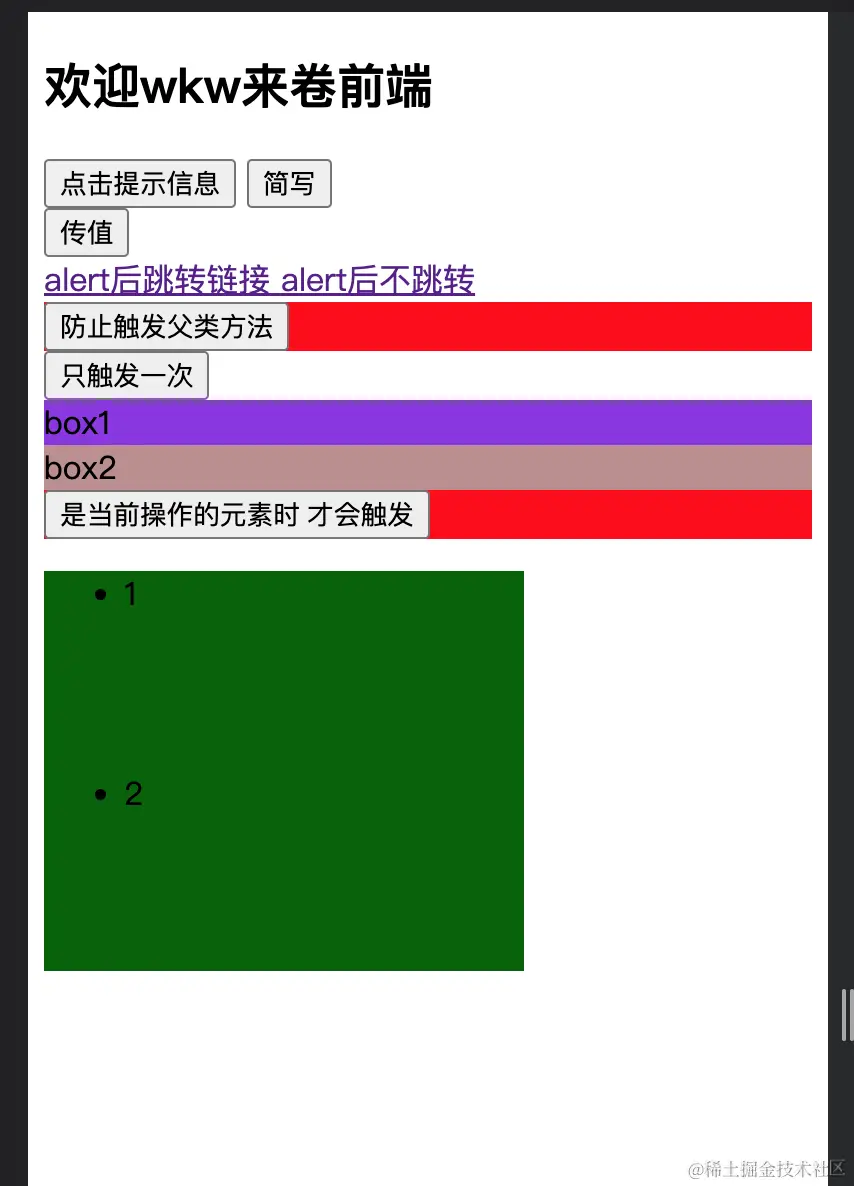
<!DOCTYPE html>
<html lang="en">
<head>
<meta charset="UTF-8">
<meta http-equiv="X-UA-Compatible" content="IE=edge">
<meta name="viewport" content="width=device-width, initial-scale=1.0">
<title>Document</title>
<script type="text/javascript" src="./vue.js" charset="UTF-8" ></script>
<style>
.demo1{
height: 50;
background-color: red;
}
.box1{
padding: 5;
background-color: blueviolet;
}
.box2{
padding: 5;
background-color: rosybrown;
}
.list{
width: 200px;
height: 200px;
background-color: darkgreen;
overflow: auto;
}
li{
height: 100px;
}
</style>
</head>
<body>
<div id="root">
<h2>欢迎{{name}}来卷前端</h2>
<button v-on:click="showInfo">点击提示信息</button>
<button @click="showInfo">简写</button>
<br>
<button @click="showInfo2($event,23)">传值</button>
<br>
<a href="http://www.baidu.com" @click="showInfo2"> alert后跳转链接 </a>
<a href="http://www.baidu.com" @click.prevent="showInfo2"> alert后不跳转 </a>
<div class="demo1" @click="showInfo" >
<button @click.stop="showInfo">防止触发父类方法</button>
</div>
<button @click.once="showInfo">只触发一次</button>
<div class="box1" @click.capture="showInfo2($event,1)">
box1
<div class="box2" @click.capture="showInfo2($event,2)">
box2
</div>
</div>
<div class="demo1" @click.self="showInfo" >
<button @click.stop="showInfo">是当前操作的元素时 才会触发</button>
</div>
<ul @wheel.passive="listDemo" class="list">
<li>1</li>
<li>2</li>
<li>3</li>
<li>4</li>
</ul>
</div>
<script>
const vm = new Vue({
el:'#root',
data() {
return {
name: 'wkw',
};
},
methods:{
showInfo(event){
console.log(event.target.innerText)
console.log(this)
console.log(this._data.name)
alert('你好哇')
},
showInfo2(event,num) {
console.log(event)
console.log(num)
alert('传值为' + num)
},
listDemo(){
console.log('@')
}
}
})
</script>
</body>
</html>