1.组件命名
1. 组件名为多个单词组成,避免与当前及以后的HTML元素命名冲突。
示例: export default { name: 'TodoItem'}
错误: export default {name:''Todo}
2.单文件组件文件的大小写,单词大写开头对于代码编辑器的自动补全很友好
示例: MyComponent.vue <my-component></my-component>
错误:myComponent.vue <myComponent/>
3.组件名中的单词顺序,以高级别的 (一般化描述的) 单词开头,以描述性的修饰词结尾。利于查找
示例: SearchButtonClear.vue SearchButtonRun.vue
错误: ClearSearchButton.vue RunSearchButton.vue
2.文件结构,组件/实例的选项的顺序
name->components->directives->filters->mixins->props->data->computed->watch->
beforeCreate->created->beforeMount->mounted->beforeUpdate->updated->
activated->deactivated->beforeDestroy->destroyed->mehods
3.v-for 设置键值,v-if和v-for不能公用
示例:
<li v-for="todo in todos" :key="[todo.id](http://todo.id/)" > {{ todo.text }} </li>
 <ul v-if="shouldShowUsers"> <li v-for="user in users" :key="user.id" > {{ user.name }} </li> </ul>
错误:
 <li v-for="todo in todos"> {{ todo.text }} </li>
 <li v-for="user in users" v-if="shouldShowUsers" :key="user.id" > {{ user.name }} </li>
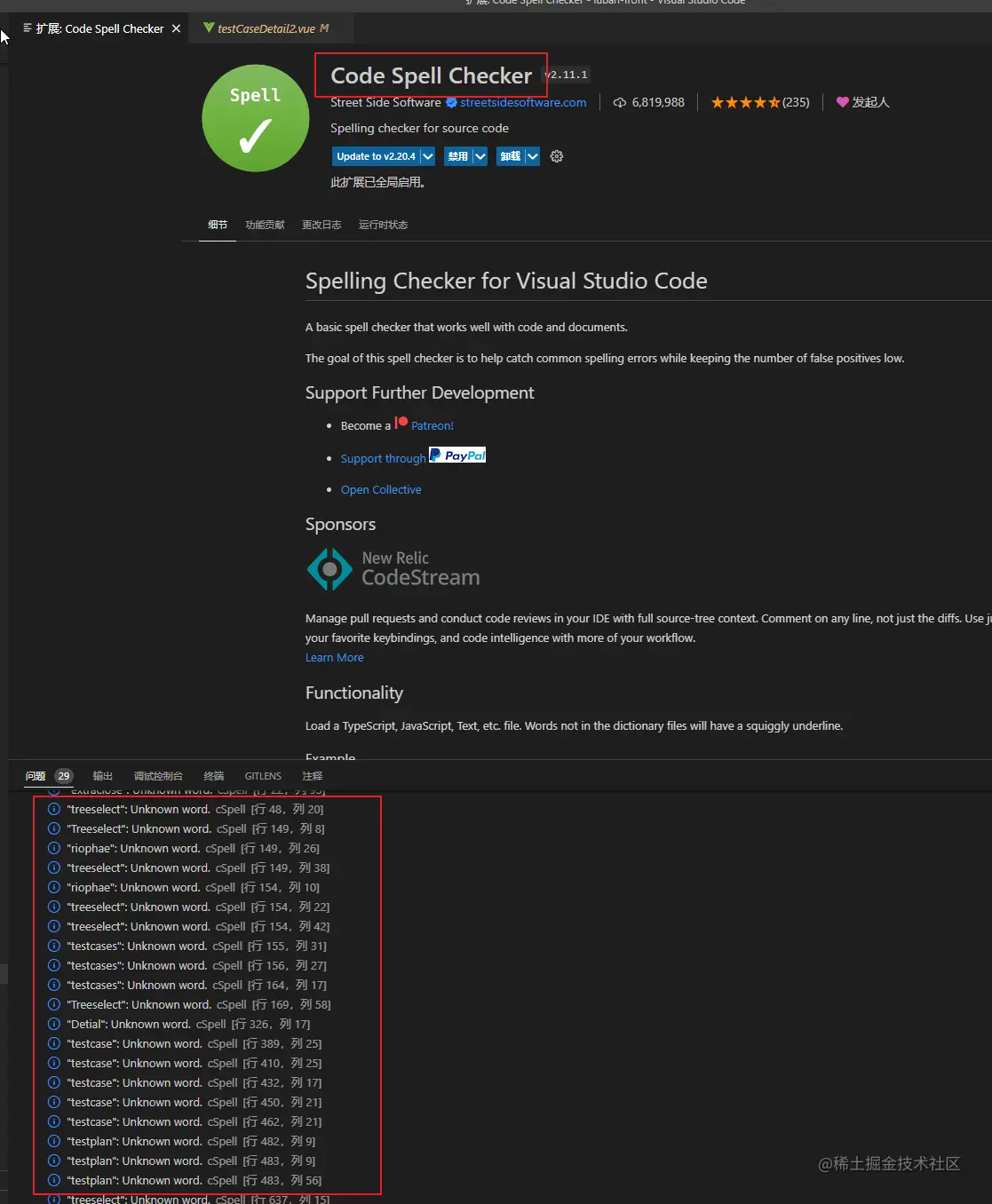
4.单词名规范填写,变量统一小驼峰命名。建议安装插件Code Spell Checker,避免单词错误
5.函数命名,小驼峰方式,前缀为动词
    canXxxxx:判断是否可执行某个动作(权限),返回布尔值
    hasXxxxx:判断是否含有某个值,返回布尔值
    isXxxxxxx:判断是否是某个值,返回布尔值
    getXxxxxx:获取某个值,返回非布尔值
    setXxxxxx:设置某个值,无返回值
    示例:function getWork(){return this.work}
6.样式规范
1.样式嵌套在根元素下,尽可能定位到最小的层级再写样式,避免影响全局样式,尽量减少html模板中style写法。
示例 .container{.body{.title}}
2.calss命名,语义化名称,避免驼峰命名(myUserConfainer),采用 - 连接,如 my-user-container,避免使用数字获日期命名(无意义),类似样式使用动态样式实现。
3.减少使用position定位,避免使用absolute和fixed
7.组件规范
1.vue文件使用name,借助vue devtools方便调试
2.组件props验证。设置type,default,description,type为多类型时可用数组联合
示例:porps:{msg:{type:[Number,String],required:false,default:0,description:'消息提示'}}
3.删除调试console代码,删除debugger,目前已做生产配置会自动移除,但要避免影响其他前端开发人员本地开发



