使用VSCode工具
- 安装 Live server 、 vue2Snippets 插件
使用Chrome浏览器
下载vue.js 文件
新建vue.html文件
<!DOCTYPE html>
<html lang="en">
<head>
<meta charset="UTF-8">
<meta http-equiv="X-UA-Compatible" content="IE=edge">
<meta name="viewport" content="width=device-width, initial-scale=1.0">
<title>Document</title>
<script type="text/javascript" src="./vue.js" charset="UTF-8" ></script>
</head>
<body>
<div id="root">
<h3>Hello {{name}}</h3>
<hr>
<a v-bind:href="url" x="hellow">跳转{{name}}百度1</a>
<a :href="url" :x="hellow">跳转{{name}}百度2</a>
</div>
<script>
new Vue({
el:'#root',
data:{
name:'wkw',
url:'http://www.baidu.com',
hellow:'wkw'
}
})
</script>
</body>
</html>
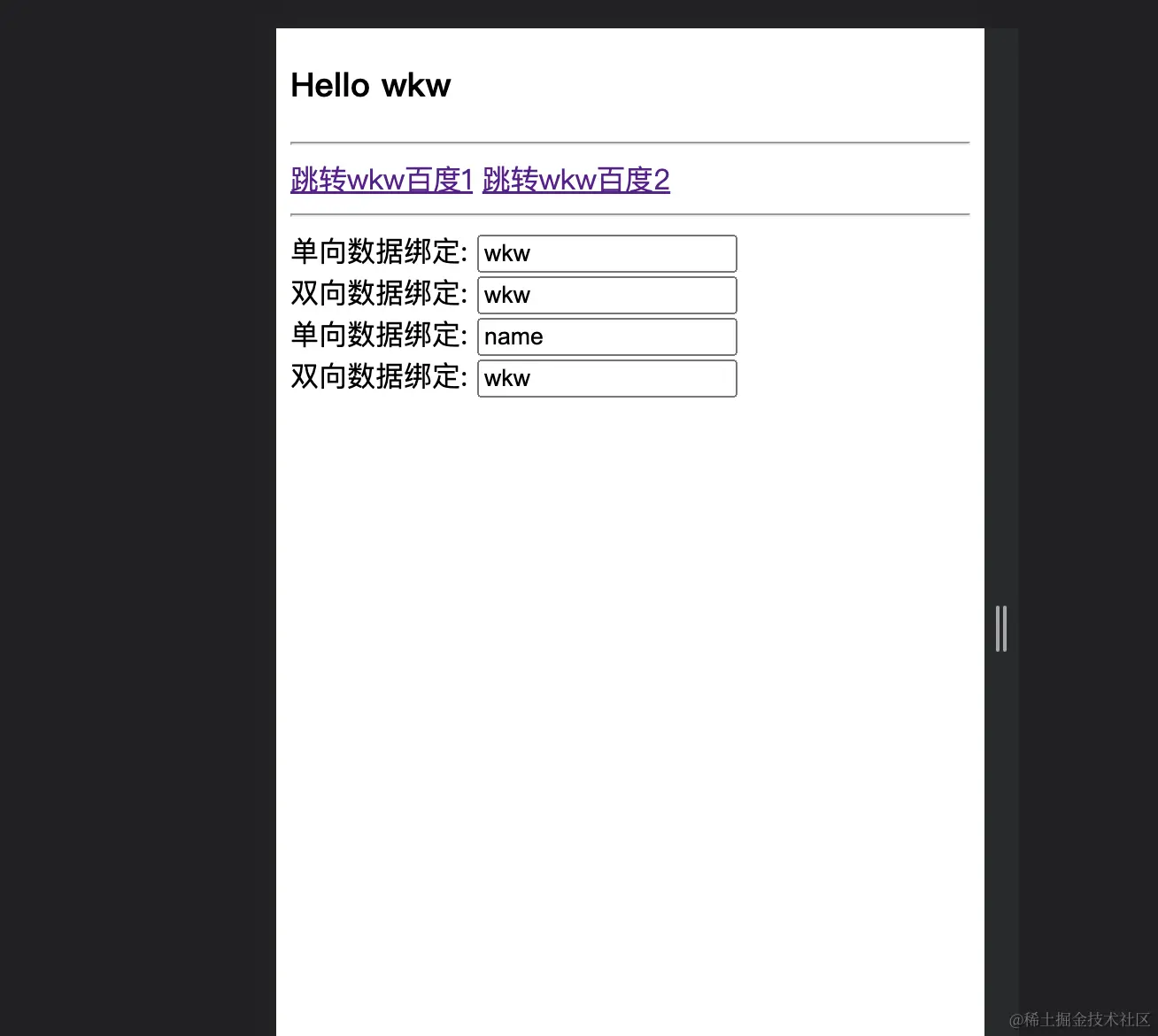
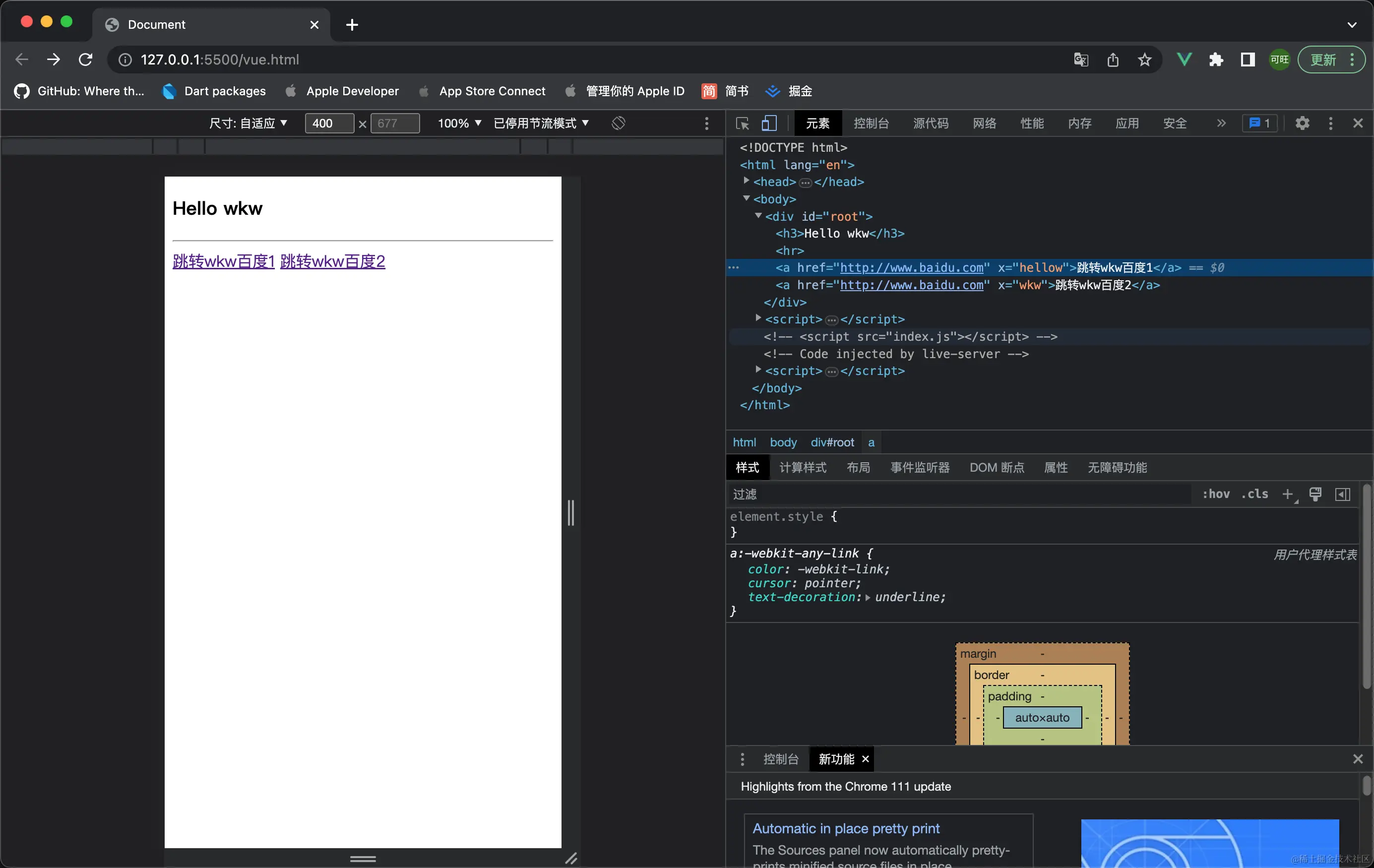
运行效果
<!DOCTYPE html>
<html lang="en">
<head>
<meta charset="UTF-8">
<meta http-equiv="X-UA-Compatible" content="IE=edge">
<meta name="viewport" content="width=device-width, initial-scale=1.0">
<title>Document</title>
<script type="text/javascript" src="./vue.js" charset="UTF-8" ></script>
</head>
<body>
<div id="root">
<h3>Hello {{name}}</h3>
<hr>
<a v-bind:href="url" x="hellow">跳转{{name}}百度1</a>
<a :href="url" :x="hellow">跳转{{name}}百度2</a>
<hr>
单向数据绑定: <input type="text" v-bind:value="name"> <br>
双向数据绑定: <input type="text" v-model:value="name"> <br>
单向数据绑定: <input type="text" value="name"> <br>
双向数据绑定: <input type="text" v-model="name">
</div>
<script>
const vm = new Vue({
data:function(){
return{
name:'wkw',
url:'http://www.baidu.com',
hellow:'wkw'
}
}
})
vm.$mount('#root')
</script>
</body>
</html>