思路
- 准备好Nginx软件
- 准备好微软添加服务的工具WinSW
- 配置WinSW的XML文件
- 运行WinSW注册Nginx服务(nginx-service.exe install)
下载Nginx
下载地址:nginx.org/en/download…
下载WinSW (ctrl+f 搜索 :WinSW-x64.exe)
下载地址:github.com/winsw/winsw…
操作
- 将WinSW(WinSW-x64.exe)软件复制到Nginx目录下,重命名为nginx-service.exe
- 新增文件夹:server-logs (作为nginx日志目录)
- 新增配置文件:nginx-service.xml,内容如下:根据安装目录进行修改:目录位置\启动程序\停止程序
<service>
   <id>nginx</id>
   <name>nginx</name>
   <description>nginx</description>
   <logpath>D:\nginx-1.22.1\server-logs</logpath>
   <logmode>roll</logmode>
   <depend></depend>
   <executable>D:\nginx-1.22.1\nginx.exe</executable>
   <stopexecutable>D:\nginx-1.22.1\nginx.exe -s stop</stopexecutable>
</service>
- 最终nginx目录文件如下:
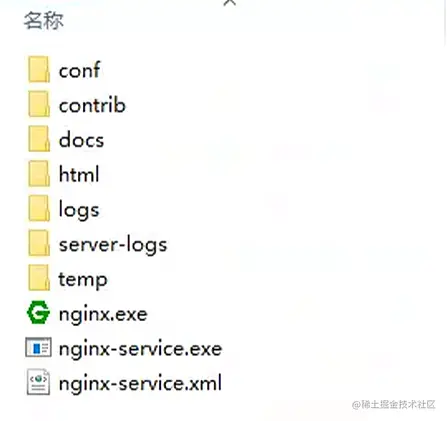
- 以管理员权限运行cmd 在nginx目录下执行 nginx-service.exe install
- 打开服务界面就将nginx加上来了,开机后即可自动启动了