效果
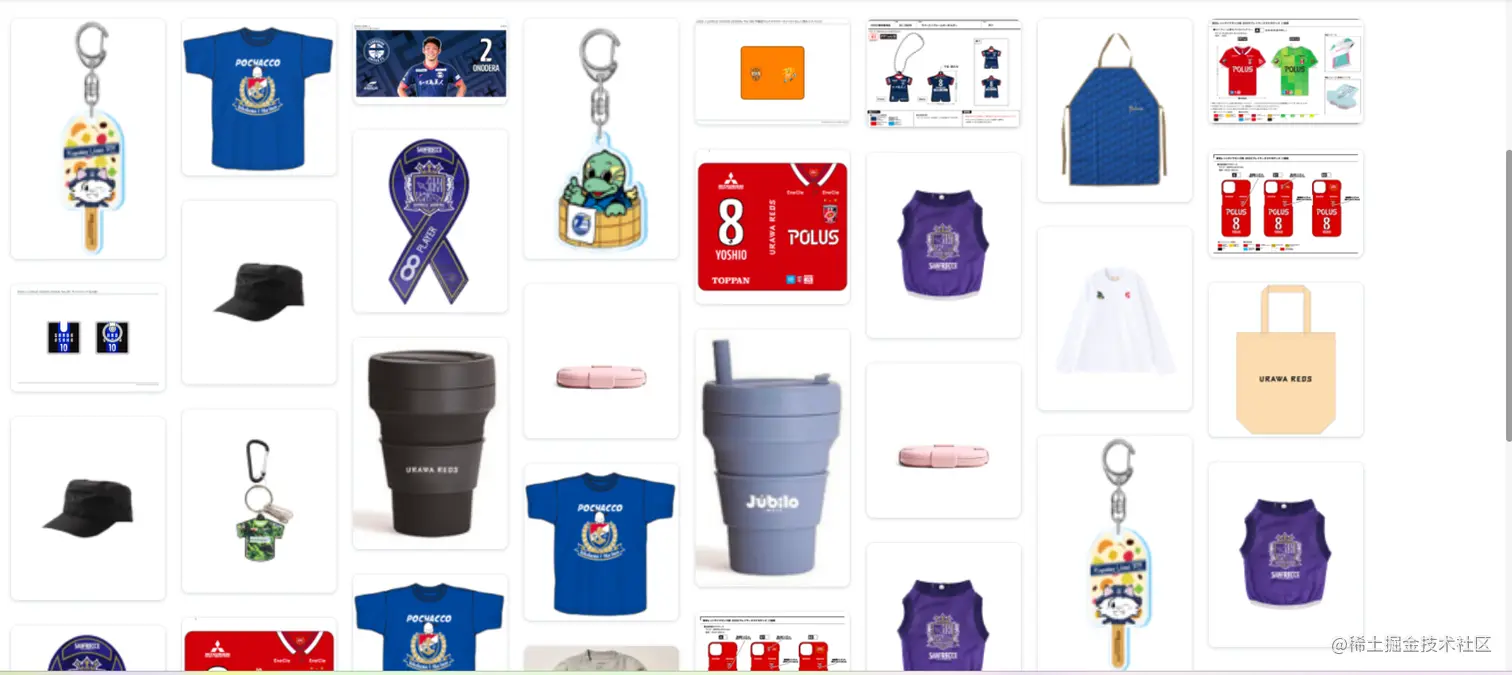
核心代码
const waterFall = (wrapIdName, contentIdName, columns = 8, columnGap = 20, rowGap = 30) => {
const wrapContentWidth = document.querySelector(wrapIdName).offsetWidth - 8
const whiteArea = (columns - 1) * columnGap
const contentWidth = parseInt((wrapContentWidth - whiteArea) / columns)
const contentList = document.querySelectorAll(contentIdName)
const lineConentHeightList = []
for (let i = 0; i < contentList.length; i++) {
contentList[i].style.width = contentWidth + "px"
const height = contentList[i].clientHeight
if (i < columns) {
contentList[i].style.top = 0
contentList[i].style.left = contentWidth * i + columnGap * i + "px"
lineConentHeightList.push(height)
} else {
let minHeight = Math.min(...lineConentHeightList)
let index = lineConentHeightList.findIndex((listH) => listH === minHeight)
contentList[i].style.top = minHeight + rowGap + "px"
contentList[i].style.left = (contentWidth + columnGap) * index + "px"
lineConentHeightList[index] += height + rowGap
}
}
}
实现滚动加载
<div id="container_scorll" class="container_scorll" @scroll="Scroll">
<div v-for="item in list1ImgList" :key="item.index" class="item_box" @click="emit('itemClick')">
</div>
</div>
const list1ImgList = ref([])
const Scroll = (e) => {
let scrollTop = e.target.scrollTop
let clientHeight = e.target.clientHeight
let scrollHeight = e.target.scrollHeight
if (scrollTop + clientHeight >= scrollHeight - 10) {
list1ImgList.value.push([])
nextTick(() => {
waterFall(".container_scorll", ".item_box")
})
}
}
onMounted(() => {
nextTick(() => {
window.onload = function () {
waterFall(".clubor_item_container", ".item_box")
}
window.onresize = function () {
waterFall(".clubor_item_container", ".item_box")
}
})
})



