一、上传单张图片
try {
let result = await wx.chooseMedia()
let temPath = result.tempFiles[0].tempFilePath
let ext = /\.[^\.]\w*$/.exec(temPath)[0]
result = await wx.cloud.uploadFile({
cloudPath: "test/" + new Date().getTime() + ext,
filePath: temPath,
})
this.setData({
images:result.fileID
})
} catch (error) {
console.log(error);
}
二、通过Vant上传多张图片
- 效果图
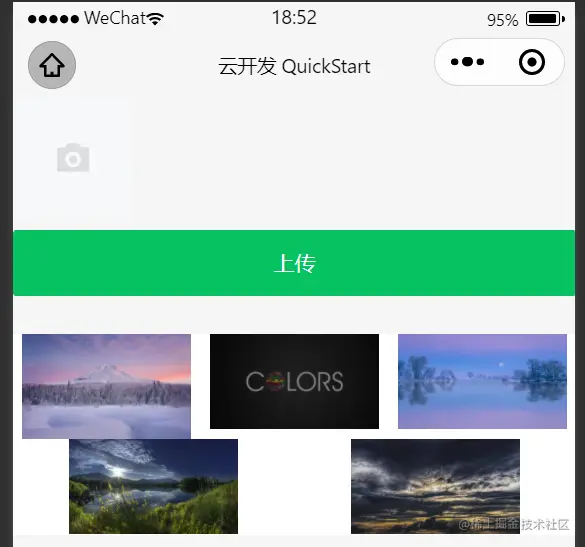
- .wxml
<!-- 选择图片 -->
<van-uploader file-list="{{ fileList }}" bind:after-read="afterRead" bind:delete="delimg" multiple="{{true}}" />
<!-- multiple 是否多选 -->
<!-- 上传 -->
<van-button block type="primary" bindtap="upload">上传</van-button>
<!-- 九宫格 -->
<view class="imgbox">
  <image wx:for="{{showImg}}" wx:key="index" src="{{item.fileID}}" mode="widthFix" class="isimg"/>
</view>
- .js
Page({
data: {
fileList: [],
showImg: []
},
afterRead(event) {
const { file } = event.detail;
this.data.fileList = file.map(item => {
return { url: item.thumb, deletable: true }
})
this.setData({
fileList: this.data.fileList
})
},
async upload() {
if (this.data.fileList.length == 0) {
wx.showToast({
title: '选择文件',
icon: 'none'
})
return false
}
let arr = []
this.data.fileList.forEach(item => {
let temPath = '.' + item.url.split('.')[1]
let pro = wx.cloud.uploadFile({
cloudPath: "test/" + new Date().getTime() + Math.floor(Math.random() * 100) + temPath,
filePath: item.url
});
arr.push(pro)
wx.showToast({
title: '添加成功',
icon: "none"
})
this.setData({
fileList: []
})
})
let newArr = await Promise.all(arr)
this.data.showImg = [...this.data.showImg, ...newArr]
this.setData({
showImg: this.data.showImg
})
},
delimg(e) {
let index = e.detail.index
this.data.fileList.splice(index, 1)
this.setData({
fileList: this.data.fileList
})
},
})



