1、首先记得下载
npm install dayjs --save
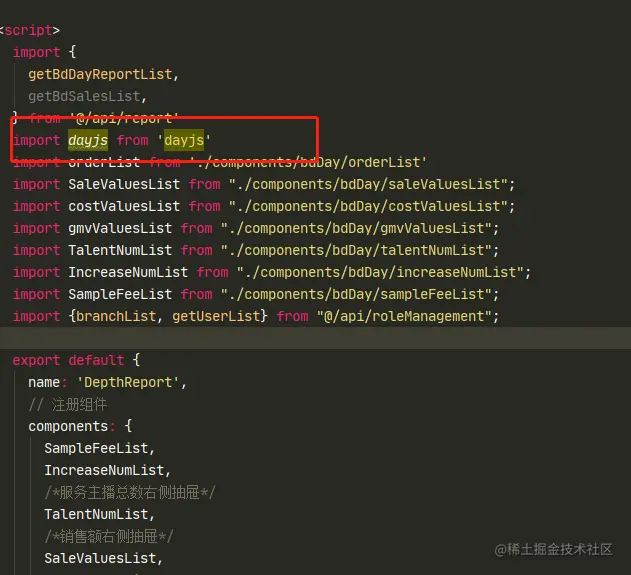
2、在页面引用
import dayjs from 'dayjs';
3、比如想要的时间选择器是这样的

<div class="bdReport-date" style="float: right">
    <span class="bdReport-date-info">
      统计日期:  <span class="bdReport-date-info-date">{{queryForm.startDate}}</span>  至  <span
      class="bdReport-date-info-date">{{queryForm.endDate}}</span>
    </span>
  <el-radio-group v-model="queryForm.dateType" size="medium" @change="onlyOneQueryData">
    <el-radio-button label="实时"/>
    <el-radio-button label="昨天"/>
    <el-radio-button label="近7天"/>
    <el-radio-button label="近30天"/>
    <el-radio-button label="近90天"/>
    <el-radio-button label="自然日" class="month_export">
      <span style="width: 100%">自然日</span>
      <el-date-picker
        v-model="queryForm.datetime"
        placeholder="选择统计日期"
        type="date"
        @change="batchWithdrawalCommission"
        :picker-options="startCondition"
      />
    </el-radio-button>
    <el-radio-button label="自然周" class="month_export" icon="el-icon-search"
    >
      自然周
      <el-date-picker
        v-model="queryForm.datetime"
        type="week"
        @change="batchWithdrawalCommission"
        :picker-options="startCondition"
      />
    </el-radio-button>
    <el-radio-button label="自然月" class="month_export">
      自然月
      <el-date-picker
        v-model="queryForm.datetime"
        type="month"
        placeholder="选择月"
        @change="batchWithdrawalCommission"
        :picker-options="startCondition"
      />
    </el-radio-button>
    <el-radio-button label="自定义" class="month_export">
      自定义
      <el-date-picker
        v-model="queryForm.datetime"
        type="daterange"
        range-separator="至"
        start-placeholder="开始日期"
        end-placeholder="结束日期"
        :picker-options="startCondition"
        @change="batchWithdrawalCommission"
      />
    </el-radio-button>
  </el-radio-group>
  </div>
4、利用watch监听
watch: {
dateType(val) {
var day = new Date();
var startDay = new Date();
var endDay = new Date();
if (val == "实时") {
this.queryForm.datetime = day.setTime(day.getTime());
this.queryForm.startDate = dayjs(this.queryForm.datetime)
.startOf('day')
.format('YYYY-MM-DD')
this.queryForm.endDate = dayjs(this.queryForm.datetime)
.startOf('day')
.format('YYYY-MM-DD')
} else if (val == "昨天") {
this.queryForm.datetime = day.setTime(day.getTime() - 24 * 60 * 60 * 1000);
this.queryForm.startDate = dayjs(this.queryForm.datetime)
.startOf('day')
.format('YYYY-MM-DD')
this.queryForm.endDate = dayjs(this.queryForm.datetime)
.startOf('day')
.format('YYYY-MM-DD')
} else if (val == "近7天") {
this.queryForm.startDate = endDay.setTime(day.getTime() - 3600 * 1000 * 24 * 7);
this.queryForm.endDate = startDay.setTime(day.getTime() - 24 * 60 * 60 * 1000);
this.queryForm.startDate = dayjs(this.queryForm.startDate)
.startOf('day')
.format('YYYY-MM-DD')
this.queryForm.endDate = dayjs(this.queryForm.endDate)
.startOf('day')
.format('YYYY-MM-DD')
} else if (val == "近30天") {
this.queryForm.startDate = endDay.setTime(day.getTime() - 3600 * 1000 * 24 * 30);
this.queryForm.endDate = startDay.setTime(day.getTime() - 24 * 60 * 60 * 1000);
this.queryForm.startDate = dayjs(this.queryForm.startDate)
.startOf('day')
.format('YYYY-MM-DD')
this.queryForm.endDate = dayjs(this.queryForm.endDate)
.startOf('day')
.format('YYYY-MM-DD')
} else if (val == "近90天") {
this.queryForm.endDate = startDay.setTime(day.getTime() - 24 * 60 * 60 * 1000);
this.queryForm.startDate = endDay.setTime(day.getTime() - 3600 * 1000 * 24 * 90);
this.queryForm.startDate = dayjs(this.queryForm.startDate)
.startOf('day')
.format('YYYY-MM-DD')
this.queryForm.endDate = dayjs(this.queryForm.endDate)
.startOf('day')
.format('YYYY-MM-DD')
}
},
}
5、利用computed 依赖关系进行缓存的计算,只有在它的相关依赖发生改变时才会进行更新
computed: {
timeDefault() {
var day = new Date();
var initTime = day.setTime(day.getTime());
this.queryForm.startDate = dayjs(initTime)
.startOf('day')
.format('YYYY-MM-DD')
return this.queryForm.startDate
},
dateType() {
return this.queryForm.dateType;
},
},
6、利用created() /mounted来进入页面就能及时获取时间
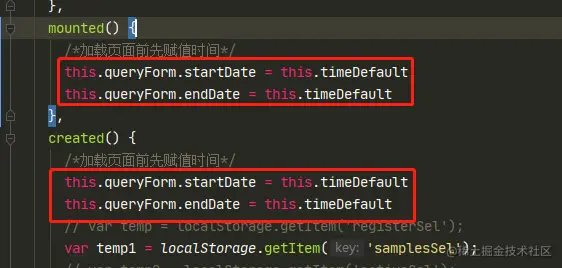
this.queryForm.startDate = this.timeDefault
this.queryForm.endDate = this.timeDefault
7、日期选择器 change执行事件
batchWithdrawalCommission(val) {
if (this.queryForm.datetime == null) {
return
}
if (this.queryForm.dateType == '自然周') {
this.queryForm.startDate = dayjs(this.queryForm.datetime)
.startOf('week')
.format('YYYY-MM-DD')
this.queryForm.endDate = dayjs(this.queryForm.datetime)
.endOf('week')
.format('YYYY-MM-DD')
} else if (this.queryForm.dateType == '自然日') {
this.queryForm.startDate = dayjs(this.queryForm.datetime)
.startOf('day')
.format('YYYY-MM-DD')
this.queryForm.endDate = dayjs(this.queryForm.datetime)
.startOf('day')
.format('YYYY-MM-DD')
} else if (this.queryForm.dateType == '自然月') {
this.queryForm.startDate = dayjs(this.queryForm.datetime)
.startOf('month')
.format('YYYY-MM-DD')
this.queryForm.endDate = dayjs(this.queryForm.datetime)
.endOf('month')
.format('YYYY-MM-DD')
} else if (this.queryForm.dateType == '自定义') {
this.queryForm.startDate = dayjs(this.queryForm.datetime[0])
.startOf('day')
.format('YYYY-MM-DD')
this.queryForm.endDate = dayjs(this.queryForm.datetime[1])
.endOf('day')
.format('YYYY-MM-DD')
}
this.queryData()
},
8、最后就是点击指定日期 获取时间传参 调用表格数据了
onlyOneQueryData() {
switch (this.queryForm.dateType) {
case '实时':
case '昨天':
case '近7天':
case '近30天':
case '近90天':
this.queryData()
break;
default:
}
},