我是前端下饭菜,两娃的爸创业中。公众号“绘个球”(各种号全网同名)实时分享创业动态,提供军事、地理、地产短视频工具。
WASM是什么?
2015年浏览器三大巨头Chrome、Mozilla、Microsoft共同发起WebAssembly项目,意在解决浏览器中的javascript性能瓶颈问题,以便更好地在浏览器端支持高性能应用。十年磨一剑,一种技术从孵化初期至成熟需要十年,Alon Zakai 2010年提出Emscription,2019年W3C将WebAssemlby发布为正式标准,此后各大浏览器相继支持了WebAssembly。随着WebAssembly的提出,各公司也开始尝试将复杂应用线上化,并使用WebAssembly解决性能问题。
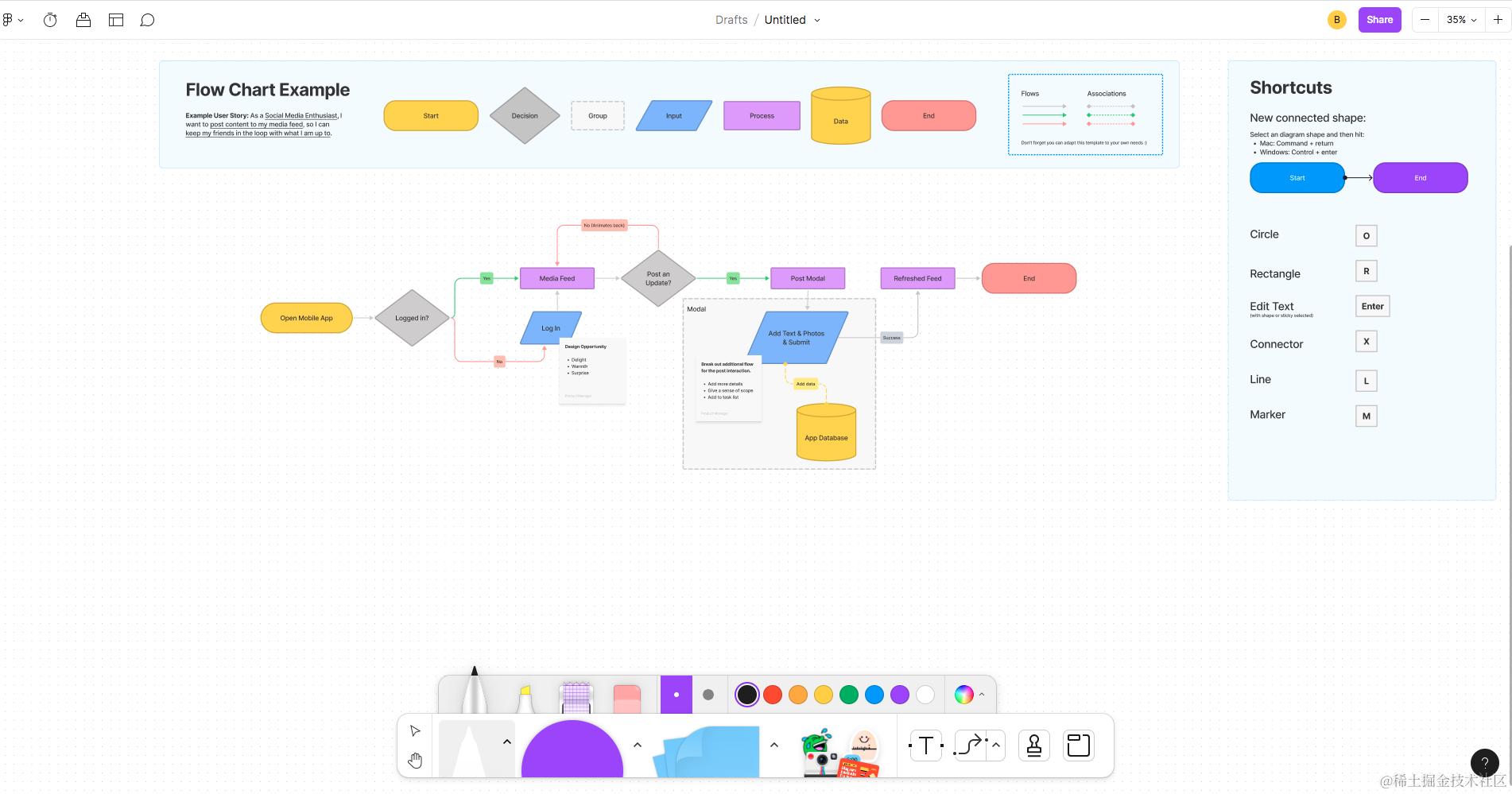
2018年,Figma接入asm.js加快文档读写速度,后续改用至WebAssembly,速度又提升了3倍+。
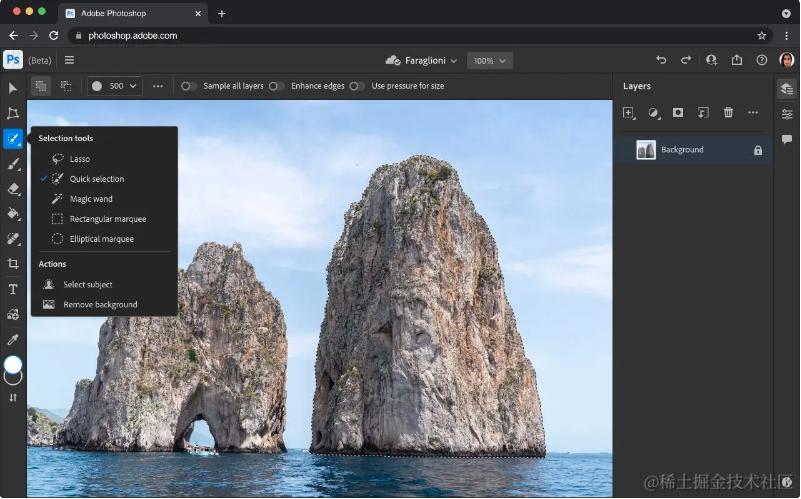
2019年,Adobe宣布正在快马加鞭地开发可在浏览器运行的Photoshop版本。
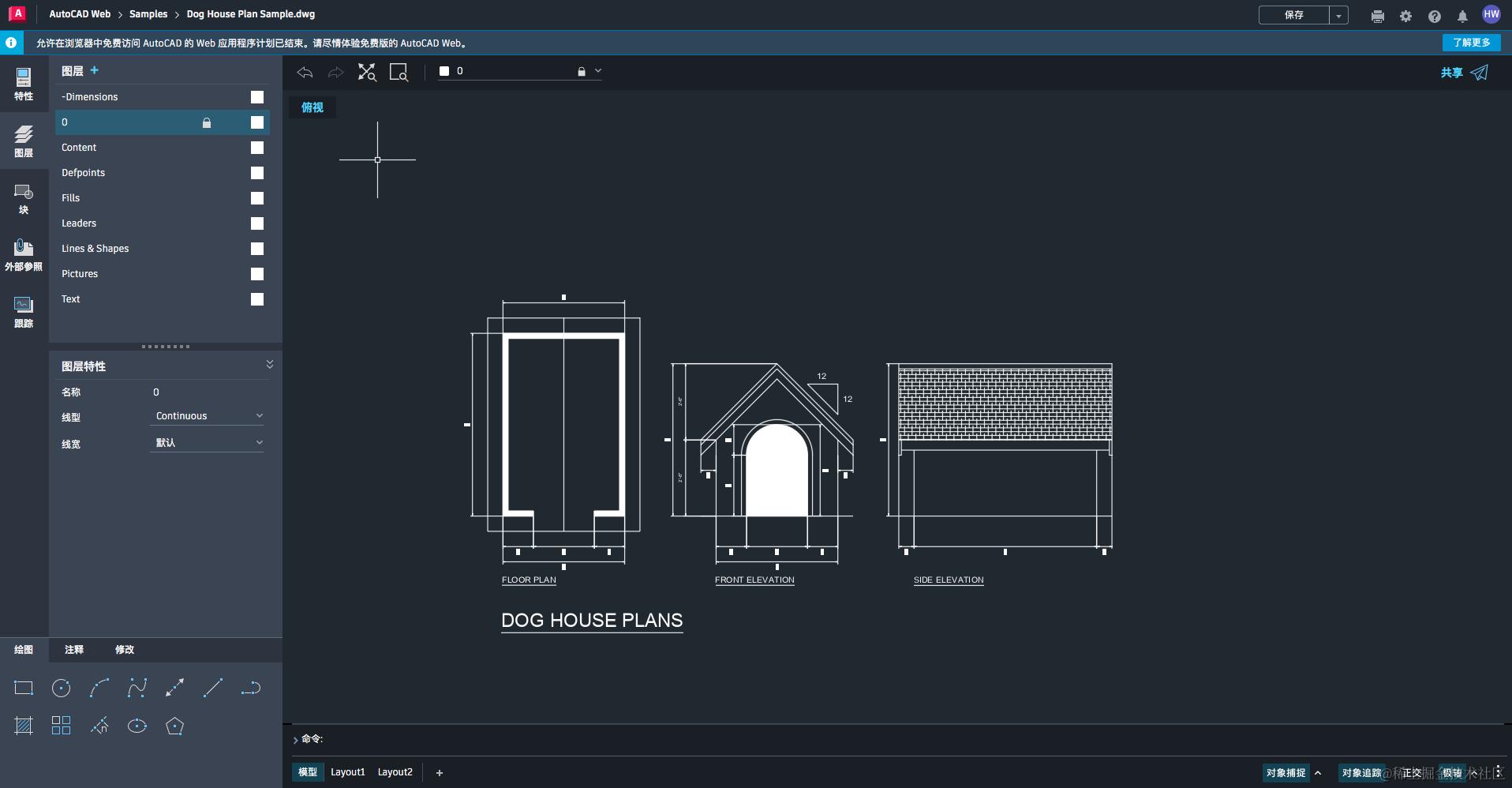
2020年,AutoCAD通过集成WebAssemlby发布可在浏览器运行的版本,无需安装本地软件。
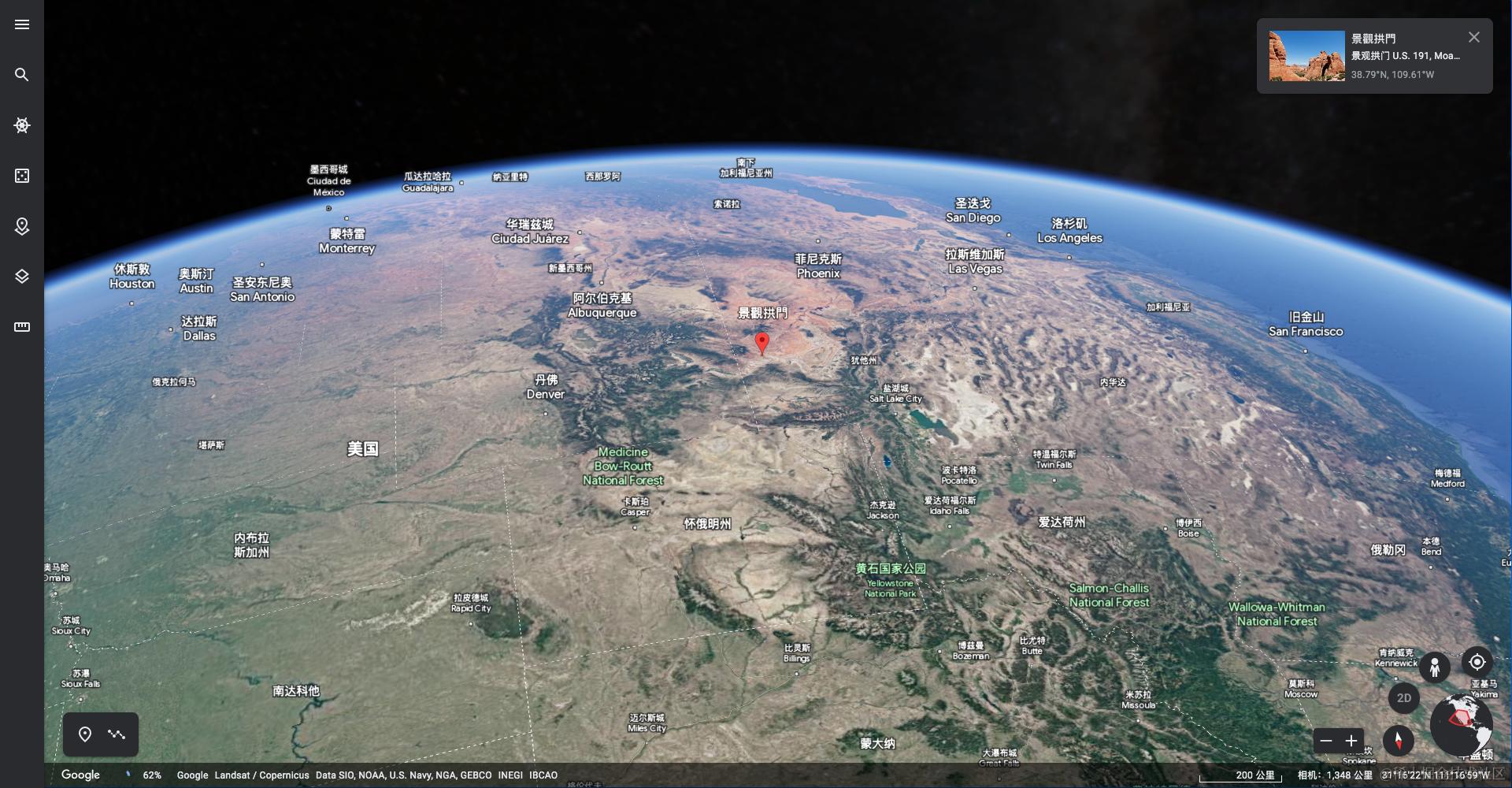
2020年,Google Earth宣布使用WebAssembly将3D可视化迁移至浏览器端。
WebAssembly除了解决数据读取和编解码,在图形化处理、音视频解码场景也有比较广泛的应用。到目前Chrome、Safari、Firefox、Edge等各大浏览器都已兼容WebAssembly API。
WASM开发,从0到1过程
如何从0到1开发一个WebAssembly程序,以图像添加水印为例,接下来将从wasm环境安装、编译、调用等方面从0到1地实现图像水印程序,一步步介绍开发所涉及环境、工具以及API。
环境准备
Emscripten
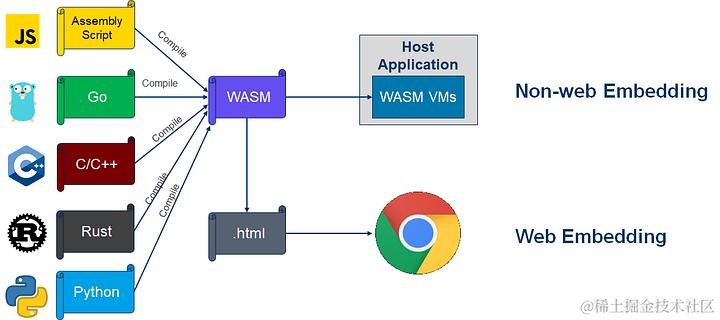
Emscripten是一个开源的编译器工具集,支持将C/C++等语言的代码编译成WebAssembly二进制或JavaScript文件,编译后的代码可在现代Web浏览器中直接运行。Emscripten的主要目标是为开发者提供一种简单、快速、高效的方式将现有的C/C++应用程序或库移植到Web平台上,同时还提供了高级功能,如自动内存管理、多线程支持和OpenGL ES 2.0图形渲染等。
除了C/C++,Emscripten支持的语言还包括Ruby、Python、Haskell、Rust、D、PHP、Pure、Lua、 Julia等等。它通过将这些语言的源代码编译成LLVM中间表示(IR),然后再通过LLVM工具链将IR编译成WebAssembly或JavaScript代码。
LLVM
LLVM(Low Level Virtual Machine)是一个开源的编译器基础设施,它包括一系列的编译器工具、库和技术,用于优化代码的生成、静态分析、调试和代码转换等任务。LLVM最初由苹果公司开发,目前由LLVM社区维护和开发。
Emscripten
为了将C编译为WebAssembly文件,需要先安装emssdk,一个python实现的脚本工具。emssdk需要下载源代码并进行编译。
git clone https://github.com/juj/emsdk.git
cd emsdk

# 在 Linux 或者 Mac macOS 上
./emsdk install --build=Release sdk-incoming-64bit binaryen-master-64bit
./emsdk activate --global --build=Release sdk-incoming-64bit binaryen-master-64bit
# 如果在你的 macos 上获得以下错误
Error: No tool or SDK found by name 'sdk-incoming-64bit'
# 请执行
./emsdk install latest
# 按照提示配置环境变量即可
./emsdk activate latest


# 在 Windows 上
emsdk install --build=Release sdk-incoming-64bit binaryen-master-64bit
emsdk activate --global --build=Release sdk-incoming-64bit binaryen-master-64bit

# 注意:Windows 版本的 Visual Studio 2017 已经被支持,但需要在 emsdk install 需要追加 --vs2017 参数。
图像水印实现(C代码)
可以用C语言实现图像水印,然后使用emcc将其编译为WebAssembly文件。代码引用stb、freetype开源库,stb支持从文件或内存读取,或则输出图像数据至文件、内存。freetype提供了丰富的字体库API,可读取字体文件*.ttf,并将字体库生成bitmap,最后将拿到的字符bitmap信息覆盖到图像中。以下代码为具体实现流程:
- 代码引入了freetype头文件以及stb提供的stb_image、stb_image_write头文件
- 使用
stbi_load_from_memory函数从内存读取图像数据 - 使用freetype库读取
arial.ttf字体文件 - 将水印文字按像素替换图像数据
- 将图像数据使用
stbi_write_jpg_to_func函数写入到内存中
#include <stdio.h>
#include <stdlib.h>
#include <string.h>
#include <ft2build.h>
#include "watermark.h"
#include FT_FREETYPE_H
#include <emscripten/emscripten.h>

#define STB_IMAGE_IMPLEMENTATION
#include "stb_image/stb_image.h"

#define STB_IMAGE_WRITE_IMPLEMENTATION
#include "stb_image/stb_image_write.h"

#define WATERMARK_TEXT "WebAssembly"
#define FONT_SIZE 12
FT_Face ft_face;
FT_Library ft_library;

static void custom_stbi_write_mem(void *context, void *data, int size) {
   custom_stbi_mem_context *c = (custom_stbi_mem_context*)context;
   char *dst = (char *)c->context;
   char *src = (char *)data;
   int cur_pos = c->last_pos;
   for (int i = 0; i < size; i++) {
       dst[cur_pos++] = src[i];
   }
   c->last_pos = cur_pos;
}

int init_freetype(const char* font_file) {
  // 初始化freetype库
  if (FT_Init_FreeType(&ft_library)) {
    printf("Failed to init FreeType library\n");
    return 0;
  }
  // 加载字体文件
  if (FT_New_Face(ft_library, font_file, 0, &ft_face)) {
    printf("Failed to load font file %s\n", font_file);
    return 0;
  }

  FT_Set_Pixel_Sizes(ft_face, 0, FONT_SIZE);
}

// 释放freetype资源
void release_freetype() {
  FT_Done_Face(ft_face);
  FT_Done_FreeType(ft_library);
}

/**
 * 图像添加水印
 *
*/
EMSCRIPTEN_KEEPALIVE
int add_watermark(BYTE* input_file, UINT* length, UINT* outputLen) {
  if (!input_file || !length) {
    printf("Invalid input_file and length.");
    return -1;
  }
  int width, height, channels;
  // 使用stbi_load_from_memory从内存读取图像数据
  unsigned char* image_data = stbi_load_from_memory(input_file, length, &width, &height, &channels, 0);

  if (!image_data) {
    printf("Failed to load image file %s\n", input_file);
    return -1;
  }

  if (!ft_face) {
    init_freetype("arial.ttf");
  }

  FT_GlyphSlot slot = ft_face->glyph;
  // 定义宽度、高度、通道数、每行字节数
  int x, y, c, pitch;
  char* text = WATERMARK_TEXT;
  int text_len = strlen(text);
  // 每行字节数为像素数*通道数
  pitch = width * channels;
  // 水印打印到左下角20像素高度位置
  unsigned char* row = image_data + pitch * (height - FONT_SIZE);
  unsigned char* ptr = row;
  for (x = 0; x < text_len; x++) {
    FT_UInt glyph_index = FT_Get_Char_Index(ft_face, text[x]);
    if (FT_Load_Glyph(ft_face, glyph_index, FT_LOAD_DEFAULT)) {
      printf("Failed to load glyph for character %c\n", text[x]);
      continue;
    }
    if (FT_Render_Glyph(ft_face->glyph, FT_RENDER_MODE_NORMAL)) {
      printf("Failed to render glyph for character %c\n", text[x]);
      continue;
    }
    // 字体排版位图
    FT_Bitmap* bitmap = &slot->bitmap;
    // 位图宽度、高度
    int width = bitmap->width;
    int height = bitmap->rows;
    //
    int x_offset = slot->bitmap_left;
    int y_offset = slot->bitmap_top - height;
    // 写入的行结束位置
    unsigned char* dst_ptr = ptr + x * FONT_SIZE * channels;
    // 需要将src_ptr指针处的值读取到dst_ptr
    unsigned char* src_ptr = bitmap->buffer;
    for (int i = 0; i < height; i++) {
      for (int j = 0; j < width; j++) {
        // 读取字体指针处的透明度
        int alpha = src_ptr[j];
        dst_ptr[j * channels + 3] = alpha;
        // 如果透明度大于0,则为图像上当前行的j*channels位置设置rgb为白色
        if (alpha > 0) {
          dst_ptr[j * channels] = 255;
          dst_ptr[j * channels + 1] = 255;
          dst_ptr[j * channels + 2] = 255;
        }
      }
      // 字体排版指向下一行
      src_ptr += bitmap->pitch;
      // 图像指针指向下一像素行
      dst_ptr += pitch;
    }
  }
  row -= pitch;

  // Save the watermarked image to memory
  unsigned char* buffer = (unsigned char*)malloc(length);
  custom_stbi_mem_context context;
  context.last_pos = 0;
  context.context = (void *)buffer;
  int result = stbi_write_jpg_to_func(custom_stbi_write_mem, &context, width, height, channels, image_data, 30);
  if (result == 0) {
     printf("Failed to write image with stbi_write_jpg_to_func \n");
     return -1;
  }
  *outputLen = context.last_pos;
  printf("output length %s \n", outputLen);

  return buffer;
}
将C代码编译为WASM
在生成wasm文件需要配置编译参数,常用的参数一般有-O<level>、-s WASM=1、-s EXPORTED_FUNCTIONS等等。
-O<level>: 设置优化级别,级别0表示不进行优化,级别1-3表示进行逐步增加的优化。-s WASM=1:指定编译为WebAssembly模块。-s EXPORTED_FUNCTIONS:制定需要导出的函数,其值格式为函数1,函数2,这里需要强调的是函数都需要加上前缀下划线_。-o <target>: 设置输出的文件格式,可以为.js、.mjs、.html、.wasm,例如当指定为-o out.html,则会输出out.js、out.html、out.wasm三个文件。-I <include_path>: 当emcc编译源文件时,会查找所包含的头文件,该参数可指定头文件的查找路径。--preload-file <file>: 预加载资源文件,如果c代码中有加载静态资源,则需要使用--preload-file arial.ttf将资源文件打包到*.data。-s USE_FREETYPE=1: 启动freeType字体库,emcc自动将freetype库打包至wasm文件。-g: 编译时添加DWARF调试信息到WebAssembly文件。其他参数:可在官网或github查看全部参数。
下面指令将watermark.c文件编译为watermark.wasm文件,使用*.js格式,输出的文件包括:watermark.js、watermark.data、watermark.wams。使用EXPORTED_RUNTIME_METHODS导出运行时函数,使用EXPORTED_FUNCTIONS导出功能函数。
emcc -O3 -s USE_FREETYPE=1 -s ALLOW_MEMORY_GROWTH=1 -s WASM=1
-s EXPORTED_RUNTIME_METHODS="['writeArrayToMemory', 'getValue', 'cwrap']"
-s EXPORTED_FUNCTIONS="['_malloc', '_free', '_add_watermark']"
watermark.c -o webs/watermark.js
--preload-file arial.ttf
加载、调用wasm API
wasm代码可以在UI线程或者worker中使用,在UI线程可使用const Module = require('./watermark.js')导出Module对象,Module对象包含上述emcc导出的相关函数。如果想在worker中调用wasm,可使用importScripts('watermark.js')引入Module对象。wasm常用函数以及属性如下所示,所有的预制函数都包含在preable.js。
_malloc: 分配指定长度的内存,返回指针位置_free: 释放内存cwrap: 使用native javascript方法映射c或其他语言函数,包括参数的定义,例如:
// Call C from JavaScript
// cwrap(ident, returnType, argTypes)
var c_javascript_add = Module.cwrap('c_add', // name of C function
  'number', // return type
  ['number', 'number']); // argument types
setValue: 设置值到内存中,格式为setValue(ptr, value, type[, noSafe]), type为LLVM IR 类型,可以是i8, i16, i32, i64, float, double其中一种。getValue:从指定内存读取值,格式为getValue(ptr, type[, noSafe]),type和setValue一致。当在某个指针ptr连续存储多个值时,可以使用getValue读取,例如ptr连续存储with、height、channels三个值,则可通过以下方式读取:
const result = {
    width: Module.getValue(ptr, 'i32'),
    height: Module.getValue(ptr + 4, 'i32'),
    channels: Module.getValue(ptr + 8, 'i32'),
}
writeArrayToMemory: 格式为writeArrayToMemory(array, buffer), 将array数组写入到指定内存buffer。例如将图像数据通过writeArrayToMemory写入到heap内存, c代码可通过input指针从内存读取图像数据。Uint8Array为8位无符号数组,可存储图像数据[0, 255]。
const input = Module._malloc(arrayBuffer.byteLength);
const jpg = new Uint8Array(arrayBuffer);
Module.writeArrayToMemory(jpg, input);
HEAPU32: Emscripten使用类型化数组分配内存,除了HEAPU32还包含HEAP8、HEAPU8、HEAP16、HEAPU16等等。当图像添加完水印,输出output、outoutLength两个指针,分别指针图像数据、长度值,其值可通过以下方式读取到javascript中。
 const length = new Int32Array(Module.HEAPU8.buffer, outputLength, 1)[0];
 const blob = new Blob([Module.HEAPU8.subarray(output, output + length)], { type: 'image/jpeg' });
wasm也可运行在worker中,首先将网络请求返回的arraybuffer写入到内存中,再调用wasm提供的_add_watermark方法处理水印,最后从内存中读取处理结果并生成新的blob。由于水印方法通过EXPORTED_FUNCTIONS参数导出,因此都需要带下划线。也可以在函数头部标记EMSCRIPTEN_KEEPALIVE,JS中直接通过Module.add_wamtermark调用。
var Module = {
    print: (text) => {
        console.log('stdout', text);
    },
    printErr: (text) => {
        console.error('stderr', text);
    }
}
importScripts('watermark.js');
fetch(newUrl).then(async res =>{
    const arrayBuffer = await res.arrayBuffer();
    // 为输入字节、输入长度分配内存指针
    const input = Module._malloc(arrayBuffer.byteLength);
    const inputLength = Module._malloc(4);
    const jpg = new Uint8Array(arrayBuffer);
    Module.writeArrayToMemory(jpg, input);
    Module.HEAPU32[inputLength] = jpg.length;
    const outputLength = Module._malloc(4);
    const output = Module._add_watermark(input, inputLength, outputLength);
    // 释放input指针
    Module._free(input);
    Module._free(inputLength);

    if (output > 0) {
        const length = new Int32Array(Module.HEAPU8.buffer, outputLength, 1)[0];
        const blob = new Blob([Module.HEAPU8.subarray(output, output + length)], { type: 'image/jpeg' });
        Module._free(output);
        Module._free(outputLength);

        // TODO: 输出结果blob
        return;
    }
    Module._free(output);

    // TODO: 异常处理
 })
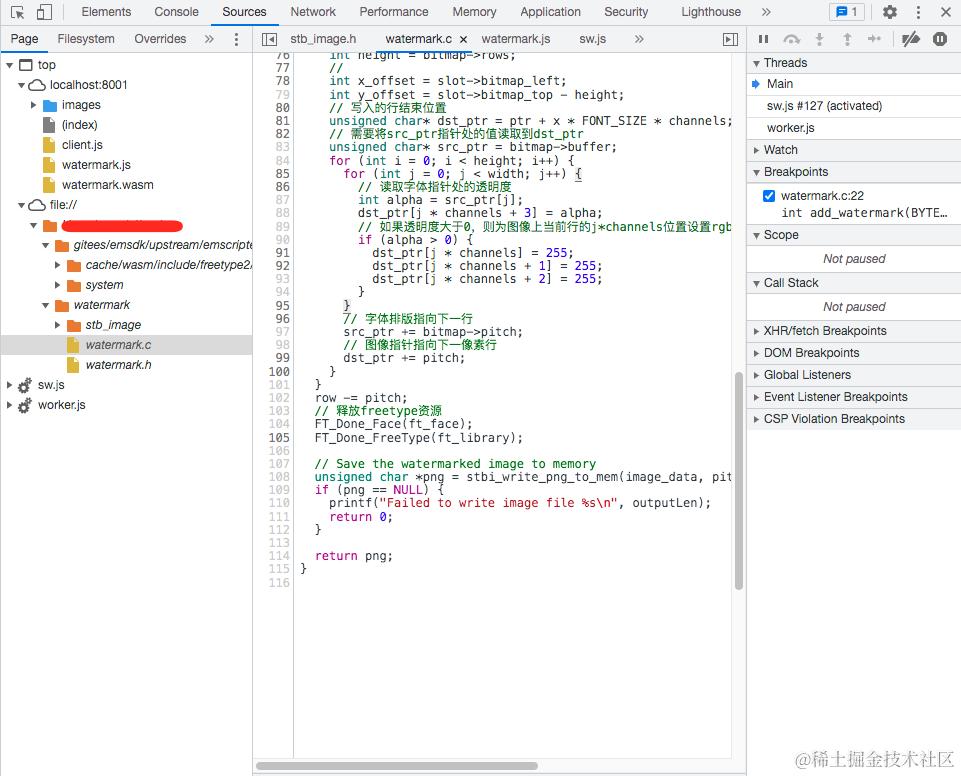
由于通过内存传递数据,开发wasm过程难免会遇到未知异常,因此需要在浏览器联调C/C++代码,Emscripten支持为在C/C++到WebAssembly编译过程注入调试信息DWARF,生成对应的source map, 解析DWARF还需要安装Chrome插件C/C++ DevTools Support (DWARF),支持在Devtools中调试C/C++代码。
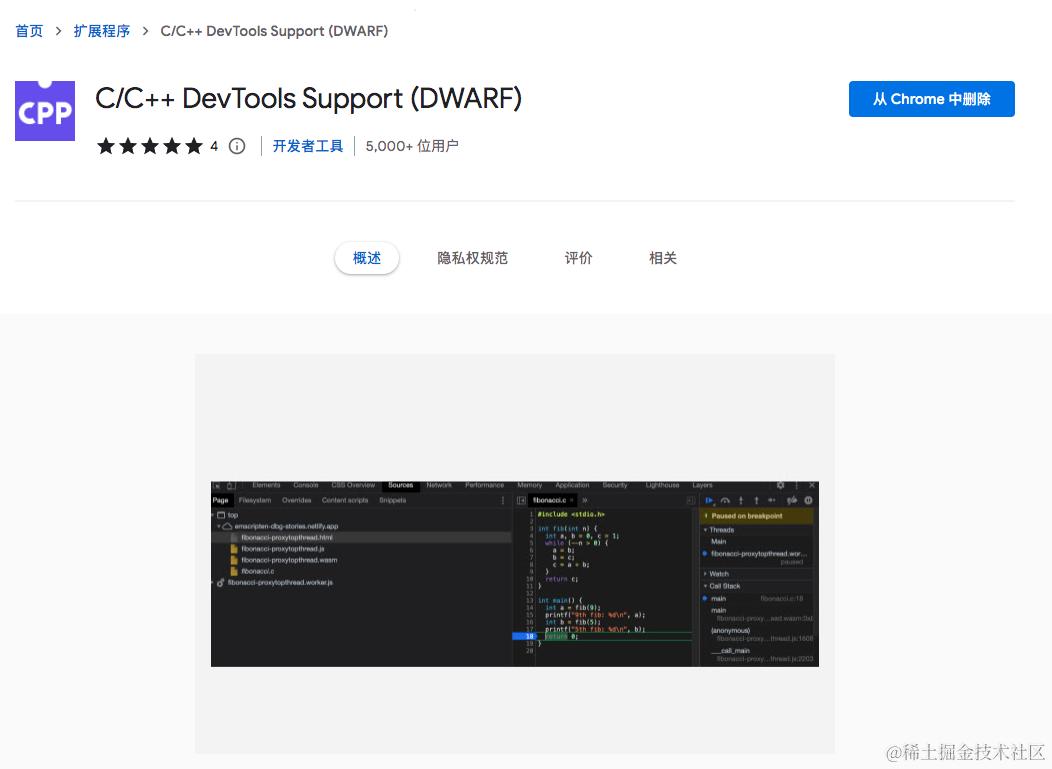
当编译使用-g参数,生成DWARF调试文件,这是一种编译器使用的通用调试文件格式,C/C++ DevTools Support (DWARF)解析DWARF文件,生成source map信息,使得开发人员可以在DevTool中看到C/C++源码。
wasm、javascript性能对比
使用上述实现的水印工具,读取不同大小的图像,压缩率统一为0.6,将js、wasm添加水印程序分别执行100次,对比平均耗时,随着图像文件大小的增加,wasm优势更加明显,例如一个4M的图像,WASM执行时间比javascript降低40%。
| 类型 | 7KB | 47KB | 419KB | 2M | 4M |
|---|---|---|---|---|---|
| JAVASCRIPT | 8.3ms | 55.26ms | 54.29ms | 493.27 | 1471.61ms |
| WASM | 7.37ms | 41.00ms | 40.29ms | 454.36ms | 886.16ms |
| 性能 | -11% | -25.8% | -25.8% | -8% | -39.8% |

javascript使用watermarkjs图像库添加水印,测试代码如下:
  async function addWaterMarkWithJavascript() {
    const start = Date.now();
    return watermark([file]).image(text.lowerRight('WebAssembly', '48px Josefin Slab', '#fff', 0.6))
        .then(img => {
          return Date.now() - start;
        }
    );
  }
使用wasm添加水印,测试代码:
  async function addWatermarkWithWASM() {
    const res = await fetch(file);
    const arrayBuffer = await res.arrayBuffer();
    // 为输入字节、输入长度分配内存指针
    const input = Module._malloc(arrayBuffer.byteLength);
    const inputLength = Module._malloc(4);
    const jpg = new Uint8Array(arrayBuffer);
    Module.writeArrayToMemory(jpg, input);
    Module.HEAPU32[inputLength] = jpg.length;
    const outputLength = Module._malloc(4);
    const output = Module._add_watermark(input, inputLength, outputLength);
    // 释放input指针
    Module._free(input);
    Module._free(inputLength);
    if (output > 0) {
        const lens = new Int32Array(Module.HEAPU8.buffer, outputLength, 2);
        const length = lens[0];
        const blob = new Blob([Module.HEAPU8.subarray(input, output + length)], { type: 'image/jpeg' });
        const img = document.createElement('img');
        img.src = URL.createObjectURL(blob);
        const imgwrapper = document.querySelector('.output');
        imgwrapper.appendChild(img);
    }
    Module._free(output);
    Module._free(outputLength);
  }
WebAsembly具备哪些能力
想要知道wasm具备哪些能力,可以从提供的公开API入手分析。
- 文件和文件系统
本地文件的访问,C/C++本地代码通常使用libc、libxx中的同步API操作文件,而javascript仅允许异步访问本地文件。Emscripten 提供了一个模拟本地文件系统的虚拟文件系统,因此可以直接使用同步文件 API。文件系统的架构如下,wasm默认使用MEMFS虚拟文件系统,MEMFS将文件存储在内存中。如果emcc编译指定了预加载文件(如--preload-file <file>),javascript使用XHR异步下载,并保存至虚拟文件系统。如果要从网络异步下载文件,可使用异步系统文件API。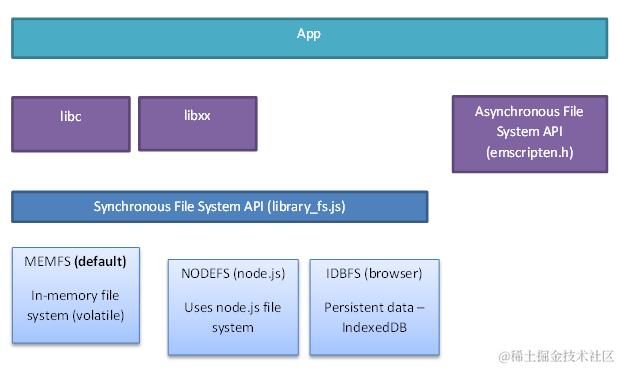
- 图形化处理
Emscripten提供了OpenGL API,包含三种OpenGL模式:OpenGLES 2.0/3.0的WebGL子集、 OpenGLES 2.0/3.0仿真、旧桌面版OpenGL API模拟指令。默认使用第一种模式,如果将现有通过WebGL实现的图形化应用移植到wasm,应用渲染性能将会得到成倍提升。如D3wasm将Doom 3 Engine游戏引擎移植到wasm,支持在Chrome、Firefox等现代浏览器中运行,在Chrome上运行帧率接近50 FPS,在线地址。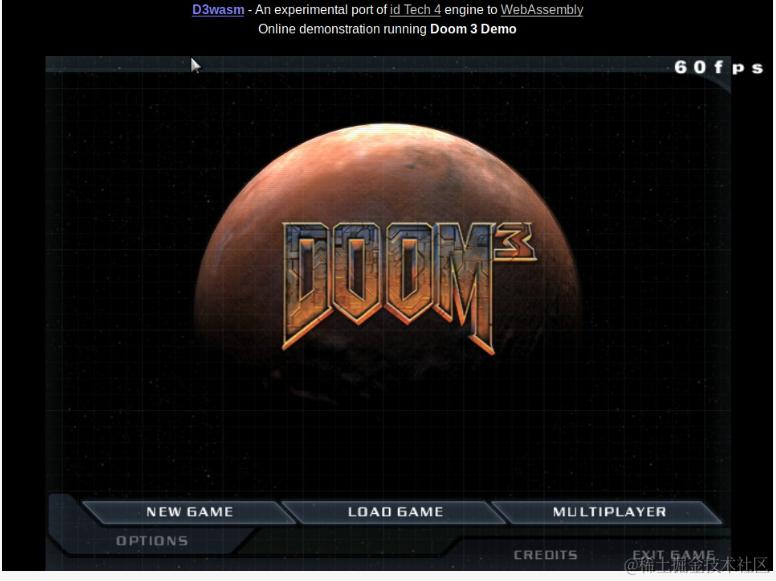
- 音频、视频
Emscripten附带了OpenAL 1.1 API的实现, 可以作Web Audio API的后台运行接口。OpenAL是一个支持跨平台的3D音频API,使用于游戏以及其他音频领域。OpenAL应用于视频游戏、VR、AR、移动软件等等,包括上面提到的Doom 3也是使用Open AL作为音频API。 - 网络请求
在浏览器端通常使用XmlHttpRequest, Fetch, WebSockets and WebRTC进行网络数据传输,EMSCRIPTEN提供了类似的网络请求API。Emscripten提供了可以通过C/C++访问的Web Socket API<emscripten/websocket.h>,这对于不想编写任何 JavaScript 代码或处理C/C++和 JavaScript 间通信的开发人员很有用。区别于JavaScript访问WebSocket,Emscripten支持在多线程间共享访问WebSocket句柄。除了WebSocket,Emscripten还提供了Fetch APIemscripten_fetch。
    int main() {
      emscripten_fetch_attr_t attr;
      emscripten_fetch_attr_init(&attr);
      strcpy(attr.requestMethod, "GET");
      attr.attributes = EMSCRIPTEN_FETCH_LOAD_TO_MEMORY;
      attr.onsuccess = downloadSucceeded;
      attr.onerror = downloadFailed;
      emscripten_fetch(&attr, "myfile.dat");
    }
- SMID
SIMD(Single Instruction Multiple Data)是一种指令集扩展技术,用于提高处理器的并行计算能力。SIMD 指令可以同时对多个数据元素执行相同的操作,从而加快计算速度。例如,SIMD 可以用于图像处理、音频处理、物理模拟等需要对大量数据执行相同操作的应用中。例如libjpeg-turbo图像处理库使用了SIMD提升图像编辑性能,前文用C实现的图像水印可以使用libjpeg-turbo代替std-image,文件写效率将有比较明显的提升。 - 多线程支持
- 异步化
WebAssembly在后端的应用
WebAsembly官网的一句描述for a stack-based virtual machine, 将WebAsembly带入了后端领域。从早期的VMWare WorkStation、VirtualBox,到今天的Docker,虚拟化技术一直是云计算的基础。因此,作为一种具有诸多优势的虚拟机代码格式,WebAssembly 进入后端应用领域是必然趋势。Docker创始人Solomon Hykes在2019年表示,“如果 WASM+WASI 在 2008 年就已经存在,我们就不需要创建 Docker ”,可见WebAssembly 在后端应用中的应用前景广阔。对比与Docker,WebAsembly的优势:
- WebAssembly 程序的大小通常小于5M,而Docker镜像往往很容易超过 100M,因此WebAssembly 的加载速度要快得多。
- WebAssembly 程序的冷启动速度比 Docker 容器快约 100 倍。
- WebAssembly运行在沙箱中,任何与外界的交互都必须获得明确的许可后才能进行,安全性极佳。
- WebAssembly 模块只是一个二进制程序,不包含操作系统环境,所以不用像在Docker中那样编译后再执行。
参考资料
1、十年磨一剑,WebAssembly 是如何诞生的?
2、Bringing teams together in Creative Cloud at Adobe MAX 2021
3、C Programming - Reading and writing images with the stb_image libraries
4、Debugging WebAssembly with modern tools
5、What is OpenAL
如果大家有疑问可直接留言,一起探讨!感兴趣的可以点一波关注。