“开启掘金成长之旅!这是我参与「掘金日新计划 · 2 月更文挑战」的第 17 天,点击查看活动详情”
引言
- 3.1.1微信小程序
- 2.1蓝牙权限
需要录制一个视频,演示蓝牙打印机的使用(可上传到优酷/腾讯之后将视频链接写在备注)
- 5.1.1权限使用说明
摄像头、位置和蓝牙的使用场景需要在应用配置文件Info.plist进行说明。
- 境外IP访问权限
I 3.1.1微信小程序
3. 2.2 Business
1.1 问题分析
因为推广了微信小程序,昨天被拒绝了
Guideline 3.2.2 - Business - Other Business Model Issues - Unacceptable
We noticed that your app includes an interface that displays or promotes mini programs for third-party apps, which is not appropriate for the App Store. Next Steps To resolve this issue, please remove any features in your app that promote programs for third-party apps. Please see attached screenshots for details.
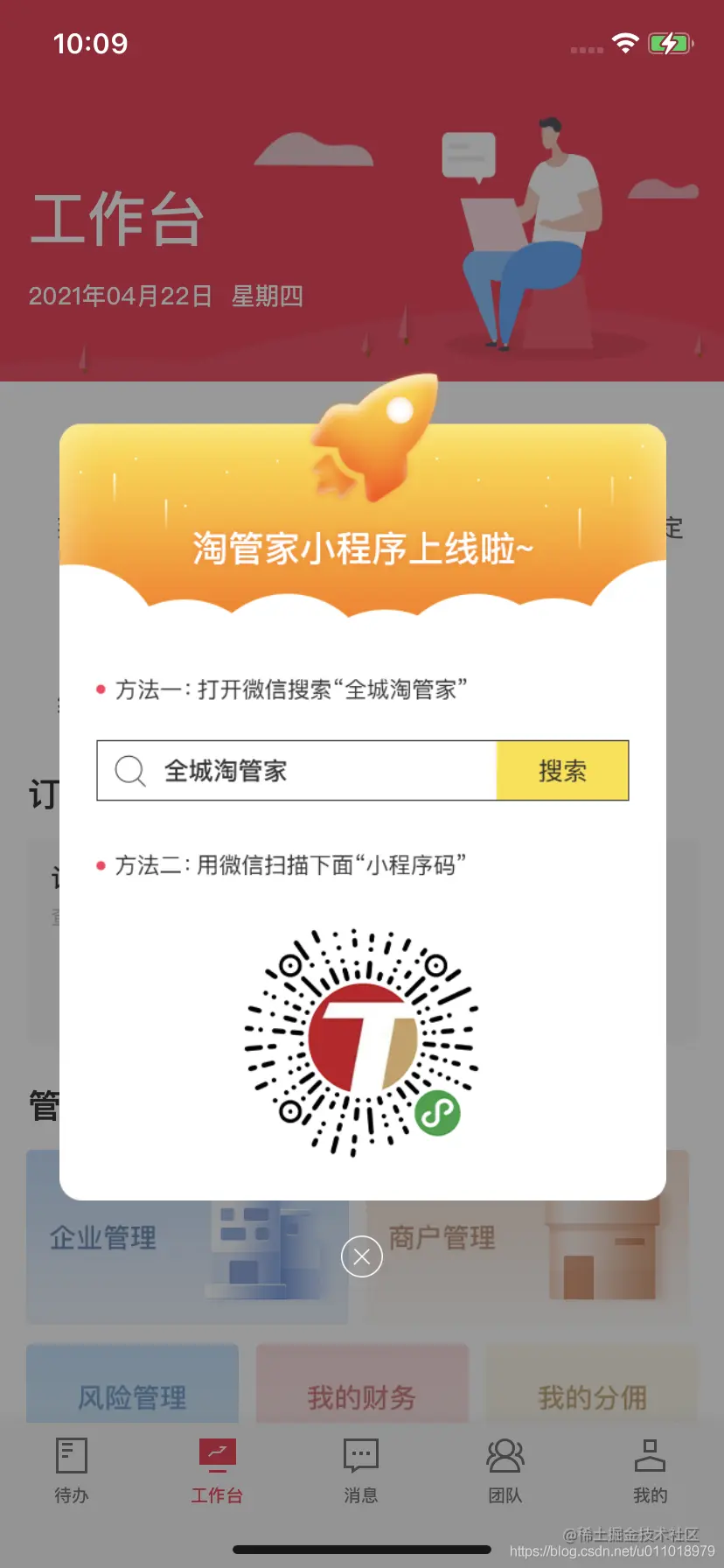
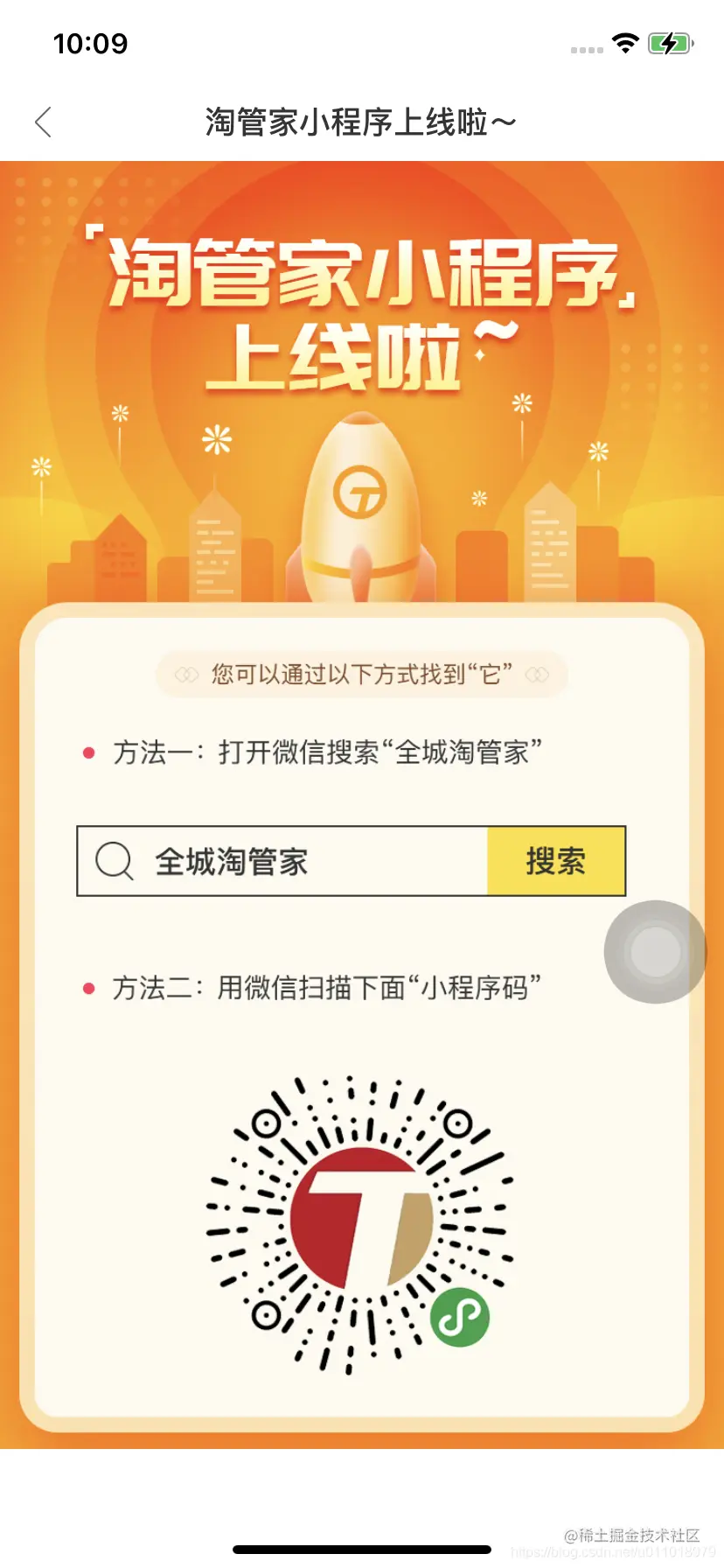
1.2 解决步骤
1、移除已经拒绝的二进制文件,并回复问题已经修复 来将app的审核状态从拒绝状态变更为准备提交
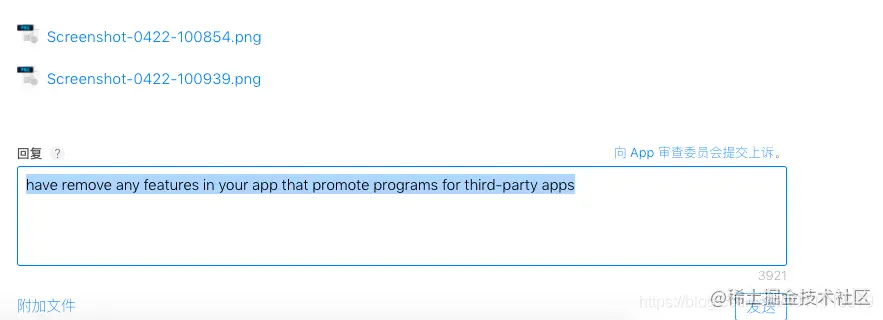
如果不审核状态为准备提交状态进行提交二进制文件,容易报错:
An error occurred saving your changes to the Apple database. This problem may be a transient issue on the Apple side. If the problem persists for more than an hour, please contact your iTunes representative. (1015)
2、修改问题,去除【推广微信小程序】功能,并提交二进制文件
1.3 去掉微信小程序推广的相关功能
去掉微信小程序推广的相关功能
     // 1.2 添加导航条标题视图navLab
-    [navView addSubview:navLab];
+//    [navView addSubview:navLab];


@@ -1245,10 +1245,13 @@ - (void)setupnavView


-
-    [self.noteViw setModel:self.viewModel.noteViweModel];
+    //因为推广了微信小程序,昨天被拒绝了


+//    [self.noteViw setModel:self.viewModel.noteViweModel];
+
+    self.noteViw.hidden = YES;
+


 }
diff --git "Login/Login/M/token\344\277\241\346\201\257/UserInfoModel.m" "b/Housekeeper/Housekeeper/class/Login/Login/M/token\344\277\241\346\201\257/UserInfoModel.m"
index 33ae791f..1cf3a388 100644
--- "class/Login/Login/M/token\344\277\241\346\201\257/UserInfoModel.m"
+++ "class/Login/Login/M/token\344\277\241\346\201\257/UserInfoModel.m"
@@ -540,7 +540,7 @@ - (void)  GetCurrentSysUser{


         // 发布通知
-        [[NSNotificationCenter defaultCenter] postNotificationName:k_setup_ShowAD_Notification object: nil userInfo:@{}];
+//        [[NSNotificationCenter defaultCenter] postNotificationName:k_setup_ShowAD_Notification object: nil userInfo:@{}];
II 蓝牙权限(2.1)被拒绝上架的案例
kunnan.blog.csdn.net/article/det…
2.1 拒绝原因
Your app declares support for bluetooth-central in the UIBackgroundModes key in your Info.plist but does not provide Bluetooth Low Energy functionality. The Bluetooth Background modes are for apps that communicate to other devices using Bluetooth Low Energy and the Core Bluetooth framework.
真正的原因是
审核人员没发现使用蓝牙的功能,所以打回了
2.2 解决方案
由于我这次使用蓝牙功能比较隐蔽,就直接回复说明方法,并在审核资料的备注附加蓝牙功能使用的演示视频,具体如下:
- 功能演示说明
Use a Bluetooth connection to print a small ticket for a demo: v.youku.com/v_show/id_X… 使用蓝牙连接,进行打印小票的演示说明: v.youku.com/v_show/id_X…
- 英文版
Hello, our app offers provide Bluetooth Low Energy functionality for printing small tickets. The specific scenario is: code plates and other devices that do not have the function of printing, when they receive a successful collection, the app will receive a print ticket message to connect to the Bluetooth printer for small ticket printing. When the app is in the background, you need to determine the bluetooth connection status, when the connection will be printed small ticket. API: _centralmanager =[[CBCentralManager alloc] initWithDelegate:self queue:dispatch_get_global_queue(0, 0) options:@{CBCentralManagerOptionShowPowerAlertKey : [NSNumber numberWithBool:YES]}]; The app uses Bluetooth features in places such as printing commodity price tags, printing trading tickets, code plates and other devices that do not have the printing function, when they receive a successful collection, the app will receive a message to connect to the Bluetooth printer for small ticket printing. When the app is in the background, you need to determine the bluetooth connection status, when the connection will be printed small ticket. Ways to use Bluetooth: First, the printing method of native transactions 1, open the auto-print ticket switch: My -Settings- Small Ticket Management - Small Ticket Auto Print 2, return to the cash register, input amount: 222 3, choose the payment method: cash 4, payment success interface has a print button can be connected to the Bluetooth printer for printing
Second, printing transactions of the order information small ticket method 1, switch tab into the collection information module, select the bill flow, enter the collection details, click the print button for small ticket printing 2, switch tab into the store module, select a quick order or sales order, enter the list, click print ticket to connect Bluetooth printer print small ticket 3, switch tab into the store module, click on the product, enter the product category, click more button slots on the list, select the print price tag button, the price tag printing. Third, support for print code trading small tickets 1, switch tab, enter my, click on the settings icon in the upper right corner, enter the settings interface 2, choose terminal management 3, choose a device 4, turn on the voice broadcast switch, and at the same time turn on the print switch when receiving voice 5, the use of simple equipment for collection 6, this time the app is in the background, will receive a printed message, to connect to the Bluetooth printer, print small tickets. Supported Bluetooth devices are: Gambo GP-2120TU model
- 中文版
您好,我们应用提供了provide Bluetooth Low Energy functionality,用于打印小票。具体的场景是:码牌等不具备打印功能的设备,当它们收款成功时,app将会收到打印小票的消息来进行连接蓝牙打印机进行小票打印。 app 处于后台的时候,需要需要判断蓝牙的连接状态,如果连接蓝牙成功将进行打印小票。具体的API有: _centralmanager =[[CBCentralManager alloc] initWithDelegate:self queue:dispatch_get_global_queue(0, 0) options:@{CBCentralManagerOptionShowPowerAlertKey : [NSNumber numberWithBool:YES]}]; 此app使用蓝牙功能的地方有: 打印商品价格标签、打印交易小票;码牌等不具备打印功能的设备,当它们收款成功时,app将会收到打印小票的消息来进行连接蓝牙打印机进行小票打印。 app 处于后台的时候,需要需要判断蓝牙的连接状态,连接的时候将进行打印小票。 具体使用蓝牙功能的方法:
一、本机交易的打印的方法 1、打开自动打印小票开关: 我的-设置-小票管理-小票自动打印
2、返回收银台,输入金额:222
3、选择支付方式:现金
4、支付成功界面有打印按钮可以进行连接蓝牙打印机进行打印
二、打印交易记录的订单信息小票方法
1、切换tab 进入收款信息模块之后,选择账单流水,进入收款详情,点击打印按钮进行小票打印
2、切换tab 进入店铺模块,选择快捷订单或者销售订单,进入列表之后,点击打印小票进行连接蓝牙打印机打印小票
3、切换tab 进入店铺模块,点击商品,进入商品类别,点击列表的更多按钮,选择打印价签按钮,进行商品价格标签的打印。
三 、支持打印码牌交易小票
1、切换Tab,进入我的,点击右上角的设置icon,进入设置界面
2、选择终端管理
3、选择一个设备
4、打开语音播报开关,并同时打开接收语音时打印开关
5、使用简易设备进行收款
6、这个时候app处于后台的时候,将收到打印的消息,进行连接蓝牙打印机,打印小票。 支持的蓝牙设备有:佳博GP-2120TU型号
III 5.1.1权限使用说明
kunnan.blog.csdn.net/article/det…
摄像头、位置和蓝牙的使用场景需要在应用配置文件Info.plist进行说明。 uni HBuilderX的权限说明配置界面
IV 由于服务器侧的网络安全策略,导致境外IP无法访问
网络安全策略的背景
目的是避免境外IP可以访问相关交易系统。每次境外访问的策略开放都意味着可能存在境外交易、网络安全的风险。
解决方案:上架前,先和运维部门申请淘APP在IOS应用市场审核支持
xxx子公司将于5月13号下午提交APP到IOS市场审核,期间申请放开国外访问的限制(放开时计算,预计需要3个工作日),允许通过IPv6网络访问(不限于美国,其他国家也能访问),避免APP在IOS应用市场审核失败,望领导审批,谢谢!
上架备注:由于服务器侧的网络安全策略,推荐使用中国境内IP进行测试
境外是否能访问的测试方法:自己开启V_P_N进行测试,是否开通成功
- 回复限制网络访问的文案
您好,亲爱的苹果审核团队,由于我们服务器的原因导致无法登录,现已修复请重新审核。非常感谢!
预备知识
是否开启网络权限:
- (CTCellularData *)cellularData{
    if (!_cellularData) {
        _cellularData = [[CTCellularData alloc]init];
        [_cellularData setCellularDataRestrictionDidUpdateNotifier:^(CTCellularDataRestrictedState tmp) {

            //            NSLog(@"");

        }];
    }
    return _cellularData;
}
/** 是否开启网络权限: 除了第一次安装app的时候,系统自动检测,其他情况是要自己代码执行此方法进行手动检测 */
+ (BOOL)isNetworkPermissionsOpenWithisShowAlert:(BOOL)showAlert{


    //    static dispatch_once_t onceToken;
    //    dispatch_once(&onceToken, ^{


    __block BOOL isOpen = YES;
    //        cellularData.cellularDataRestrictionDidUpdateNotifier = ^(CTCellularDataRestrictedState state){
    switch ([QCTSession shareQCTSession].cellularData.restrictedState) {
        case kCTCellularDataRestricted:
            // app网络权限受限
            //各种操作 // 没有权限
            if (showAlert) {
                [LBAlertController showAlertTitle:@"无法访问网络" content:@"请在iPhone的\"设置-全城淘-无线数据\"中允许WLAN与蜂窝移动网。" cancelString:@"取消" cancleBlock:nil sureString:@"去设置" sureBlock:^{

                    // 需要在info.plist中添加 URL types 并设置一项URL Schemes为prefs  IOS10 以后不起作用
                    if([[UIApplication sharedApplication] canOpenURL:[NSURL URLWithString:UIApplicationOpenSettingsURLString]]){
                        [[UIApplication sharedApplication] openURL:[NSURL URLWithString:UIApplicationOpenSettingsURLString]];
                    }
                } currentController:[QCT_Common getCurrentVC]];
            }
            isOpen = NO;
            break;
        case kCTCellularDataRestrictedStateUnknown:
            // app网络权限不确定
            // 各种操作
            isOpen = NO;
            break;
        case kCTCellularDataNotRestricted:
            // app网络权限不受限
            // 各种操作 正常
            isOpen = YES;
            break;
        default:
            break;
    }

    return isOpen;


}