这是我参与「第五届青训营 」伴学笔记创作活动的第 9 天
一、TypeScript 高级类型
1. 联合类型 & 交叉类型
&:交叉类型(Intersection Types),将多个类型合并为一个类型,包含被合并的类型的所有属性
|:联合类型(Union Types),几种值之一,用|分隔
type IBookItem = {
    author: string;
} & ({
    type: 'history';
    range: string;
} | {
    type: 'story';
    theme: string;
});
此处定义了
IBookItem类型,要求必须包含author属性和type属性同时利用交叉类型,定义
type值为'history'则必须有string类型的range属性;定义type值为'story'则必须有string类型的theme属性。
2. 类型保护 & 类型守卫
类型保护和类型守卫是 TypeScripy 自动类型推断的一种应用
2.1 typeof 关键字
let var1: string | number[];

if (typeof var1 === 'string') {
    // var1.length
} else {
    // var1.push()
}
此处使用
typeof var1 === 'string'限定了if语句的第一个代码块内,var1的类型必然为string,则 TypeScript 将会自动为该区域提供适用于string类型的代码检查而开始处
let var1: string | number[];规定了var1只能为string类型或数组,则 TypeScript 会自动判定else语句内的var1类型为数组,并提供相关的代码检查
2.2 in 关键字
in 关键字用来判断一个对象内是否存在一个属性
type type1 = {author: string, name: string, };
let type2: type1 = {author: 'a', name: 'b'};
if ('author' in type2) { ... } else { ... }
'author' in type2:判断'author'属性是否存在于对象type2内
2.3 instanceof 关键字
instanceof关键字用来判断一个对象是否是某个类的实例
function Person(name) {
    this.name = name;
}

const person = new Person("John");
console.log(person instanceof Person);  // true
二、TypeScript 工程应用
1. webpack
-
配置 webpack loader 相关配置
转换 webpack 无法识别的文件,例如 ts 转 js
-
配置 tsconfig.js 文件
-
运行 webpack 启动/打包
-
loader 处理 ts 文件时,会进行编译与类型检查
相关 loader
2. Node.js
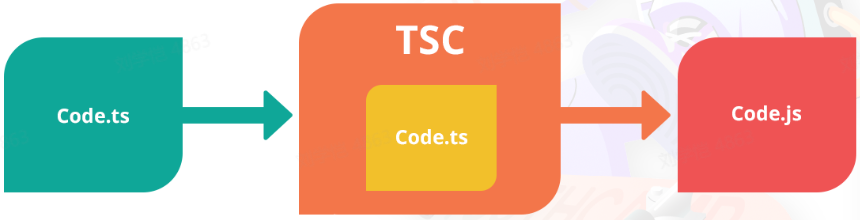
Node.js 使用 TSC 编译
- 安装 node 和 npm
- 配置 tsconfig.js 文件
- 使用 npm 安装 tsc
- 使用 tsc 运行编译得到的 js 文件