交互展示
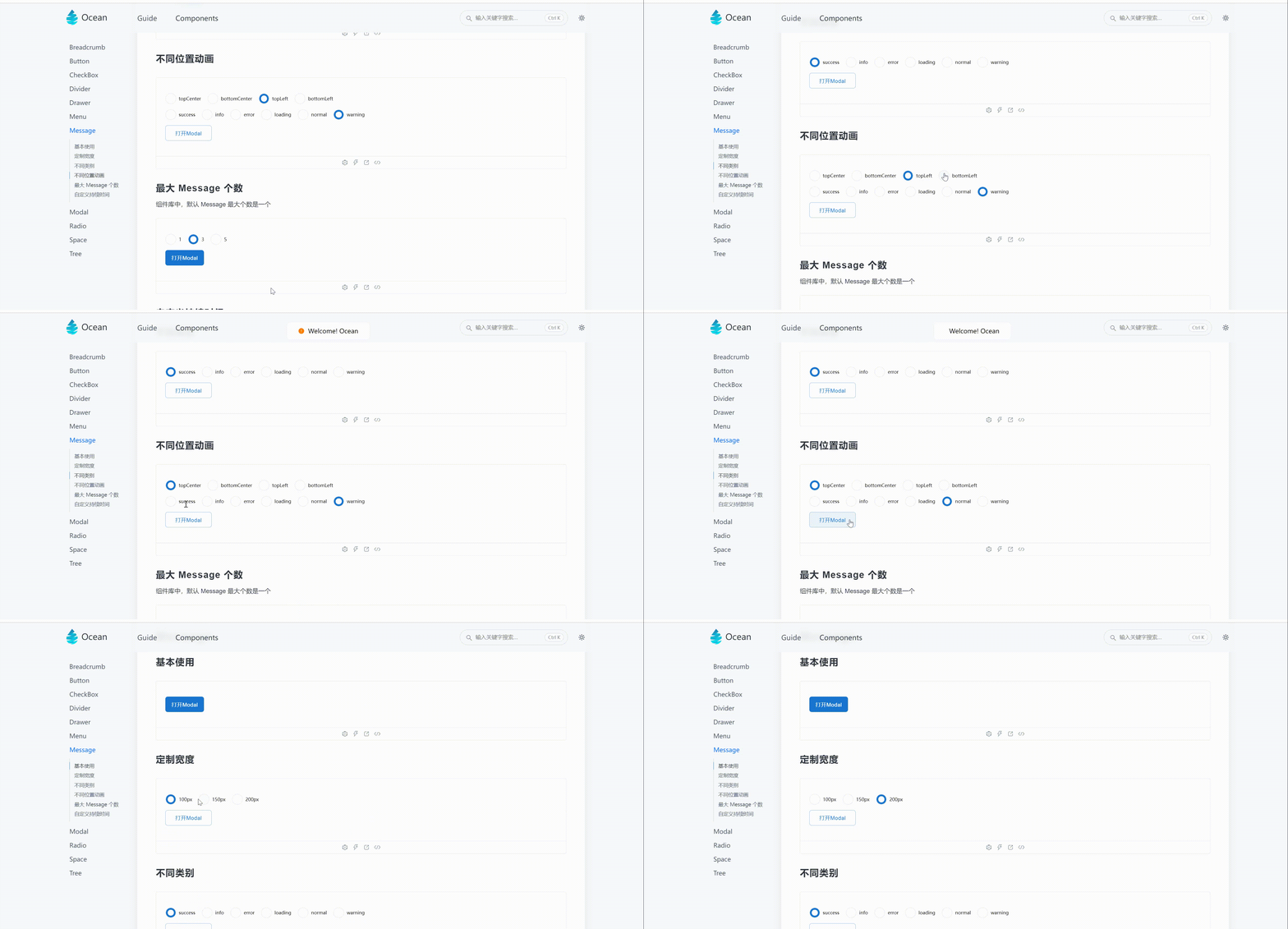
使用
import { Button, Message } from 'Ocean';
import React from 'react';

const Basic = () => {
  return (
    <>
      <Button
        width={100}
        height={40}
        onClick={() => {
          Message.open({
            type: 'success',
            content: 'Welcome!  Ocean',
          });
        }}
        type="primary"
      >
        打开Modal
      </Button>
    </>
  );
};
需求
- message 基本使用
- 自定义宽度
- 自定义不同方向的动画
- 最大 message 个数
- 自定义持续时间
- 不同 message 类别
实现
const Message = (props: Message) => {
  const {
    content,
    closeable,
    topMessage = 0,
    maxCount = 1,
    changeMessage,
    type = "success",
    width,
    position = 'top',
  } = props;

  const domRef = useRef<any>(null);

  const isEdge = position === 'bottomLeft' || position === 'topLeft';

  useLayoutEffect(() => {
    if (topMessage > maxCount) {
      changeMessage?.(1);
      domRef.current.style[judgePosition(position)] = `${23}px`;
    } else {
      domRef.current.style[judgePosition(position)] = `${
        (topMessage - 1) * 70 + 23
      }px`;
    }
  }, [topMessage]);

  const messageIcon = useMemo(() => {
    if (type === 'info') {
      return (
        <ExclamationCircleFilled
          style={{ color: primaryColor, fontSize: defaultFontSize }}
        />
      );
    }
    if (type === 'error') {
      return (
        <CloseCircleFilled
          style={{ color: errorColor, fontSize: defaultFontSize }}
        />
      );
    }
    if (type === 'normal') {
      return <></>;
    }
    if (type === 'success') {
      return (
        <CheckCircleFilled
          style={{ color: successColor, fontSize: defaultFontSize }}
        />
      );
    }
    if (type === 'warning') {
      return (
        <ExclamationCircleFilled
          style={{ color: warningColor, fontSize: defaultFontSize }}
        />
      );
    }
    if (type === 'loading') {
      return (
        <LoadingOutlined
          style={{ color: primaryColor, fontSize: defaultFontSize }}
        />
      );
    }
  }, [type]);

  return (
    <MessageWrapper ref={domRef} width={width} isEdge={isEdge}>
      {messageIcon}
      <span className="message-content">{content}</span>
    </MessageWrapper>
  );
};