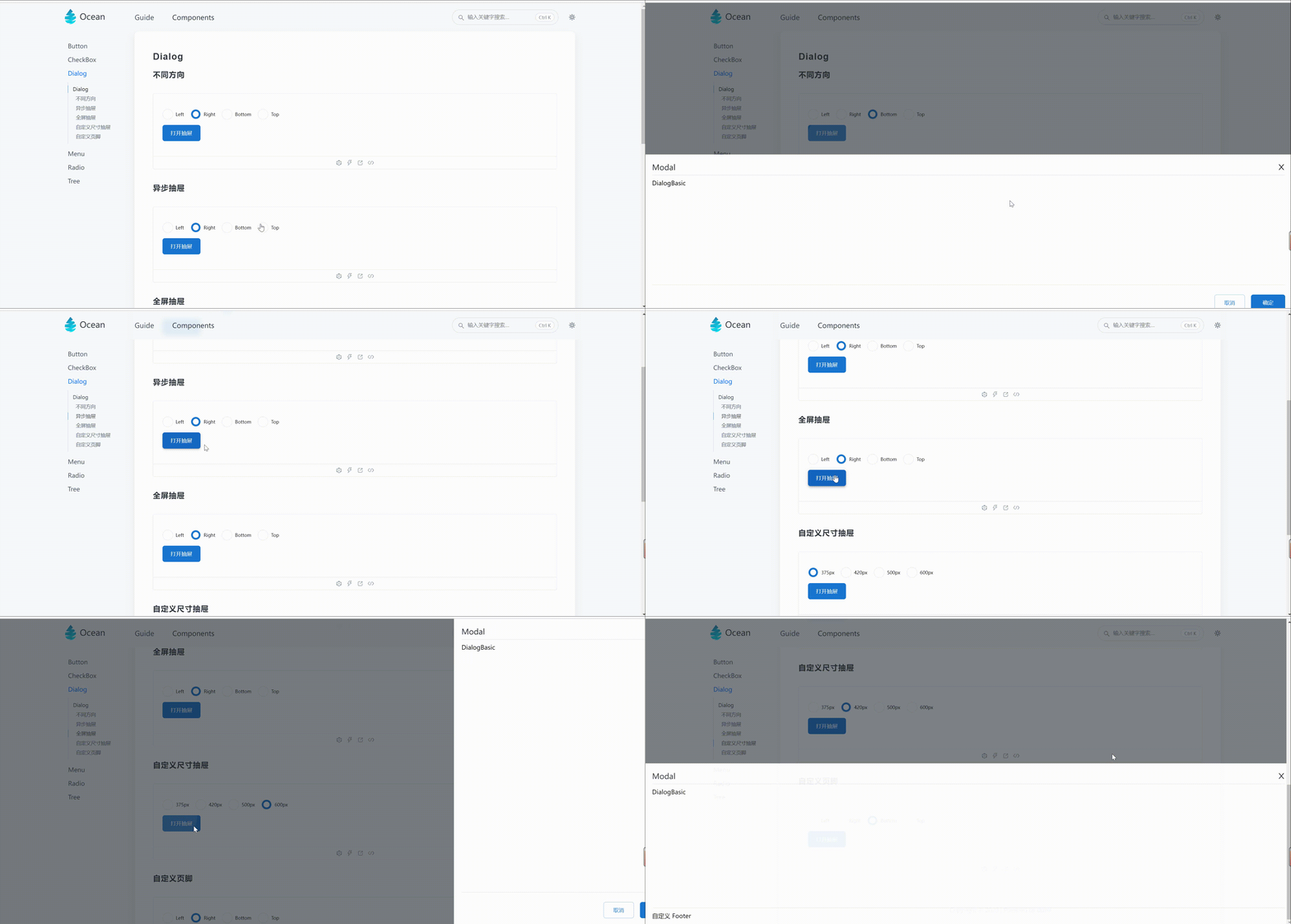
使用
import { Button, Drawer, Radio, RadioGroup } from 'Ocean';
import React, { useState } from 'react';
import { AlignType } from 'Ocean/common/type';

const DialogBasic = () => {
  const [visible, setVisible] = useState(false);

  return (
    <>
      <Drawer
        visible={visible}
        title="Modal"
        onCancel={() => setVisible(false)}
        onOk={() => setVisible(false)}
      >
        DialogBasic
      </Drawer>
      <Button width={100} onClick={() => setVisible(!visible)} type="primary">
        打开抽屉
      </Button>
    </>
  );
};
export default DialogBasic;
需求
- 支持不同方向的抽屉
- 支持异步抽屉
- 支持全屏抽屉
- 支持自定义尺寸抽屉
- 支持自定义页脚抽屉
实现
const Drawer = (props: Drawer) => {
const {
visible,
children,
onCancel,
title,
align = 'right',
footer,
cancelText,
okText,
size,
fullScreen,
} = props;
const [innerVisible, setInnerVisible] = useState(props.visible);
const [loading, setLoading] = useState(false);
const clickDocument = (e: React.MouseEvent<HTMLElement, MouseEvent>) => {
const clickDom = e.target as HTMLElement;
stopPropagation(e)(() => {
if (clickDom.getAttribute('class')?.includes('mark-drawer')) {
onCancel();
}
});
};
useEffect(() => {
setInnerVisible(props.visible);
}, [visible]);
useEffect(() => {
innerVisible && onEvent(window, 'click', clickDocument)();
return () => {
innerVisible && offEvent(window, 'click', clickDocument)();
};
}, [innerVisible]);
useOverFlowScroll('body', innerVisible);
const handleOk = () => {
const result = props.onOk();
if (result instanceof Promise && result.then) {
setLoading(true);
result.then(() => {
setLoading(false);
});
}
};
return (
<DialogWrapper className="ocean-dialog-wrapper">
<CSSTransition
in={innerVisible}
classNames="mark-drawer"
timeout={330}
unmountOnExit
appear
>
<DialogItem className="ocean-dialog-item">
<CSSTransition
in={innerVisible}
classNames={`fadedrawer-${align}-content`}
timeout={330}
unmountOnExit
appear
>
<DialogBody
className="ocean-dialog-body"
align={align}
size={size}
fullScreen={fullScreen}
>
<DialogTitle className="ocean-dialog-title">
<div className="title">
<span> {title}</span>
</div>
<CloseOutlined
className="ocean-close-icon"
onClick={onCancel}
style={{ fontSize: GlobalFontSize.large }}
/>
</DialogTitle>
<DialogContent className="ocean-dialog-content">
{children}
</DialogContent>
{footer || (
<DrawerFooter className="ocean-dialog-footer">
<Button
type="outline"
width={80}
className="cancel-button"
onClick={onCancel}
>
{cancelText || '取消'}
</Button>
<Button
type="primary"
width={90}
loading={loading}
onClick={handleOk}
className="confirm-button"
>
{okText || '确定'}
</Button>
</DrawerFooter>
)}
</DialogBody>
</CSSTransition>
</DialogItem>
</CSSTransition>
</DialogWrapper>
);
};
export default Drawer;