UI表现
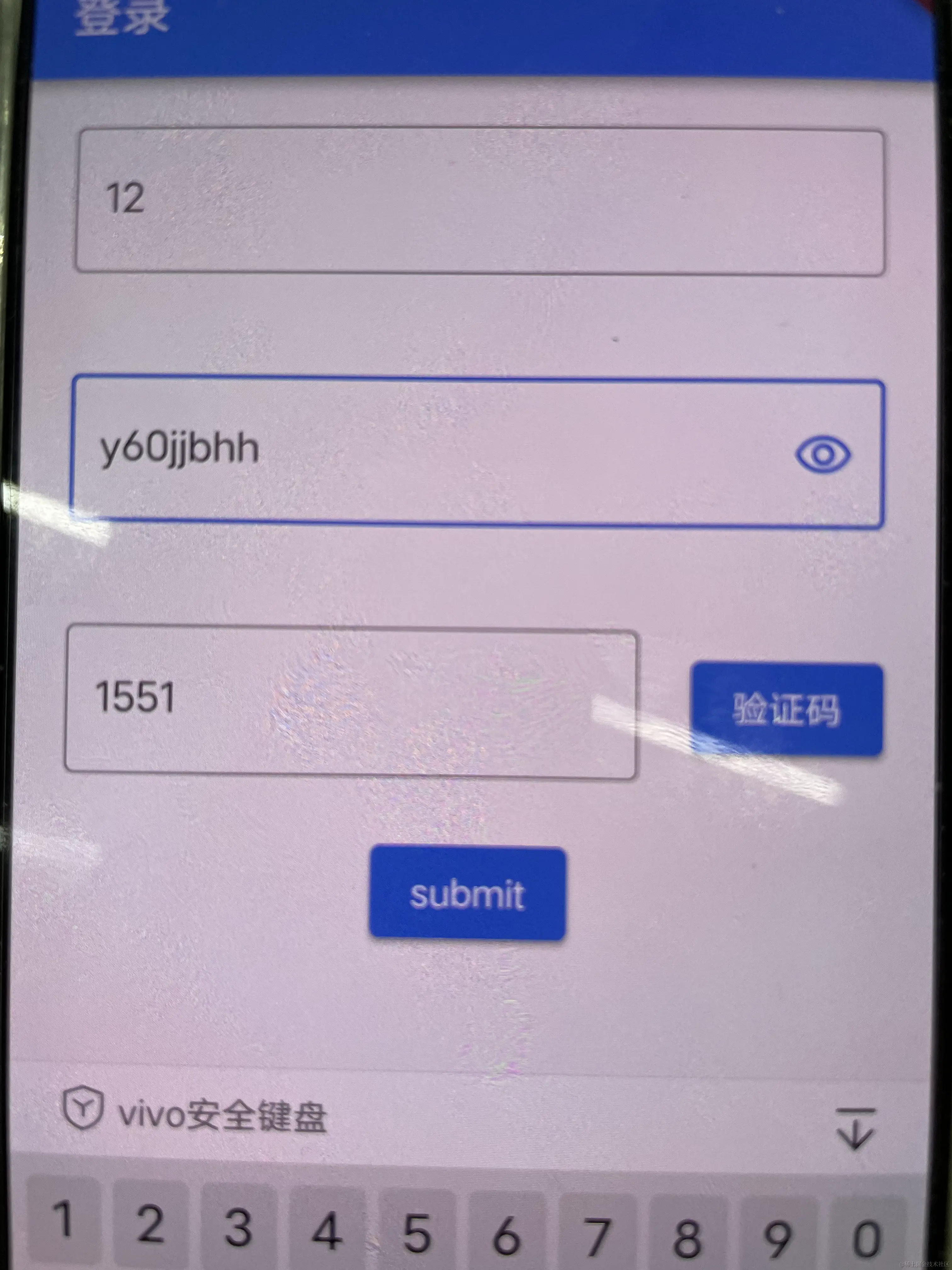
代码
import 'dart:async';
import 'package:flutter/material.dart';
class LoginPage extends StatelessWidget {
const LoginPage({super.key});
@override
Widget build(BuildContext context) {
return Scaffold(
appBar: AppBar(
title: Text("登录"),
),
body: Login(),
);
}
}
class Login extends StatefulWidget {
const Login({super.key});
@override
State<Login> createState() => _LoginState();
}
class _LoginState extends State<Login> {
final GlobalKey<FormState> _formKey = GlobalKey<FormState>();
final Map<String, dynamic> formData = {};
@override
void initState() {
super.initState();
}
@override
void dispose() {
super.dispose();
}
void submitHandle() {
if (!_formKey.currentState!.validate()) {
print("验证失败");
}
_formKey.currentState!.save();
print('formData ::: > $formData');
}
void formChangeHandle() {}
bool showObscureText = true;
void togglePassword() {
setState(() {
showObscureText = !showObscureText;
});
}
Widget passwordEyeIcon() {
Icon eyeIcon = !showObscureText
? Icon(Icons.remove_red_eye_outlined)
: Icon(Icons.visibility_off);
return GestureDetector(onTap: togglePassword, child: eyeIcon);
}
@override
Widget build(BuildContext context) {
return Container(
alignment: Alignment.center,
child: Form(
key: _formKey,
onChanged: formChangeHandle,
child: Column(
children: [
Container(
padding: const EdgeInsets.all(20.0),
child: TextFormField(
onSaved: (newValue) => formData["phone"] = newValue,
key: ValueKey('phone'),
keyboardType: TextInputType.phone,
validator: (String? value) {
if (value == null || value.isEmpty) {
return 'Please enter some text';
}
return null;
},
decoration: InputDecoration(
hintText: "请输入手机号",
counterText: '',
border: OutlineInputBorder(),
),
),
),
Container(
padding: const EdgeInsets.all(20.0),
child: TextFormField(
key: ValueKey("password"),
onSaved: (newValue) => formData["password"] = newValue,
obscureText: showObscureText,
keyboardType: TextInputType.visiblePassword,
validator: (String? value) {
if (value == null || value.isEmpty) {
return 'Please enter some text';
}
return null;
},
decoration: InputDecoration(
suffixIcon: passwordEyeIcon(),
hintText: "请输入密码",
counterText: '',
border: OutlineInputBorder(),
),
),
),
Container(
padding: const EdgeInsets.all(20.0),
child: VerifyCodeField(),
),
ElevatedButton(
onPressed: submitHandle,
child: Text("submit"),
),
],
),
),
);
}
Widget VerifyCodeField() {
return Row(
children: [
Expanded(
child: TextFormField(
key: ValueKey("verifyCode"),
onSaved: (newValue) => formData['verifyCode'] = newValue,
keyboardType: TextInputType.number,
validator: (String? value) {
if (value == null || value.isEmpty) {
return 'Please enter some text';
}
return null;
},
decoration: InputDecoration(
hintText: "请输入验证码",
counterText: '',
border: OutlineInputBorder(),
),
),
),
Padding(
padding: const EdgeInsets.only(left: 20.0),
child: WaitSecondButton(
onPressed: () {},
),
)
],
);
}
}
class WaitSecondButton extends StatefulWidget {
const WaitSecondButton({super.key, required this.onPressed});
final VoidCallback onPressed;
@override
State<WaitSecondButton> createState() => _WaitSecondButtonState();
}
class _WaitSecondButtonState extends State<WaitSecondButton> {
final int defaultSecond = 3;
final String normalText = '验证码';
Timer? _timer;
late ValueNotifier<int> waitSecond = ValueNotifier(defaultSecond);
@override
void initState() {
super.initState();
}
@override
void dispose() {
_timer?.cancel();
super.dispose();
}
bool isWait = false;
void sendVerfyCode() {
if (isWait) {
return;
}
print("发送验证码");
setState(() {
isWait = true;
startPeriodic();
widget.onPressed();
});
}
void startPeriodic() {
_timer = Timer.periodic(Duration(seconds: 1), (timer) {
waitSecond.value--;
if (waitSecond.value <= 0) {
stopPeriodic();
}
});
}
void stopPeriodic() {
_timer?.cancel();
setState(() {
isWait = false;
waitSecond.value = defaultSecond;
});
}
@override
Widget build(BuildContext context) {
return ElevatedButton(
onPressed: sendVerfyCode,
child: isWait
? ValueListenableBuilder(
valueListenable: waitSecond,
builder: (BuildContext context, int value, Widget? widget) {
return Text('$value秒');
})
: Text(normalText),
);
}
}


