环境
- SpringBoot 2.3.9.RELEASE
- Maven 3.6.3
- MacOS 10.15
工程
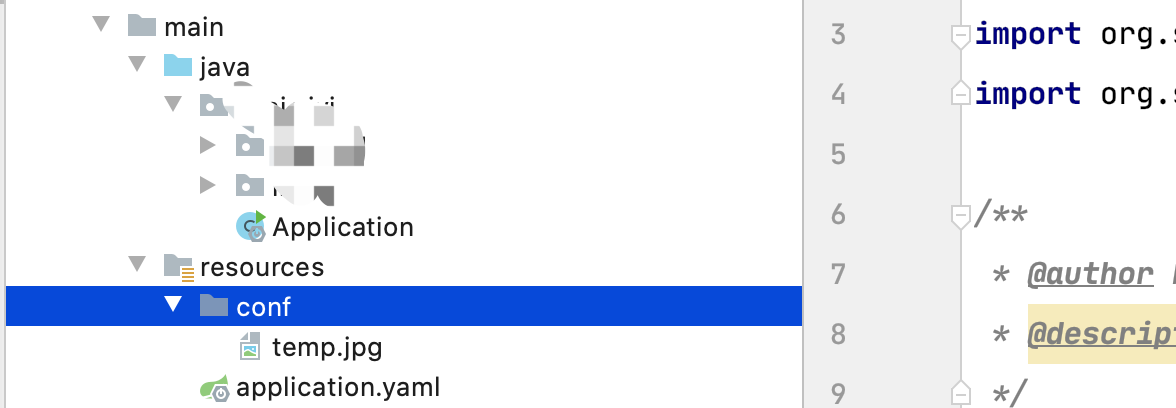
背景
需要读取resources目录下的文件,开始使用spring提供的工具(ResourceUtils.getFile("classpath:conf/temp.jpg")),结果在本地测试时是没有问题的,但是部署到linux环境后出错:cannot be resolved to absolute file path because it does not reside in the file system: jar,所以针对几种常见的读取SpringBoot项目resources目录下的文件方式进行一些探索和总结。
演示
每个读取方式以访问接口的形式进行测试,接口访问工具是postman,每个接口会访问两遍,一次是访问idea里边的程序,一次是访问打成jar包运行后的程序。
读取方式一
使用直接new File("")的方式,传入待读取文件的相对路径
@GetMapping("project/inner")
public String read1() {
File file = new File("src/main/resources/conf/temp.jpg");
if (file.exists()) {
return "success";
} else {
return "fail";
}
}
访问idea程序:成功读取到
访问jar包程序:读取失败
读取方式二
使用spring提供的工具函数
@GetMapping("spring/util")
public String read2() throws FileNotFoundException {
File file = ResourceUtils.getFile("classpath:conf/temp.jpg");
if (file.exists()) {
return "success";
} else {
return "fail";
}
}
访问idea程序:成功读取到
访问jar包程序:读取失败
读取方式三
使用ClassPathResource读取
 @GetMapping("ClassPathResource")
 public String read3() {
   InputStream inputStream = null;
   try {
     inputStream = new ClassPathResource("conf/temp.jpg").getInputStream();
     return "success";
   } catch (IOException ioException) {
     return ioException.getMessage();
   }
 }
访问idea程序:成功读取到
访问jar包程序:成功读取
读取方式四
使用spring提供ResourceLoader读取
@Resource
private ResourceLoader resourceLoader;
@GetMapping("spring/annotation")
public String read4() {
InputStream inputStream = null;
try {
inputStream = resourceLoader.getResource("classpath:conf/temp.jpg").getInputStream();
return "success";
} catch (IOException ioException) {
return ioException.getMessage();
}
}
访问idea程序:成功读取到
访问jar包程序:
总结
- 使用
ClassPathResource和ResourceLoader在本地IDE环境和Linux打包环境都是可用的 - 如果以上方式仍然读取不到resources包下的文件时,可以将打包好的jar包进unzip解压下,然后看所需要的文件是否已经被打包进jar包里边了