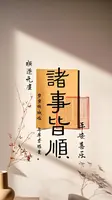
css
/*QuickReset*/*{box-sizing:border-box;margin:0;}html,body{height:100%;}
body{
    background:url(https://gimg2.baidu.com/image_search/src=http%3A%2F%2Flmg.jj20.com%2Fup%2Fallimg%2F1114%2F033021091503%2F210330091503-6-1200.jpg&refer=http%3A%2F%2Flmg.jj20.com&app=2002&size=f9999,10000&q=a80&n=0&g=0n&fmt=auto?sec=1674264288&t=7b029187a517d437eda7cec95e2cb04a) 50%;
    background-size: cover;
}

#aside{ /* your ex-blue */
    position:fixed;
    overflow:hidden; /* to contain the child's blue box shadow */
    width: 100%;
    height: 100%;
    right: 0;
    top: 0;
    color:#fff;
    border:1px solid red;
}
/* your ex-yellow... hole... something */
#hole{
    width: 300px;
    height: 300px;
    box-shadow: 0 0 0 300vh rgba(0,0,0,0.3);  /* huge blue box shadow */
    border-radius:50%;
    position:absolute;
    top: 21%;
    left: 54%;
}
.center{
    position:absolute;
    top:50%;
    left:50%;
}
html
<body>
<div id="aside">
    <div id="hole"></div>
</div>
</body>
效果