在这篇文章中,我们将用reactjs来探索更好的表单。我们之前已经讨论过react form 和使用自定义钩子进行验证的问题。在这篇文章中,我们将使表单更容易 。不相信吗?那就继续读吧,让我告诉你怎么做。所以,不用再多说了,让我们开始吧。
使用自定义钩子的React表单
我们创建表单和验证它们的方式并没有错。只是我们写了我们的表单和验证。那是大量的代码,对于每个表单来说,都是大量的工作和锅炉板代码的编写。现在转向一个更好的、舒适的方式来做表单。
使用React-Hook-Form
我们将使用**npm包 react-hook-form**来构建我们的轻量级、超级性能、易于创建、具有更好的用户体验,并且无论你的应用结构是什么样子的,都可以适应。让我们从安装该包开始
npm i react-hook-form
一旦软件包安装完毕,我们就可以创建我们的简单表单,看看这个软件包有多强大
import { useForm } from "react-hook-form";

// your custom component
function CustomComponent() {
  const {
    register,
    handleSubmit,
    watch,
    formState: { errors },
  } = useForm();

  const onSubmit = (data) => {
  };

  return (
    <form onSubmit={handleSubmit(onSubmit)}>
      {/* register our input field with register function provided by the useForm hook */}
      <input placeholder="Enter your email" {...register("email")} />

      {/* basic validation in the second args */}
      <input
        placeholder="Enter your password"
        hidden
        {...register("password", { required: true })}
      />
      {/* show error is the field encounters one  */}
      {errors.password && <p>Password is required</p>}

      <input type="submit" />
    </form>
  );
}
我们用react-hook-forms的useForm钩子,用它注册了我们的DOM元素。一旦完成,我们对我们的密码字段应用了一些基本的验证,这是必须的。最后,在结尾处,如果出现了错误,就有条件地进行渲染。还通过useForm提供了handleSubmit回调,以方便我们提交表单。就这样了。没有我们自己的自定义钩子。很简单,对吗?
最后用CSS对我们的表单进行了一些润色
.App {
  max-width: 600px;
  margin: 0 auto;
}

button[type="button"] {
  display: block;
  appearance: none;
  background: #ffd31e;
  color: white;
  border: none;
  text-transform: uppercase;
  padding: 10px 20px;
  border-radius: 4px;
}

hr {
  margin-top: 30px;
}

button {
  display: block;
  appearance: none;
  margin-top: 40px;
  border: 1px solid #ffd31e;
  margin-bottom: 20px;
  text-transform: uppercase;
  padding: 10px 20px;
  border-radius: 4px;
}
关键时刻
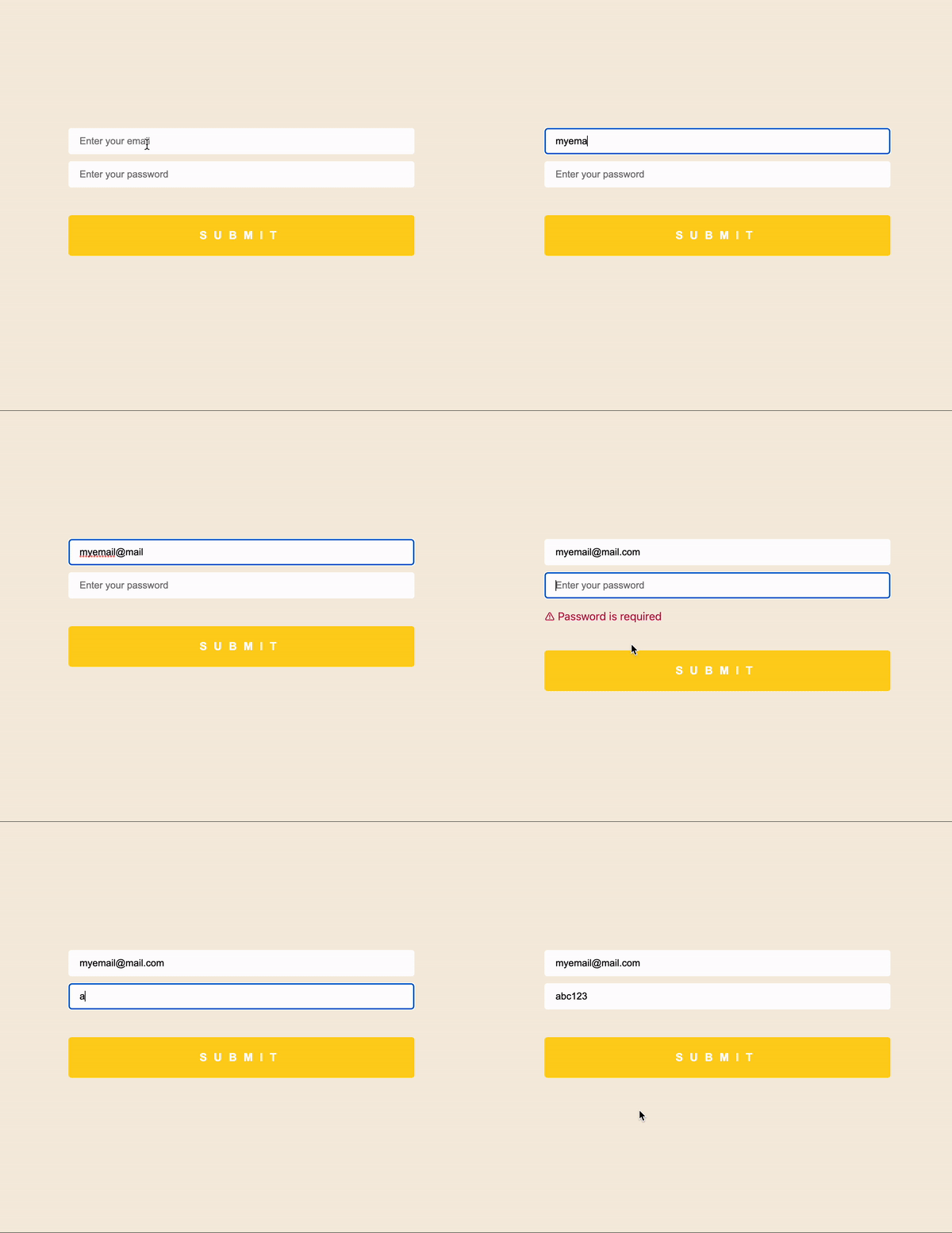
VOILÀ
收尾工作
很简单,对吗?好吧,我试着让所有这些文章变得吸引人,以便让你们的注意力持续到最后。我很喜欢这篇文章,原因是我们可以避免大量的模板代码,并使表格如丝般顺滑 。就这样吧,伙计们,这并不是告别。下一章见。