在这篇文章中,我们将看看另一个i18n功能。我们已经了解了为什么要在你的应用程序中进行国际化,我们也涵盖了本地化。它帮助我们把我们的应用程序翻译成用户喜欢的样子。唯一的问题是在我们的应用程序中处理单独目录下的硬编码字符串。
为什么是复数化?
在你的应用程序中处理英语名词的单数/复数形式是非常困难的。这是软件中由于人类语言限制而出现的问题之一。使你的应用程序复数化的方法
- 在你的应用程序中用锅炉板代码手动处理它
- 使用i18next
手动方法
比方说,我们想检查用户在应用程序中转换了多少次他们的语言
const textToDisplay = `You have switched languages ${languageSwitch.length} time(s) `;
好吧,这个看起来一点都不整洁,也不麻烦。让我们用i18next试试吧。
i18next的方法
让我们试着用一种更简洁的方式来做复数的处理

import i18n from "i18next";
import { initReactI18next } from "react-i18next";
import LanguageDetector from "i18next-browser-languagedetector";

i18n
  // detect user language
  // learn more: https://github.com/i18next/i18next-browser-languageDetector
  .use(LanguageDetector)
  // pass the i18n instance to react-i18next.
  .use(initReactI18next)
  // init i18next
  // for all options read: https://www.i18next.com/overview/configuration-options
  .init({
    debug: true,
    fallbackLng: "en",
    interpolation: {
      escapeValue: false, // not needed for react as it escapes by default
    },
    resources: {
      en: {
        translation: {
          description: {
            part1: "Edit <1>src/App.js</1> and save to reload.",
            part2: "Learn React",
          },
          counter_one: "Changed language just once",
          counter_other: "Changed language already {{count}} times",
        },
      },
      de: {
        translation: {
          description: {
            part1: "Ändere <1>src/App.js</1> und speichere um neu zu laden.",
            part2: "Lerne React",
          },
          counter_one: "Die Sprache wurde erst ein mal gewechselt",
          counter_other: "Die Sprache wurde {{count}} mal gewechselt",
        },
      },
    },
  });

export default i18n;
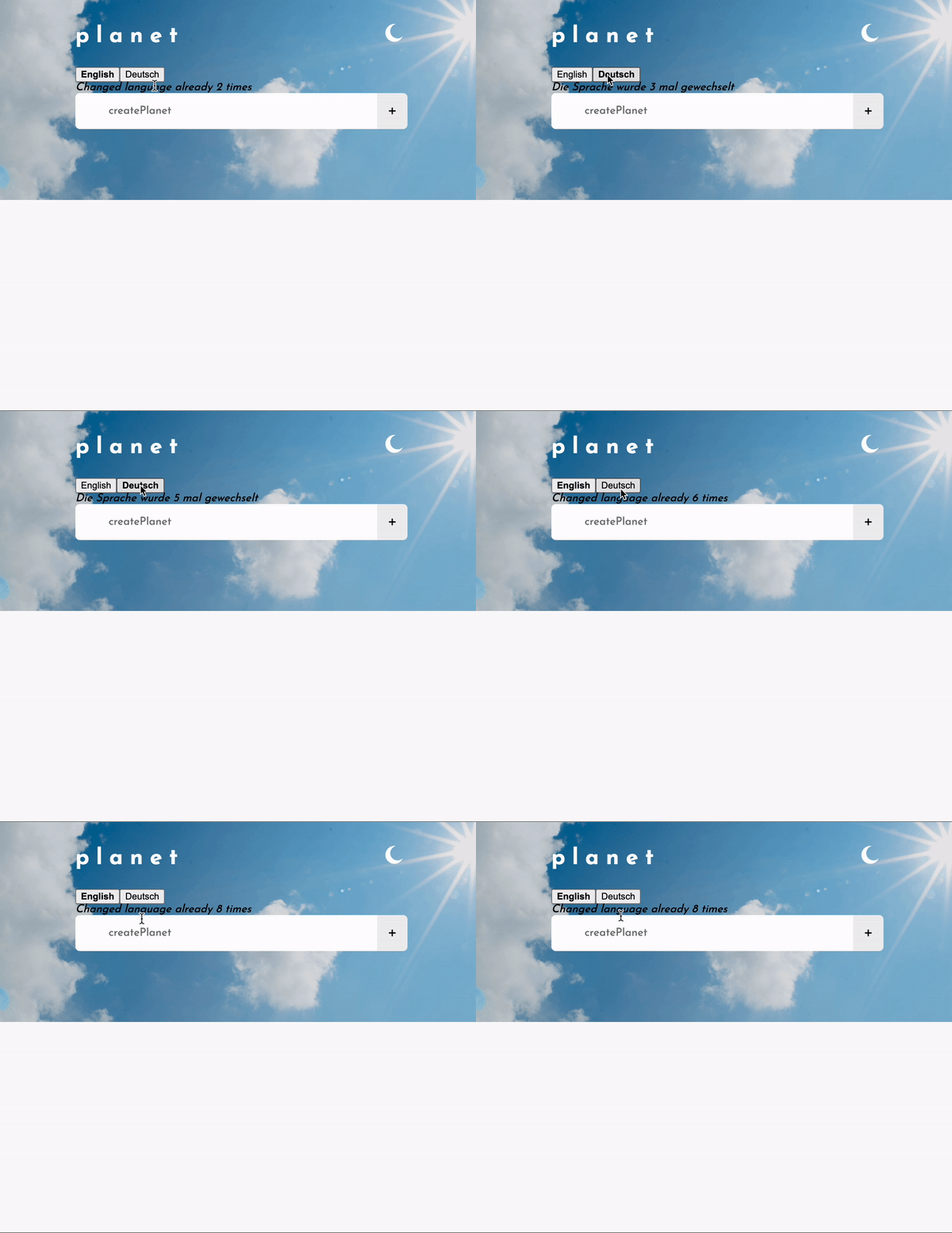
我们已经用计数器更新了我们的翻译对象,现在将它们注入到 App.js.
<i>{t("counter", { count })}</i>
确保这个useTranslation 钩子的关键是计数。这是i18next的一个要求。
真相时刻
总结
这个问题几乎是不言自明的。现在我们知道了国际化的重要性,以及为什么它不仅仅是翻译的问题。争取从一开始就走向全球化,并以这种方式构建你的应用程序,这样你就不必一下子完成所有的艰苦工作。在下一次会议上见。请注意