

创建数据库
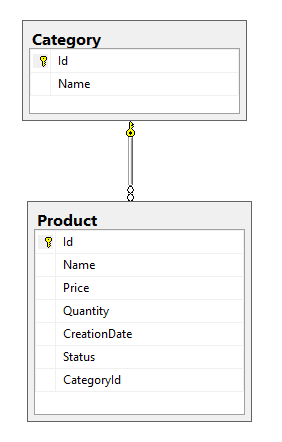
创建一个数据库,名称为LearnEntityFrameworkCore。这个数据库有2个表。类别表和产品表。类别表和产品表有 一对多的关系。一个类别可以有很多产品,一个产品只属于一个类别。
/* Table structure for table 'category' */

CREATE TABLE Category(
	Id int IDENTITY(1,1) NOT NULL PRIMARY KEY,
	Name varchar(50) NULL
)

/* Dumping data for table `category` */

GO
INSERT Category (Name) VALUES ('Mobile')
INSERT Category (Name) VALUES ('Laptop')
INSERT Category (Name) VALUES ('Tivi')

/* Table structure for table `product` */

GO
CREATE TABLE Product (
	Id int IDENTITY(1,1) NOT NULL PRIMARY KEY,
	Name varchar(50) NULL,
	Price money NULL,
	Quantity int NULL,
	CreationDate date NULL,
	Status bit NULL,
	CategoryId int NULL,
	FOREIGN KEY(CategoryId) REFERENCES Category(Id)
)

/* Dumping data for table `product` */

GO
INSERT Product (Name, Price, Quantity, CreationDate, Status, CategoryId) VALUES ('Mobile 1', 10.0000, 2, '2017-12-20', 1, 1)
INSERT Product (Name, Price, Quantity, CreationDate, Status, CategoryId) VALUES ('Mobile 2', 24.0000, 4, '2017-12-21', 0, 1)
INSERT Product (Name, Price, Quantity, CreationDate, Status, CategoryId) VALUES ('Mobile 3', 26.0000, 9, '2017-11-14', 1, 1)
INSERT Product (Name, Price, Quantity, CreationDate, Status, CategoryId) VALUES ('Laptop 1', 15.0000, 7, '2011-06-10', 1, 2)
INSERT Product (Name, Price, Quantity, CreationDate, Status, CategoryId) VALUES ('Laptop 2', 21.0000, 16, '2011-09-19', 0, 2)
INSERT Product (Name, Price, Quantity, CreationDate, Status, CategoryId) VALUES ('Tivi 1', 18.0000, 11, '2016-11-20', 1, 3)
INSERT Product (Name, Price, Quantity, CreationDate, Status, CategoryId) VALUES ('Tivi 2', 25.0000, 17, '2016-12-05', 0, 3)
数据库图示
类别表的结构

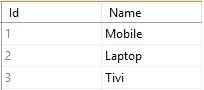
类别表的数据
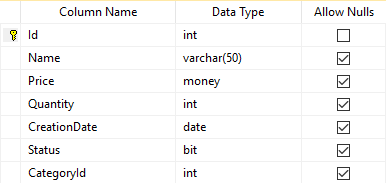
产品表的结构
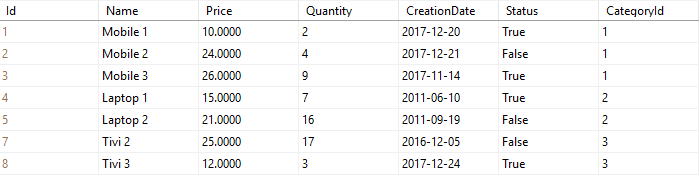
产品表的数据
创建控制台应用程序(.NET Core)
在Visual Studio中,创建一个**Console App(.NET Core)**项目
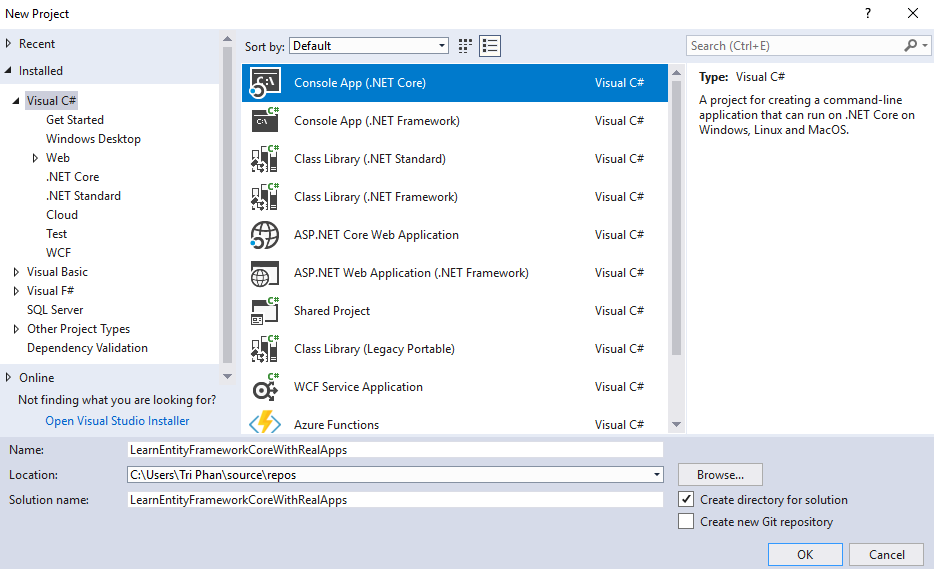
输入项目信息。
- 名称。LearnEntityFrameworkCoreWithRealApps
单击**"确定**"按钮,完成创建**Console App(.NET Core)**项目。
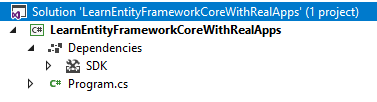
添加库
使用NuGet添加Entity Framework Core所需的库,如下所示。
- Microsoft.EntityFrameworkCore
- 微软.EntityFrameworkCore.Tools
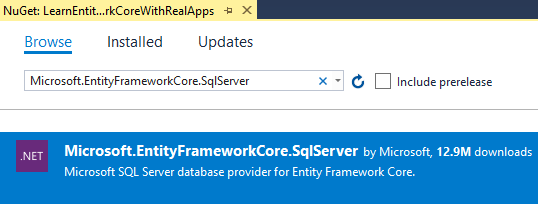
- 微软.EntityFrameworkCore.SqlServer
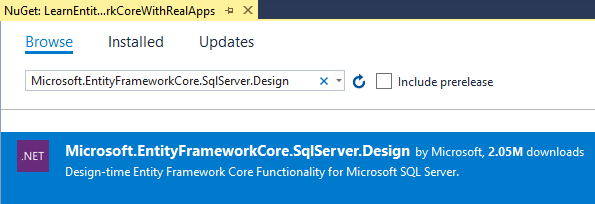
- 微软.EntityFrameworkCore.SqlServer.Design
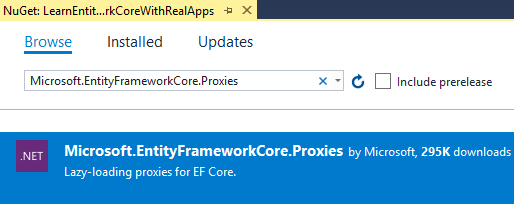
- 微软.EntityFrameworkCore.Proxies
- 微软.扩展.配置.JSON
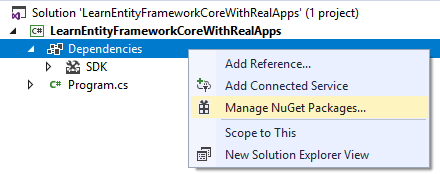
打开管理NuGet包
添加Microsoft.EntityFrameworkCore库
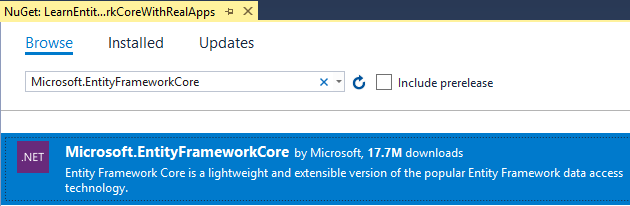
添加Microsoft.EntityFrameworkCore.Tools库
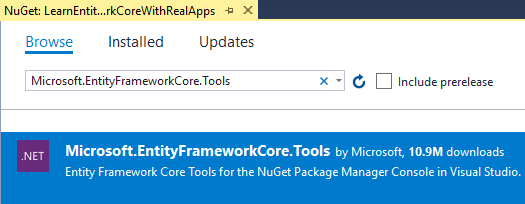
添加Microsoft.EntityFrameworkCore.SqlServer库
添加Microsoft.EntityFrameworkCore.SqlServer.Design库
添加Microsoft.EntityFrameworkCore.Proxies库
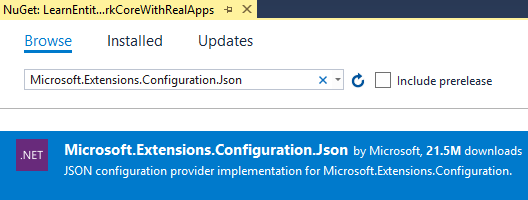
添加Microsoft.Extensions.Configuration.JSON库
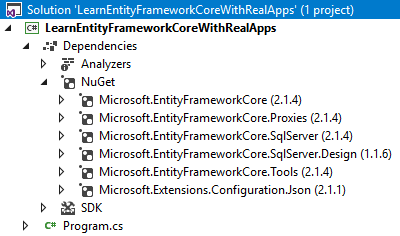
添加库后的项目
创建实体
创建名为Models的新文件夹。在这个文件夹中,创建新的类,如下所示。
类别 实体
在Models文件夹中,创建名为Category.cs的新类,如下所示。
using System.Collections.Generic;
using System.ComponentModel.DataAnnotations.Schema;

namespace LearnEntityFrameworkCoreWithRealApps.Models
{
    [Table("Category")]
    public partial class Category
    {
        public Category()
        {
            Products = new HashSet<Product>();
        }

        public int Id { get; set; }
        public string Name { get; set; }

        public virtual ICollection<Product> Products { get; set; }
    }
}
产品实体
在Models文件夹中,创建名为Product.cs的新类,如下所示。
using System;
using System.ComponentModel.DataAnnotations.Schema;

namespace LearnEntityFrameworkCoreWithRealApps.Models
{
    [Table("Product")]
    public partial class Product
    {
        public int Id { get; set; }
        public string Name { get; set; }
        public decimal Price { get; set; }
        public int Quantity { get; set; }
        public DateTime CreationDate { get; set; }
        public bool Status { get; set; }
        public int CategoryId { get; set; }

        public virtual Category Category { get; set; }
    }
}
创建AppSettings文件
创建名为appsettings.json的新JSON文件。在appsettings.json文件中,新的配置如下。
{
  "ConnectionStrings": {
    "DefaultConnection": "Server=.;Database=LearnEntityFrameworkCore;user id=sa;password=123456"
  }
}
创建DbContext
在Models文件夹中,创建名为LearnEntityFrameworkCoreDB.cs的新类,如下所示。
using System.IO;
using Microsoft.EntityFrameworkCore;
using Microsoft.Extensions.Configuration;

namespace LearnEntityFrameworkCoreWithRealApps.Models
{
    public partial class LearnEntityFrameworkCoreDB : DbContext
    {
        public virtual DbSet<Category> Categories { get; set; }
        public virtual DbSet<Product> Products { get; set; }

        protected override void OnConfiguring(DbContextOptionsBuilder optionsBuilder)
        {
            if (!optionsBuilder.IsConfigured)
            {
                var builder = new ConfigurationBuilder()
                                    .SetBasePath(Directory.GetCurrentDirectory())
                                    .AddJsonFile("appsettings.json");
                var configuration = builder.Build();
                optionsBuilder.UseLazyLoadingProxies()
                              .UseSqlServer(configuration["ConnectionStrings:DefaultConnection"]);
            }
        }

        protected override void OnModelCreating(ModelBuilder modelBuilder)
        {
            modelBuilder.Entity<Product>(entity =>
            {
                entity.HasOne(d => d.Category)
                    .WithMany(p => p.Products)
                    .HasForeignKey(d => d.CategoryId)
                    .HasConstraintName("FK_Product_Category");
            });
        }
    }
}
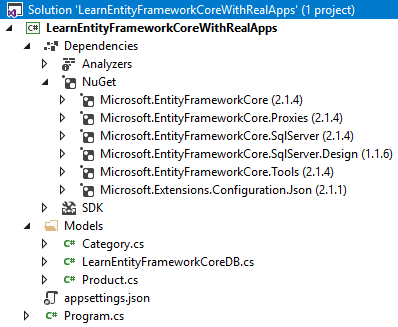
项目的结构
用Lambda表达式从数据库获取实体列表
using System;
using System.Linq;
using LearnEntityFrameworkCoreWithRealApps.Models;

namespace LearnEntityFrameworkCoreWithRealApps
{
    class Program
    {
        static void Main(string[] args)
        {
            var db = new LearnEntityFrameworkCoreDB();

			int[] ids = { 1, 2, 3, 4, 5, 7, 8};
            var products = db.Products.Where(product => ids.Contains(product.Id)).ToList();
            foreach (var product in products)
            {
                Console.WriteLine("Id: " + product.Id);
                Console.WriteLine("Name: " + product.Name);
                Console.WriteLine("Price: " + product.Price);
                Console.WriteLine("Quantity: " + product.Quantity);
                Console.WriteLine("Status: " + product.Status);
                Console.WriteLine("Creation Date: " + product.CreationDate.ToString("MM/dd/yyyy"));
                Console.WriteLine("Category Id: " + product.Category.Id);
                Console.WriteLine("Category Name: " + product.Category.Name);
                Console.WriteLine("==========================");
            }

            Console.ReadLine();
        }
    }
}
输出
Id: 1
Name: Mobile 1
Price: 10.0000
Quantity: 2
Status: True
Creation Date: 12/20/2017
Category Id: 1
Category Name: Mobile
==========================
Id: 2
Name: Mobile 2
Price: 24.0000
Quantity: 4
Status: False
Creation Date: 12/21/2017
Category Id: 1
Category Name: Mobile
==========================
Id: 3
Name: Mobile 3
Price: 26.0000
Quantity: 9
Status: True
Creation Date: 11/14/2017
Category Id: 1
Category Name: Mobile
==========================
Id: 4
Name: Laptop 1
Price: 15.0000
Quantity: 7
Status: True
Creation Date: 06/10/2011
Category Id: 2
Category Name: Laptop
==========================
Id: 5
Name: Laptop 2
Price: 21.0000
Quantity: 16
Status: False
Creation Date: 09/19/2011
Category Id: 2
Category Name: Laptop
==========================
Id: 7
Name: Tivi 2
Price: 25.0000
Quantity: 17
Status: False
Creation Date: 12/05/2016
Category Id: 3
Category Name: Tivi
==========================
Id: 8
Name: Tivi 3
Price: 12.0000
Quantity: 3
Status: True
Creation Date: 12/24/2017
Category Id: 3
Category Name: Tivi
==========================
