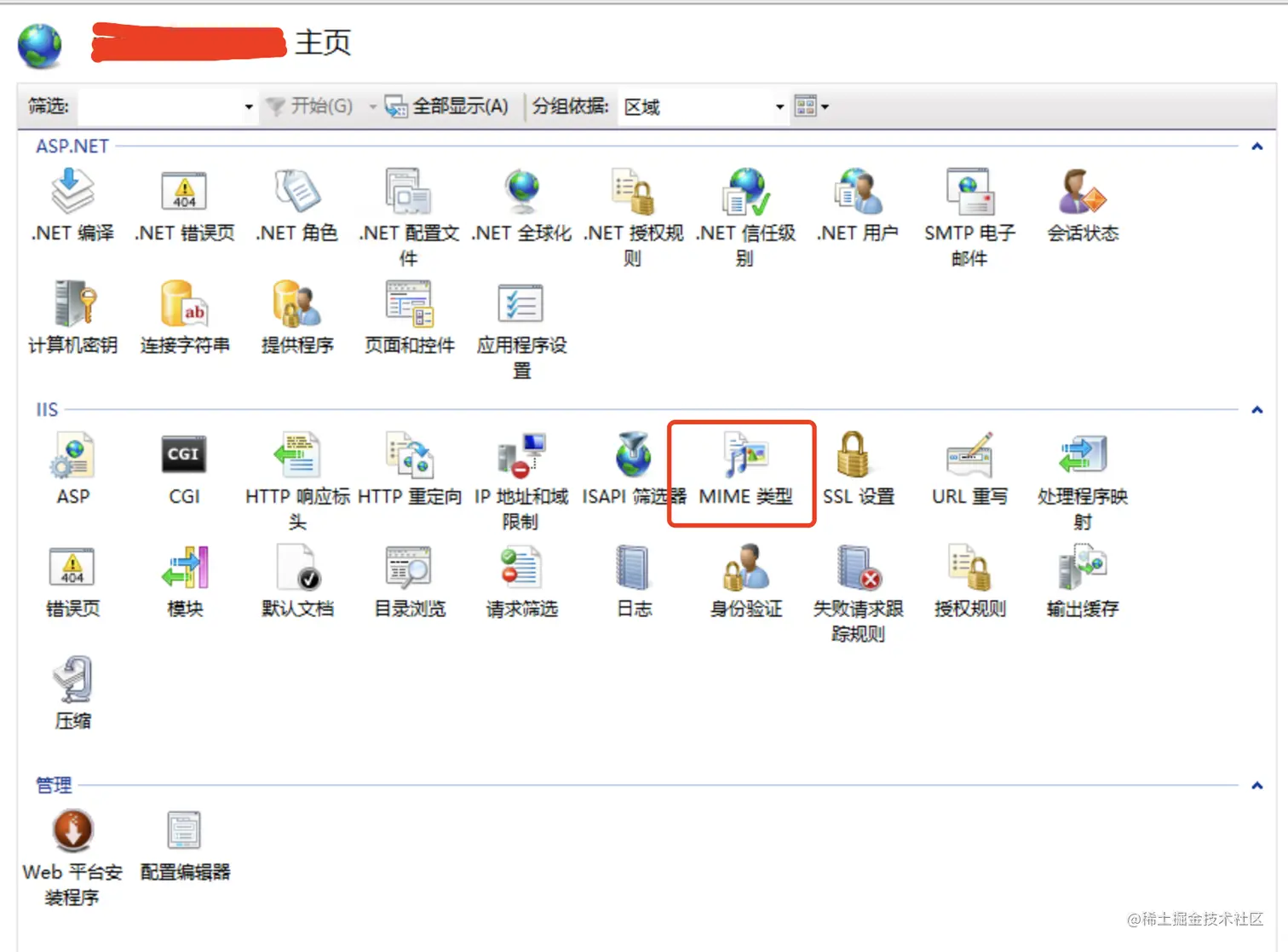
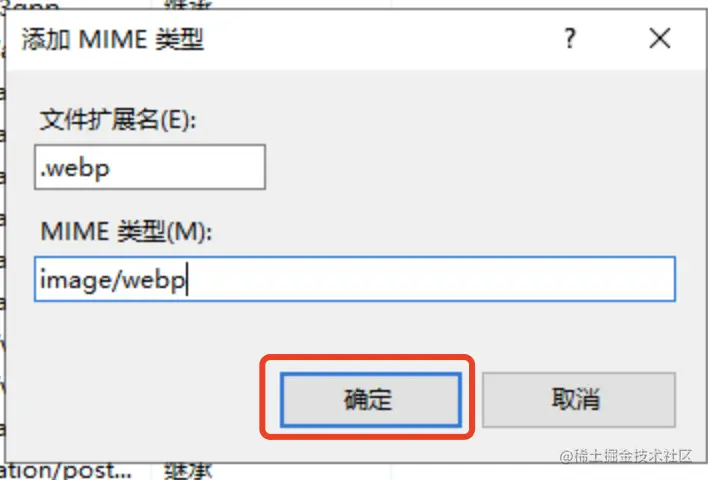
IIS配置.webp wxbo20 2022-11-21 571 阅读1分钟 1、选择站点 2、双击“MIME类型”,如下图 3、点击右侧“添加”按钮,填入 .webp 和 image/webp(MIME 类型 设置为 text/html,直接使用域名地址访问是文字,但是放在img标签里是正常的 设置为 image/webp ,全部显示正常) 4、文件扩展名.fbx .obj .mtl,均可设置text/html