vitepress系列文章-1: 使用vitepress搭建文档型网站

451 阅读3分钟

vitepress是什么

VitePress
Vite & Vue Powered Static Site Generator

  • 基于Vue3和Vite的静态站点生成器
  • 与VuePress(Vue2+webpack)功能类似
  • 可以通过编写Markdown文档来生成网站,且允许Markdown中混合使用vue组件
  • 官网链接: vitepress.vuejs.org/
  • Github: github.com/vuejs/vitep…

为什么选择vitepress

  • Vue官方推荐
  • 使用vite构建,速度快、热更行快
  • 可以同时学习Vue3、Vite
  • 比nuxtjs要轻量,配置简单,入门容易

vitepress适用场景

  • 文档库
  • 个人博客

如何使用vitepress

新建项目

1
2
3
4
mkdir vitepress-starter && cd vitepress-starter
yarn init // 或者 npm init
yarn add --dev vitepress vue@3 typescript // npm install --save-dev vitepress vue typescript
mkdir docs && echo '# Hello VitePress' > docs/index.md

运行环境配置

  1. package.json
1
2
3
4
5
6
7
8
9
{
...
"scripts": {
"docs:dev": "vitepress dev docs",
"docs:build": "vitepress build docs",
"docs:serve": "vitepress serve docs"
},
...
}

运行

  1. 开发模式(基于esbuild构建)
1
yarn docs:dev  // 或 npm run docs:dev
  1. 生产模式
1
2
3
4
5
// 构建生产包(基于rollup构建)
yarn docs:build // 或 npm run docs:build

// 起个本地服务运行看效果
yarn docs:serve // 或 npm run docs:serve

进阶功能配置

  1. .vitepress/config.mts

查看全部可配置内容,可通过TypeScript的类型声明UserConfig进行查阅, 以下是示例

1
2
3
4
5
6
7
8
9
10
11
12
13
14
15
16
17
18
19
20
21
22
23
24
25
26
27
28
29
30
31
32
33
34
35
36
37
38
39
40
41
42
43
44
45
46
47
48
49
50
51
52
53
54
55
56
57
58
59
60
61
62
63
64
65
66
67
68
69
70
71
72
73
74
75
76
import type { UserConfig, HeadConfig } from "vitepress";

// 在html文档增加一些通用的脚本script、样式css、meta等
const head: HeadConfig[] = [
[
"script",
{},
`;(() => {
console.log('script');
})()`,
],
];

// 顶部导航配置
const nav = [
{ text: "基础组件", link: "/component/" },
{ text: "高级组件", link: "/business/"},
{ text: "可视化组件", link: "/visualization/" },
];

// 侧边导航配置

const sidebar = {
'/component/': [
{
text: '开始',
collapsible: true,
items: [
{text:'如何使用', link: '/component/'},
]
},
{
text:'通用',
collapsible: true,
items: [
{text:'Button 按钮', link:'/component/button'},
],
},
],
'/business/': [
{
text: '介绍',
collapsible: true,
items: [
{text:'如何使用',link: '/business/'},
]
},
],
'/visualization/': [
{
text: '介绍',
collapsible: true,
items: [
{text:'如何使用',link: '/visualization/'},
]
},
]
}


const config: UserConfig = {
title: "文档库",
description: "此处是描述",
lang: 'zh-CN',
lastUpdated: true,
ignoreDeadLinks: true,
base: "",
head,
themeConfig: {
nav,
sidebar,
smoothScroll: true,
},
};

export default config;
  1. 主题配置
1
2
3
4
5
6
7
8
9
10
11
12
13
14
15
16
17
// .vitepress/theme/index.ts

import DefaultTheme from 'vitepress/theme'
import './style.css' // 此处是主题的全局样式,可覆盖原主题的设置
import type { Theme } from 'vitepress'

const define = <T>(value: T): T => value
export default define<Theme>({
...DefaultTheme, // 此处采用了默认主题,可以替换为自定义的主题
NotFound: DefaultTheme.NotFound,
enhanceApp: ({ app, router, siteData }) => {
app.use('xxx'); // 一些组件或库,来增加功能
console.log(router);
console.log(siteData)
},
})

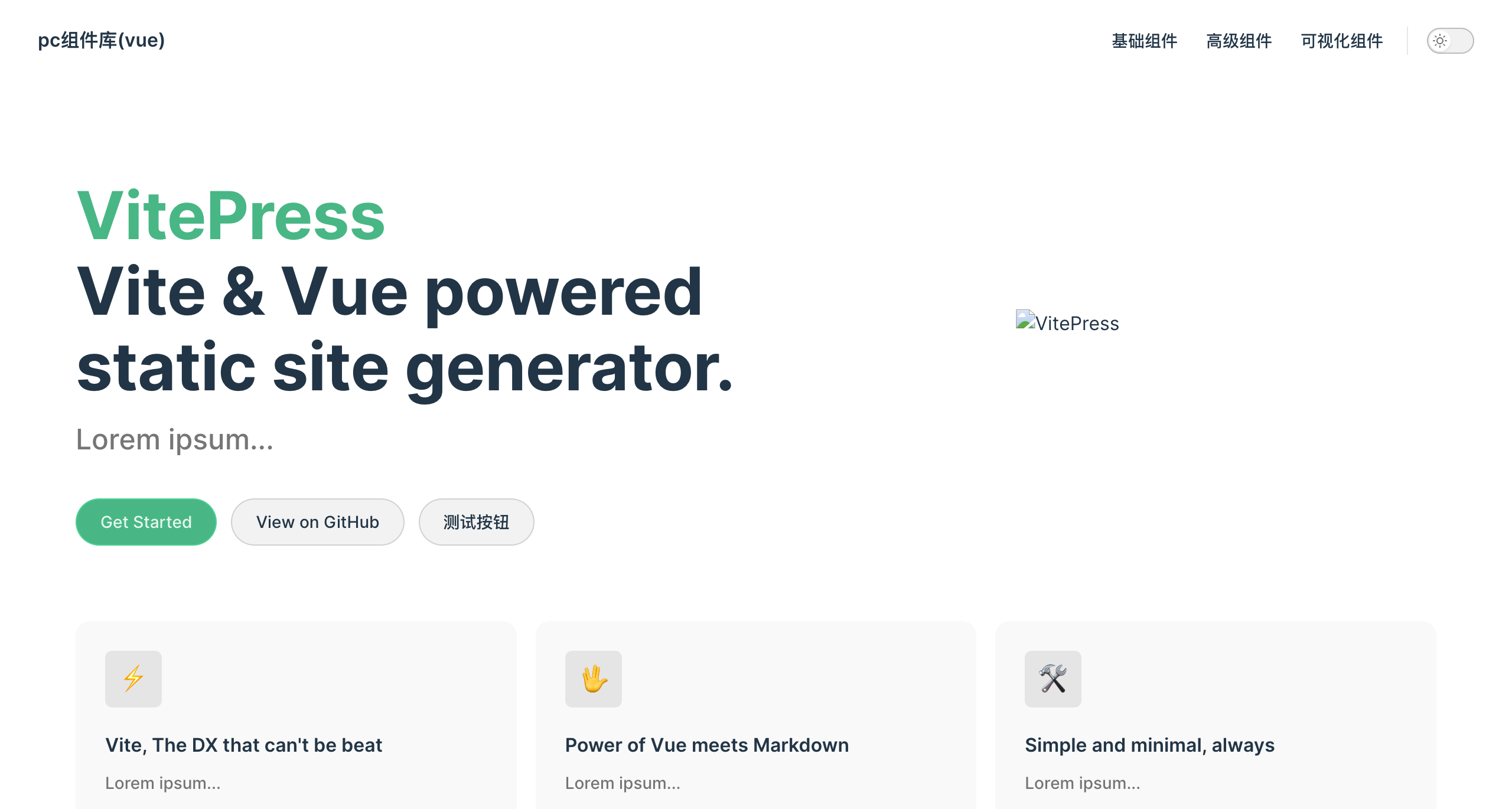
  1. 首页自定义 [index.md]

布局选择home,包含 hero 和 features 两部分

1
2
3
4
5
6
7
8
9
10
11
12
13
14
15
16
17
18
19
20
21
22
23
24
25
26
27
28
29
30
31
32
33
---
layout: home

hero:
name: VitePress
text: Vite & Vue powered static site generator.
tagline: Lorem ipsum...
image:
src: /logo.png
alt: VitePress
actions:
- theme: brand
text: Get Started
link: /component/index
- theme: alt
text: View on GitHub
link: https://github.com/vuejs/vitepress
- theme: alt
text: 测试按钮
link: /business/index

features:
- icon: ⚡️
title: Vite, The DX that can't be beat
details: Lorem ipsum...
- icon: 🖖
title: Power of Vue meets Markdown
details: Lorem ipsum...
- icon: 🛠️
title: Simple and minimal, always
details: Lorem ipsum...
---

运行效果

  • 首页效果
    首页

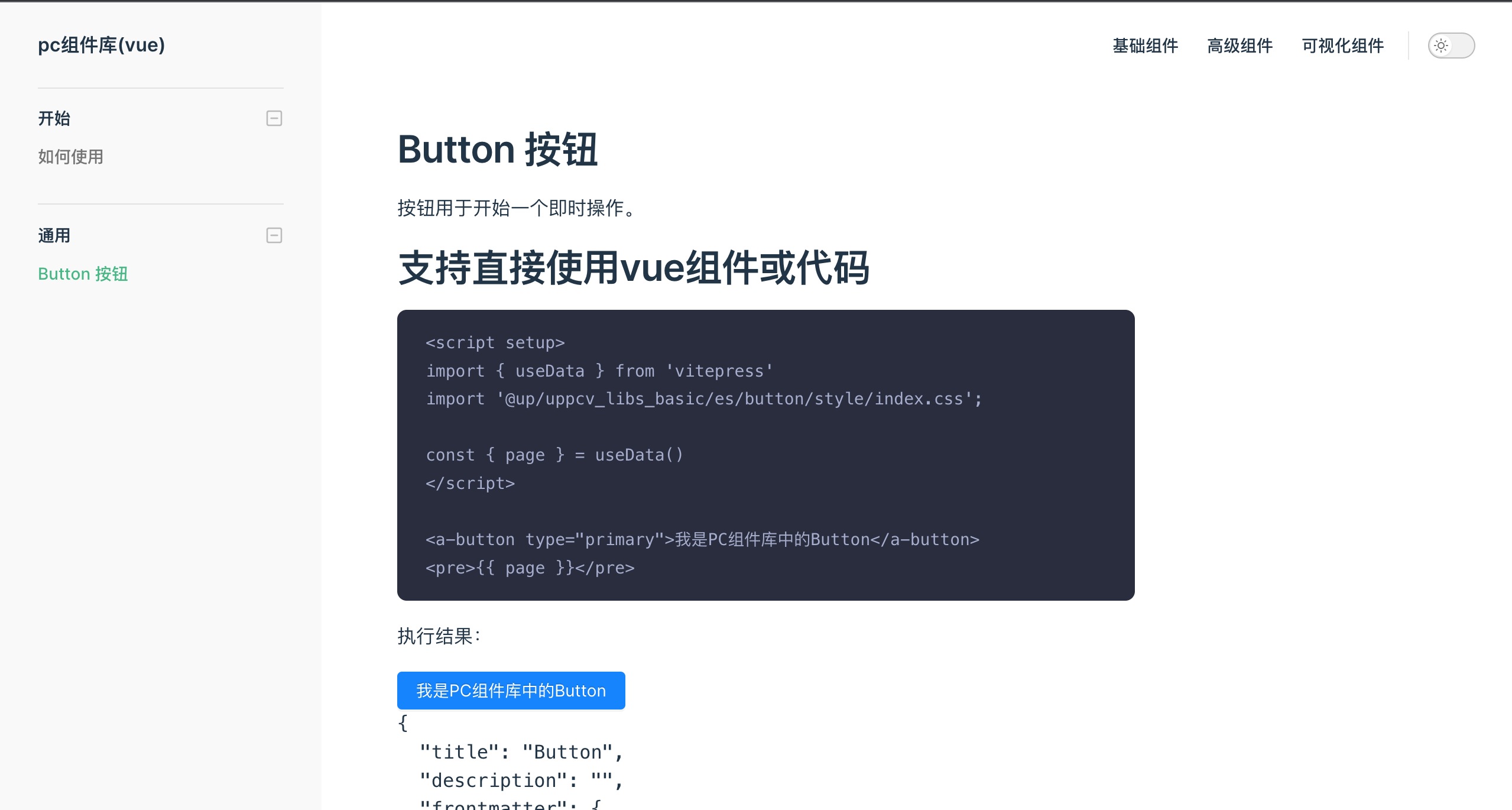
  • 其中的一个文档页
    Button页

总结

  • 整体来说开发体验很快,配置也简单
  • 下一篇文章预告:vitepress系列文章-2: 如何开发并应用自定义的vitepress主题