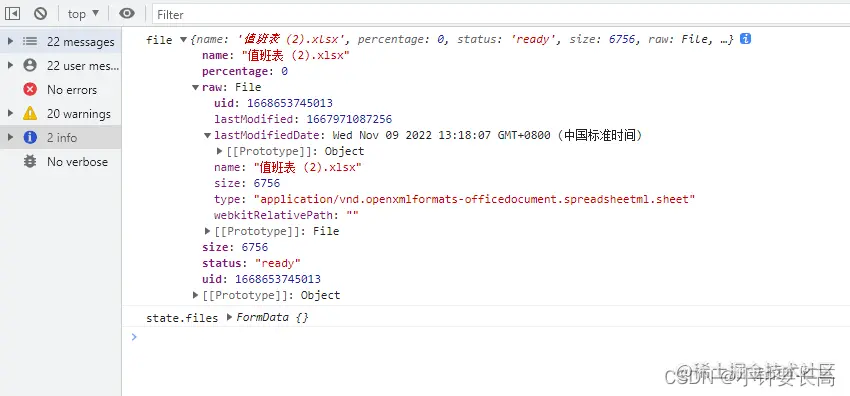
el-uploade导入excel表
<el-upload
ref="upload"
:limit="1"
accept=".xlsx"
:show-file-list="false"
:auto-upload="false"
:on-change="onChangeM"
:http-request="httpRequestUpload"
:disabled="state.rosteringValue?true:false"
>
<button title="导入"
:style="state.rosteringValue&&state.userType == 1?'color:#6e6c6c':'color:#98dcff'"
>导入排班表</button>
</el-upload>
const httpRequestUpload = (item: any) => {};
const upload = ref<UploadInstance>();
const onChangeM = (file: any) => {
console.log("file",file)
state.files = new FormData();
state.files.append("file", file.raw);
console.log("state.files",state.files)
if (file.status == "ready") {
upload.value.submit();
http.watchList.importRoster(state.files).then((res: any) => {
if (res.code == 0) {
ElMessage.success("上传成功");
} else {
ElMessage.success("上传失败请重新上传");
}
});
}
};