react脚手架生成命令
npx create-react -app 项目名称
相关插件安装

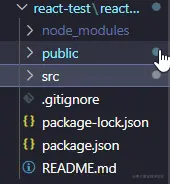
项目结构
todolist->index.js
import React, { Component } from 'react'
export default class index extends Component {
state = {
inputValue:'',
list:[]
}
render() {
return (
<div>
<h2>TODO-LIST</h2>
<input type="text" value={this.state.inputValue} onChange={this.bindChangeInputValue}/>
<button type="button" onClick={this.onConfirm}>确定</button>
{
// map遍历
this.state.list.map((item,index)=>{
return(
// 箭头函数,避免直接执行
<p key={index} onClick={()=>{this.bindDelete(index)}}>{item}</p>
// <ListItem item={item} />
// 去掉上面的上面那行,取消注释下面那行,则没有删除功能
// this.state.list.map((item,index)=><ListItem item={item} key={index} />)
)
})
}
</div>
)
}
bindChangeInputValue=(e)=>{
let inputValue = e.target.value
this.setState({inputValue})
}
onConfirm=()=>{
let {inputValue,list} = this.state
list.push(inputValue)
this.setState({list,inputValue:''})
}
bindDelete = (index)=>{
let {list} = this.state
list.splice(index,1)
this.setState({list})
}
}
ListItem->index.js
import React from 'react'
export default function index(props) {
return (
<div>
{props.item}
</div>
)
}

演示效果