效果图
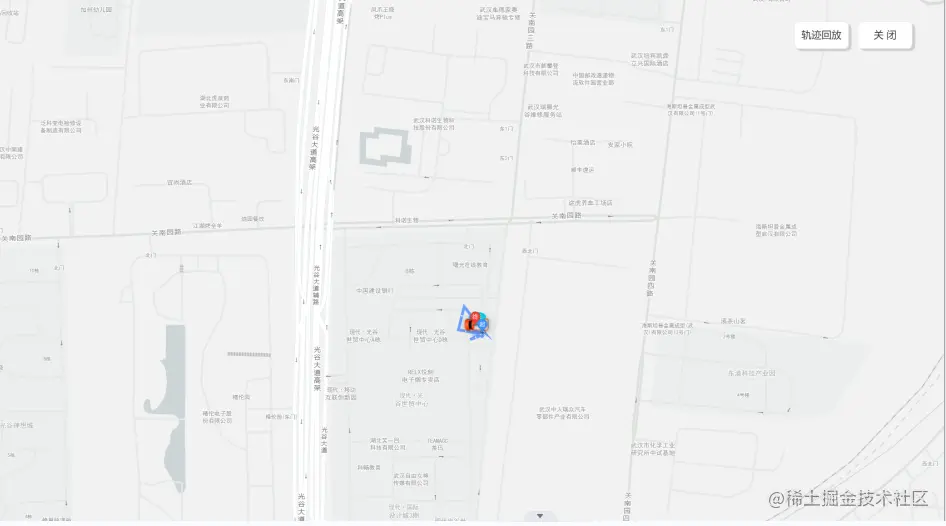
相关代码
<template>
</template>
<script>
<div class="main">
<div class="title">历史轨迹</div>
<div id="container">
<div class="card">
<a-button class="btn" value="轨迹回放" @click="startAnimation">
轨迹回放
</a-button>
<a-button class="btn" @click="closeAnimation">关闭</a-button>
</div>
</div>
</div>
export default {
name: "vehiclePath",
data() {
return {
map: null,
lineArr: [],
marker: null,
};
},
mounted() {
util.apiPost(globalUrl.getVehiclePath, params).then((res) => {
if (res.code !== 99) return;
const { coordinateList} = res.data;
this.lineArr = coordinateList;
this.initMap();
},
methods: {
initMap() {
this.map = new AMap.Map("container", {
resizeEnable: true,
mapStyle: "amap://styles/whitesmoke",
center:
this.lineArr[
this.lineArr.length % 2 === 0
? this.lineArr.length / 2
: (this.lineArr.length + 1) / 2
],
zoom: 11,
});
let iconImageUrl = require("@/assets/images/move_car.png");
let carIcon = new AMap.Icon({
size: new AMap.Size(80, 80),
image: iconImageUrl,
imageSize: new AMap.Size(80, 60),
});
this.marker = new AMap.Marker({
map: this.map,
position: this.lineArr[0],
icon: carIcon,
offset: new AMap.Pixel(-26, -13),
autoRotation: true,
angle: -180,
});
this.initPath();
},
initPath() {
var viaMarker = new AMap.Marker({
position: this.lineArr[10],
icon: "//a.amap.com/jsapi_demos/static/demo-center/icons/dir-via-marker.png",
offset: new AMap.Pixel(-13, -30),
});
var startIcon = new AMap.Icon({
size: new AMap.Size(25, 34),
image:
"//a.amap.com/jsapi_demos/static/demo-center/icons/dir-marker.png",
imageSize: new AMap.Size(135, 40),
imageOffset: new AMap.Pixel(-9, -3),
});
var startMarker = new AMap.Marker({
position: this.lineArr[0],
icon: startIcon,
offset: new AMap.Pixel(-13, -30),
});
var endIcon = new AMap.Icon({
size: new AMap.Size(25, 34),
image:
"//a.amap.com/jsapi_demos/static/demo-center/icons/dir-marker.png",
imageSize: new AMap.Size(135, 40),
imageOffset: new AMap.Pixel(-95, -3),
});
var endMarker = new AMap.Marker({
position: this.lineArr[this.lineArr.length - 1],
icon: endIcon,
offset: new AMap.Pixel(-13, -30),
});
this.map.add([viaMarker, startMarker, endMarker]);
let polyline = new AMap.Polyline({
map: this.map,
path: this.lineArr,
showDir: true,
strokeColor: "#5F98FF",
strokeWeight: 6,
});
let passedPolyline = new AMap.Polyline({
map: this.map,
strokeColor: "#AF5",
strokeWeight: 6,
});
this.marker.on("moving", function (e) {
passedPolyline.setPath(e.passedPath);
});
this.map.setFitView();
},
startAnimation() {
this.marker.moveAlong(this.lineArr, 5000);
},
closeAnimation() {
this.$router.go(-1);
},
},
};
</script>



