案例效果
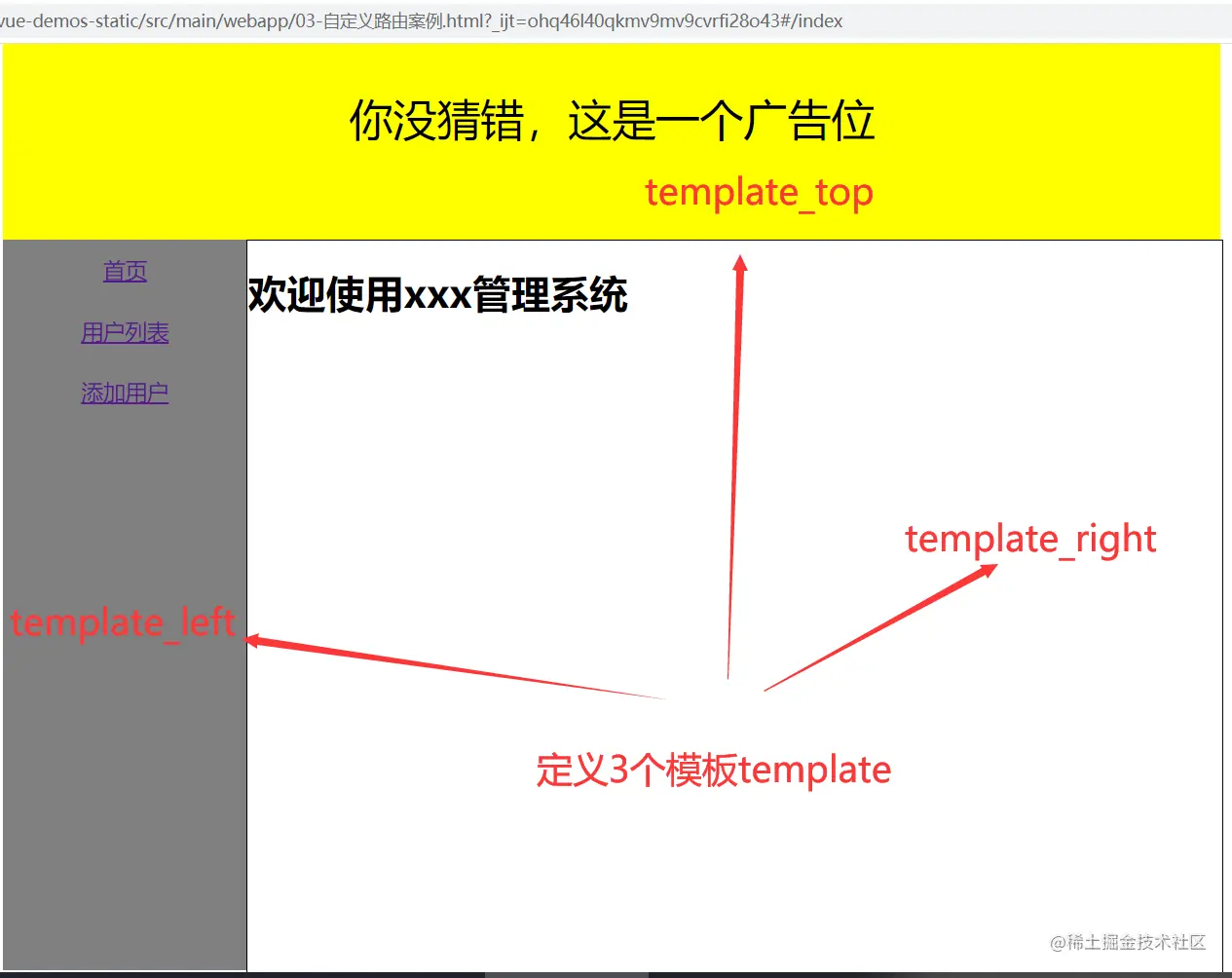
一、定义模板
1.1、定义template_top模板
<template id="template_top">
    <div style="width: 1002px; height: 200px; background-color: yellow; text-align: center; line-height: 200px; font-size: 32px">
        你没猜错,这是一个广告位
    </div>
</template>
1.2、定义template_left模板
<template id="template_left">
    <div style="width: 200px; height: 600px; background-color: gray; float: left">
        bb
    </div>
</template>
1.3、定义template_right模板
<template id="template_right">
    <div style="width: 800px; height: 600px; background-color: white; border: 1px solid black; float: left">
        cc
    </div>
</template>
二、在Vue中注册模板
<script>
Vue.component('aa',{
template: '#template_top'
});
Vue.component('bb',{
template: '#template_left'
});
Vue.component('cc',{
template: '#template_right'
});
new Vue({
el: '#app'
})
</script>
三、在网页上显示模板
<div id="app" style="width: 1002px; margin-left: auto; margin-right: auto;">
    <aa></aa>
    <bb></bb>
    <cc></cc>
</div>



