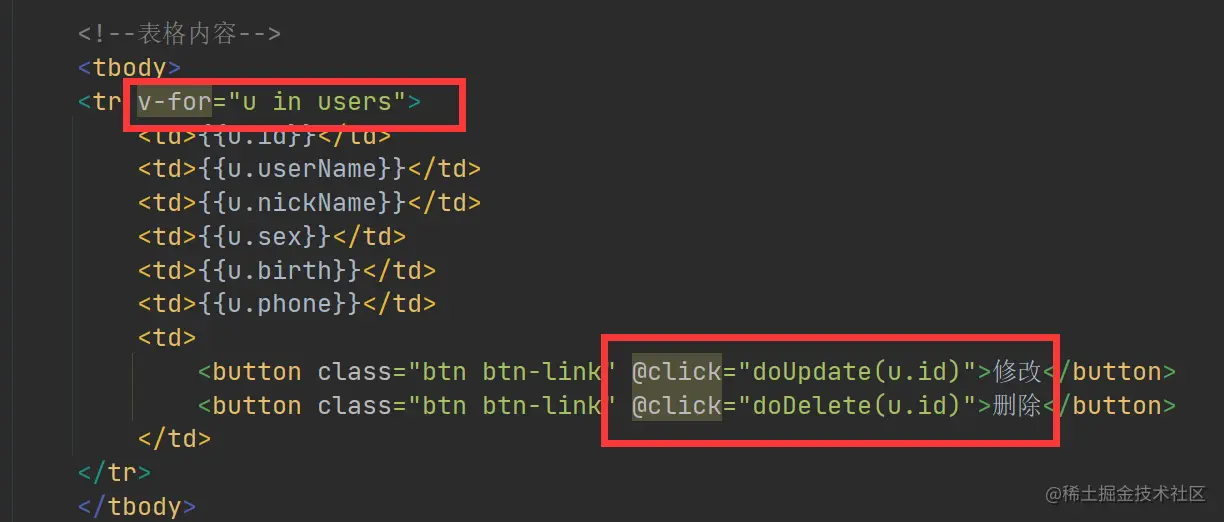
登录页Vue实例
<script>
new Vue({
el:'#app',
data:{
userName:null,
passwd:null
},
methods:{
doLogin(){
var url = "http://localhost:8080/login?user_name="+this.userName+"&passwd="+this.passwd;
axios.get(url).then(response => {
if(response.data == '成功'){
window.location.href='index.html';
}else {
alert("用户名或密码错误");
}
});
},
doReset(){
this.userName = null;
this.passwd = null;
}
},
created:function (){
}
})
</script>
登录页给文本框绑定v-model,给button绑定点击事件
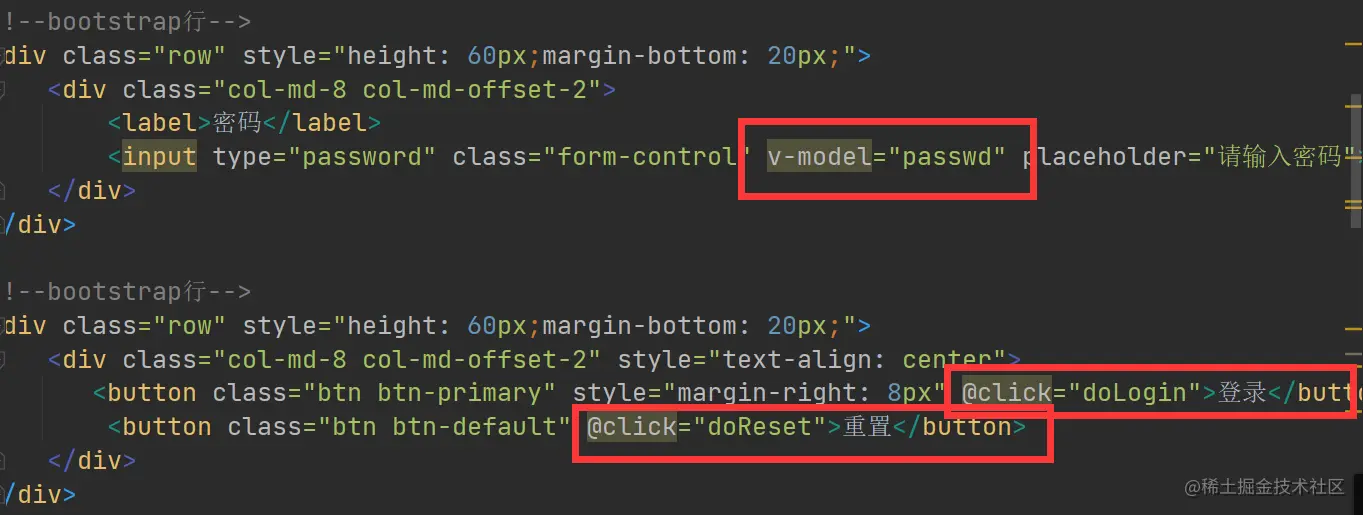
用户添加页Vue对象实例
<script>
new Vue({
el:'#app',
data:{
userName:null,
nickName: null,
sex: null,
phone: null,
birth: null
},
methods:{
doAdd(){
var url = "user_add?user_name="+this.userName+"&nick_name="+this.nickName+"&sex="+this.sex
+"&phone="+this.phone+"&birth="+this.birth;
axios.get(url).then(responce =>{
if(responce.data == '添加成功'){
window.location.href = 'UserList.html';
}else {
alert("添加失败")
}
})
},
doClear(){
this.userName = null;
this.nickName = null;
this.sex = null;
this.phone = null;
this.birth = null;
}
}
});
</script>
用户添加页v-model绑定,添加按钮点击事件
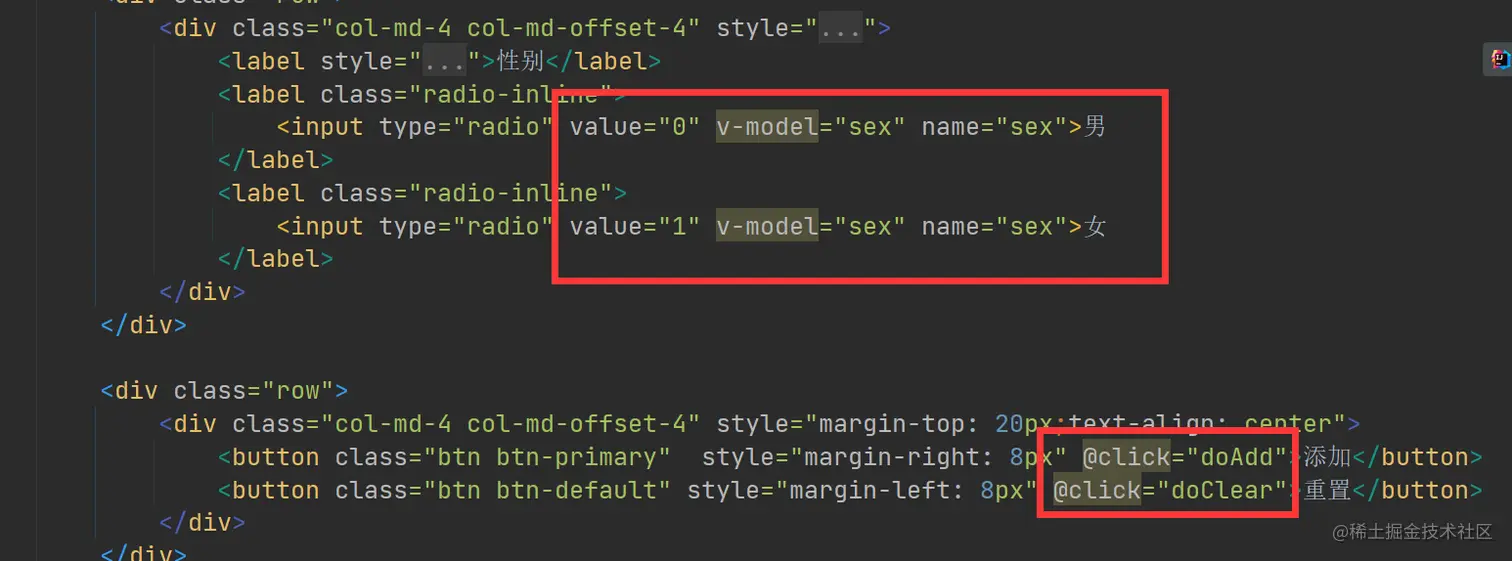
用户查询及修改Vue实例(重难点)
查询(页面的刷新方法)
<script>
new Vue({
el:'#app',
data:{
users:null
},
created:function (){
this.requestUserList();
},
methods:{
doDelete(id){
console.log("要删除的id:"+id);
axios.get("delete_user?id="+id).then(response =>{
if(response.data == '删除成功'){
this.requestUserList();
}else {
alert("删除失败!!!!!")
}
});
},
doUpdate(id){
window.location.href = "User_update.html?id="+id;
},
requestUserList(){
axios.get("user_list").then(response =>{
this.users = response.data;
})
},
},
});
</script>
修改(页面的刷新方法)
<script>
new Vue({
el:'#app',
data:{
id:null,
userName:null,
nickName: null,
sex: null,
phone: null,
birth: null
},
methods:{
doUpdate() {
var url = "user_update?user_name="+this.userName+"&nick_name="+this.nickName+"&sex="+this.sex+"&phone="+this.phone+"&birth="+this.birth+"&id="+this.id;
axios.get(url).then(response => {
if (response.data == '修改成功'){
console.log("修改成功")
window.location.href = "UserList.html";
}else {
alert("修改失败,请重试!!!")
}
})
},
doExit(){
window.location.href = 'UserList.html';
},
},
created:function (){
var url = window.location.href;
console.log(url);
var id = url.substring(url.indexOf("=")+1);
console.log(id);
this.id = id;
axios.get("user_info?id="+id).then(response =>{
console.log(response.data);
this.userName = response.data.userName;
this.nickName = response.data.nickName;
this.sex = response.data.sex;
this.phone = response.data.phone;
this.birth = response.data.birth;
});
}
});
</script>
v-model绑定,添加按钮点击事件