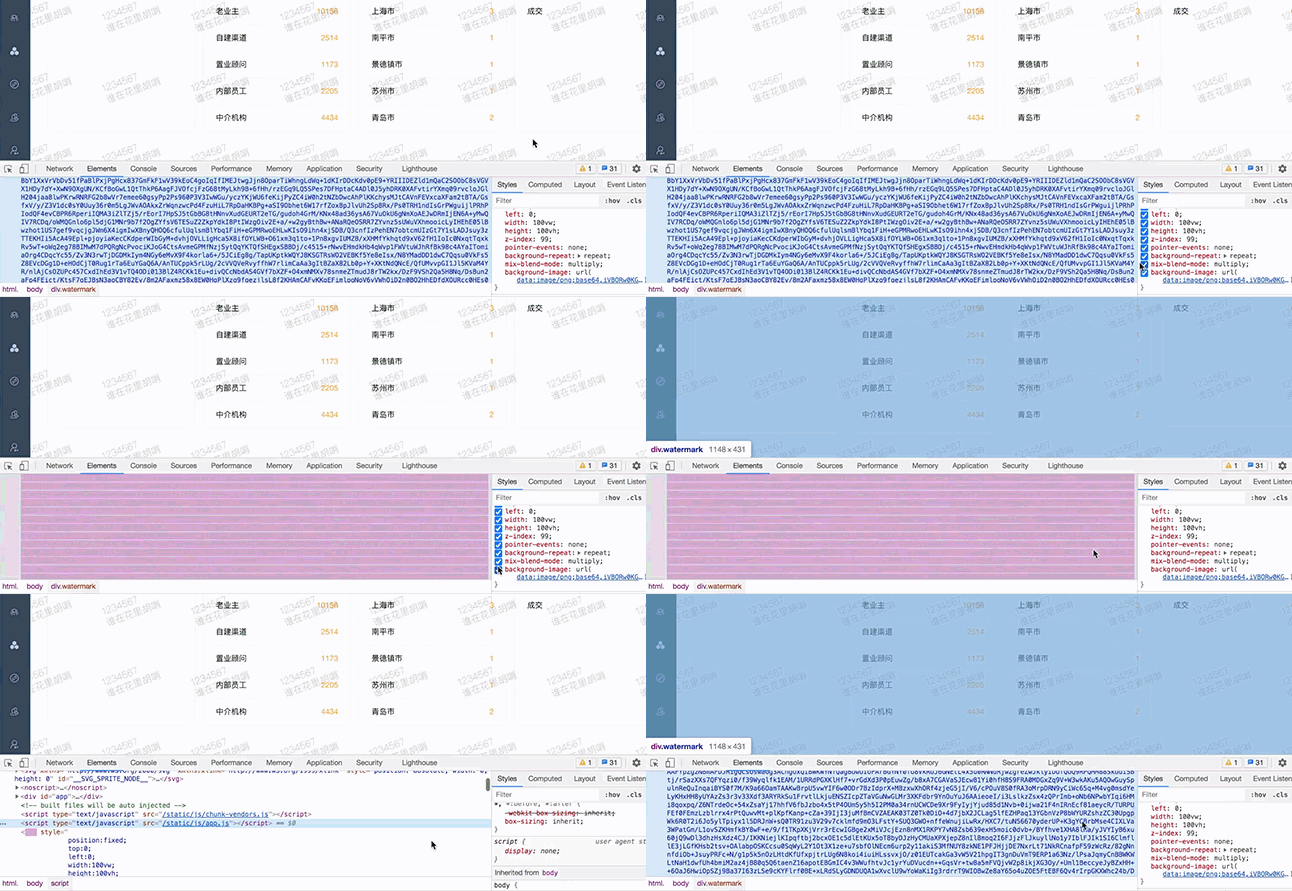
 想了解更多使用 canvas 实现的水印效果,可参考 此篇文章 ~~
watermark.js
const watermark = {
  observer: null,
  watermarkDom: null,

  /**
   * 设置水印
   * @param {String|Array} texts - 水印文本,可以是字符串或字符串数组
   * @param {Object} options - 水印配置选项
   */
  set: function(texts, options = {}) {
    // 默认配置
    const defaultOptions = {
      spacing: 200, // 水印间距
      rotate: -30, // 旋转角度
      fontSize: 14, // 字体大小
      fontColor: '#ececec', // 字体颜色
      fontFamily: 'sans-serif', // 字体族
      fontWeight: '100', // 字体粗细
      zIndex: 99, // 层级
      textAlign: 'left'
    }

    // 合并配置
    const config = { ...defaultOptions, ...options }

    // 处理文本参数
    const textArray = Array.isArray(texts) ? texts : [texts]

    // 创建canvas并计算尺寸
    const canvas = document.createElement('canvas')
    const ctx = canvas.getContext('2d')

    // 计算文本最大宽度和总高度
    const maxWidth = Math.max(...textArray.map(text => ctx.measureText(text).width))
    const lineHeight = config.fontSize + 10
    const totalHeight = textArray.length * lineHeight

    // 设置canvas尺寸 (增加内边距)
    canvas.width = maxWidth + config.spacing
    canvas.height = totalHeight + config.spacing

    // 绘制透明背景
    ctx.fillStyle = 'red'
    ctx.fillRect(0, 0, canvas.width, canvas.height)

    // 设置文本样式
    ctx.fillStyle = config.fontColor
    ctx.font = `${config.fontWeight} ${config.fontSize}px ${config.fontFamily}`
    ctx.textAlign = config.textAlign
    ctx.textBaseline = 'middle'

    // 应用旋转 (如果需要)
    if (config.rotate !== 0) {
      const centerX = canvas.width / 2
      const centerY = canvas.height / 2
      ctx.translate(centerX, centerY)
      ctx.rotate(config.rotate * Math.PI / 180)
    }

    // 根据文本对齐方式计算x坐标
    let x
    switch (config.textAlign) {
      case 'left':
        x = config.rotate !== 0 ? -maxWidth / 2 : (canvas.width - maxWidth) / 2
        break
      case 'right':
        x = config.rotate !== 0 ? maxWidth / 2 : (canvas.width + maxWidth) / 2
        break
      case 'center':
      default:
        x = config.rotate !== 0 ? 0 : canvas.width / 2
        break
    }

    // 绘制文本
    const baseY = config.rotate !== 0 ? 0 : canvas.height / 2
    textArray.forEach((text, index) => {
      const y = baseY + (index - (textArray.length - 1) / 2) * lineHeight
      ctx.fillText(text, x, y)
    })

    // 移除旧水印
    if (this.watermarkDom) {
      document.body.removeChild(this.watermarkDom)
    }

    // 创建新水印
    this.watermarkDom = document.createElement('div')
    const styleStr = `
      position:fixed;
      top:0;
      left:0;
      width:100vw;
      height:100vh;
      z-index:${config.zIndex};
      pointer-events:none;
      mix-blend-mode:multiply;
      background-position:left top;
      background-image:url('${canvas.toDataURL('image/png')}');
      background-repeat:repeat;`

    this.watermarkDom.setAttribute('style', styleStr)
    this.watermarkDom.classList.add('watermark')
    document.body.appendChild(this.watermarkDom)
    this.initObserver(styleStr)
  },

  /**
   * 初始化观察器防止水印被删除
   */
  initObserver: function(styleStr) {
    // 先断开已有的观察器
    if (this.observer) {
      this.observer.disconnect()
    }

    // 创建新的观察器
    this.observer = new MutationObserver(() => {
      const wmInstance = document.querySelector('.watermark')
      if ((wmInstance && wmInstance.getAttribute('style') !== styleStr) || !wmInstance) {
        if (wmInstance) {
          wmInstance.setAttribute('style', styleStr)
        } else {
          this.observer.disconnect()
        }
      }
    })

    this.observer.observe(document.body, {
      attributes: true,
      subtree: true,
      childList: true
    })
  },

  /**
   * 移除水印
   */
  close: function() {
    const watermark = document.querySelector('.watermark')
    if (watermark) {
      document.body.removeChild(watermark)
    }

    // 断开观察器
    if (this.observer) {
      this.observer.disconnect()
      this.observer = null
    }

    this.watermarkDom = null
  }
}

export default watermark
使用方法:
    import watermark from '@/utils/watermark.js'

    //添加水印
     watermark.set(['1234567', '谁在花里胡哨'])

    //移除水印
     watermark.close()