
谷歌浏览器团队如何使用浏览器的

194 阅读5分钟

在Chrome浏览器推出之前,Chrome团队就在幕后努力创造一种不同的浏览体验:一种既个性化又有帮助的浏览体验。这一使命一直是Chrome团队价值观的核心,我们不断努力让网络更好地为您服务,打造一个让你的日常生活更简单、更高效、更有序的浏览器。今年早些时候,Chrome浏览器迎来了第100次更新,我们认为应该向这一里程碑式的事件表示敬意,请Chrome浏览器的制造者们分享他们自己的创新在日常生活中的帮助。

用最近的标签更聪明地通勤

我的团队一直在思考如何确保Chrome浏览器能够满足iPhone用户的需求,无论他们身在何处。在我的日常生活中,iPhone上的Chrome浏览器是必不可少的,当时我利用讨厌的地铁通勤,在到达办公室前快速完成了一些简单的任务。其中许多任务是我在桌面电脑上开始的工作的延续,而Chrome的"最近标签"功能使我能够在iPhone上轻松访问。当我登录并同步时,我在办公室的工作就会与我的通勤时间无缝衔接,而不会因为试图记住我在做什么或寻找网址而感到压力。

- Nasim Sedeghat, Chrome iOS产品负责人
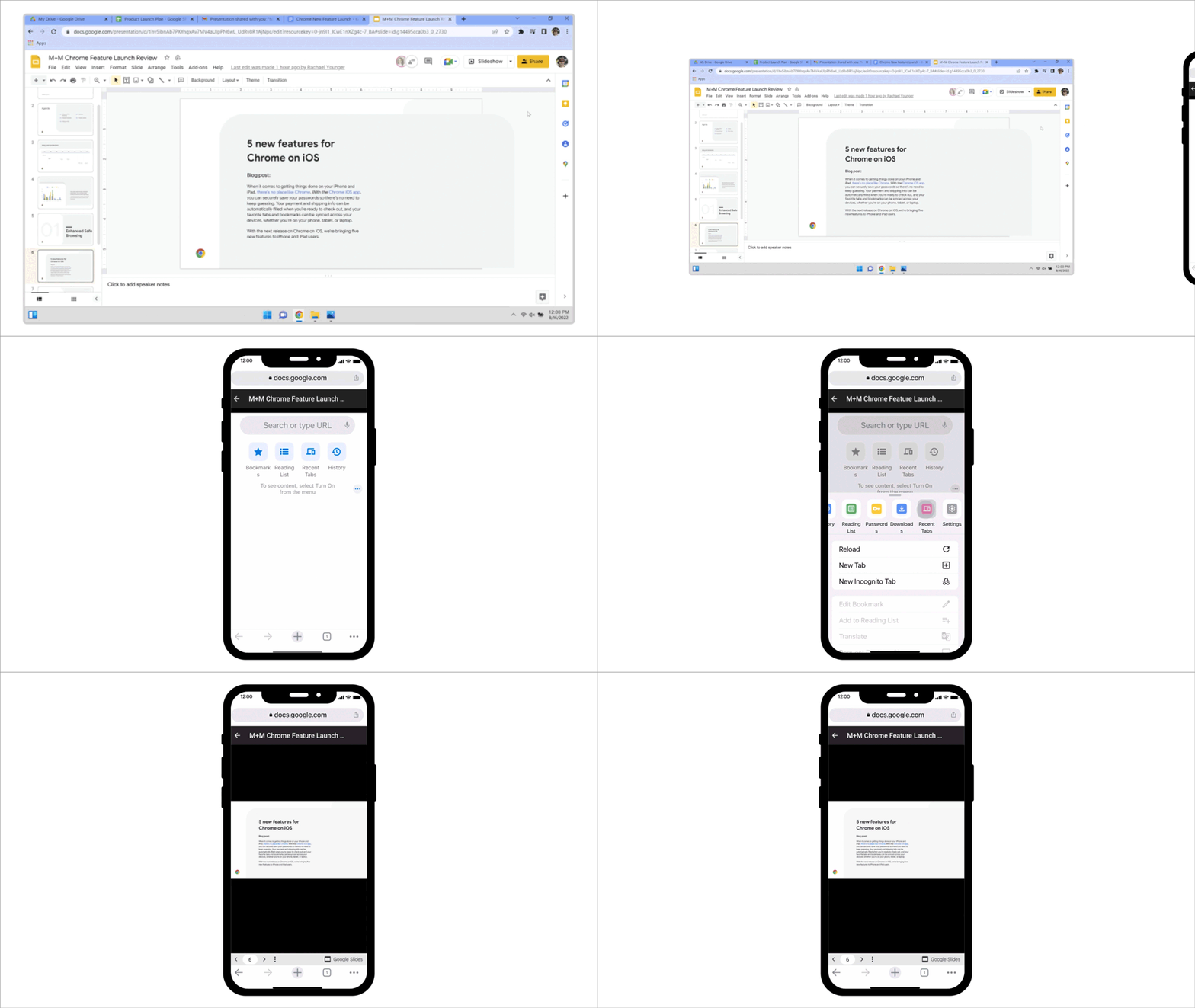
Chrome browser on desktop is shown with a Google Slides presentation named “M+M Chrome Feature Launch Review” pulled up. An iPhone comes into view from the right, and the three dot menu on the bottom right corner of the iPhone is pressed. A menu is pulled up where a button labeled “recent tabs” is pushed. A menu showing the user’s recently accessed tabs comes up, the Google Slides tab “M+M Chrome Feature Launch Review” is selected, and the same Google slide presentation from the computer is pulled up on the iPhone.

使用标签组......来制作标签组

我打开的标签往往直接反映了我的精神状态:标签越乱,我的事情就越多。标签组帮助我组织我的想法,我使用标题来提供背景,使用颜色方案来寻找我离开的地方。在我们还没有完成开发之前,我就开始使用标签组,以努力协调项目。在许多方面,标签组对他们自己的创造负责,因为没有他们,我们就不会成功发布

- Connie Wan,软件工程经理,Chrome桌面用户接口
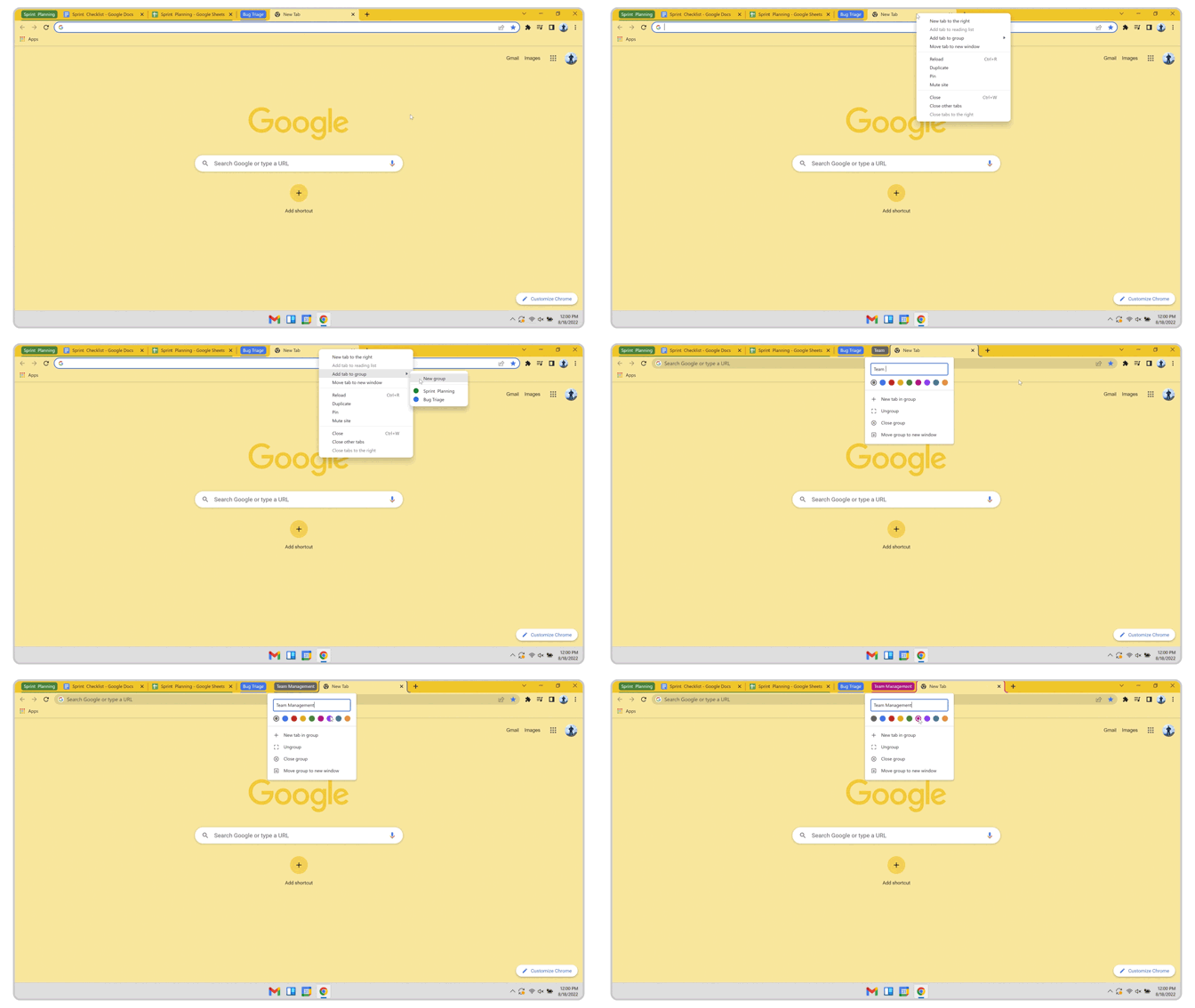
A Chrome browser is shown with tab groups labeled “Sprint Planning” and “Bug Triage” shown at the top of the page. A cursor is hovering over a new tab, it travels through a menu of options,  stops on “Add tab to group”, and selects “New Group”.  A new tab group is shown, and the cursor types in “Team Management” to name the group and selects a pink color for the group.

用标签搜索追踪标签

虽然我渴望在Chrome浏览器中保持整洁,但现实情况是,在一天的背靠背会议和检查Chrome工程项目之后,我的标签积累的速度比我组织它们的速度还要快(尽管我也喜欢使用标签组!)。标签搜索 "来拯救我,它允许我直接查找一个现有的标签。当你输入时,它立即缩小列表范围--它不仅包括打开的标签,还包括我不久前刚刚关闭的标签。

- Max Christoff,Chrome浏览器工程高级主管
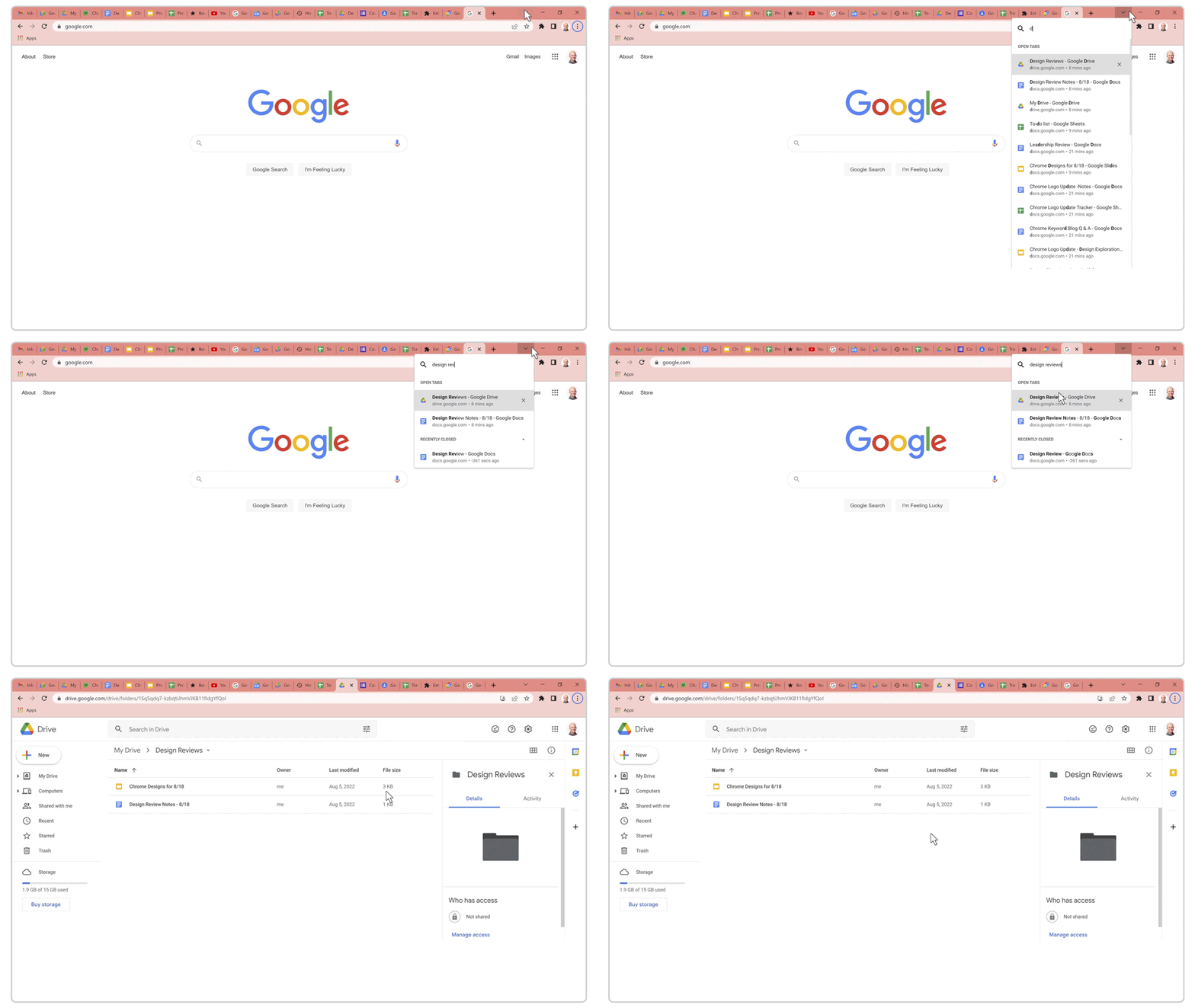
A Chrome browser is shown with more than 20 tabs opened. A cursor navigates to the top right of the screen, clicks on a downfacing arrow, and brings up a search bar where the text reads “Search Tabs” and displays a list of the opened tabs.  “Design reviews” is typed into the search bar, and the list of tabs narrows down to only those with that text in the title. The cursor selects a tab containing a Google Drive page with “Design reviews” results displayed

通过网站搜索获得更快的结果

作为一名用户体验(UX)设计师,我的大部分工作都是围绕确保Chrome浏览器的可访问性和愉悦性展开的。我花了很多时间跨越多个文件或进行快速网站搜索,这使得Chrome的网站搜索成为我个人最喜欢的功能之一。网站搜索不是先导航到一个特定的网站,然后点击网站的搜索栏,而是让我从Chrome浏览器的地址栏开始搜索,从而使我能够更快地访问。我键入网站的快捷方式,按下标签,然后添加我的搜索词,这样页面加载的正是我想找的东西。

-Elvin Hu,Chrome用户体验交互设计师
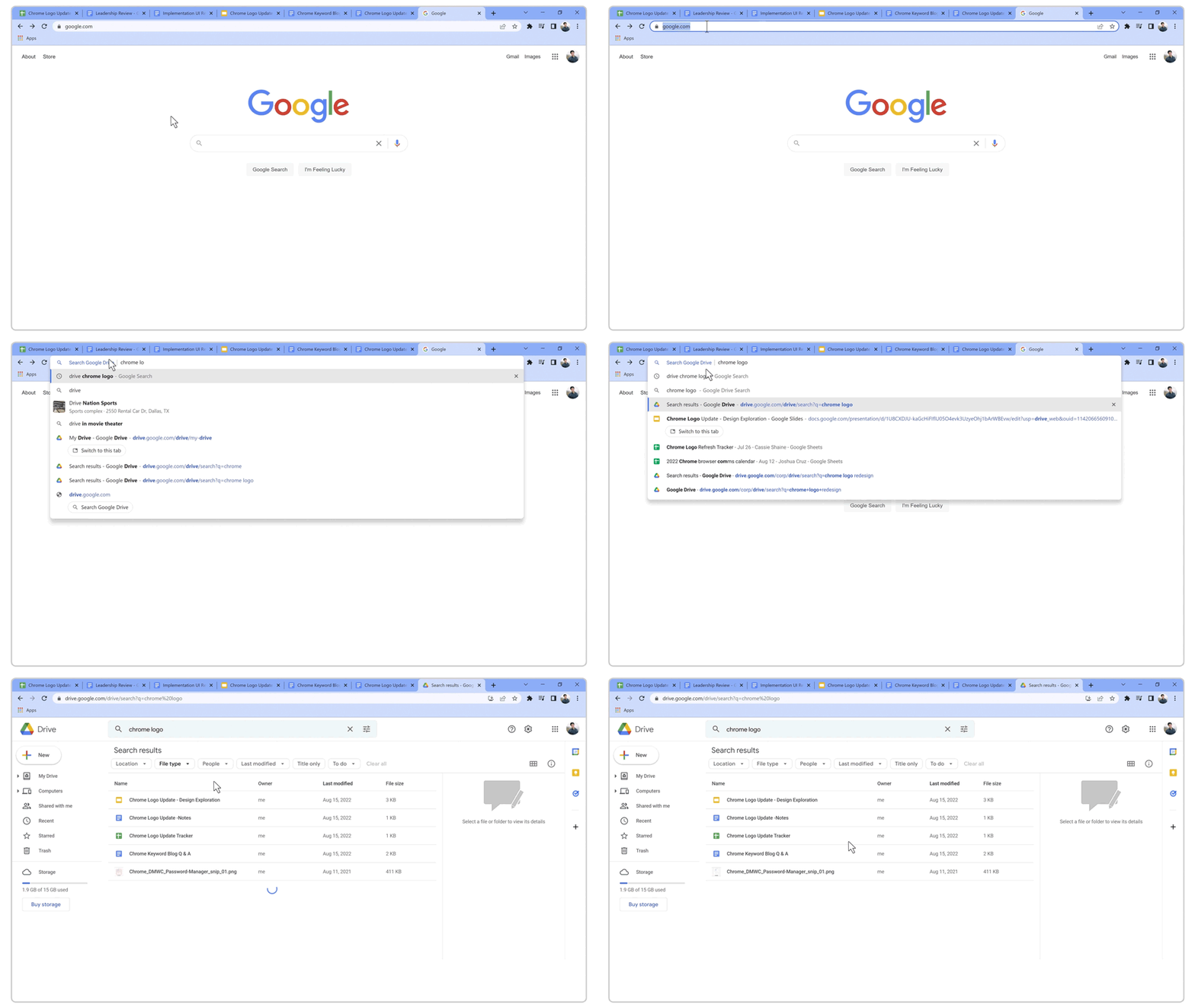
A cursor navigates to the Chrome search bar on an open window. “Drive” is typed into the address bar, and the search bar changes to show “Search Google Drive”  in blue lettering within the search bar. Then “chrome logo” is typed in and the cursor clicks on the option to display search results for this term from within Google Drive. The page then opens to display a Google Drive page with the results for files containing the words “chrome logo” already shown.

用网站权限解决视频通话问题

在过去的几年里,我花了很多时间在视频通话上,我很高兴能通过这种方式与我的亲人保持联系。当视频通话没有按计划进行时,我通过让每个人检查他们的网站权限来排除故障。你可以在Chrome浏览器上通过位于地址栏的lock图标轻松访问。在这里,确保 "麦克风 "和 "摄像头 "是打开的。如果一个网站一直用太多的通知来烦扰你,这也是你可以关闭这些通知的地方。锁定图标仍然是我最喜欢的一个功能,特别是因为我的团队一直在庆祝让用户控制他们的设置*。*

- Meggyn Watkins,高级用户体验作家,信任与安全
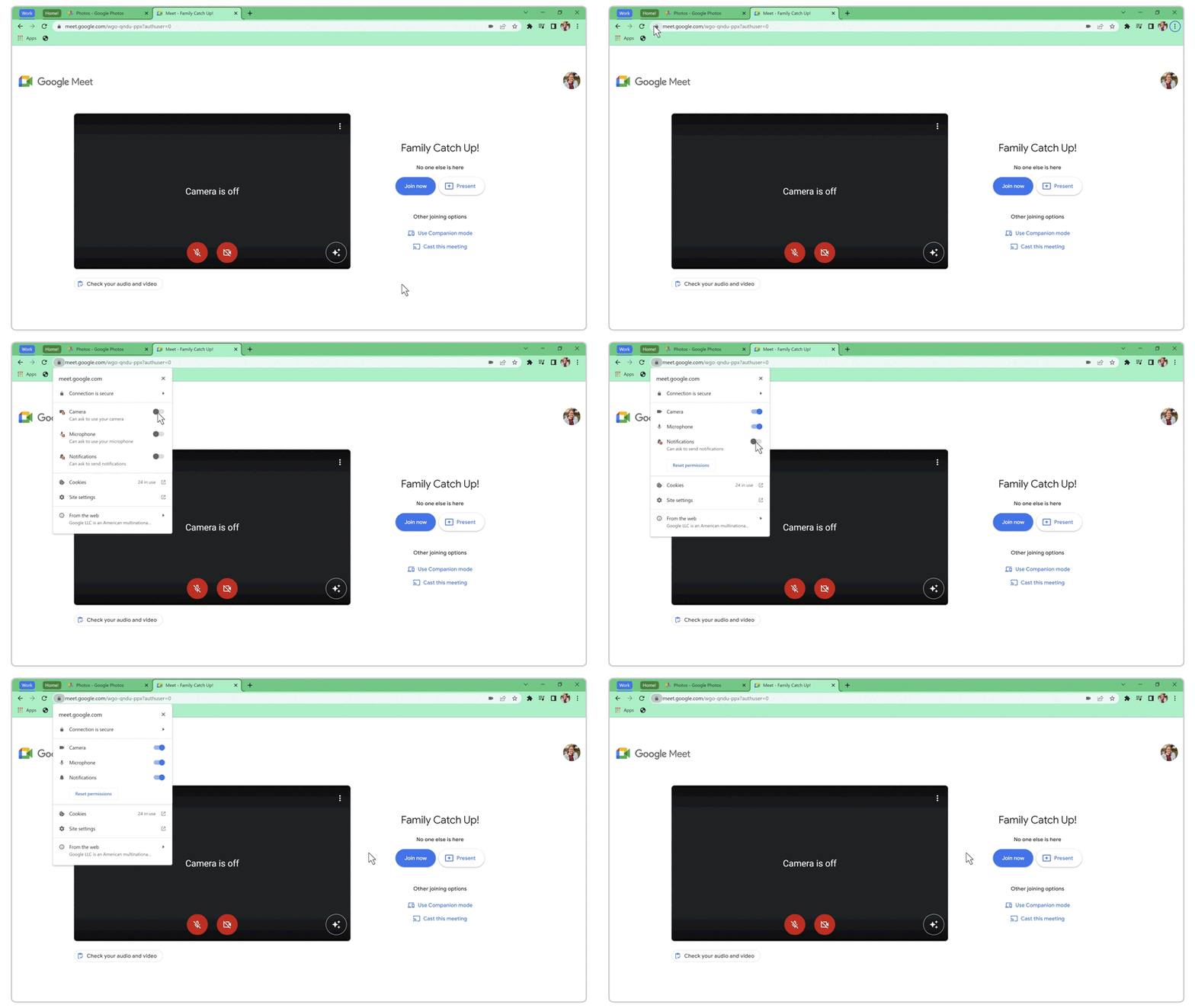
A Chrome browser window is shown with a Google Meet tab titled “Family Catch Up!” on the screen. The camera and microphone are turned off.  A cursor navigates to the Chrome search bar, and clicks on the lock icon on the left. The site permissions menu is opened and the cursor toggles on the settings for camera, microphone, and notifications.
