Caffeine缓存增改查过期
Caffeine缓存增改查过期
1、引入pom
com.github.ben-manes.caffeine
caffeine
2.9.2
2、测试类
@Slf4j
@RunWith(SpringRunner.class)
@SpringBootTest(classes = ReportApplication.class)
public class LocalCacheTest {
@Test
public void test() throws InterruptedException {
    Cache<Object, String> cache1 = Caffeine.newBuilder()
            .expireAfterWrite(1, TimeUnit.SECONDS)
            .maximumSize(1000)
            .build();
    String key = "test";
    cache1.put(key, "Okok10000");
    System.out.println(cache1.getIfPresent(key));
    System.out.println(cache1.getIfPresent(key));
    cache1.put(key, "hello0");
    System.out.println(cache1.getIfPresent(key));
    Thread.sleep(1000);
    System.out.println(cache1.getIfPresent(key));


}
}
缓存----》内存 缓存过期时间和是否需要用缓存想好了再用
synchronized和ReentrantLock都很丝滑,因为他们都是可重入锁,一个线程多次拿锁也不会死锁,我们需要可重入
线程池拒绝策略
配置获取yml的值两种方式
配置
import lombok.Data;
import org.springframework.beans.factory.annotation.Value;
import org.springframework.stereotype.Component;

import java.util.List;

@Component
@Data
public class MqConfig2 {
    @Value(value = "${rocketmq.accessKey}")
    private List<String> groupId;

    @Value(value = "${rocketmq.nameSrvAddr}")
    private String nameSrvAddr;
}
import lombok.Data; import org.springframework.boot.context.properties.ConfigurationProperties; import org.springframework.context.annotation.Configuration;
import java.util.List; import java.util.Properties;
@Data @Configuration @ConfigurationProperties(prefix = "rocketmq") public class MqConfig3 { private String accessKey; private String secretKey; private String nameSrvAddr;
private List<ConsumerGroup> consumerGroups;

@Data
public static class ConsumerGroup {
    private String groupId;
    private List<Consumer> consumers;
}

@Data
public static class Consumer {
    private String topic;
    private String tag;
    private String beanName;
}

public Properties getMqProperties() {
    Properties properties = new Properties();
    properties.setProperty("AccessKey", this.accessKey);
    properties.setProperty("SecretKey", this.secretKey);
    properties.setProperty("NAMESRV_ADDR", this.nameSrvAddr);
    properties.setProperty("SendMsgTimeoutMillis", "4000");
    return properties;
}
}
xml
rocketmq: accessKey: LTAI4*********** secretKey: UzhGNMi************ nameSrvAddr: localhost:8100 consumerGroups: - groupId: GID-GOUTP consumers: - topic: TOPIC-******* tag: OPE**** beanName: generateReportOperatorLogListener - groupId: GID-GOUP_TWO consumers: - topic: TOPIC-******* tag: TAG_***** beanName: reportListener
测试类
@Slf4j @RunWith(SpringRunner.class) @SpringBootTest(classes = ReportApplication.class) public class BgmReportDataTest { @Resource private MqConfig3 mqConfig3; @Resource private MqConfig2 mqConfig2;
@Test
public void beanTest() {
    MessageListener reportListener = SpringUtil.getBean("reportListener");
    System.out.println("-----" + JSON.toJSONString(reportListener));
}

@Test
public void mqConfigTest() {
    System.out.println(mqConfig3.getAccessKey());
    System.out.println(mqConfig3.getSecretKey());
    System.out.println(mqConfig3.getNameSrvAddr());
    System.out.println(mqConfig3.getConsumerGroups());
    System.out.println("-------------------");
    System.out.println(mqConfig2.getGroupId());
    System.out.println(mqConfig2.getNameSrvAddr());

}
}
result
LTAI4*********** UzhGNMi************ localhost:8100 [MqConfig3.ConsumerGroup(groupId=GID-GOUTP, consumers=[MqConfig3.Consumer(topic=TOPIC-*, tag=OPE, beanName=generateReportOperatorLogListener)]), MqConfig3.ConsumerGroup(groupId=GID-GOUP_TWO, consumers=[MqConfig3.Consumer(topic=TOPIC-, tag=TAG_, beanName=reportListener)])]
[LTAI4***********] localhost:8100
rocketmq实现
----------
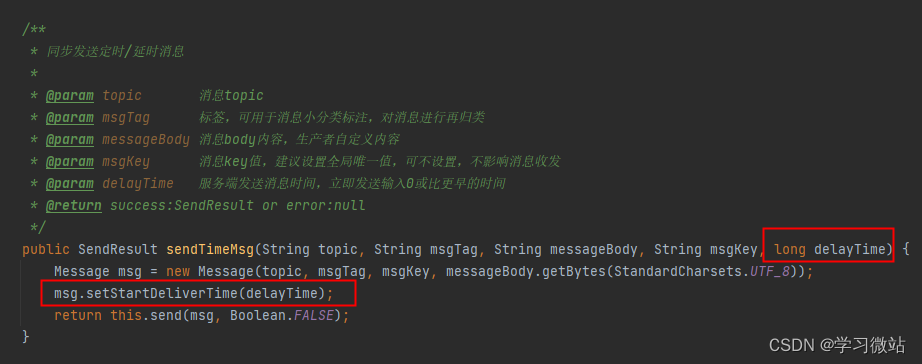
延迟发送,多一个参数传送,msg.setStartDeliverTime(delayTime);
com.aliyun.openservices.ons.api;
工具类处理生产者和消费者
[https://blog.csdn.net/qq\_35378008/article/details/103141565](https://blog.csdn.net/qq_35378008/article/details/103141565)
@Configuration @AllArgsConstructor public class ConsumerServer { private final MqConfig mqConfig;
@PostConstruct
public void init() {
    List<MqConfig.ConsumerGroup> confumerGroups = mqConfig.getConfumerGroups();
    if (CollectionUtil.isNotEmpty(confumerGroups)) {
        Properties properties = mqConfig.getMqProperties();
        confumerGroups.forEach(consumerGroup -> {
            properties.setProperty("GROUP_ID", consumerGroup.getGroupId());
            Consumer consumerBean = ONSFactory.createConsumer(properties);

            List<MqConfig.Consumer> consumers = consumerGroup.getConsumers();
            consumers.forEach(consumer -> {
                consumerBean.subscribe(consumer.getTopic(), consumer.getTag(),
                        SpringUtil.getBean(consumer.getBeanName()));
            });
            consumerBean.start();
        });
    }
}
}
@Data
@Configuration
@ConfigurationProperties(prefix = "rocketmq")
public class MqConfig {
    private String accessKey;
    private String secretKey;
    private String nameSrvAddr;

    private List<ConsumerGroup> confumerGroups;

    @Data
    public static class ConsumerGroup {
        private String groupId;
        private List<Consumer> consumers;
    }

    @Data
    public static class Consumer {
        private String topic;
        private String tag;
        private String beanName;
    }

    public Properties getMqProperties() {
        Properties properties = new Properties();
        properties.setProperty("AccessKey", this.accessKey);
        properties.setProperty("SecretKey", this.secretKey);
        properties.setProperty("NAMESRV_ADDR", this.nameSrvAddr);
        properties.setProperty("SendMsgTimeoutMillis", "4000");
        return properties;
    }
}
@Configuration @AllArgsConstructor public class ProducerServer { private final MqConfig mqConfig;
@Bean(initMethod = "start", destroyMethod = "shutdown")
public ProducerBean buildProducer() {
    ProducerBean producer = new ProducerBean();
    producer.setProperties(mqConfig.getMqProperties());
    return producer;
}
}
@AllArgsConstructor
public class ProducerUtil {
    private static final LegoLogger LOGGER = LegoLogger.getLogger(ProducerUtil.class);
    private final ProducerBean producer;

    int corePoolSize = Runtime.getRuntime().availableProcessors() * 2 + 1;
    ThreadFactory threadFactory = new ThreadFactoryBuilder()
            .setNamePrefix("rocket-pool-").build();
    ThreadPoolExecutor executorConfig = new ThreadPoolExecutor(corePoolSize, corePoolSize * 2, 10,
            TimeUnit.SECONDS, new LinkedBlockingDeque<>(),
            threadFactory,
            new ThreadPoolExecutor.CallerRunsPolicy());

    /**
     * 同步发送消息
     *
     * @param topic       消息topic
     * @param messageBody 消息body内容,生产者自定义内容
     * @return success:SendResult or error:null
     */
    public SendResult sendMsg(String topic, String messageBody) {
        return this.sendMsg(topic, null, messageBody, null);
    }


    /**
     * 同步发送消息
     *
     * @param topic       消息topic
     * @param msgTag      标签,可用于消息小分类标注
     * @param messageBody 消息body内容,生产者自定义内容
     * @param msgKey      消息key值,建议设置全局唯一,可不传,不影响消息投递
     * @return success:SendResult or error:null
     */
    public SendResult sendMsg(String topic, String msgTag, String messageBody, String msgKey) {
        Message msg = new Message(topic, msgTag, msgKey, messageBody.getBytes(StandardCharsets.UTF_8));
        return this.send(msg, Boolean.FALSE);
    }

    /**
     * 同步发送定时/延时消息
     *
     * @param topic       消息topic
     * @param messageBody 消息body内容,生产者自定义内容
     * @param delayTime   服务端发送消息时间,立即发送输入0或比更早的时间
     * @return success:SendResult or error:null
     */
    public SendResult sendTimeMsg(String topic, String messageBody, long delayTime) {
        return this.sendTimeMsg(topic, null, messageBody, null, delayTime);
    }


    /**
     * 同步发送定时/延时消息
     *
     * @param topic       消息topic
     * @param msgTag      标签,可用于消息小分类标注,对消息进行再归类
     * @param messageBody 消息body内容,生产者自定义内容
     * @param msgKey      消息key值,建议设置全局唯一值,可不设置,不影响消息收发
     * @param delayTime   服务端发送消息时间,立即发送输入0或比更早的时间
     * @return success:SendResult or error:null
     */
    public SendResult sendTimeMsg(String topic, String msgTag, String messageBody, String msgKey, long delayTime) {
        Message msg = new Message(topic, msgTag, msgKey, messageBody.getBytes(StandardCharsets.UTF_8));
        msg.setStartDeliverTime(delayTime);
        return this.send(msg, Boolean.FALSE);
    }

    /**
     * 发送单向消息
     */
    public void sendOneWayMsg(String topic, String messageBody) {
        this.sendOneWayMsg(topic, null, messageBody, null);
    }


    /**
     * 发送单向消息
     */
    public void sendOneWayMsg(String topic, String msgTag, String messageBody, String msgKey) {
        Message msg = new Message(topic, msgTag, msgKey, messageBody.getBytes(StandardCharsets.UTF_8));
        this.send(msg, Boolean.TRUE);
    }

    /**
     * 普通消息发送发放
     *
     * @param msg      消息
     * @param isOneWay 是否单向发送
     */
    private SendResult send(Message msg, Boolean isOneWay) {
        try {
            if (isOneWay) {
                //由于在 oneway 方式发送消息时没有请求应答处理,一旦出现消息发送失败,则会因为没有重试而导致数据丢失。
                //若数据不可丢,建议选用同步或异步发送方式。
                producer.sendOneway(msg);
                success(msg, "单向消息MsgId不返回");
                return null;
            } else {
                //可靠同步发送
                SendResult sendResult = producer.send(msg);
                //获取发送结果,不抛异常即发送成功
                if (sendResult != null) {
                    success(msg, sendResult.getMessageId());
                    return sendResult;
                } else {
                    error(msg, null);
                    return null;
                }
            }
        } catch (Exception e) {
            error(msg, e);
            return null;
        }
    }

    /**
     * 异步发送普通消息
     *
     * @param topic       消息topic
     * @param messageBody 消息body内容,生产者自定义内容,二进制形式的数据
     */
    public void sendAsyncMsg(String topic, String messageBody) {
        this.sendAsyncMsg(topic, null, messageBody, null);
    }
      /**
     * 异步发送普通消息
     *
     * @param topic       消息topic
     * @param msgTag      标签,可用于消息小分类标注,对消息进行再归类
     * @param messageBody 消息body内容,生产者自定义内容,二进制形式的数据
     * @param msgKey      消息key值,建议设置全局唯一值,可不设置,不影响消息收发
     */
    public void sendAsyncMsg(String topic, String msgTag, String messageBody, String msgKey) {
        producer.setCallbackExecutor(executorConfig);
        Message msg = new Message(topic, msgTag, msgKey, messageBody.getBytes(StandardCharsets.UTF_8));
        try {
            producer.sendAsync(msg, new SendCallback() {
                @Override
                public void onSuccess(final SendResult sendResult) {
                    assert sendResult != null;
                    success(msg, sendResult.getMessageId());
                }

                @Override
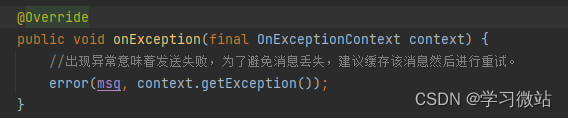
                public void onException(final OnExceptionContext context) {
                    //出现异常意味着发送失败,为了避免消息丢失,建议缓存该消息然后进行重试。
                    error(msg, context.getException());
                }
            });
        } catch (ONSClientException e) {
            error(msg, e);
        }
    }


    private void error(Message msg, Exception e) {
        LOGGER.error("发送MQ消息失败-- Topic:{}, Key:{}, tag:{}, body:{}",
                msg.getTopic(), msg.getKey(), msg.getTag(),
                new String(msg.getBody(), StandardCharsets.UTF_8));
        LOGGER.error("errorMsg --- {}", e.getMessage());
    }

    private void success(Message msg, String messageId) {
        LOGGER.info("发送MQ消息成功 -- Topic:{} ,msgId:{} , Key:{}, tag:{}, body:{}",
                msg.getTopic(), messageId, msg.getKey(), msg.getTag(),
                new String(msg.getBody(), StandardCharsets.UTF_8));
    }
}
mq消费的几种方式(从消费者角度出发)
-------------------

从消费者的角度出发,分析一下消息消费的两种方式:

push方式

pull方式

push方式
消息消费的过程:

1.  mq接收到消息

2.  mq主动将消息推送给消费者(消费者需提供一个消费接口)


mq属于主动方,消费者属于一种被动消费,一旦有消息到达mq,会触发mq推送机制,将消息推送给消费者,不管消费者处于何种状态。

优点:

1.  消费者代码较少:对于消费者来说,只需提供一个消费接口给mq即可;mq将接收到的消息,随即推送到指定的消费接口

2.  消息实时性比较高:对于消费者来说,消息一旦到达mq,mq会立即推送给消费者


缺点:

1.消费者属于被动方,消息量比较大时,对消费者性能要求比较高;若消费者机器资源有限,可能会导致压力过载,引发宕机的情况。

2.对消费者可用性要求比较高:当消费者不可用时,会导致很push失败,在mq方需要考虑至少推送成功一次,这块的设计下章节会做说明。

pull方式
消息消费的过程:

1.消费端采用轮询的方式,从mq服务中拉取消息进行消费

2.消费完成通知mq删除已消费成功的消息

3.继续拉取消息消费

对于消费者来说,是主动方,可以采用线程池的方式,根据机器的性能来增加或缩小线程池的大小,控制拉取消息的速度,可以很好的控制自身的压力。

优点:

1.消费者可以根据自己的性能主动控制消息拉去的速度,控制自己的压力,不至于把自己弄跨

2.实时性相对于push方式会低一些

3.消费者属于主动方,控制权更大一些

缺点:

1.消费方需要实现消息拉取的代码

2.消费速度较慢时,可能导致mq中消息积压,消息消费延迟等

总结

消费者性能较好,对实时性要求比较高的,可以采用push的方式

消费者性能有限,建议采用pull的方式

整体上来说,主要在于消费者的性能,机器的性能如果没有问题,push和pull都是可以的

大家有什么看法,可以留言一起讨论,希望本文对你有所帮助

我们日常会经常使用getBean()方法从spring容器中获取我们需要的bean
-----------------------------------------

[https://blog.csdn.net/qq\_41378597/article/details/102604900](https://blog.csdn.net/qq_41378597/article/details/102604900)

> 本文使用 [文章同步助手](https://juejin.cn/post/6940875049587097631) 同步