

Unix在处理文本方面一直很出色,Linux也不例外。而且在所有的Linux系统上仍然存在处理和转换文本文件的工具。
像其他计算机系统一样,早期的Unix使用打字机式的打印设备,在纸上打印。这些打印机提供了有限的格式化选项,但通过巧妙地应用Unix工具,你可以准备出专业的文件。
其中一个工具是pr ,用来准备打印的文本文件。让我们探讨一下如何使用标准的Unix工具,如pr 处理器和fmt 文本格式化器,来准备文本文件,以便在打字机式打印机上打印。
打印一个纯文本文件
假设我们想打印MIT许可证,它存储在一个叫做mit.txt的文件中。这个文件已经被格式化为最佳的屏幕显示;行数几乎是80列宽,在标准终端上很适合。
$ cat mit.txt
Copyright (c) <year> <copyright holders>

Permission is hereby granted, free of charge, to any person obtaining a copy
of this software and associated documentation files (the "Software"), to deal
in the Software without restriction, including without limitation the rights
to use, copy, modify, merge, publish, distribute, sublicense, and/or sell
copies of the Software, and to permit persons to whom the Software is
furnished to do so, subject to the following conditions:

The above copyright notice and this permission notice shall be included in all
copies or substantial portions of the Software.

THE SOFTWARE IS PROVIDED "AS IS", WITHOUT WARRANTY OF ANY KIND, EXPRESS OR
IMPLIED, INCLUDING BUT NOT LIMITED TO THE WARRANTIES OF MERCHANTABILITY,
FITNESS FOR A PARTICULAR PURPOSE AND NONINFRINGEMENT. IN NO EVENT SHALL THE
AUTHORS OR COPYRIGHT HOLDERS BE LIABLE FOR ANY CLAIM, DAMAGES OR OTHER
LIABILITY, WHETHER IN AN ACTION OF CONTRACT, TORT OR OTHERWISE, ARISING FROM,
OUT OF OR IN CONNECTION WITH THE SOFTWARE OR THE USE OR OTHER DEALINGS IN THE
SOFTWARE.
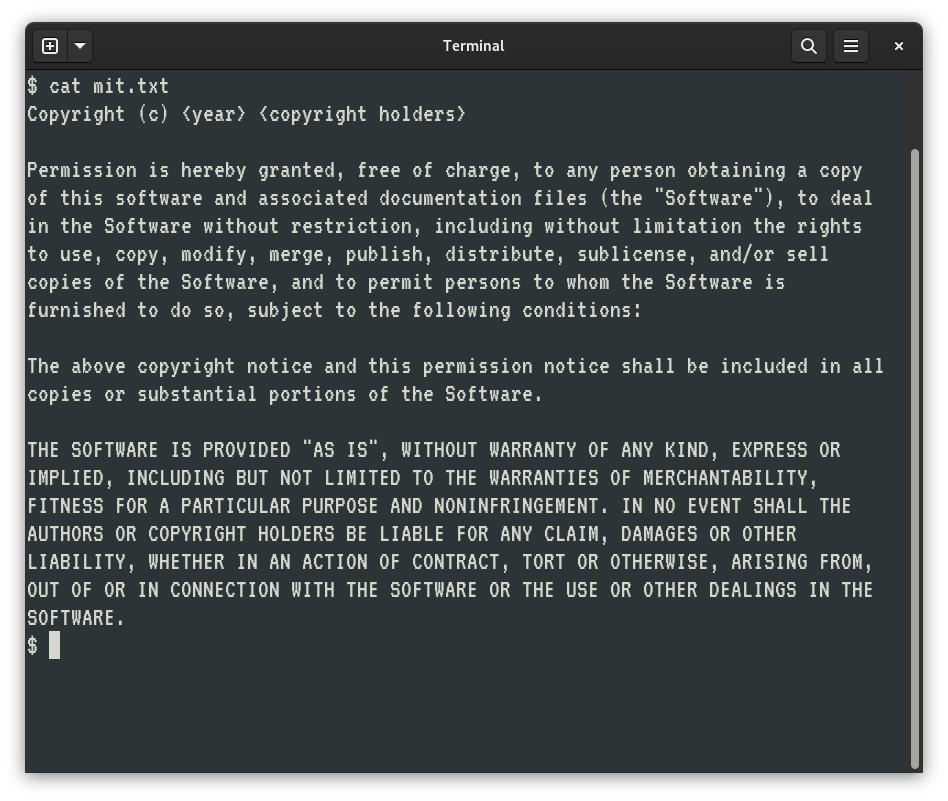
打印纸也是80列宽,至少在经典打印机上是这样。所以我们也可以用lpr 这样的命令将文件打印到我们的打印机上。但这不是一个非常有趣的打印文件的方式,而且它也不会很好读。例如,该文件将从打印的第一行开始,并紧贴着纸张的左边缘。
我们可以通过使用pr 命令来增加顶部空白,使文件更容易阅读。默认情况下,pr ,包括日期和时间,文件的名称,以及顶部标题中的页码。例如,我们文件的顶部可能看起来像这样。
$ pr mit.txt | head


2022-06-24 18:27                     mit.txt                      Page 1


Copyright (c) <year> <copyright holders>

Permission is hereby granted, free of charge, to any person obtaining a copy
of this software and associated documentation files (the "Software"), to deal
in the Software without restriction, including without limitation the rights
在这个例子中,我使用了head 命令,只查看了pr 输出的前十行。pr 命令还在页面底部增加了额外的空行,以提供底边。老式打字机的打印机每页使用66行,所以pr 的输出也假定是这样。但这个文件是在一页上打印的,所以我不需要显示文件的底部,它只是一些空行而已。
添加左右边距
增加上边距使文件更容易阅读,但我们可以通过在打印页的左右两边增加空间来做得更好。这就有效地给我们的文档添加了一个左右边距。
第一步是使用fmt 命令将文本文件重新格式化为不同的宽度。使用fmt -w 70 ,将文本文件重新格式化,使用70列宽的行。我们可以在文件的左边添加一些空白,以创建一个左边的空白。使用pr -o 5 ,在输出的每一行的开头增加5个空格。由于文本较窄,我们在右边的空白处也会有大约5个空格。
$ fmt -w 70 mit.txt | pr -o 5 | head


     2022-06-24 18:35                                                  Page 1


     Copyright (c) <year> <copyright holders>

     Permission is hereby granted, free of charge, to any person obtaining
     a copy of this software and associated documentation files (the
     "Software"), to deal in the Software without restriction, including
这就是Unix用户打印纯文本文件的方式。你可以使用同样的命令集在现代激光打印机上打印文本文件,但你的打印机可能希望使用换页命令而不是使用空行。要做到这一点,可以在pr 命令中添加-f 选项,像这样。
$ fmt -w 70 mit.txt | pr -f -o 5 | lpr
在本文的其余部分,我将省略-f ,但如果你想在现代激光打印机上打印文件,记得在pr 命令中添加-f 。
改变页眉
你可能注意到,当我们把fmt 的输出重定向到pr 命令时,pr 的输出不再显示文件名。这是因为当我们像这样把几个命令连在一起时,pr 命令不知道文件名,所以它是留空的。我们可以通过使用-h 选项将文件名添加到文件头中。
$ fmt -w 70 mit.txt | pr -h 'mit.txt' -o 5 | head


     2022-06-24 18:45                     mit.txt                      Page 1


     Copyright (c) <year> <copyright holders>

     Permission is hereby granted, free of charge, to any person obtaining
     a copy of this software and associated documentation files (the
     "Software"), to deal in the Software without restriction, including
你可以对页眉做其他的修改,比如用-D选项来改变日期和时间的格式,或者用新的文字来代替它。
$ fmt -w 70 mit.txt | pr -D '6/24/2022' -h 'mit.txt' -o 5 | head -30


     6/24/2022                         mit.txt                         Page 1


     Copyright (c) <year> <copyright holders>

     Permission is hereby granted, free of charge, to any person obtaining
     a copy of this software and associated documentation files (the
     "Software"), to deal in the Software without restriction, including
     without limitation the rights to use, copy, modify, merge, publish,
     distribute, sublicense, and/or sell copies of the Software, and to
     permit persons to whom the Software is furnished to do so, subject
     to the following conditions:

     The above copyright notice and this permission notice shall be
     included in all copies or substantial portions of the Software.

     THE SOFTWARE IS PROVIDED "AS IS", WITHOUT WARRANTY OF ANY
     KIND, EXPRESS OR IMPLIED, INCLUDING BUT NOT LIMITED TO THE
     WARRANTIES OF MERCHANTABILITY, FITNESS FOR A PARTICULAR PURPOSE AND
     NONINFRINGEMENT. IN NO EVENT SHALL THE AUTHORS OR COPYRIGHT HOLDERS
     BE LIABLE FOR ANY CLAIM, DAMAGES OR OTHER LIABILITY, WHETHER IN
     AN ACTION OF CONTRACT, TORT OR OTHERWISE, ARISING FROM, OUT OF OR
     IN CONNECTION WITH THE SOFTWARE OR THE USE OR OTHER DEALINGS IN
     THE SOFTWARE.
打印两列
如果你想让一个文本文件在打印页面上看起来非常漂亮,该怎么办?某些文件,如技术文章,可能需要以双栏的方式打印。pr 命令可以将文本打印成多列。例如,-2 ,以两列打印,-3将以三列打印。
然而,在打印多列文本时要小心。如果行数太长,pr 可能会简单地将一列与另一列重叠,有效地在输出中丢失文本。但我们可以利用fmt 命令将文本重新格式化为较窄的宽度,适合以两列格式打印。
让我们来算一算。如果打印的页面是80列宽,我们在左右两边留了5个空格作为页边距,那么我们的文本就剩下70列。使用fmt -w 35 ,可以将文字整齐地切成两半,成为两列,但我们可能不会在两列之间留下太多的空间。相反,让我们使用fmt -w 33 ,在将输出发送到pr 命令之前,将文本宽度重新设置为33。
$ fmt -w 33 mit.txt | pr -2 -D '6/24/2022' -h 'mit.txt' -o 5 | head -30


     6/24/2022                        mit.txt                         Page 1


     Copyright (c) <year> <copyright     be included in all copies or
     holders>                           substantial portions of the
                                         Software.
     Permission is hereby granted,
     free of charge, to any person       THE SOFTWARE IS PROVIDED
     obtaining a copy of this            "AS IS", WITHOUT WARRANTY OF
     software and associated             ANY KIND, EXPRESS OR IMPLIED,
     documentation files (the            INCLUDING BUT NOT LIMITED TO THE
     "Software"), to deal in the         WARRANTIES OF MERCHANTABILITY,
     Software without restriction,       FITNESS FOR A PARTICULAR PURPOSE
     including without limitation the    AND NONINFRINGEMENT. IN NO
     rights to use, copy, modify,        EVENT SHALL THE AUTHORS OR
     merge, publish, distribute,         COPYRIGHT HOLDERS BE LIABLE
     sublicense, and/or sell copies      FOR ANY CLAIM, DAMAGES OR OTHER
     of the Software, and to permit      LIABILITY, WHETHER IN AN ACTION
     persons to whom the Software is     OF CONTRACT, TORT OR OTHERWISE,
     furnished to do so, subject to      ARISING FROM, OUT OF OR IN
     the following conditions:           CONNECTION WITH THE SOFTWARE
                                         OR THE USE OR OTHER DEALINGS IN
     The above copyright notice and      THE SOFTWARE.
     this permission notice shall


$
Unix是一个处理文本的伟大平台。虽然我们今天使用其他工具,包括网络浏览器中的HTML和可打印内容的PDF,但知道如何使用现有的Unix工具来创建专业的纯文本文档是很好的。
