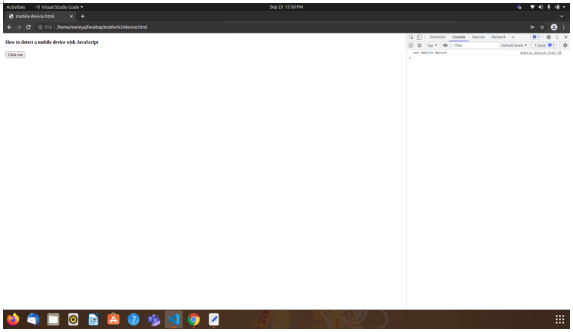
通过JavaScript,我们可以检测我们的页面或网站是否在网络浏览器或移动设备上运行。为了验证,我们可以使用下面提到的方法。如果条件为真,并且页面是在移动设备上打开的,它就会在控制台中返回 "移动设备",否则如果是在浏览器中打开的,它就会返回 "不是移动设备"。
<!DOCTYPE html>
<html>
<body>

<h4>How to detect a mobile device with JavaScript</h4>
<button onclick="isMobileDevice()">Click me</button>

<script>
  function isMobileDevice() {
    if( navigator.userAgent.match(/iPhone/i)
    || navigator.userAgent.match(/webOS/i)
    || navigator.userAgent.match(/Android/i)
    || navigator.userAgent.match(/iPad/i)
    || navigator.userAgent.match(/iPod/i)
    || navigator.userAgent.match(/BlackBerry/i)
    || navigator.userAgent.match(/Windows Phone/i)
    ){
       console.log("mobile device");
    }
    else {
      console.log("not a mobile device");
    }
   }
  </script>
</body>
</html>
在上面的代码中,我们创建了一个html文件,其中我们在脚本标签中传递了一个函数isMobileDevice()。在这个函数中,我们传递了两个条件,即(if 和 else)。在If块中,我们在JavaScript中使用了navigator.userAgent属性,该属性导航并返回由浏览器发送给服务器的user-agent头。这个属性是只读的。因此,它检查用户是否使用任何移动设备访问网页。在if条件中,我们也给出了带有(OR)条件的移动设备列表,以检查哪个设备正在被使用,并在条件返回为真时记录 "移动设备 "的语句。否则,如果条件返回错误,我们将记录 "不是移动设备"。函数isMobileDevice()在用户界面上的一个按钮被点击时执行,并在控制台中打印结果。
通过这种方式,我们可以使用javaScript检测网页或网站上的移动设备。