EventTarget接口的javascript addEventListener()方法设置了一个javascript函数,每当指定的事件被传递给目标时,该函数将被调用。
语法
addEventListener(type, listener);
addEventListener(type, listener, options);
addEventListener(type, listener, useCapture);
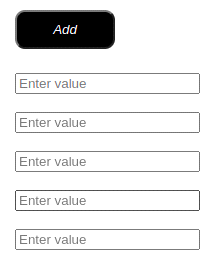
HTML:
<button class="saveBtn" style="background-color: black; padding: 10px; border-radius: 10px;cursor: pointer;color:white;width:100px">
<i class="fa fa-plus">Add</i>
</button>
<div class="col-sm-6" style="display: flex; margin-top: 24px">
<input type="float" class="form-control form-control-user" placeholder="Enter value">
</div>
<div class="col-sm-6" style="display: none" id="myDIV0">
<input type="float" class="form-control form-control-user" placeholder="Enter value">
</div>
<div class="col-sm-6" style="display: none" id="myDIV1">
<input type="float" class="form-control form-control-user" placeholder="Enter value">
</div>
<div class="col-sm-6" style="display: none" id="myDIV2">
<input type="float" class="form-control form-control-user" placeholder="Enter value ">
</div>
<div class="col-sm-6" style="display: none" id="myDIV3">
<input type="float" class="form-control form-control-user" placeholder="Enter value">
</div>
JS
btns = document.getElementsByClassName("saveBtn");
btns[0].addEventListener('click', function() {
for (var i = 0; i <= 4; i++) {
var id = 'myDIV' + i;
var element = document.getElementById(id);
var setting = (element) ? element.style.display : '';

if (setting == 'none') {
element.style.display = 'flex';
break;
}
}
})
OUTPUT :