效果
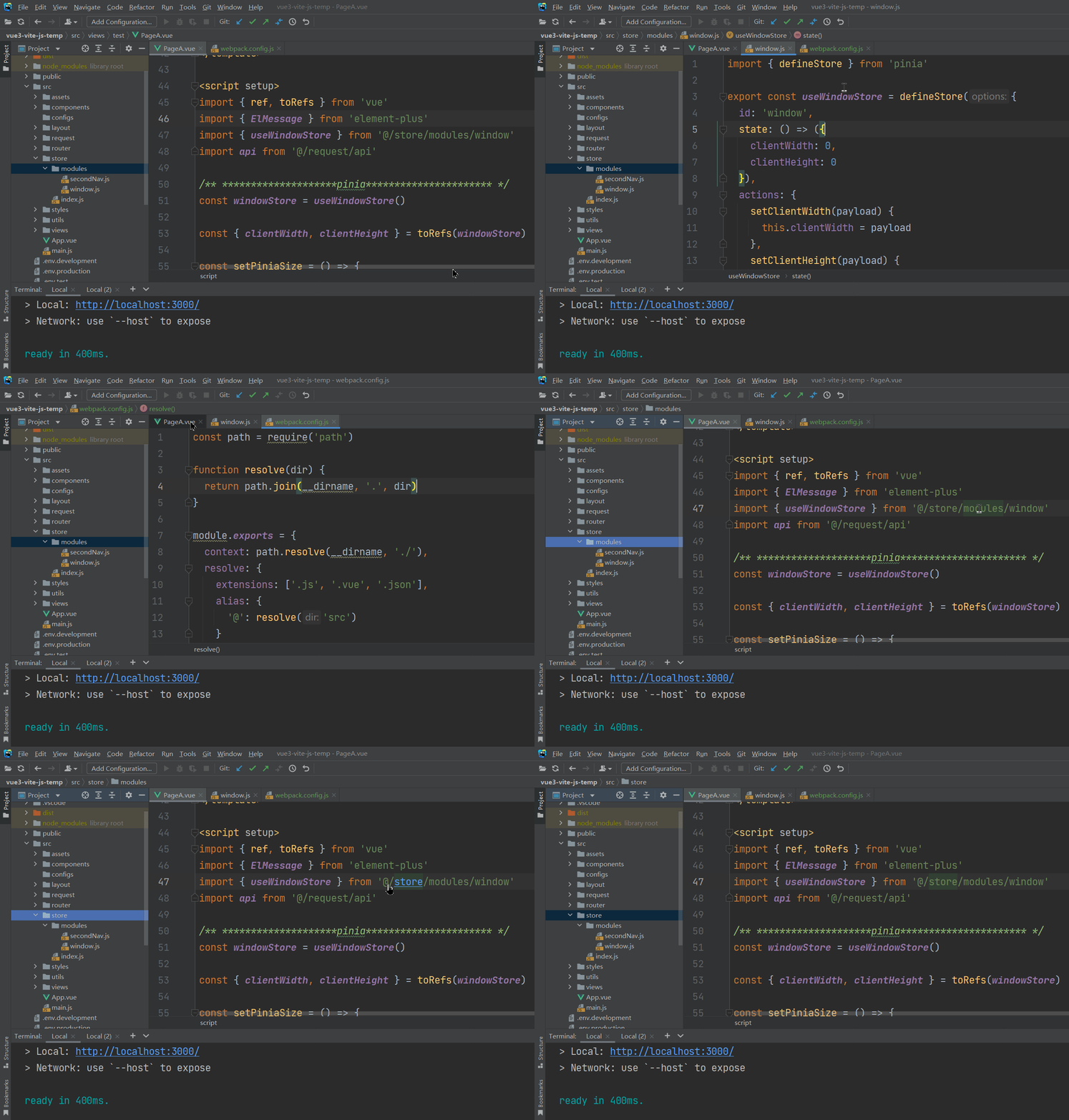
1、js中配置
1-1 新建webpack.config.js
const path = require('path')

function resolve(dir) {
  return path.join(__dirname, '.', dir)
}

module.exports = {
  context: path.resolve(__dirname, './'),
  resolve: {
    extensions: ['.js', '.vue', '.json'],
    alias: {
      '@': resolve('src')
    }
  }
}
1-2 配置webstorm文件
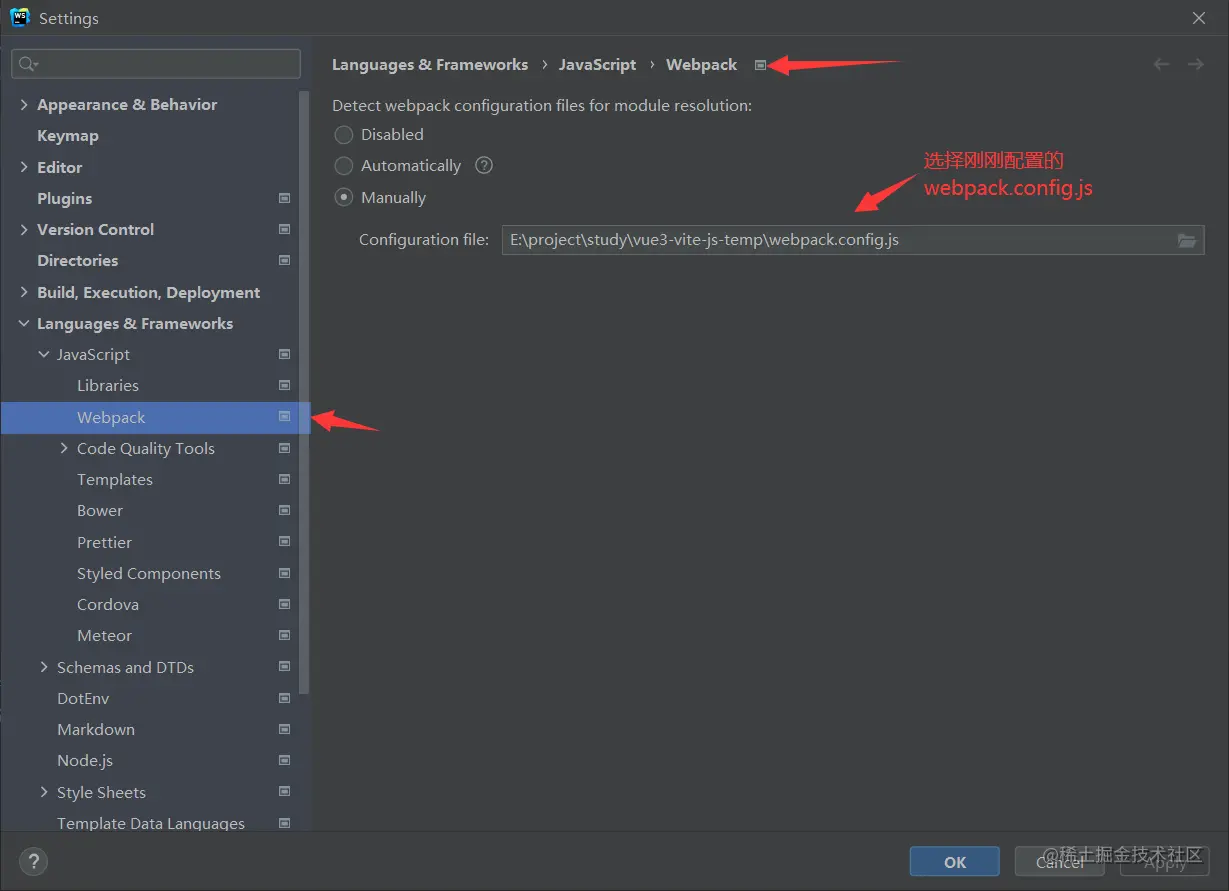
2、 ts中配置别名路径识别
"compilerOptions": {
    "paths": {
      "@/*": ["./src/*"]
    }
}
import { defineConfig } from 'vite'
import vue from '@vitejs/plugin-vue'
import * as path from 'path'
export default defineConfig({
plugins: [vue()],
resolve: {
alias: {
'@': path.resolve(__dirname, 'src'),
}
},
})