在制作要求用户设置密码的在线表格时,确认密码字段是必须包括的。默认情况下,密码字段会隐藏用户的输入,因此有必要建立某种机制,让用户确认他们已经写下了正确的密码,而不会出现任何错字。如果用户打错了任何字符,并且密码和确认密码字段不匹配,确认密码字段会提示用户重新检查他们的密码。
在这篇文章中,我们的目标是制作一个HTML表单,与用户在密码和确认密码字段中的输入相匹配,以确认用户是否输入了正确的密码或有任何错别字。
第1步:HTML表单
第一步是制作一个接受用户输入的HTML表单。
<center>
            <h2>Linux Hint</h2>
            <form>

                <p> Enter Password </p>
                <input type = "password" id="pass"> <br><br>

                <p> Confirm Password </p>
                <input type = "password" id = "confirmpass">    <br><br>

                <button type = "submit" onclick="passwordConfirmation()">Log in</button>

            </form>
</center>
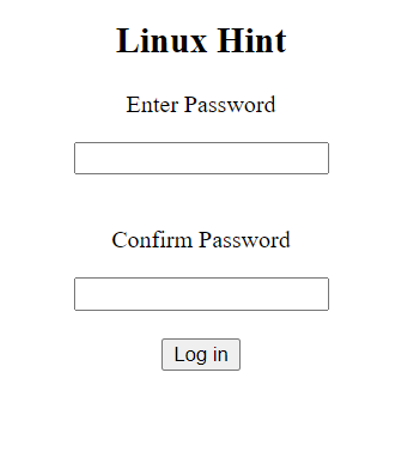
我们已经创建了一个简单的HTML表单,它有两个密码类型的输入字段和一个登录按钮,当它被点击时,会调用 passwordConfirmation()函数。
第二步:JavaScript表单验证
现在我们将在 **passwordConfirmation()**函数中编写JavaScript代码,以验证密码。
function passwordConfirmation() {
            var password = document.getElementById("pass").value;
            var confirmPassword = document.getElementById("confirmpass").value;

            if (password == "") {
                alert("Error: The password field is Empty.");
            } else if (password == confirmPassword) {
                alert("Logged In");
            } else {
                alert("Please make sure your passwords match.")
            }
}
在passwordConfirmation()函数中,我们首先获得密码和确认密码字段的值,并将它们存储在变量中。然后我们使用条件语句来检查不同的情况。
情况1:密码字段是空的
第一个条件是检查密码字段是否为空。如果该字段为空,我们就提示用户输入密码。
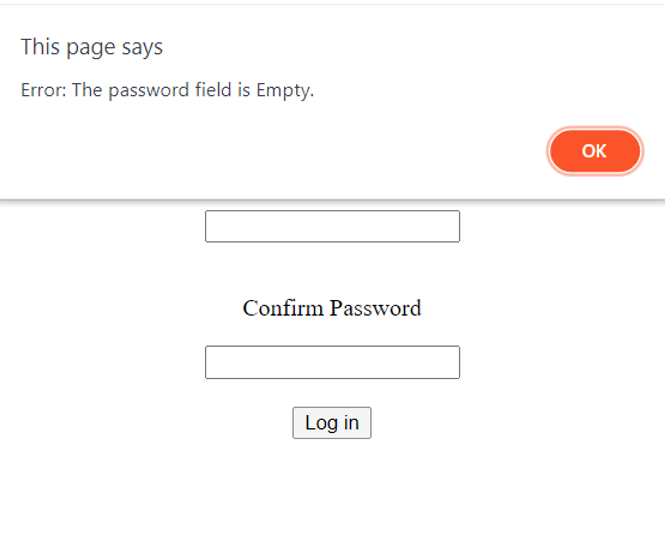
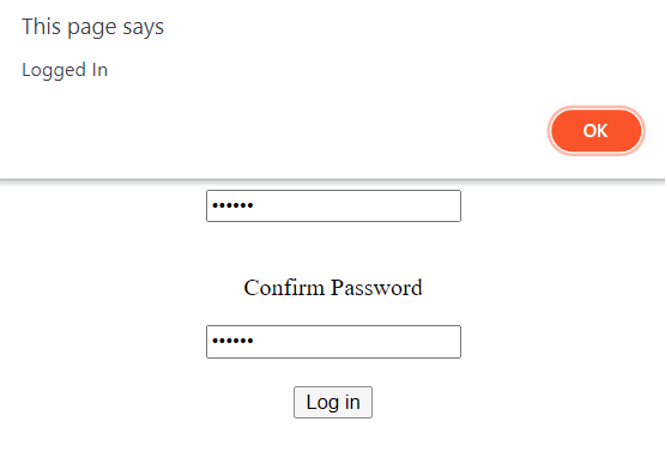
情况2:密码匹配
在密码匹配的情况下,用户成功登录。
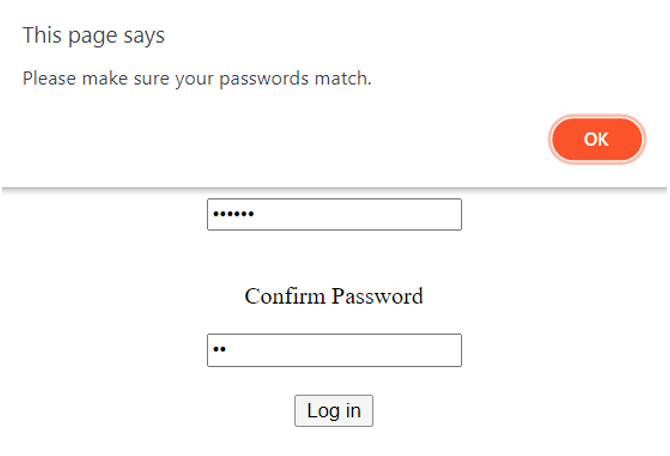
情况3:密码不匹配
如果密码不匹配,我们要求用户重新输入密码,并确保它们匹配。
JavaScript和HTML代码在一起看起来是这样的。
<!DOCTYPE html>
<html>
    <body>
        <center>
            <h2>Linux Hint</h2>
            <form>

                <p> Enter Password </p>
                <input type = "password" id="pass"> <br><br>

                <p> Confirm Password </p>
                <input type = "password" id = "confirmpass"> <br><br>

                <button type = "submit" onclick="passwordConfirmation()">Log in</button>

            </form>
        </center>
    </body>
    <script>
        function passwordConfirmation() {
            var password = document.getElementById("pass").value;
            var confirmPassword = document.getElementById("confirmpass").value;

            if (password == "") {
                alert("Error: The password field is Empty.");
            } else if (password == confirmPassword) {
                alert("Logged In");
            } else {
                alert("Please make sure your passwords match.")
            }
        }
    </script>
</html>
总结
人类经常会犯错误,但这不应该阻碍他们登录自己的账户。即使在输入密码时出现最轻微的错误,也会限制用户对其账户的访问。因此,反复检查用户的密码以确认他们输入的密码是正确的,这总是一个好主意。