分析流程
模板文件 index.html
<!DOCTYPE html>
<html lang="en">
<head>
<meta charset="UTF-8">
<meta http-equiv="X-UA-Compatible" content="IE=edge">
<meta name="viewport" content="width=device-width, initial-scale=1.0">
<title>Document</title>
</head>
<body>
<div id="app" style="color: red;font-size: 20px;">
你好, {{ name }} 撒旦飞洒地方
<span class="text" style="color: green">{{ age }}</span>
<p>喜喜喜喜喜喜</p>
</div>
<script src="dist/vue.js"></script>
<script>
const vm = new Vue({
el: "#app",
data() {
return {
name: "蒋小白",
age: 18,
msg: 'vue zzz',
a: {
b: 10
},
list: [1,2, 3]
}
},
props: {},
watch: {},
computed: {}
})
</script>
</body>
</html>
模板编译文件的入口文件 compile/index.js
import { parseHtmlToAst } from './astParser';
import { generate } from './generate';
function compileToFunction(html) {
const ast = parseHtmlToAst(html);
const code = generate(ast);
const render = new Function(`
with(this) { return ${code} }
`)
console.log(render);
}
遍历成render函数的处理文件
function formatProps(attrs) {
let attrStr ='';
for(let i = 0; i < attrs.length; i++) {
let attr = attrs[i];
if(attr.name === 'style') {
let styleAttrs = {};
attr.value.split(';').map((styleAttr) => {
let [key, value] = styleAttr.split(':');
styleAttrs[key] = value;
});
attr.value = styleAttrs;
}
attrStr += `${attr.name}:${JSON.stringify(attr.value)},`
}
return `{${attrStr.slice(0, -1)}}`;
}
function getChildren(el) {
const children = el.children;
if(children) {
return children.map(child => generateChild(child)).join(',');
}
}
const defaultTagRE = /\{\{((?:.|\r?\n)+?)\}\}/g;
function generateChild(node) {
if(node.type === 1) {
return generate(node);
} else if(node.type === 3) {
let text = node.text;
if(!defaultTagRE.test(text)) {
return `_v(${JSON.stringify(text)})`;
}
let match,
index,
lastIndex = defaultTagRE.lastIndex = 0,
textArr = [];
while(match = defaultTagRE.exec(text)) {
index = match.index;
if(index > lastIndex) {
textArr.push(JSON.stringify(text.slice(lastIndex, index)));
}
textArr.push(`_s(${match[1].trim()})`);
lastIndex = index + match[0].length;
}
if(lastIndex < text.length) {
textArr.push(JSON.stringify(text.slice(lastIndex)))
}
return `_v(${textArr.join('+')})`
}
}
function generate(el) {
console.log(el);
let children = getChildren(el);
let code = `
_c(
'${el.tag}',//标签
${
el.attrs.length > 0
? `${formatProps(el.attrs)}`
: 'undefined'
}
${
children ? `,${children}` : ''
}
)
`;
console.log(code, 88888);
return code;
}
export {
generate
}
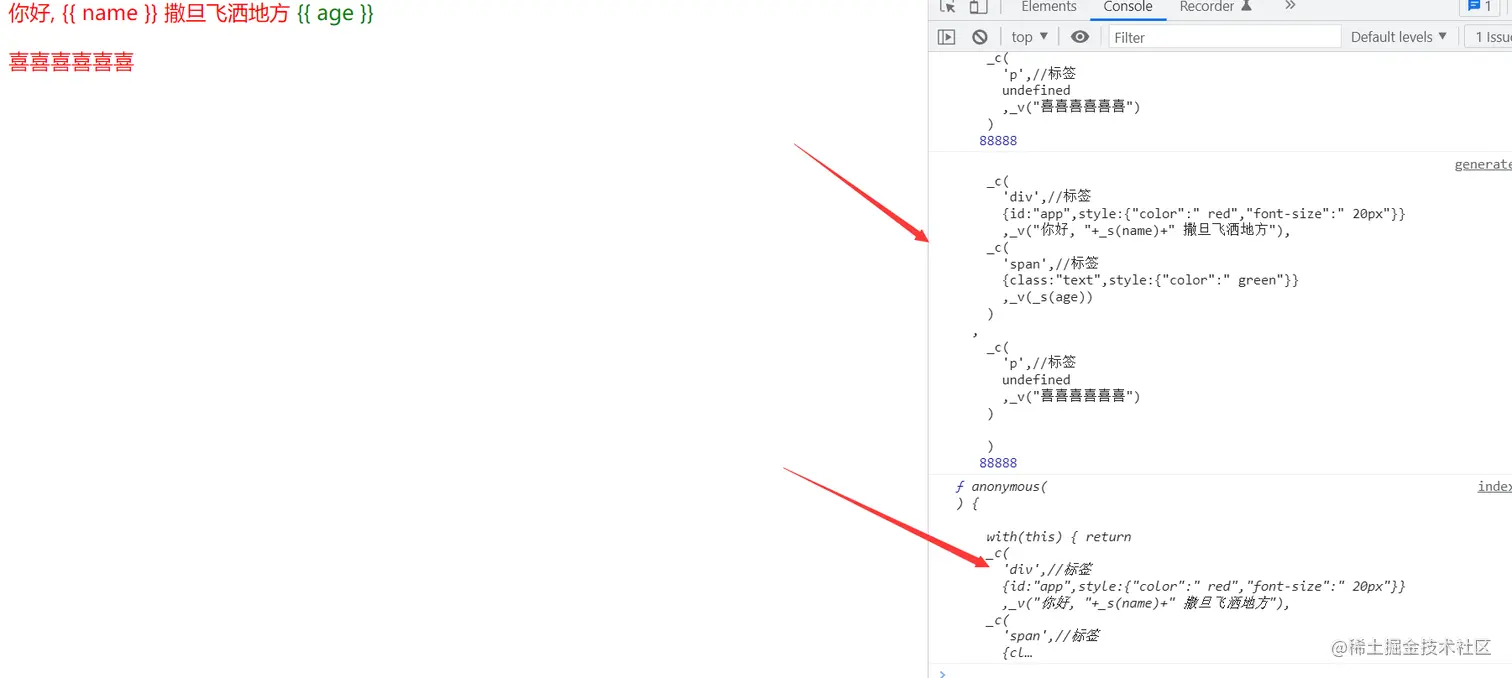
处理的给是如下 (ctrl+f) @9527 处