持续创作,加速成长!这是我参与「掘金日新计划 · 10 月更文挑战」的第3天,点击查看活动详情
BOM 对象
- BOM(Browser Object Model)称为浏览器对象模型,其核心就是 Window 对象,Window 是浏览器内置的一个对象,里面包含着操作浏览器的函数方法,因此,BOM本质上是实施操作浏览器的功能。
- 主要功能:对浏览器窗口进行访问和操作。例如弹出新的浏览器窗口,移动、改变和关闭浏览器窗口,提供详细的网络浏览器信息(navigator object),详细的页面信息(location object),详细的用户屏幕分辨率的信息(screen object),对cookies的支持等等。BOM作为JavaScript的一部分并没有相关标准的支持,每一个浏览器都有自己的实现,虽然有一些非事实的标准,但还是给开发者带来一定的麻烦。
派生接口/对象
history 浏览器历史记录
history.back()
- history.back() 回退历史记录,即回到上一个页面,相当于浏览器的 ⬅ 按钮
语法格式:window.history.back();
//使用前提,要有上一条记录,否则不生效
history.forward()
- history.forward() 在有了历史记录的情况下,前进到历史记录中的前一个页面,相当于浏览器的 ➡ 按钮
语法格式:window.history.forward()
//使用前提,在之前有过回退操作,否则不生效
history.go()
- history.go(number) 前进指定number个页面
history.go(1) 前进一个页面,等同于 history.forward()
history.go(2) 回退两个页面
history.go(-1) 回退一个页面,等同于 history.back()
history.go(-2) 回退两个页面
location 浏览器地址
location.href 地址信息
//获取浏览器地址栏的内容
console.log(location.href);  //https://alwaysjudgeabookbyitscover.com/
//获取地址,会把地址中的中文字符进行转码
console.log(location.href);  //https://www.baidu.com/s?wd=%E7%99%BE%E5%BA%A6%E6%96%87%E5%BA%93&ie=UTF-8&tn=62095104_26_oem_dg
//如果需要原始的中文字符,可以通过decadeURI()方法解码
console.log(decodeURI("https://www.baidu.com/s?wd=%E7%99%BE%E5%BA%A6%E6%96%87%E5%BA%93&ie=UTF-8&tn=62095104_26_oem_dg"))
//解码:https://www.baidu.com/s?wd=百度文库&ie=UTF-8&tn=62095104_26_oem_dg
<!-- 利用location.href替换a标签,实现页面跳转 -->
<button id="link">link</button>
<script>
    link.onclick = () => {
        location.href = "https://developer.mozilla.org/zh-CN";
    }
</script>
location.reload() 地址重加载
- 功能:强制从服务器重新加载当前页面,类似刷新页面
<button id="shuffle">刷新</button>
<script>
    //利用location.reload()替换浏览器的网页刷新
    shuffle.onclick = () => {
        location.reload()
        alert("已刷新")
    }
</script>
queryURLParams 解析地址参数
    /* queryURLParams 地址传参解析 */
    let url_1 = "https://www.et.com?list=10&name=James&sepcial=Joker#heading-18";
    let url_2 = "https://www.et.com#heading-18?list=10&name=James&sepcial=Joker";
    let url_3 = "https://www.et.com?list=10&name=James&sepcial=Joker";
    let url_4 = "https://www.et.com/list=10&name=James&sepcial=Joker#heading-18";
    let url_5 = "https://www.et.com/list=10&name=James&sepcial=Joker";
    /* 需求目标:第一个参数,传入url转化为普通对象;第二个参数,获取指定某个key的value */

    //方案一:string方法,逐个获取
    function queryURLParams(url, arg) {
        let result = {}, querySignIndex, wellSignIndex, hrefArguments;
        //获取?#符号索引位置,如果不存在返回-1
        if(!!url){
            querySignIndex = url.indexOf("?");
            wellSignIndex = url.lastIndexOf("#");
            /**部分地址参数情况:
             * (1)? # 都在:? 在前 # 在后 (2)? # 都在:# 在前 ? 在后
             * (3)? 在 # 不在 (4)# 在 ? 不在 (5)缺少 ? 和 #
             */
            if (querySignIndex > 0 && querySignIndex < wellSignIndex) {
                //参数情形(1)? # 都在:? 在前 # 在后
                hrefArguments = url.slice(querySignIndex + 1, wellSignIndex);
                result["hash"] = url.substring(wellSignIndex + 1);
            } else if (wellSignIndex > 0 && querySignIndex > wellSignIndex) {
                //参数情形(2)? # 都在:# 在前 ? 在后
                hrefArguments = url.substring(querySignIndex + 1);
                result["hash"] = url.slice(wellSignIndex + 1, querySignIndex);
            } else if (querySignIndex > 0 && wellSignIndex < 0) {
                //参数情形(3)? 在 # 不在
                hrefArguments = url.substring(querySignIndex + 1);
            } else if (wellSignIndex !== -1 && querySignIndex < 0) {
                //参数情形(4)# 在 ? 不在
                result["hash"] = url.substring(wellSignIndex + 1);
            } else if (querySignIndex < 0 && wellSignIndex < 0) {
                //参数情形(5)缺少 ? 和 #
            }
            //提取key value,添加到对象
            !!hrefArguments ? hrefArguments.split("&").forEach(_ => result[`${_.split("=")[0]}`] = _.split("=")[1]):null;
        } //else none
        // return !!arg ? result[arg] : result;
        return !!arg ? result[arg] : result;
    }
    console.log(queryURLParams(url_1)); //{hash: "heading-18", list: "10", name: "James", sepcial: "Joker"}
    console.log(queryURLParams(url_2)); //{hash: "heading-18", list: "10", name: "James", sepcial: "Joker"}
    console.log(queryURLParams(url_3)); //{list: "10", name: "James", sepcial: "Joker"}
    console.log(queryURLParams(url_4)); //{hash: "heading-18"}
    console.log(queryURLParams(url_5)); //{}
    console.log(queryURLParams());      //{}
    console.log(queryURLParams(url_1,"sepcial")); //Joker
/**方案二:a标签内置属性,直接提取,注意去掉?#符号
 * [aTag].search  -> 直接获取到参数部分(字符串)
 * [aTag].hash    -> 直接获取到链接地址的hash值
 * console.dir(a) -> 可以看到不管?和#放在哪里,search和hash这两个属性已经把值提取出来了
 *    例如:search: "?list=10&name=James&sepcial=Joker"
 *          hash: "#heading-18"
 *      但要注意,如果#后面还有内容,会全部截取出来,
 *      因此利用创建a元素的这种办法不适用于这种情况(URL一般是把#放在末尾,vue/react路由中会把#放在?前面)
 */
function queryURLParams(url, arg) {
    let result = {};
    let queryCollect, hashContent;
    let aTag = document.createElement("a"); //创建一个 a 元素(以便调用 search 和 hash 属性)
    aTag.href = url;                        //将地址赋值给 a 元素
    //利用 a 元素属性提取参数和哈希值
    if (!!aTag.search) {
        queryCollect = aTag.search.substring(1).split("&");
        queryCollect.forEach(iterm => {
            result[`${iterm.split("=")[0]}`] = iterm.split("=")[1];
        });
    } //else none
    !!aTag.hash ? result["hash"] = aTag.hash.substring(1) : null;
    return !arg ? result : result[arg];
}
/**方案三:利用 ES6 中 new URLSearchParams() 构造函数
 * 该方法可以直接将search部分提取出key和value(但仅限于search部分)
 */
function queryURLParams(url, arg) {
    let result = {};
    let queryPart, hashContent;
    let aTag = document.createElement("a"); //创建一个 a 元素(以便调用 search 和 hash 属性)
    aTag.href = url;                        //将地址赋值给 a 元素
    //利用 a 元素属性提取参数和哈希值
    if (!!aTag.search) {
        //利用ES6中的 URLSearchParams() 构造方法 ==> 注意:该方法只是将已经提取出的search部分的key、value获取到,并不会从url中剔除search
        queryPart = new URLSearchParams(aTag.search);
        queryPart.forEach((value,key) =>{
            result[key] = value;
        });
    } //else none
    !!aTag.hash ? result["hash"] = aTag.hash.substring(1) : null;
    return !arg ? result : result[arg];
}
/**方案四:利用正则表达式
 */
function queryURLParams(url, arg) {
    let result = {};
    if(url){
        url.replace(/#([^?=#&]+)/g, (_,hash) => result["hash"] = hash);
        url.replace(/([^?=#&]+)=([^?=#&]+)/g, (_,key,value)=> result[key] = value);
    } // else none
    return !!arg ? result[arg] : result;
}
浏览器存储 localStorage sessionStorage
- 在存储和调用方法上 sessionStorage 与 localStorage 相同,区别在于 localStorage是本地存储,就算浏览器关闭了,也还是存在,重新打开浏览器还能看到,但 sessionStorage 是会话存储,关闭页面就丢失
/* 增/存/改 */
localStorage.setItem("key","value")
/* 删 */
localStorage.removeItem("key")
localStorage.clear()  //全部清除
/* 查/取 */
localStorage.getItem("key")

//存,只能存字符串,不能存对象,直接存会变成[object Object],如果需要存对象,可
//取,如果是对象,需要通过json.parse(str)
以通过json.stringify(str)
sessionStorage.setItem("name",{name:"James"});
sessionStorage.setItem("age",JSON.stringify({age:30}));
console.log(sessionStorage.getItem("name"));            //[object Object]
console.log(sessionStorage.getItem("age"));             //字符串格式的{"age":30}
console.log(JSON.parse(sessionStorage.getItem("age"))); //对象格式的{"age":30}
案例 - 记住用户名
<body>
    <label for="username">用户名</label>
    <input type="text" name="username" id="username">
    <label for="password">密码</label>
    <input type="password" name="password" id="password">
    <input type="checkbox" name="confirm" id="confirm">
    <label for="confirm" >记住用户名和密码</label>
    <button id="submit">确认</button>
</body>
<script>
    //获取用户名和密码存入本地存储
    submit.onclick = () => {
        if (!!document.getElementById("username").value &&
            !!document.getElementById("password").value &&
            document.getElementById("confirm").checked) {
                localStorage.setItem("username",document.getElementById("username").value);
                localStorage.setItem("password",document.getElementById("password").value);
                console.log(!!document.getElementById("password").value,document.getElementById("password").value)
                console.log(!!document.getElementById("password").value,document.getElementById("password").value)
        } else {
            if (!document.getElementById("username").value) {
                document.getElementById("username").value = prompt("请填写用户名");
                document.getElementById("username").value = document.getElementById("username").value;
            } //else nothing
            if (!document.getElementById("password").value) {
                document.getElementById("password").value = prompt("请填写密码")
                document.getElementById("password").value = document.getElementById("password").value;
            } //else nothing
            if (!document.getElementById("confirm").checked) {
                var checkedState = confirm('请勾选 "记住用户名和密码",再确认');
                document.getElementById("confirm").checked = checkedState;
            } //else nothing
        }
    }

    //从本地存储获取用户名和密码填入页面
    document.getElementById("username").value = localStorage.getItem("username");
    document.getElementById("password").value = localStorage.getItem("password");
</script>
对象属性
视口宽高 innerHeight innerWidth
- innerHeight/innerWidth:浏览器窗口的视口(viewport)高度/宽度(以像素为单位);如果有水平滚动条,也包括滚动条高度,
window.innerHeight/window.innerWidth属性为只读,且没有默认值 - 只是浏览器窗口的宽度,视口宽高,不是布局宽高,如果宽高设置过大出现了滚动条,则是包含滚动条的厚度
/**语法
 *  var intViewportHeight = window.innerHeight;
 *  var intViewportWidth = window.innerWidth;
 */
console.log(window.innerHeight,innerHeight) //754 754
console.log(window.innerWidth,innerWidth)   //414 414

// 返回一个框架集内的框架的视口宽度,如果是窗口,就是浏览器窗口的宽度
var intFrameWidth = self.innerWidth;
console.log(intFrameWidth)                  //414

// 返回最近的父级框架集的视口宽度
var intFramesetWidth = parent.innerWidth;
console.log(intFramesetWidth)               //414

// 返回最外层框架集的视口宽度
var intOuterFramesetWidth = top.innerWidth;
console.log(intFramesetWidth)               //414
对象方法
页面弹窗 alert() confirm() prompt()
- alert() 提醒弹窗,
alert([content]);,content 输出结果为string,content 支持转义字符、数学运算符、模板字符串等
alert("Hello\nworld\n"+(2+3)+" times");
alert(`商品价格差值为${3-2} 价格总和为${3+2}`);
- confirm("弹窗待确认信息") 询问框,此函数只有一个参数
/**语法
 *  result = window.confirm(message);
 * 参数说明:
 *  message 是要在对话框中显示的可选字符串。
 *  result 是一个布尔值,表示是选择确定还是取消 (true 表示 OK)。
 */
var confirmResult = confirm("请点击确认"); //返回true或false
console.log(confirmResult) //点击确认-true;点击取消-false
- prompt("弹窗提示",default) 一个 prompt 对话框,包含一个单行文本框,一个“取消”按钮,一个“确定”按钮,在对话框关闭时,点击取消,返回为null
/**语法
 *  result = window.prompt(text, value);
 * 参数说明:
 *  result 用来存储用户输入文字的字符串,或者是 null。
 *  text 用来提示用户输入文字的字符串,如果没有任何提示内容,该参数可以省略不写。
 *  value 文本输入框中的默认值,该参数也可以省略不写。不过在 Internet Explorer 7 和 8 中,省略该参数会导致输入框中显示默认值"undefined"。
 */
var username = prompt("请输入用户名","Default");
console.log(username);      //在对话框输入James,则返回就是James
- alert() confirm() prompt() 三类弹窗都会阻塞后续代码的执行,因为prompt 和 alert 以及类似的对话框都是模态窗口,它们会阻止用户激活程序其他部分的界面,直到该对话框关闭。因此,不要过度使用该方法。
页面开关 open() close()
- open():新窗口打开
- close():本窗口关闭
<body>
    <button id="newPage">打开新页面</button>
</body>
<script>
    newPage.onclick = () => open(); //打开一个纯空白页面
    newPage.onclick = () => open("https://developer.mozilla.org/zh-CN/"); //打开一个指定页面
</script>
<body>
    <button id="closePage">关闭本页</button>
</body>
<script>
    closePage.onclick = () => {
        console.log(window.close())
    }
</script>
定时器
延时 setTimeout()
- 功能:全局的 setTimeout() 方法设置一个定时器,该定时器在时间到后执行一个函数或指定的一段代码。
- 语法:
let timeoutID= setTimeout(function/code, delay, args...); - 说明:
function/code 函数/代码一般是时间 (delay毫秒) 到期之后执行的函数,也可以是字符串等,但不推荐,因为和使用eval()一样,有安全风险delay 可选参数默认0,意味着立即执行,取值单位为毫秒args... 附件参数会作为参数传递给 function 函数
间隔 setInterval()
- 功能:Window 和 Worker 接口提供的 setInterval() 方法重复调用一个函数或执行一个代码片段,在每次调用之间具有固定的时间间隔。
- 语法:
let intervalID= setInterval(function/code, delay, args...); - 说明:
function/code 函数/代码一般是重复调用的函数,每经过指定 delay 毫秒后执行一次,也可以是字符串等,但不推荐delay 可选参数默认0,意味着立即执行,取值单位为毫秒args... 附件参数会作为参数传递给 function 函数
清除 clearTimeout() clearInterval()
- 功能:Window 和 Worker 接口提供的 clearTimeout() 和 clearInterval() 方法分别取消之前调用 setTimeout() 和 setInterval() 建立的定时器。
- 语法:
clearTimeout(timeoutID)clearInterval(intervalID) - 说明:
- 均无返回值
- 共用ID池:setTimeout() 和 setInterval() 使用共享的 ID 池,意味着在技术上可以混用 clearTimeout() 和 clearInterval(),但是,为了清楚起见,应该避免这样做。
- 错误不提示:传入一个错误的 ID 给 clearTimeout()不会有任何影响;也不会抛出异常。
//延时定时器
//不带附加参数
let timeoutIDWithoutArgs = setTimeout(() => {
    console.log("延时定时器,延时2s");
}, 2000);
//带有附加参数
let timeoutIDWithArgs = setTimeout((a,b) => {
    console.log("延时定时器,延时2s",a,b);
}, 2000, "arg1","arg2");

//间隔定时器
//不带附加参数
let intervalIDWithoutArgs = setInterval(() => {
    console.log("间隔定时器,间隔1s");
}, 1000);
let intervalIDWithArgs = setInterval((a,b) => {
    console.log("间隔定时器,间隔1是",a,b);
}, 1000,"arg1","arg2");

//清除定时器
clearTimeout(timeoutIDWithoutArgs);
clearTimeout(timeoutIDWithArgs);
clearInterval(intervalIDWithArgs)
clearInterval(intervalIDWithoutArgs);
防抖和节流
<body>
    <button id="defend">防抖</button>
    <button id="save">节流</button>
</body>
<script>
    let defend = document.getElementById("defend");
    let save = document.getElementById("save");
    /* 防抖和节流都是解决在资源请求的时候因为因为资源过多或连续触发导致卡顿的情况 */

    //===============================
    /**防抖:用一个一次性定时器来延缓运行(在规定的时间内,只执行一次)
     * 举例说明: */
     //**防抖**:避免用户短时间连续做同一件事,例如,同一时间发送多个请求,设置一个时间限,例如,在100s内只允许发送一次
     //**核心思想**:用一个一次性定时器来延缓运行,例如,点一次,先不运行,等一会儿,然后再运行,那么就一定程度上解决了短时间多次发送请求

    let time = null;
    defend.onclick = function(){
        clearTimeout(time);
        time = setTimeout(()=>{
            console.log("success.");
        },500);
        /** 防抖的时间不能设置过短,否则,将不能起到防抖的作用
         *  这里设置为100,是使0.1秒之内防抖,即0.1秒之内只能点一次,
         *  但是因为0.1s太短了,所以一般人也不会有那么快的手速
         *  所以,一般500(0.5s)比较合适
         */
    }
    //封装防抖函数 --> 需要借用闭包
    function defendShake(...params){
        let timer = null;   //赋值为null,不会清空计时器ID
        return function(){
            clearTimeout(timer);
            timer = setTimeout(()=>{
                Array.from(params).forEach(item=>{
                    item();
                })
            },500);
        }
    }
    function fn1(){console.log("123")};
    function fn2(){console.log("456")};
    defend.onclick = defendShake(fn1,fn2);

    //===============================
    /**节流:固定的时间内,响应有限次数,例如放大镜效果,获取图片尺寸等过程,如果没有节流,会非常消耗资源
     * 举例说明: */
    let isSave = true;      //约定:true进入响应函数,false不进入,第一次进入响应函数(计时器),所以默认true
    save.onclick = function(){
        if(!isSave) return;     //Step 1:第一次进入后,要等计数器响应完成在进入,因此,需要一个拦截
        isSave = false;         //Step 3:进入第二次响应后,为了保证计数器响应完成,故再赋值为false,一座岛上一行代码地拦截
        setTimeout(()=>{
            console.log(123);
            isSave = true;      //Step 2:第一次响应后,计数器结束,进入第二轮,因此需要第二轮的true
        },500);
    }
    //封装节流函数
    function saveFlow(...params){
        let isSave = true;
        return function(){
            if(!isSave) return;
            isSave = false;
            setTimeout(()=>{
                params.forEach(item=>{
                    item();
                })
                isSave = true;
            },500)
        }
    }
    function fn3(){console.log("789")};
    function fn4(){console.log("101112")};
    save.onclick = saveFlow(fn3,fn4);

</script>
案例 - 霓虹灯效果
<head>
    <style>
        #display,#startDisplay,#stopDisplay{
            display: block;
            width: 100px;
            height: 30px;
            margin: auto;
            text-align: center;
        }
        .colorRed{
            color: red;
        }
        .colorGreen{
            color: lightgreen;
        }
    </style>
</head>
<body>
    <div id="display">DISPLAY</div>
    <button id="startDisplay">start</button>
    <button id="stopDisplay">stop</button>
    <script>
        //间隔定时器 ID 值
        var intervalId;
        function flashColor(){
            var ele = document.getElementById("display");
            if (ele.className == "colorRed") {
                ele.className = "colorGreen";
            } else {
                ele.className = "colorRed";
            }
        }
        function start(){
            if (!intervalId) {
                //间隔定时器
                intervalId = setInterval(flashColor,100);
            } //else none to do
        }
        function stop(){
            //清除 - 间隔定时器
            clearInterval(intervalId);
            //释放 - 间隔定时器 ID 值
            intervalId = null;
            console.log("Interval is over, and intervalId has removed.")
        }
        document.getElementById("startDisplay").addEventListener("click",start)
        document.getElementById("stopDisplay").addEventListener("click",stop)
    </script>
</body>
案例 - 验证码按键倒计时
<body>
    <button>点击获取验证码</button>
</body>
<script>
    //获取元素
    let btn = document.getElementsByTagName("button")[0];
    //点击获取
    let time = 5; //倒计时总时长
    let timeTrans = time;
    let timeCounter;
    btn.addEventListener("click", function () {
        //防止快速点击,创建多个定时器
        btn.setAttribute("disabled","good");
        //这里起作用,也不是因为true本身代表布尔值,就算把true换成good也一样起作用,只是要加引号
        //      btn.setAttribute("disabled","good");  --> 作用相同

        //倒计时开始
        timeCounter = setInterval(() => {
            btn.innerHTML = `${timeTrans--}S 后再次点击`;
            //计时结束,复原
            if (timeTrans < 0) {
                timeTrans = time;
                // btn.setAttribute("disabled",false);
                //      -->不起作用,因为 把false当作字符串了
                //   btn.setAttribute("disabled","");          //-->不行,会直接变成 <button disabled="">...
                //   btn.setAttribute("disabled",null);        //-->不行,null会被传输为"null"字符串 -> disabled="null"
                //   btn.setAttribute("disabled",undefiend);   //-->不行,undefined会直接报错 -> ReferenceError: undefiend is not defined
                //   btn.setAttribute("disabled",0);           //-->不行,disabled="0"
                //      -->因此,建议使用 removeAttribute(); 直接移除
                //      -->或者,使用 btn.disabled = false; 修改布尔值

                btn.disabled = false;
                btn.innerHTML = "点击获取验证码";
                clearInterval(timeCounter);
            } //else none
        }, 1000);
    });
</script>
案例 - 右下角广告
<!DOCTYPE html>
<html lang="en">
<head>
    <meta name="viewport" content="width=device-width, initial-scale=1.0">
    <title>Document</title>
</head>
<style type="text/css">
    *{margin: 0;padding: 0;}
    .advetise{
        width: 200px;
        height: 200px;
        display: table;
        cursor: pointer;
        position: fixed;
        bottom: -200px;
        right: 0;
    }
    .advertise-showup{
        bottom:0;
        transition:bottom .5s linear;
    }
    .advertise-hiddendown{
        bottom:-200px;
        transition:bottom .3s linear;
    }
    .close{
        -webkit-text-size-adjust:none;
        font-size: 12px;
        text-align: center;
        position: absolute;
        top: 0;
        left: 0;
        background: white;
        z-index: 1;
    }
    .adv-content{
        height: 100%;
        background-color:lightcoral;
        text-align:center;
        display:table-cell;
        vertical-align:middle;
    }
    .adv-add-content::after{
        content:"Oops!关不掉!";
    }
</style>
<body>
    <adv class="advetise">
        <div class="close">关闭</div>
        <div class="adv-content">点击 "关闭" 广告栏目<br/></div>
    </adv>
</body>
<script>
    let advertise = document.querySelector(".advetise");
    let close = document.querySelector(".close");
    let advContent = document.querySelector(".adv-content");
    let advShowFirst;
    //广告栏首次显示
    advShowFirst = setTimeout(()=>{
        advertise.classList.add("advertise-showup");
    },500);
    //点击关闭广告栏
    close.addEventListener("click",function(){
        //关闭(移除属性)
        advertise.classList.replace("advertise-showup","advertise-hiddendown");
        //清除首次显示的计时器
        clearTimeout(advShowFirst);
        //重复显示广告
        advShowFirst = setTimeout(()=> {
            advertise.classList.replace("advertise-hiddendown","advertise-showup");
            advContent.classList.toggle("adv-add-content");
        },1000);
    });
</script>
</html>
滚动条跳转 scrollTo()
- scrollTo() 滚动到指定位置
//两种语法规则
//1.滚动到原点,第一个水平,第二个垂直
scrollTo(0,0);
//2.滚动到原点,第一个水平,第二个垂直
scrollTo({
    left:0,
    top:0
})
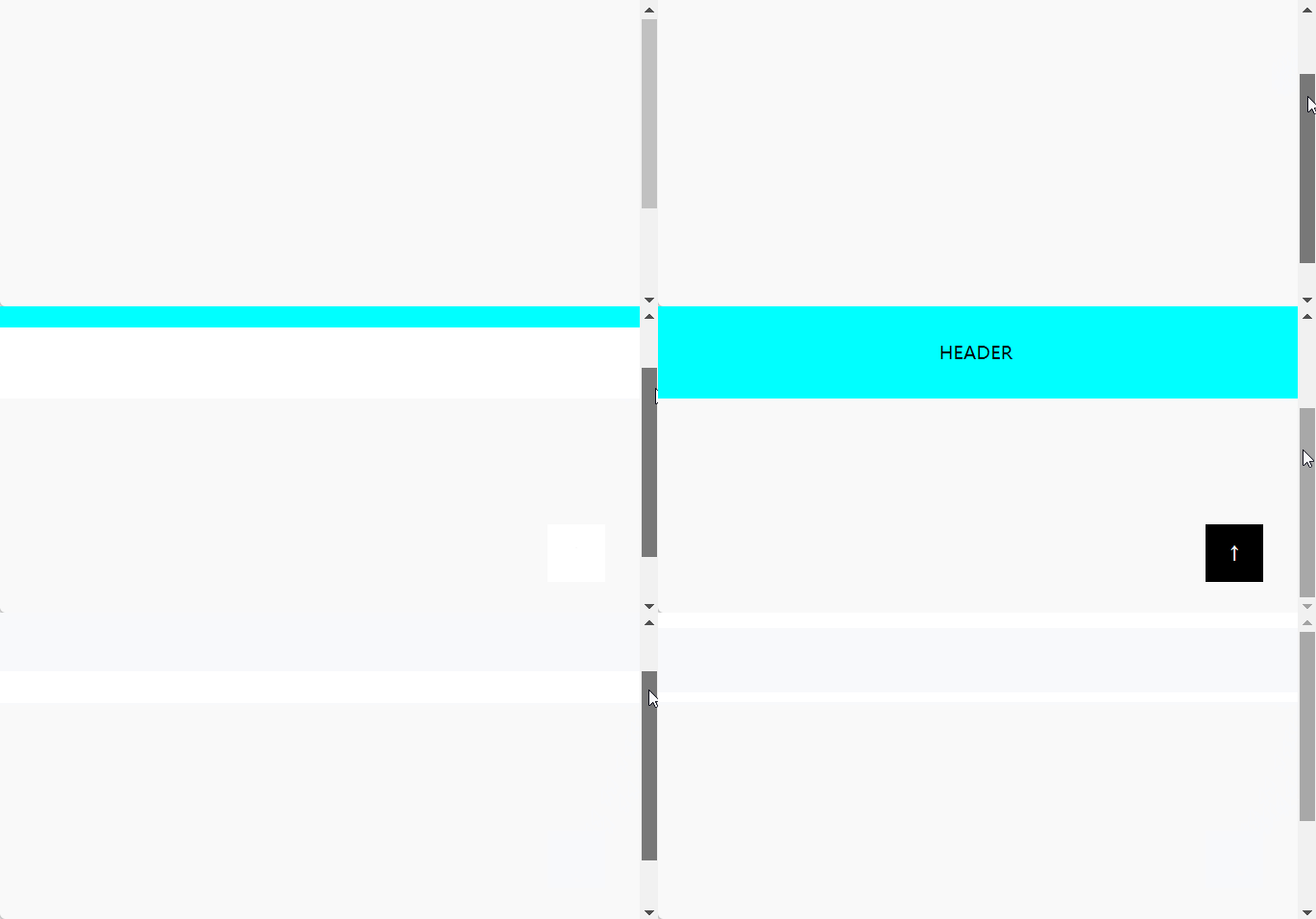
案例 - 跳转顶部
<!DOCTYPE html>
<html lang="en">
<head>
<title>Document</title>
<!-- CSS思路1:使用transition变化 -->
<style>
html,body{height: 120%;margin: 0;padding: 0;text-align: center;}
.header{
height: 80px;width: 100%;background-color: aqua;display: table;
position: fixed;top:-80px;
}
.header span{display: table-cell;vertical-align: middle;}
.display-header{animation: headerAnimation .5s linear;animation-fill-mode: forwards;}
.icon{
width: 50px;height: 50px;background-color: black;color: white;line-height: 50px;cursor: pointer;
position: fixed;bottom: 30px;right: 30px;display: none;
}
.display-icon{display: block;}
@keyframes headerAnimation{
from{
top: -80px;
}to{
top: 0;
}
}
</style>
<!-- CSS思路2:使用animation动画 -->
<style>
html,body{height: 120%;margin: 0;padding: 0;text-align: center;}
.header{
height: 80px;width: 100%;background-color: aqua;display: table;
position: fixed;top: -80px;transition: top .5s linear;
}
.header span{display: table-cell;vertical-align: middle;}
.display-header{top: 0px;}
.icon{
width: 50px;height: 50px;background-color: black;color: white;line-height: 50px;cursor: pointer;
position: fixed;bottom: 30px;right: 30px;display: none;
}
.display-icon{display: block;}
</style>
</head>
<body>
<div id="header" class="header"><span>HEADER</span></div>
<div id="icon" class="icon">↑</div>
</body>
<script>
//获取元素
let headerNav = document.getElementById("header");
let goTop = document.getElementById("icon");
//BOM 窗口滚动事件
onscroll = function(){
//滚动的时候,实时获取窗口卷入距离
let distance = document.documentElement.scrollTop || document.body.scrollTop;
//卷入距离大于100,就显示
if (distance > 100) {
headerNav.classList.add("display-header");
goTop.classList.add("display-icon");
} else {
headerNav.classList.remove("display-header");
goTop.classList.remove("display-icon");
}
}
//点击跳转顶部
goTop.addEventListener("click",function(){
scrollTo(0,0);
});
</script>
</html>
对象事件(也可见DOM部分)
onload 完全加载
- window.onload 事件,让页面资源加载完毕之后,再执行事件内部代码,当JavaScript加载早于页面的的时候,就能够保证页面不会出现js已经加载完,页面还没有显示完的情况
<script>
    console.log(document.getElementById("shuffle"));    //null 此时html还未加载
</script>
<body>
    <button id="shuffle">刷新</button>
</body>
<script>
    onload = function(){
        console.log(document.getElementById("shuffle").innerHTML);    //HTML 页面 此时html已经加载
    }
</script>
<body>
    <button id="shuffle">HTML 页面</button>
</body>
onresize 窗口缩放
- window.onresize 窗口大小改变的时候执行,媒体查询常用
<script>
    onresize = function(){
        document.getElementById("display").innerHTML =
        `窗口被缩放了,当前窗口大小为 ${innerWidth} X ${innerHeight}`;
    }
</script>
<body>
    <p id="display"></p>
</body>
onscroll 窗口滚动
- window.onscroll 窗口滚动的时候执行对应函数
<style>
    html,body{
        width: 100%;
        height: 2000px;
        margin: 0;
        padding: 0;
    }
    p{
        background-color: plum;
        height: 50px;
        text-align: center;
        line-height: 50px;
    }
    .pos{
        position: sticky;
        animation: positionAnimation 2s ease-in 1s normal;
        animation-fill-mode: forwards;
    }
    @keyframes positionAnimation{
        from { top: -50px; }
        to   { top:0; }
    }
</style>
<script>
    onscroll = () => document.getElementById("display").className = "pos"
</script>
<body>
    <p id="display">导航栏</p>
</body>
DOM事件(窗口卷入--与BOM密切关联)
scrollTop
- scrollTop 竖向滚动条已经滚上去的距离,一般用于滚动到一定程度的时候触发显示/吸顶等功能
scrollLeft
- scrollLeft 横向滚动条已经滚过的距离
document.documentElement.scrollTop
document.body.scrollTop  //(适配低版本浏览器)
document.documentElement.scrollLeft
document.body.scrollLeft  //(适配低版本浏览器)