里式转换
public class Person
{
public void SayHello()
{
Console.WriteLine("你好");
}
public class Teacher : Person
{
public void talk()
{
Console.WriteLine("聊天");
}
}
internal class Program
{
static void Main(string[] args)
{
Person teacher = new Teacher();
Teacher teacher1 = new Teacher();
Person person1 = (Person)teacher1;
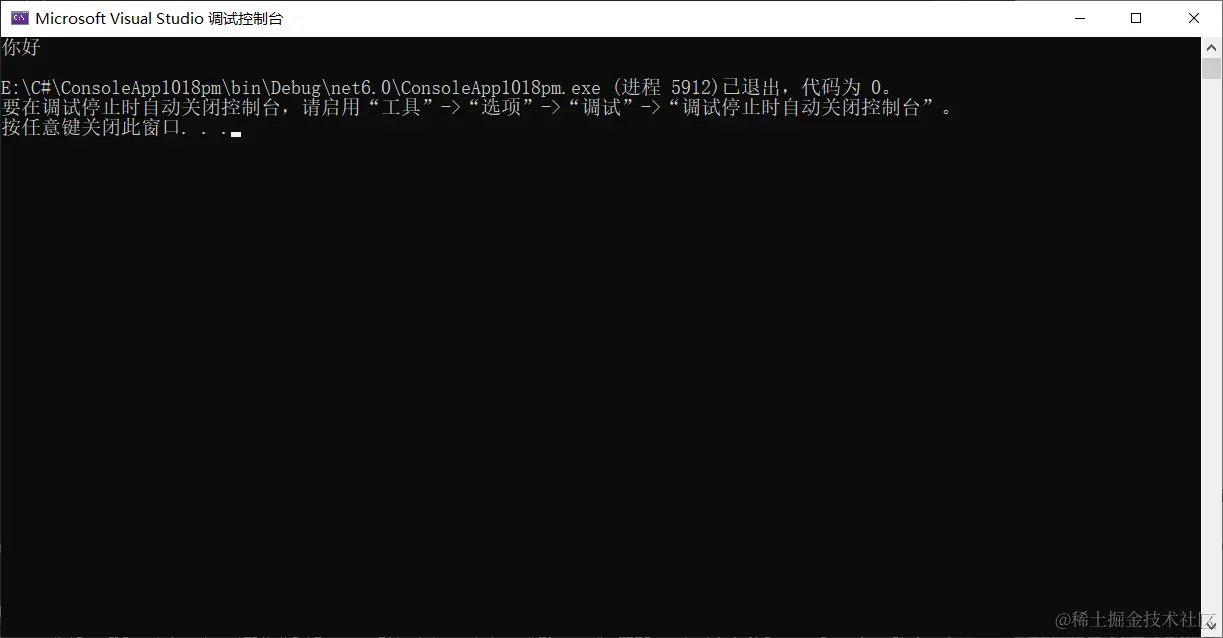
person1.SayHello();
三、正则表达式
1.正则表达式有什么用
1,检索:通过正则表达式,从字符串中获取我们想要的部分
2,匹配:判断给定的字符串是否符合正则表达式的过虑逻辑术社区
2.正则表达式是什么
正则表达式其实就是由普通字符以及特殊字符(元字符)组成的文字模式,该模式描述在查找文。学生体时待匹配的一一个或多个字符串。
3.各种元字符
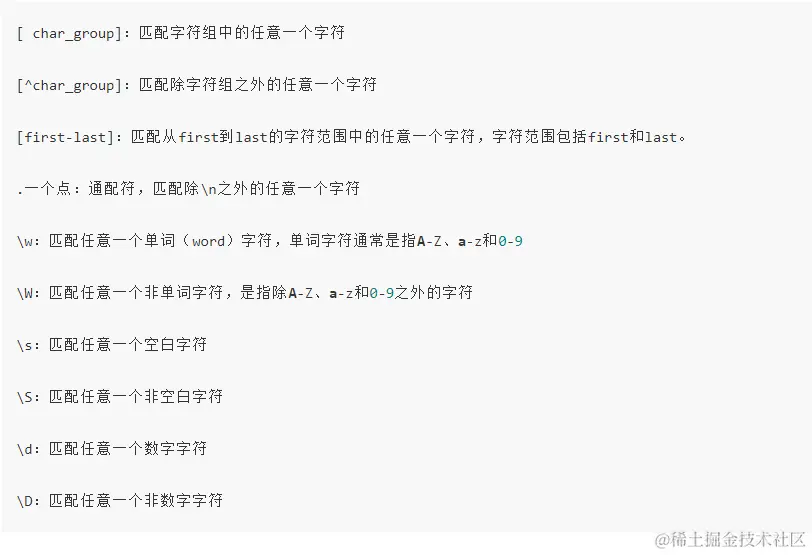
(1)字符类
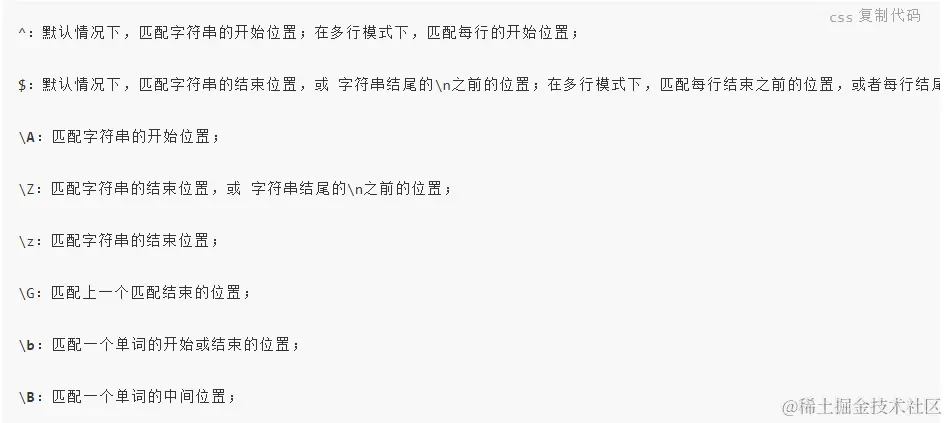
(2)定位类
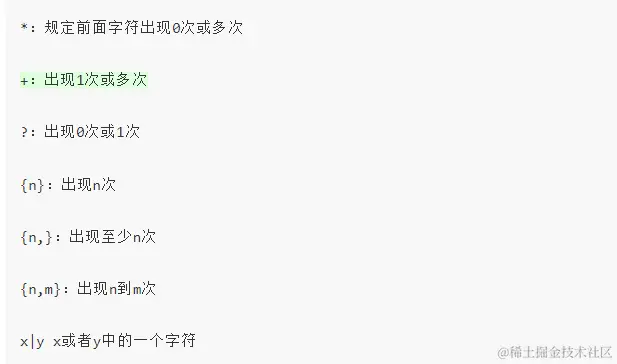
(3)量词、贪婪和懒惰
string pattern = @"^1234.com$"
string str = "1234.com"
Console.WriteLine(Regex.IsMatch(str,pattern))
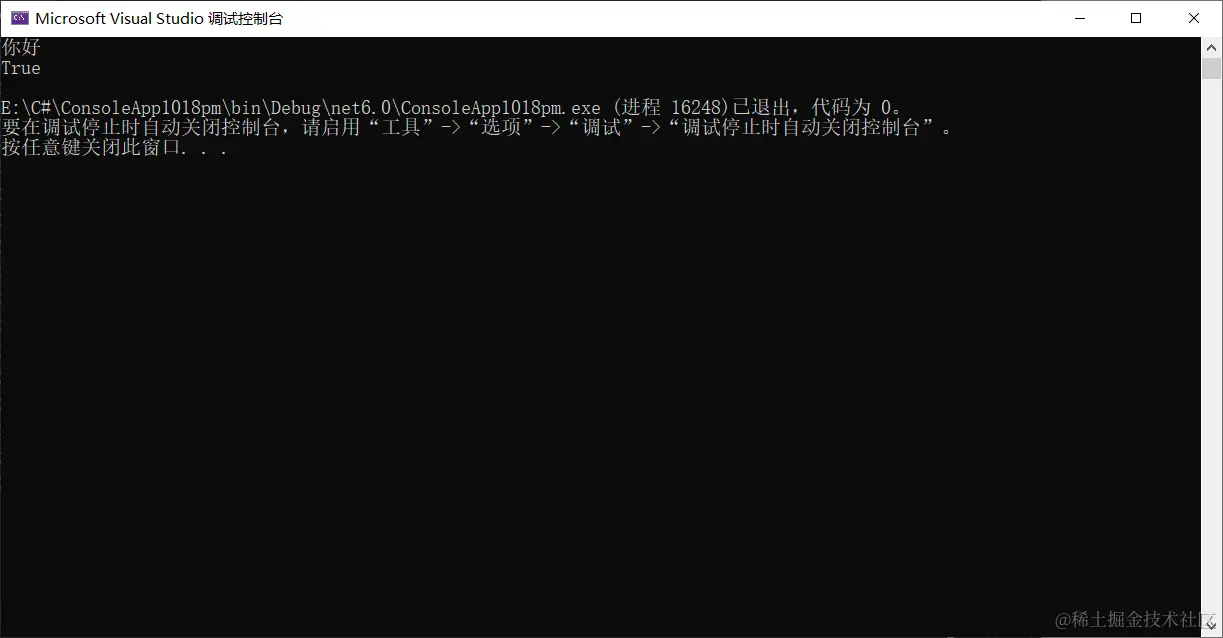
用正则判断是不是要得字符串
输入电话号码
string pattern = @"^[1|0][0-9]{10}"
string phoneNumber = Convert.ToString(Console.ReadLine())
Console.WriteLine(Regex.IsMatch(phoneNumber, pattern))
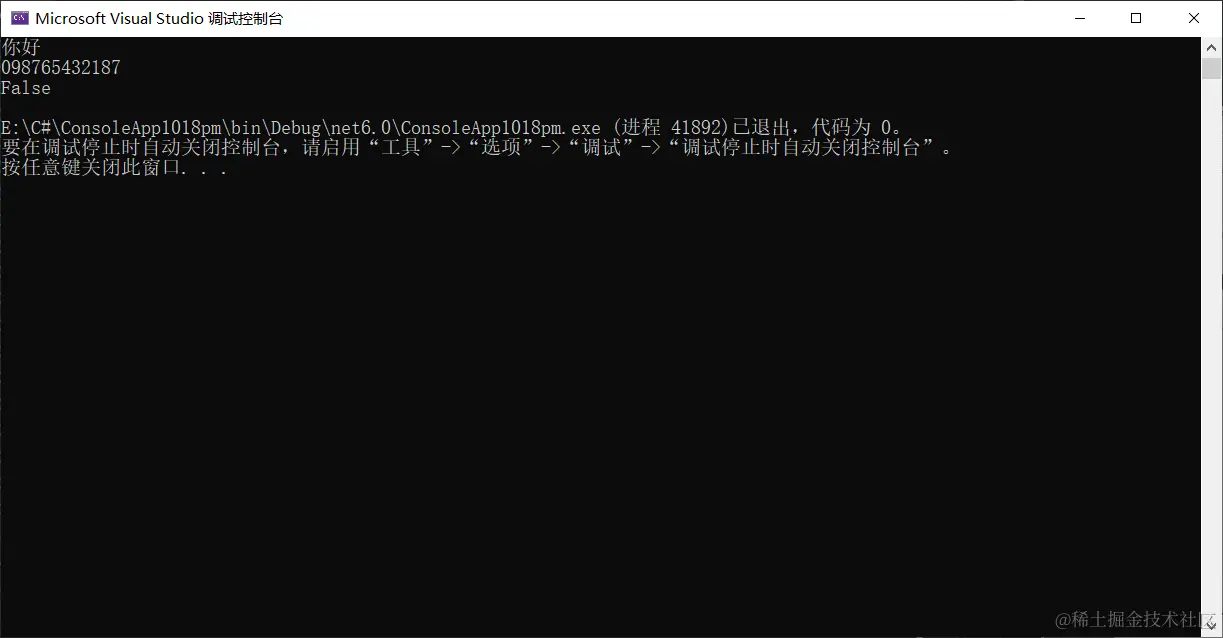
*表示0次或多次
string pattern = @"^[1|0][0-9]*"
string str = "1234.com"
while (true)
{
string phoneNumber = Convert.ToString(Console.ReadLine())
Console.WriteLine(Regex.IsMatch(phoneNumber, pattern))
}
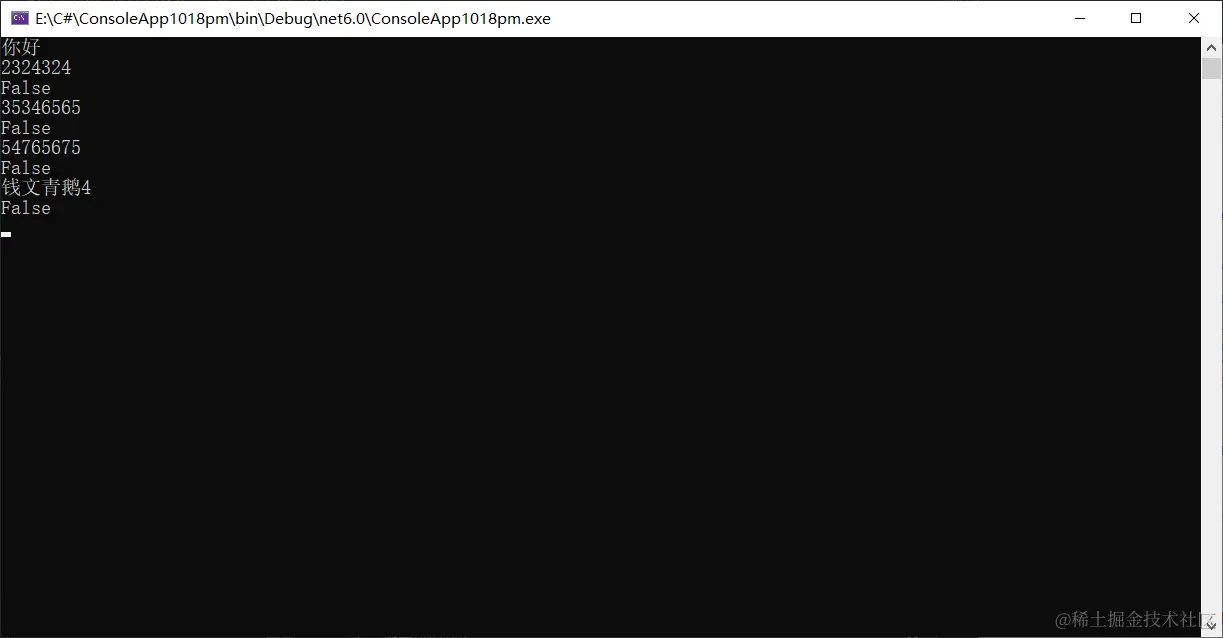
替换
匹配到所有的了串,然后将字符串进行替换,将了中皆换成对应字符串,返回一个新的字符串
string str = "1234.com"
string newstring = Regex.Replace(str,"3","哈哈哈")
Console.WriteLine(newstring)
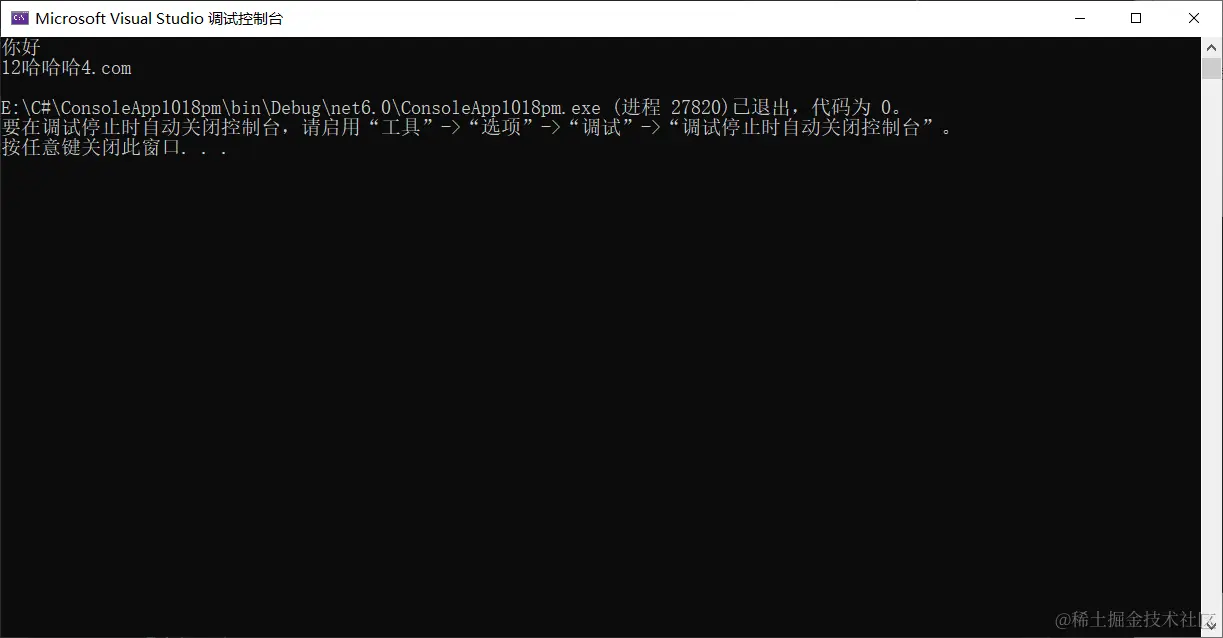
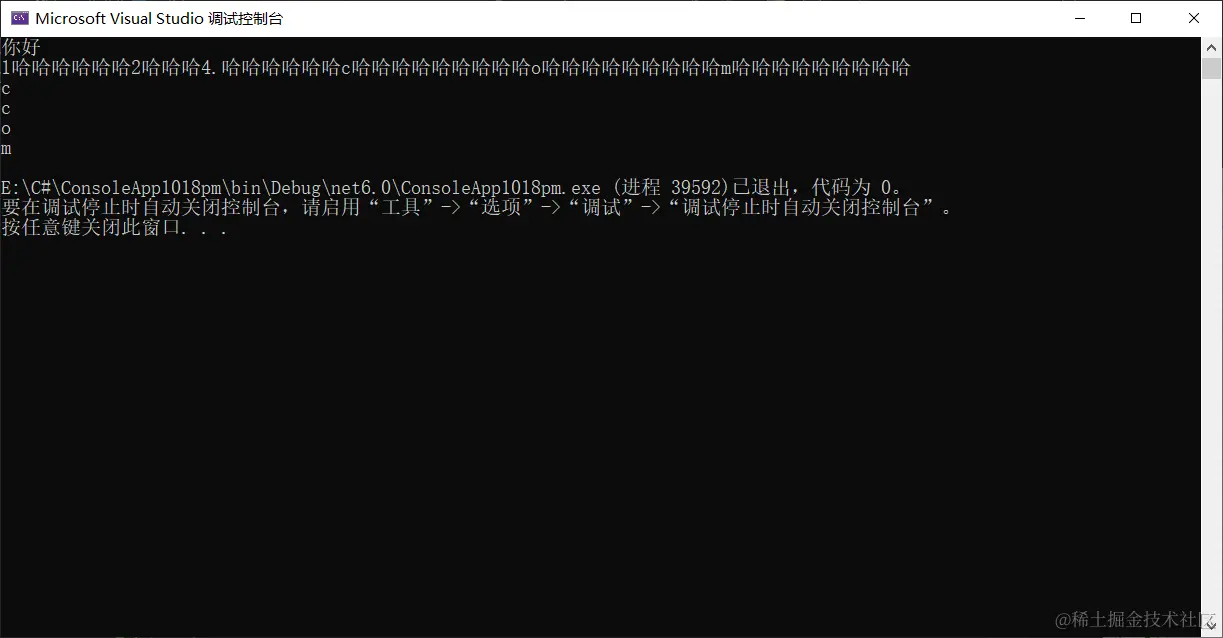
string str = "133234.33c333o333m333"
string newstring = Regex.Replace(str,"3","哈哈哈")
Console.WriteLine(newstring)
Match match = Regex.Match(str, "[a-z]")
MatchCollection matchcollect = Regex.Matches(str, "[a-z]")
Console.WriteLine(match)
foreach(Match i in matchcollect)
{
Console.WriteLine(i)
}
匹配QQ邮箱
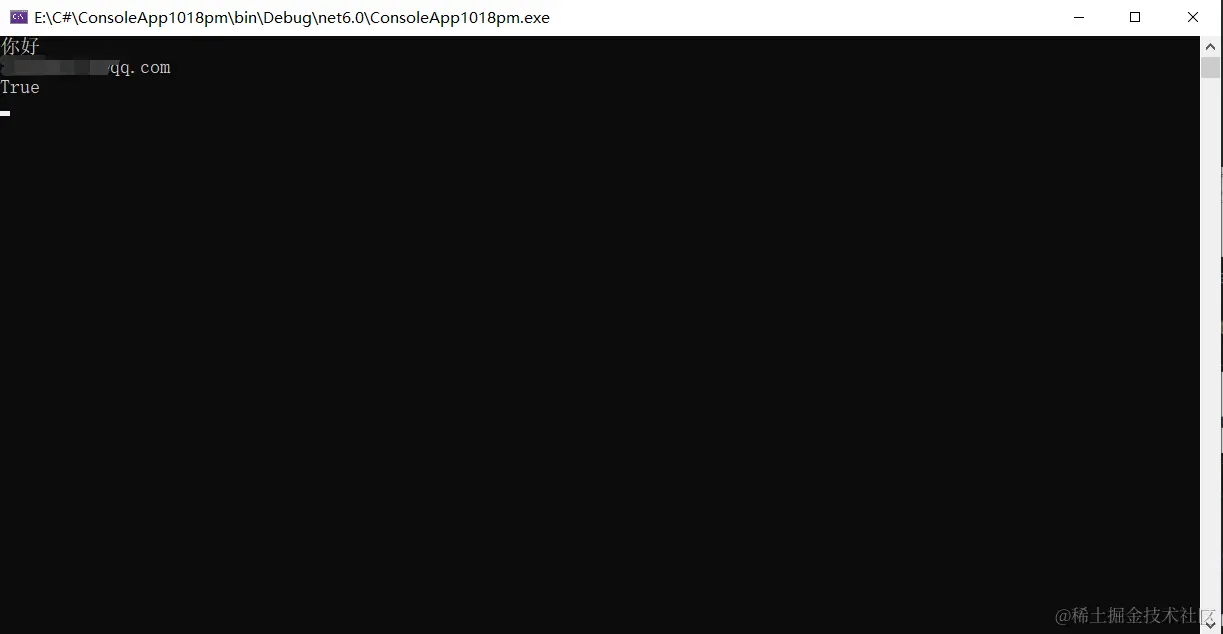
string qqmail = @"^[1-9]\d{7,10}@qq\.com$"
while (true)
{
string qqmailNumber = Convert.ToString(Console.ReadLine())
Console.WriteLine(Regex.IsMatch(qqmailNumber, qqmail))
}
匹配日期格式 2022-10-18
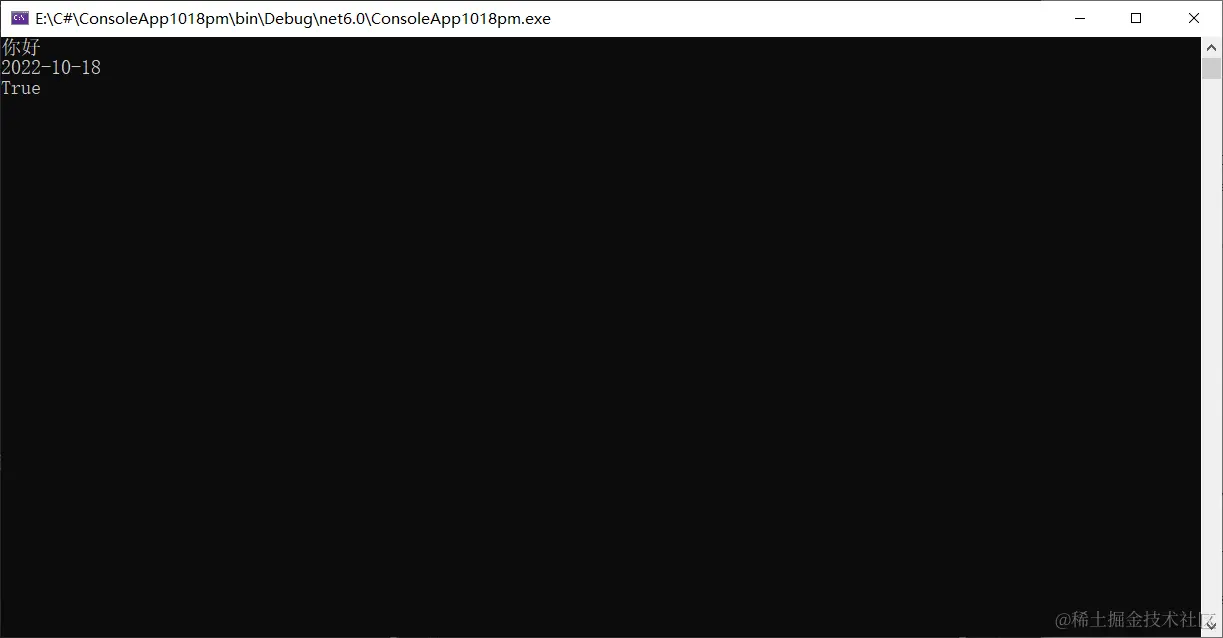
string pattern = @"^([0-2][0-9]{3})-([0][1-9]|[1][0-2])-([0][1-9]|[1-2][0-9]|[3][0-1])$"
string str = "1234.com"
while (true)
{
string phoneNumber = Convert.ToString(Console.ReadLine())
Console.WriteLine(Regex.IsMatch(phoneNumber, pattern))
}
一些常见的正则表达式
1.验证用户名和密码:("^[a-zA-Z]\w{5,15}$")正确格式:"[A-Z][a-z]_[0-9]"组成,并且第一个字必须为字母6~16位;
2.验证电话号码:("^(\d{3.4}-)\d{7,8}$")正确格式:xxx/xxxx-xxxxxxx/xxxxxxxx;
3.验证身份证号(15位或18位数字):("^\d{15}|\d{18}$");
4.验证Email地址:("^\w+([-+.]\w+)*@\w+([-.]\w+)*\.\w+([-.]\w+)*$");
5.只能输入由数字和26个英文字母组成的[字符串](https://so.csdn.net/so/search?q=%E5%AD%97%E7%AC%A6%E4%B8%B2&spm=1001.2101.3001.7020):("^[A-Za-z0-9]+$")
6.整数或者小数:^[0-9]+\.{0,1}[0-9]{0,2}$
7.只能输入数字:"^[0-9]*$"。
8.只能输入n位的数字:"^\d{n}$"。
9.只能输入至少n位的数字:"^\d{n,}$"。
10.只能输入m~n位的数字:。"^\d{m,n}$"
11.只能输入零和非零开头的数字:"^(0|[1-9][0-9]*)$"。
12.只能输入有两位小数的正实数:"^[0-9]+(.[0-9]{2})?$"。
13.只能输入有1~3位小数的正实数:"^[0-9]+(.[0-9]{1,3})?$"。
14.只能输入非零的正整数:"^\+?[1-9][0-9]*$"。
15.只能输入非零的负整数:"^\-[1-9][]0-9"*$。
16.只能输入长度为3的字符:"^.{3}$"。
17.只能输入由26个英文字母组成的字符串:"^[A-Za-z]+$"。
18.只能输入由26个大写英文字母组成的字符串:"^[A-Z]+$"。
19.只能输入由26个小写英文字母组成的字符串:"^[a-z]+$"。
20.验证是否含有^%&',
21.只能输入汉字:"^[\u4e00-\u9fa5]{0,}$"
22.验证URL:"^http://([\w-]+\.)+[\w-]+(/[\w-./?%&=]*)?$"。
23.验证一年的12个月:"^(0?[1-9]|1[0-2])$"正确格式为:"01"~"09"和"1"~"12"。
24.验证一个月的31天:"^((0?[1-9])|((1|2)[0-9])|30|31)$"正确格式为;"01"~"09"和"1"~"31"。
25.验证年月日的正确:"^([0-2][0-9]{3})-([0][1-9]|[1][0-2])-([0][1-9]|[1-2][0-9]|[3][0-1])$"



