1.使用 object 替换 switch
const n = 1
let result
switch (n) {
case 1:
result = 'res-1'
break
case 2:
result = 'res-2'
break
case 3:
result = 'res-3'
break
}
复制代码
const n = 1
const nMap = {
1: 'res-1',
2: 'res-2',
3: 'res-3'
}
const result = nMap[ n ]
复制代码
2.使用 includes 方法 替换 多重 if判断
const n = 1
if (n === 1 || n === 2 || n === 3 || n === 4 || n === 5) {
}
复制代码
const n = 1
const conditions = [ 1, 2, 3, 4, 5 ]
if (conditions.includes(n)) {
}
复制代码
3.使用 function 参数默认值 替换 ||
const func = (name) => {
name = name || 'fatfish'
console.log(name)
}
const func = (name = 'fatfish') => {
console.log(name)
}
复制代码
4.使用 ?... : ... 替换 if... else ...
// ❌
const n = 18
let result
if (n % 2 === 0) {
  result = 'even number'
} else {
  result = 'odd number'
}
复制代码

// ✅
const n = 18
let result = n % 2 === 0 ? 'even number' : 'odd number'
复制代码
5.使用 + 把字符串转换成数字
let str = '123'
let num = Number(str)
let num2 = parseInt(str)
复制代码
let str = '123'
let num = +str
复制代码
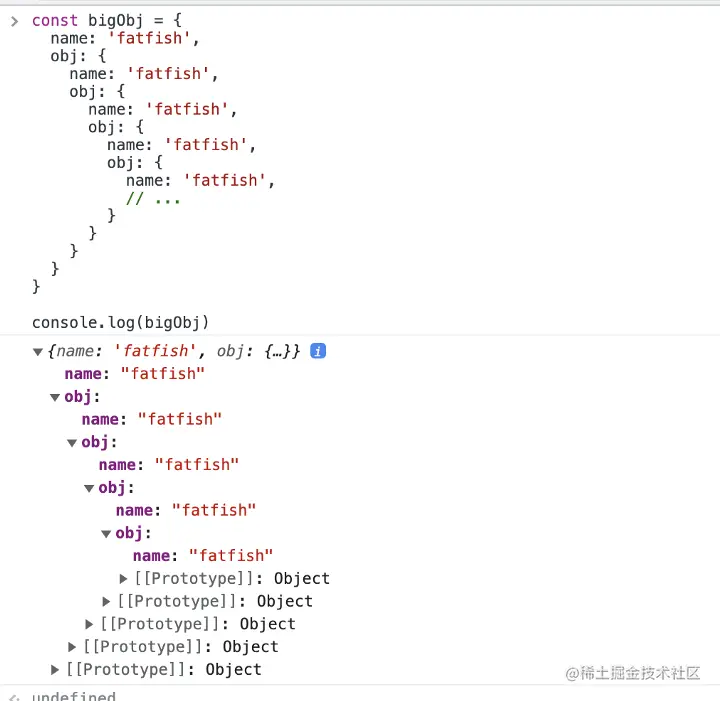
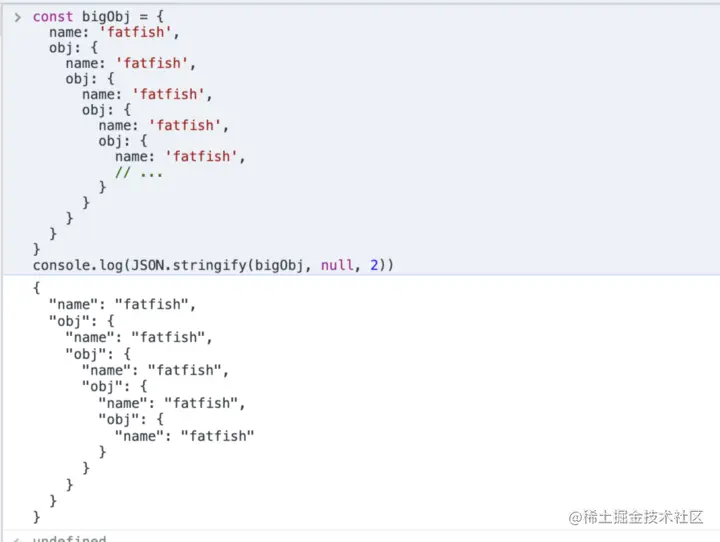
6.使用“JSON.stringify” 输出更直观的信息
const bigObj = {
name: 'fatfish',
obj: {
name: 'fatfish',
obj: {
name: 'fatfish',
obj: {
name: 'fatfish',
obj: {
name: 'fatfish',
}
}
}
}
}
console.log(bigObj)
复制代码
const bigObj = {
name: 'fatfish',
obj: {
name: 'fatfish',
obj: {
name: 'fatfish',
obj: {
name: 'fatfish',
obj: {
name: 'fatfish',
}
}
}
}
}
console.log(JSON.stringify(bigObj, null, 2))
复制代码
7.使用 fill方法 创建填充固定长度的数组
// ❌
let array = []
const len = 100
for(let i = 0
array[i] = 'fatfish'
}
复制代码
// ✅
let array = Array(100).fill('fatfish')