index.html 配置
<script type="text/javascript" src="http://webapi.amap.com/maps?v=1.4.3&key=你的key &plugin=AMap.ControlBar"></script>
vue.config.js
module.exports = {
configureWebpack: {
externals: {
'AMap': 'AMap',
'AMapUI': 'AMapUI'
}
},
}
页面使用
<template>
<div class="box">
<div id="container" style="width:1500px; height:900px"></div>
</div>
</template>
<script>
import AMap from 'AMap'
import mapicon from '../../assets/map.png'
let map,marker;
export default {
data() {
return {
markers : [
{
icon: mapicon,
position: [121.506377, 31.243105],
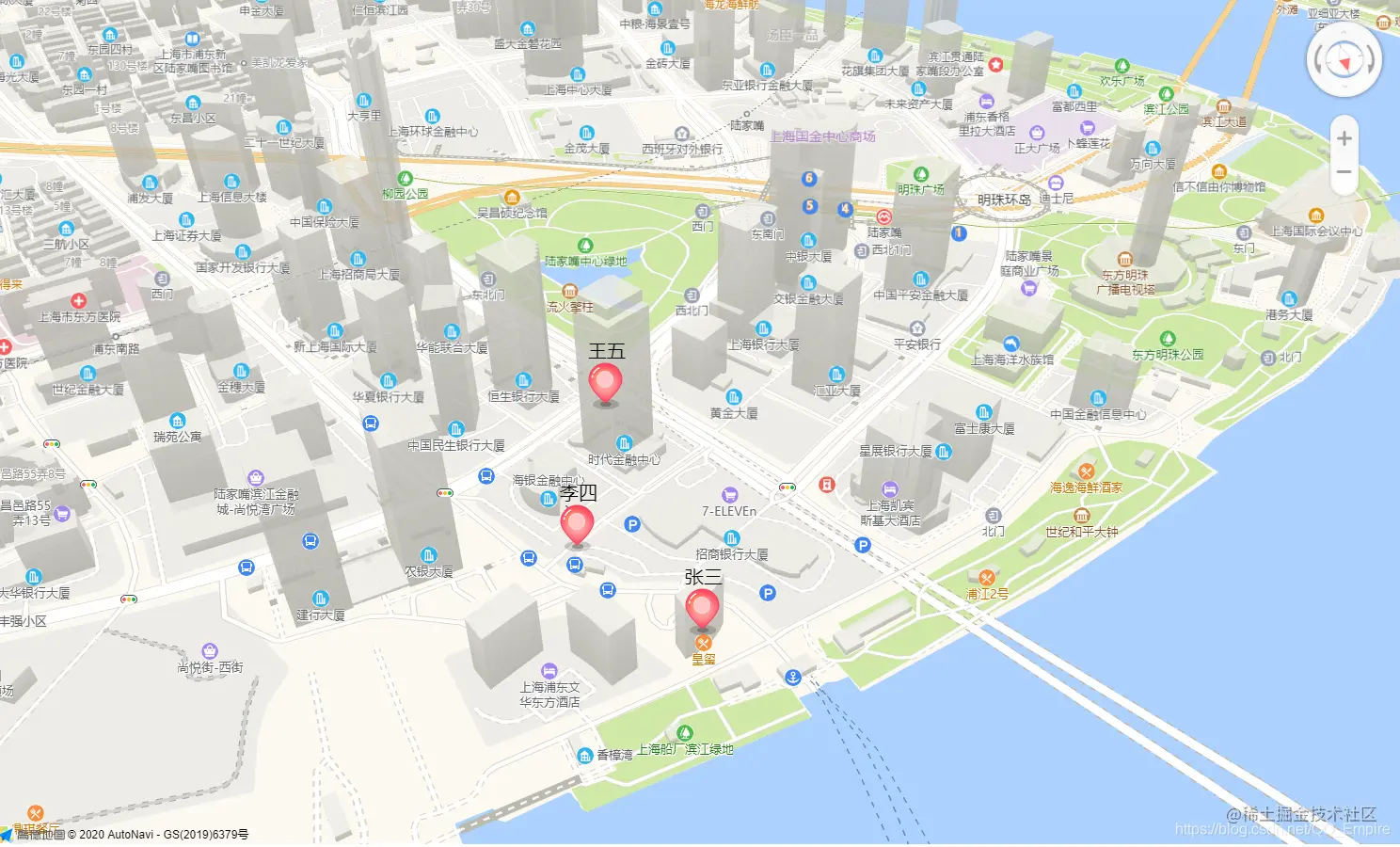
name:'张三',
}, {
icon: mapicon,
position: [121.506077, 31.242105],
name:'李四',
}, {
icon: mapicon,
position: [121.506577, 31.240105],
name:'王五',
}
]
}
},
mounted () {
this.init()
},
methods: {
init () {
let that = this;
map = new AMap.Map('container', {
resizeEnable: true,
rotateEnable:true,
pitchEnable:true,
zoom: 17,
pitch:50,
rotation:-15,
viewMode:'3D',
buildingAnimation:true,
zooms:[3,20],
center:that.markers[0].position
})
AMap.plugin(['AMap.ControlBar',], function(){
map.addControl(new AMap.ControlBar());
});
this.addMarker(this.markers)
},
mapDraw(arriveCoor){
map = new AMap.Map('container', {
resizeEnable: true,
zoom:20,
center: arriveCoor
});
this.addMarker(arriveCoor);
},
addMarker(arriveCoor) {
var _this = this;
arriveCoor.forEach(item=>{
marker = new AMap.Marker({
icon: item.icon,
imageSize: "20px",
position: [item.position[0], item.position[1]],
content:`<div class="custom-content-marker"><span style="display:block;width:200px">${item.name}</span><img src=${mapicon} onclick="clickImgMarker(${item.name})"></div>`,
draggable: true,
cursor: 'move',
});
marker.setMap(map);
})
},
},
}
</script>
效果图