

最近,我重新发现了PHP的乐趣。也一直在帮助一个MVP项目的启动,该项目使用了大量的nocode/lowcode碎片,并奇迹般地把它们放在一起。
总之,我必须用PHP写一个Airtable表,在网上搜了一下,没有找到可以复制粘贴的例子,所以我就写了这个供后人参考。
所以我有一个叫做people 的表,其中有Name 和Email 字段。我想以编程的方式写到它。Airtable有一个非常酷的文档,它使用你的真实表格中的现有数据作为例子。搜索 "airtable api",你会发现你的方法。
在那里你会看到像这样的东西:
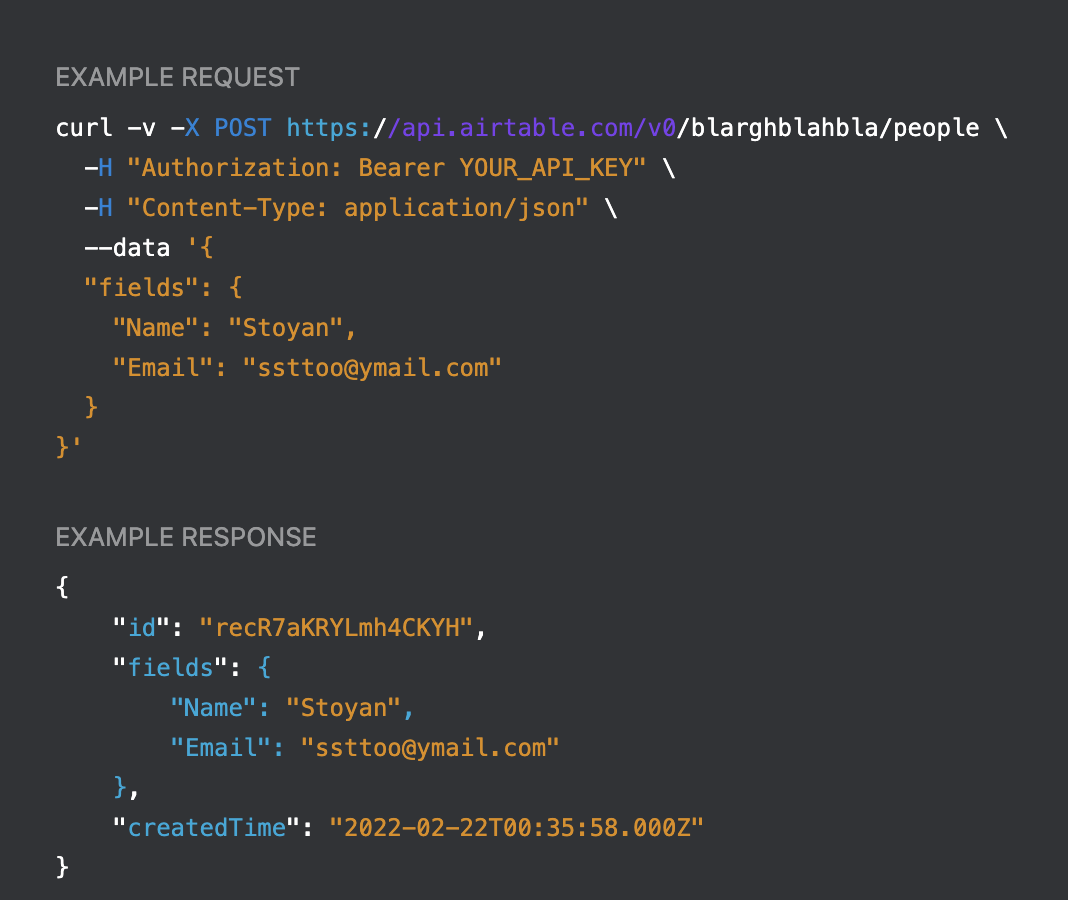
这里people 是表的名字,blarghblahbla 是AirTable的应用ID(混淆)。这是为你生成的,所以不需要担心,只需复制。问题是要把它变成PHP代码。
哦,你还需要你的Airtable密钥,你可以从你的账户中获得:

有了这些先决条件,下面是使用cURL写到表中的PHP代码:
// get this from your account
$airtable_key = 'keyeKanyeOladiOblada';

// URL generated by the docs
$url = 'https://api.airtable.com/v0/blarghblahbla/people';
$headers = [
  'Content-Type: application/json',
  'Authorization: Bearer ' . $airtable_key,
];

// this is the JSON-encoded record to write to the table
$post = '{"fields": {"Name": "Stoyan", "Email": "ssttoo@ymail.com"}}';

$ch = curl_init();
curl_setopt($ch, CURLOPT_URL, $url);
curl_setopt($ch, CURLOPT_POST,1);
curl_setopt($ch, CURLOPT_POSTFIELDS, $post);
curl_setopt($ch, CURLOPT_RETURNTRANSFER, 1);
curl_setopt($ch, CURLOPT_HTTPHEADER, $headers);

$result = curl_exec($ch);
curl_close($ch);
$json = json_decode($result, true);
