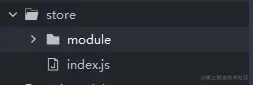
1.目录结构 index.js主文件,module其他模块文件
2.index.js
import Vue from "vue"
import Vuex from "vuex"
import loginStore from "./module/loginStore.js"
Vue.use(Vuex)
const store = new Vuex.Store({
state: {
name: '阿毛子'
},
mutations: {
},
actions: {
},
modules: {
loginStore
}
})
export default store
3.module的js文件
const LoginStore = {
namespaced: true,
state: {
name: '登录的store'
},
mutations: {
setName(state, data){
state.name=data
}
},
actions: {
async getName(data){
commit('setName',data)
}
}
}
export default LoginStore
4.main.ts挂载
import store from "@/store/index.js"
Vue.prototype.$store = store
const app = new Vue({
	store,
    ...App
})
5.页面使用
onLoad() {
console.log(this.$store);
this.$store.dispatch('loginStore/getName', '张三');
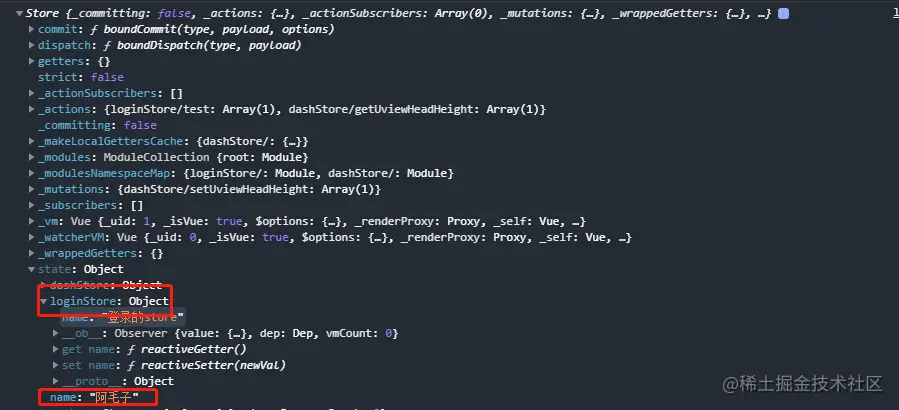
},
6.效果