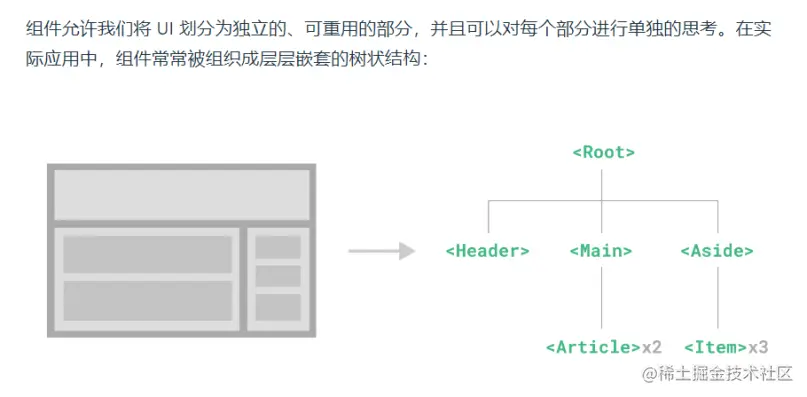
什么是组件
这和我们嵌套 HTML 元素的方式类似,Vue 实现了自己的组件模型,使我们可以在每个组件内封装自定义内容与逻辑
如何封装组件
一个 Vue 组件在使用前需要先被“注册”,这样 Vue 才能在渲染模板时找到其对应的实现。
  1先构建组件的模板
  2定义组件
  3注册组件
  4使用组件
1构建组件模板
template: `<div>
<button @click="plus">{{count}} 加一</button>
</div>`,
定义组件
const ButtonCounter = {
				template: `<div>
                         <button @click="plus">{{count}} 加一</button>
                      </div>`,
				data() {
					return {
						count: 0,
					}
				},
				methods: {
					plus() {
						this.count++
					},
				},
			}
注册组件
app.component('ButtonCounter', ButtonCounter)
app.component('ButtonMinus',ButtonMinus)
使用组件
            <button-counter></button-counter>
            <button-minus></button-minus>
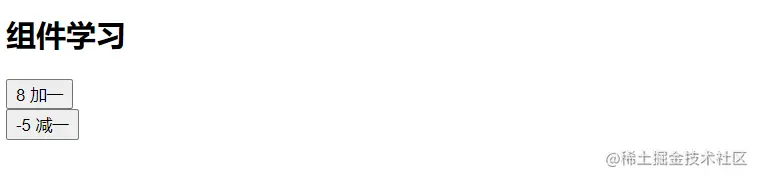
完整代码
<!DOCTYPE html>
<html lang="en">

<head>
    <meta charset="UTF-8">
    <meta http-equiv="X-UA-Compatible" content="IE=edge">
    <meta name="viewport" content="width=device-width, initial-scale=1.0">
    <title>组件</title>
</head>

<body>
    <div id="app">
        <h2>{{title}}</h2>
        <button-counter></button-counter>
        <button-minus></button-minus>
    </div>
    <script src="../lib/vue.global.js"></script>
    <script>
        //解构写法
        const { createApp } = Vue
        // 构造定义组件
        const ButtonCounter = {
            template: `<div>
                         <button @click="plus">{{count}} 加一</button>
                      </div> `,
            data() {
                return {
                    count: 0,
                }
            },
            methods: {
                plus() {
                    this.count++
                }
            }
        }
        const ButtonMinus = {
            data() {
                return {
                    count: 0,
                }
            },
            template: `<div>
                         <button @click="minus">{{count}} 减一</button>
                      </div>`,
            methods: {
                minus() {
                    this.count--
                },
            },
        }
        const app = createApp({
            data() {
                return {
                    title: '组件学习'
                }
            }
        })
        app.component('ButtonCounter', ButtonCounter)
        app.component('ButtonMinus', ButtonMinus)
        app.mount('#app')
    </script>
</body>

</html>
实现计数功能