回顾昨天的内容(结构体,枚举类型,委托)
1结构体
struct Student
{
public string name
public int id
}
static void Main(string[]args)
{
Student student1
student1.name = "小明"
student1.id = 12
}
2枚举
enum State
{
在线,下线,隐身,忙碌中
}
static void Main(string[]args)
{
State state;
state = State.下线;
foreach (string name in Enum.GetNames(typeof(State)))
{
Console.WriteLine(name);
}
foreach (int num in Enum.GetValues(typeof(State)))
{
Console.WriteLine(num);
}
}
3委托
        delegate int GetNum(int num1, int num2);
        static int max(int num1, int num2)
        {
            return 1;
        }
        delegate int GetNum(int num1, int num2);
        static void Main(string[]args)
         {
            GetNum getnum;
            getnum = max;
            getnum(10, 11);
         }
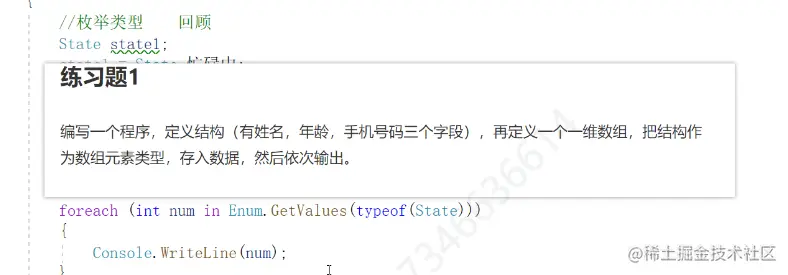
练习1
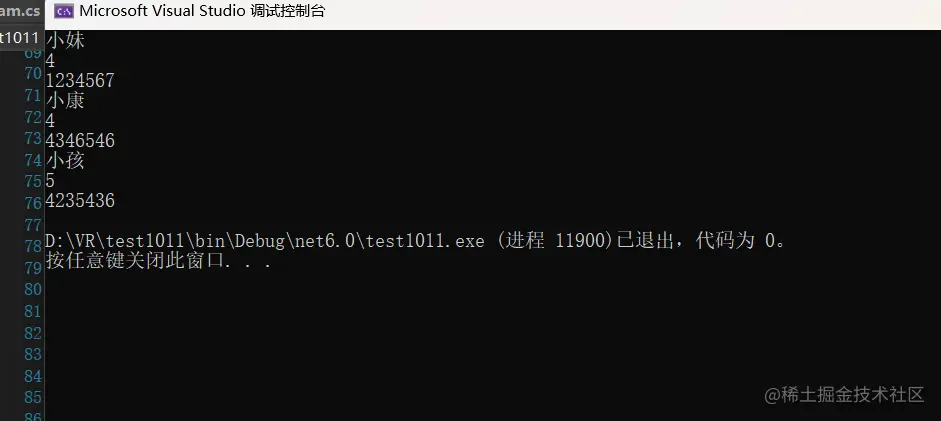
struct Shengfen
{
public string name
public string tel
public int age
}
static void Main(string []arge)
{
Shengfen aa
Shengfen bb
Shengfen cc
//分别赋值
aa.name = "小妹"
aa.tel = "1234567"
aa.age =4
bb.name = "小康"
bb.tel = "4346546"
bb.age =4
cc.name = "小孩"
cc.tel = "4235436"
cc.age =5
//创建一个结构体数组存放这三个结构体
Shengfen[] dd = new Shengfen[3] { aa,bb,cc}
//遍历结构体里面的变量 再输出值
foreach(Shengfen i in dd )
{
Console.WriteLine(i.name)
Console.WriteLine(i.age)
Console.WriteLine(i.tel)
}
}
面向对象
类(方法,属性,字段等等) 增加代码的复用 对象由类生成的 对象(具体)attack方法
实例
namespace test1011
{
public Animall(string name1,int age1)
{
this.name = name1;
this.age = age1;
}
public string name;
public int age;
public int num1 = 1;
public int num
{
get
{
Console.WriteLine("我是get,只要属性被读取就会执行");
return num1;
}
set
{
num1 = value;
Console.WriteLine("新的值还没有给num赋值",value);
}
}
public void show()
{
Console.WriteLine("我叫{0}会打篮球,今年{1}", name, age);
}
}
internal class Program
{
static void Main(string[]args)
{
Animall dog;
dog = new Animall("小白",3);
Animall key;
key = new Animall("小黑", 4);
dog.show();
key.show();
2直接调用里面的字段赋值
Animall dog;
dog = new Animall();
dog.age = 13;
dog.name = "小狗狗";
Console.WriteLine(dog.age);
dog.show();
dog.num = 10;
Console.WriteLine(dog.num);
}
}
面向对象练习1
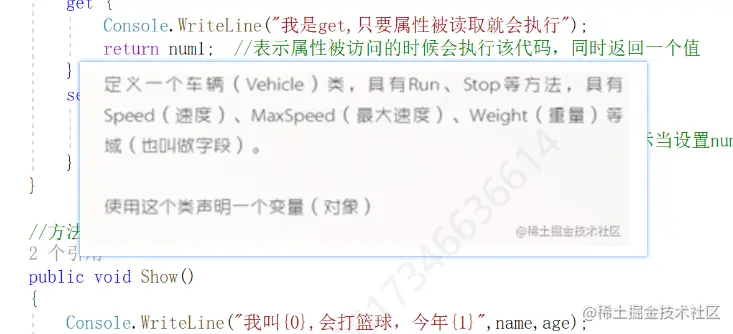
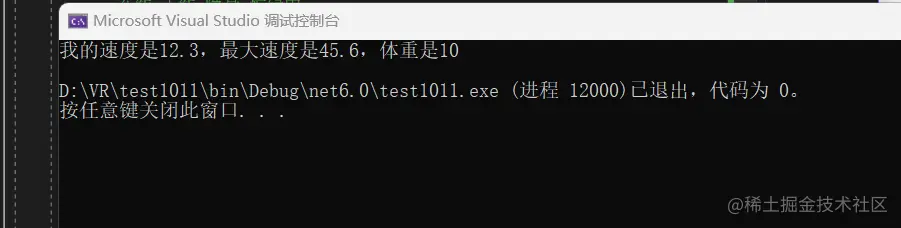
    class Vehicle
    {
        public Vehicle(double speed1,double maxspeed1,double weight1)
        {
            this .speed = speed1;
            this.maxspeed = maxspeed1;
            this.weight = weight1;
        }
        public double speed;
        public double maxspeed;
        public double weight;
        public void Run()
        {
            Console.WriteLine("我的速度是{0},最大速度是{1},体重是{2}", speed, maxspeed, weight);
        }
        public void Stop()
        {
            Console.WriteLine("我的速度是{0},最大速度是{1},体重是{2}", speed, maxspeed, weight);
        }
    }
   internal class Program
   {
         static void Main(string[]args)
         {

            Vehicle cat;
            cat = new Vehicle(12.3, 45.6, 10);
            cat.Run();
         }
   }
匿名类型 var es6 let
var a = "上饶"
int b = 1
string c = "ss"
var d = a
Console.WriteLine(d)
继承
列子
public class Enemy
{
public int life;
public virtual void move()
{
Console.WriteLine("怪物运动"+life);
}
}
class Boss:Enemy
{
public override void move()
{
Console.WriteLine("怪物运动" );
}
}
internal class Program
{
static void Main(string[]args)
{
Enemy enemy = new Enemy();
enemy.move();
Boss boss = new Boss();
boss.move();
}
}

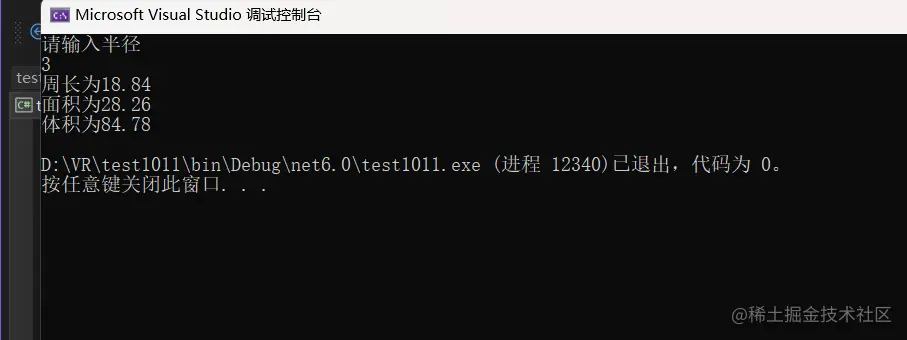
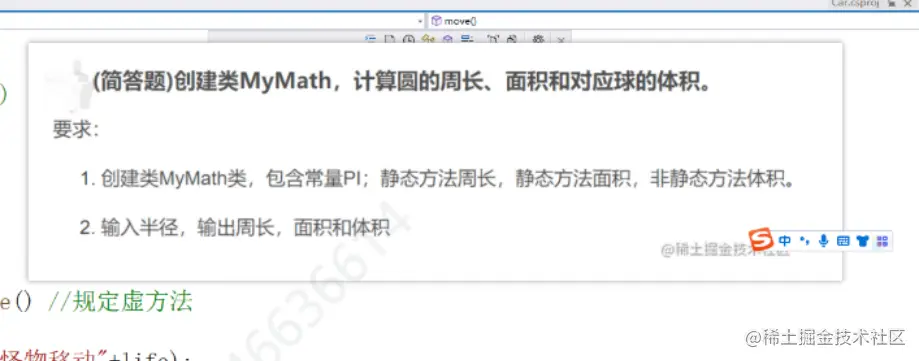
练习1
     class MyMath
    {
        public MyMath(double  i)
        {
            this.IP = i;
        }
        public   double IP;
       public void chang()
        {
            double b = IP * 2 * 3.14;
            Console.WriteLine("周长为{0}", b);
        }
       public  void mian()
        {
            double c = IP * IP * 3.14;
            Console.WriteLine("面积为{0}", c);
        }
         public void tiji ()
        {
            double d = (4 / 3) * IP * IP * IP * 3.14;
            Console.WriteLine("体积为{0}", d);
        }
    }
    internal class Program
    {
        static void Main(string[]args)
        {
              Console.WriteLine("请输入半径");
            double  a = Convert.ToInt32(Console.ReadLine());
            MyMath mamath = new MyMath(a);
            mamath.chang();
            mamath.mian();
            mamath.tiji();

        }
    }