持续创作,加速成长!这是我参与「掘金日新计划 · 10 月更文挑战」的第6天,点击查看活动详情
联系我们
创建 contact.vue 页面
<template>
	<view class='contact'>
		<image class='img' src="https://img0.baidu.com/it/u=865112164,3811307004&fm=253&fmt=auto&app=138&f=JPEG?w=900&h=305"></image>
		<view class='info'>
			<view @click="phone">联系电话:029-85219422(点击拨打)</view>
			<view>联系地址:陕西省西安市雁塔区小寨东路91号</view>
		</view>
		<map class='map' :longitude="longitude" :latitude="latitude" :scale="scale" :markers='covers'></map>
	</view>
</template>

<script>
	export default {
		data() {
			return {
				longitude:108.961495,
				latitude:34.230523,
				scale:13,
				covers: [{
							latitude: 34.224276,
							longitude: 108.955297,
							iconPath: '/static/location.png',
							width:30,
							height:30
						}]
			}
		},
		methods: {
			phone(){
				uni.makePhoneCall({
					phoneNumber: '114' //仅为示例
				});
			}
		}
	}
</script>

<style lang='scss'>
.contact{
	.img{
		width:750rpx;
		height:320rpx;
	}
	.info{
		padding:10rpx 20rpx;
		font-size:30rpx;
		view{
			line-height:60rpx;
			border-bottom:1px solid #eeeeee;
		}
	}
}
.map{
	width:750rpx;
	height:750rpx;
}
</style>
运行结果:
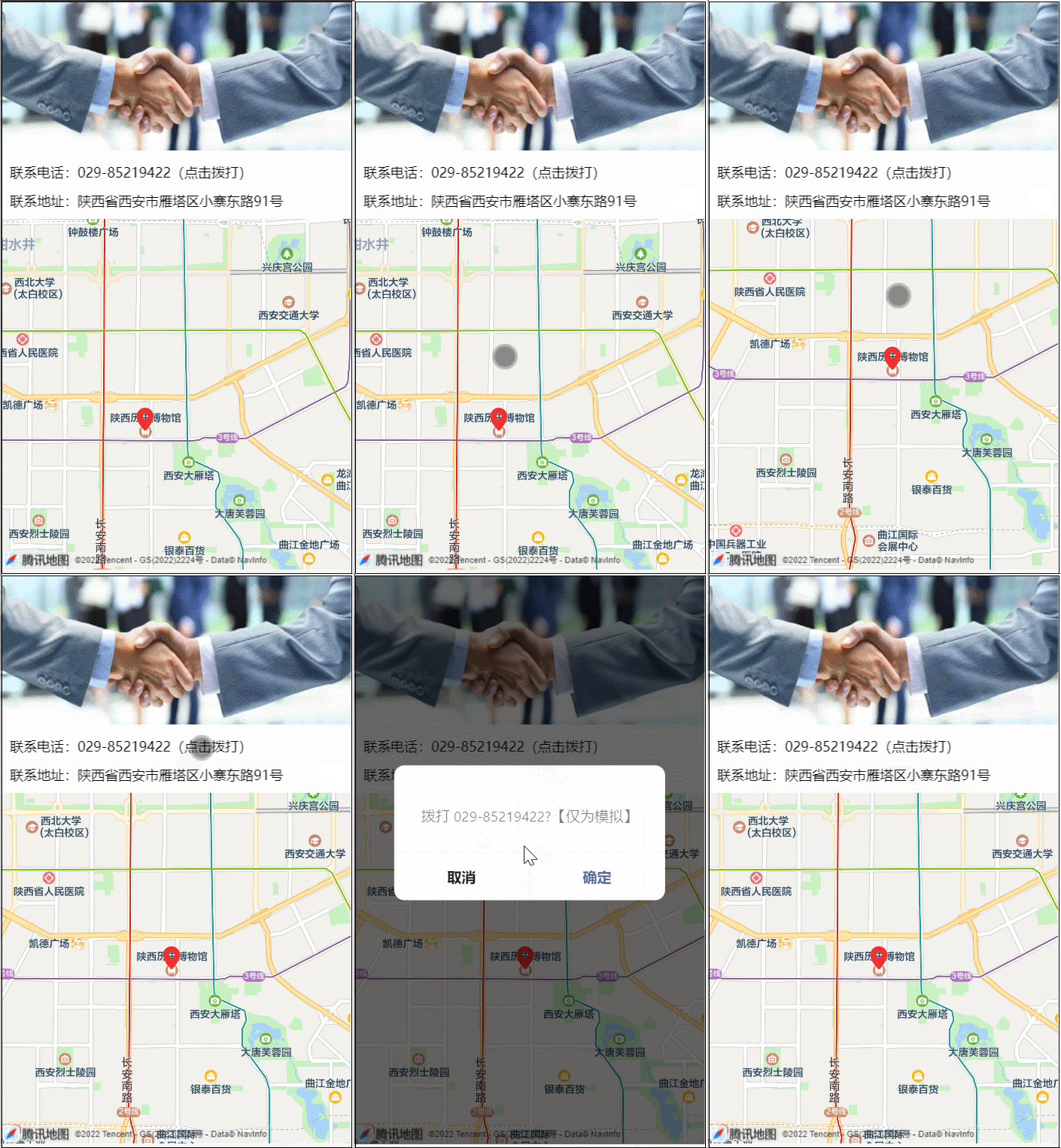
可以看到我们在页面中展示了联系电话和联系地址,其中地图组件我们可以参考官网: uniapp组件-地图,因为坐标是固定的,一进到页面就会显示公司位置,所以我们使用属性longitude和latitude来设置中心经纬度就可以了
还可以用标记点来展示在地图上标记的位置,即使用markers传入数组即可,
另外一个知识点:如果想要知道一个位置的经纬度,可以使用:腾讯坐标拾取器,输入框内输入查询的地址,就会列出相关地址的经纬度,如图:
因为我们运行在H5和小程序,所以地图服务商是腾讯,这一点在官网中有说明,所以上边地图拾取器我用的腾讯的。如果运行在 APP 中,地图服务商就是高德了。这一点要注意。
页面中也展示了拨打电话,这个也可以参考官网:uniapp API:拨打电话,使用uni.makePhoneCall传入电话号码即可,非常简单。