持续创作,加速成长!这是我参与「掘金日新计划 · 10 月更文挑战」的第1天
1.调试Nest项目代码
- 配置launch.json 以npm的方式开启项目
{
    "version": "0.2.0",
    "configurations": [
        {
            "name": "Launch via NPM",
            "request": "launch",
            "runtimeArgs": [
                "run-script",
+                "start" // npm start开启项目
            ],
+           "cwd": "${workspaceFolder}/sample/01-cats-app", // 找到对应的项目
+           "console": "integratedTerminal", // 让开启任务在终端terminal内
            "runtimeExecutable": "npm",
+           "sourceMaps": true,
            "skipFiles": [
                "<node_internals>/**"
            ],
            "type": "node"
        }

    ]
}
2.调试Nest源码
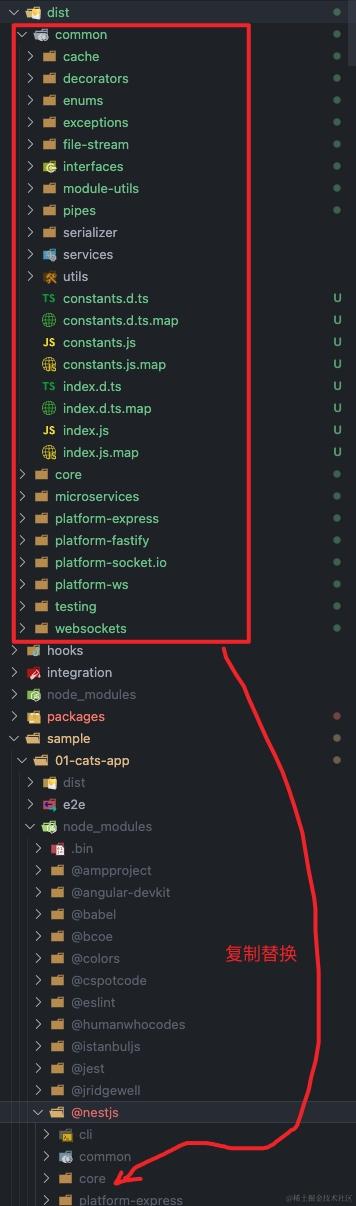
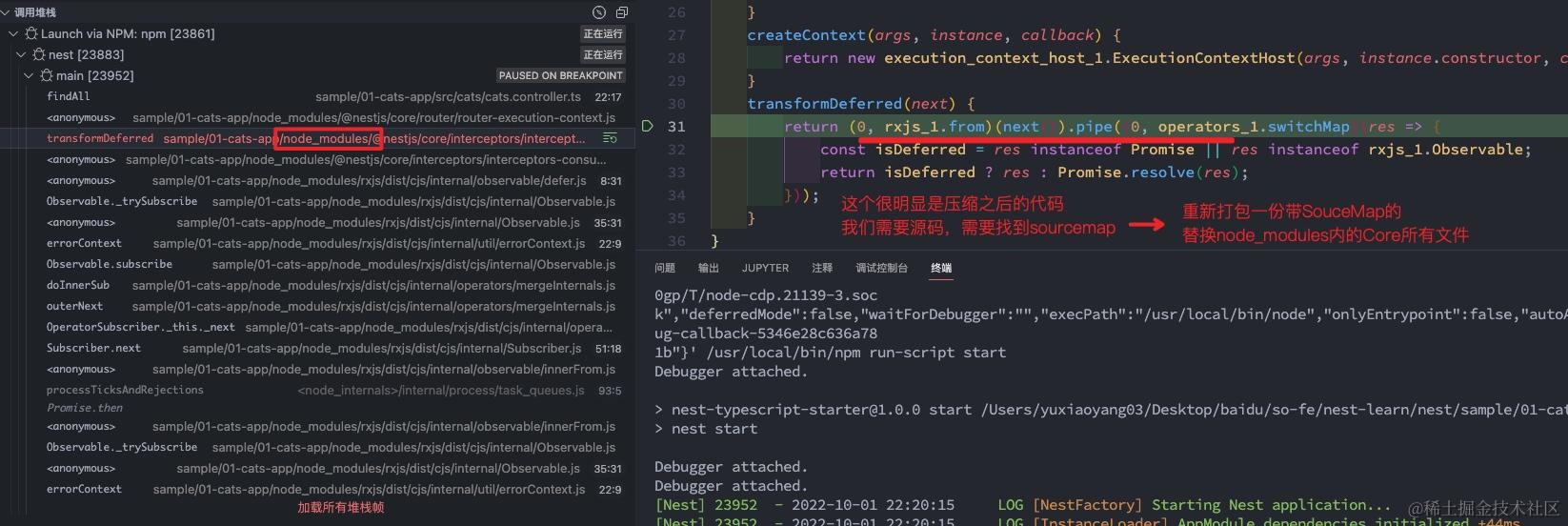
思路: 重新打包一份带SourceMap的代码替换掉node_modules内nest的core所有文件
- 配置launch.json 以npm的方式开启项目
{
    "version": "0.2.0",
    "configurations": [
        {
            "name": "Launch via NPM",
            "request": "launch",
            "runtimeArgs": [
                "run-script",
+                "start" // npm start开启项目
            ],
+           "cwd": "${workspaceFolder}/sample/01-cats-app", // 找到对应的项目
+           "console": "integratedTerminal", // 让开启任务在终端terminal内
            "runtimeExecutable": "npm",
+           "sourceMaps": true,
            "resolveSourceMapLocations": [
             "${workspaceFolder}/**",
-            "!**/node_modules/**" // 不要排除node_modules
          ],
            "skipFiles": [
                "<node_internals>/**"
            ],
            "type": "node"
        }

    ]
}
2.查看nest是怎么打包的?看代码是gulp
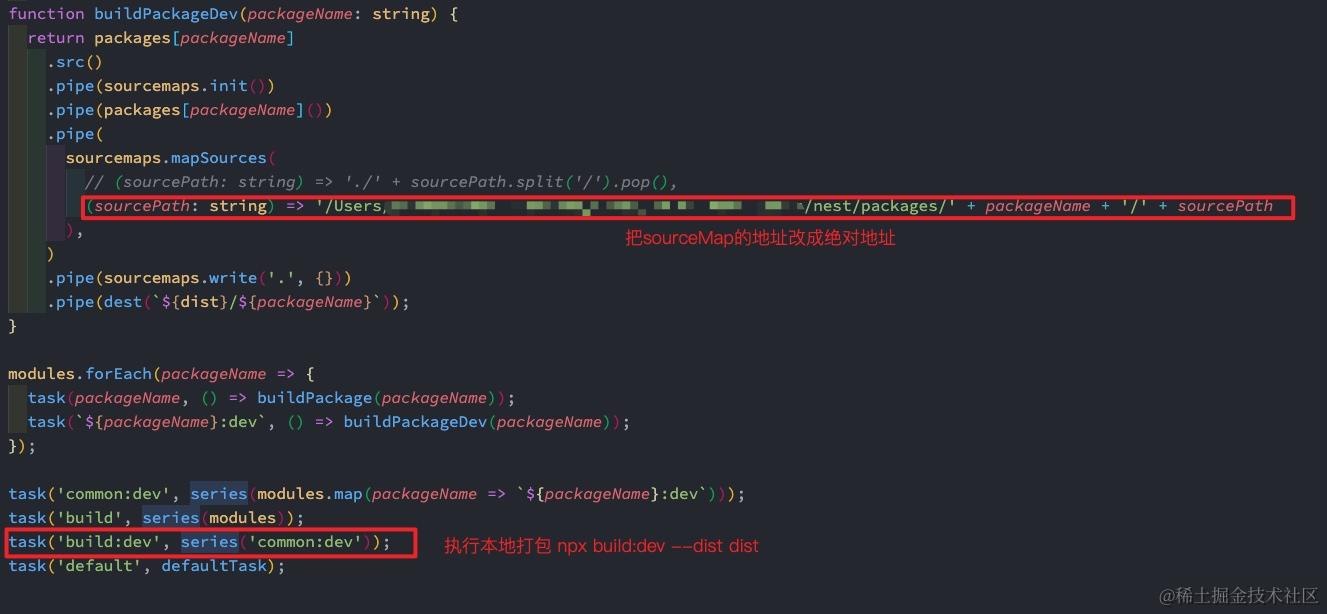
- 2.1 修改soucemap的地址为绝对路径
- 2.2 找到打包命令进行重新打包
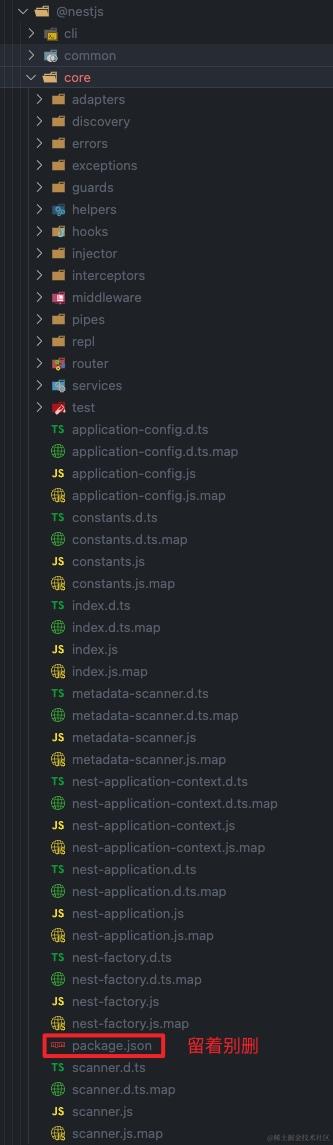
- 2.3 然后将打包出来的文件,替换掉01-cats-app内的node_modules里nest的源文件core内除package.json外的所有文件 因为打包后的内容里没有package.json
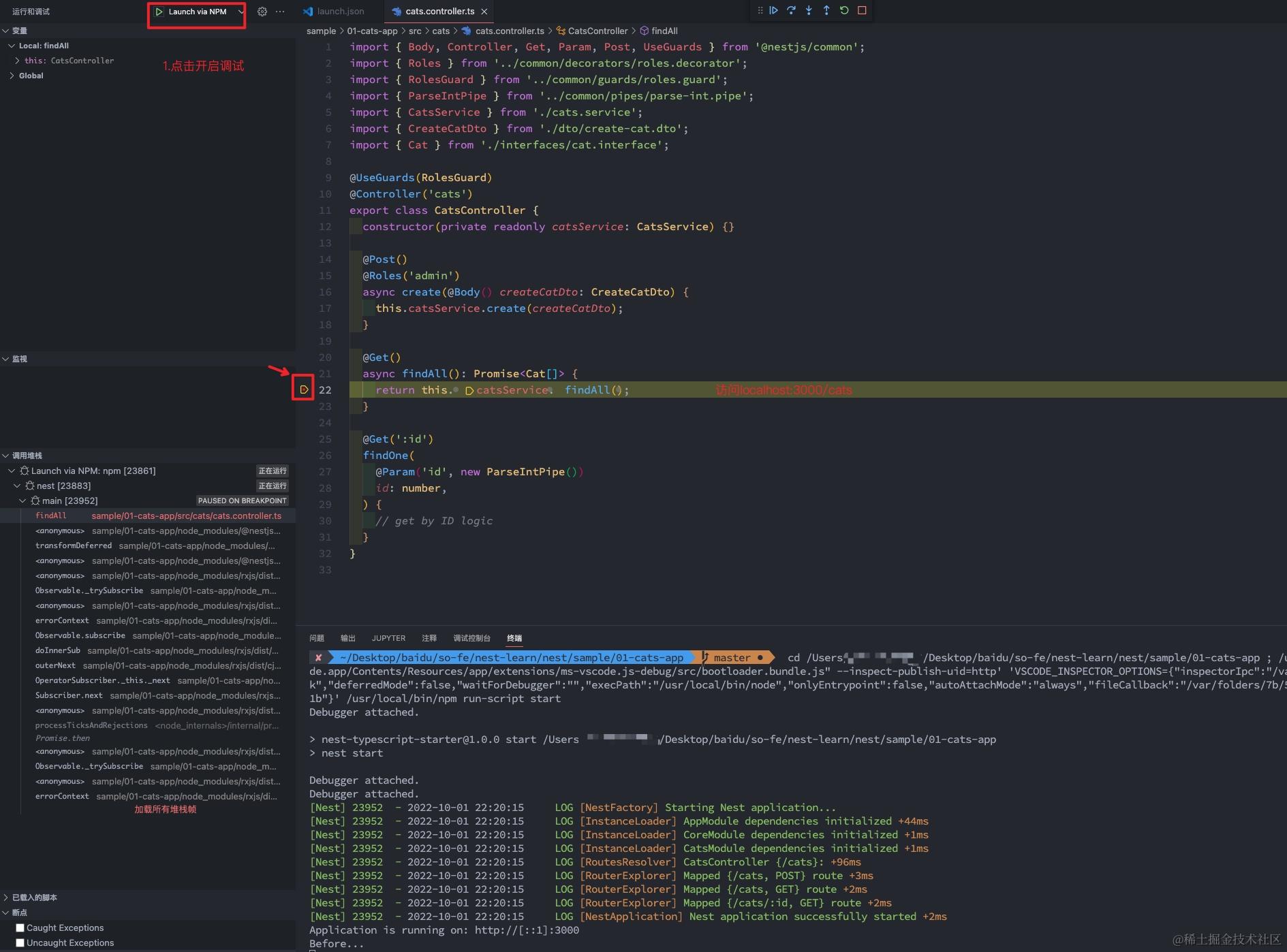
- 2.4 重新开启调试,即可看到堆栈信息已经是源码级别了,不再显示node_modules里的