

React架构
架构分层
为了便于理解, 可将 react 应用整体结构分为接口层(
api)和内核层(core)2 个部分
-
接口层(api)
react包, 平时在开发过程中使用的绝大部分api均来自此包(不是所有). 在react启动之后, 正常可以改变渲染的基本操作有 3 个.- class 组件中使用
setState() - function 组件里面使用 hook,并发起
dispatchAction去改变 hook 对象 - 改变 context(其实也需要
setState或dispatchAction的辅助才能改变)
以上
setState和dispatchAction都由react包直接暴露. 所以要想 react 工作, 基本上是调用react包的 api 去与其他包进行交互. - class 组件中使用
-
内核层(core)
整个内核部分, 由 3 部分构成:-
调度器
scheduler包, 核心职责只有 1 个, 就是执行回调.- 把
react-reconciler提供的回调函数, 包装到一个任务对象中. - 在内部维护一个任务队列, 优先级高的排在最前面.
- 循环消费任务队列, 直到队列清空.
- 把
-
构造器
react-reconciler包, 有 3 个核心职责:- 装载渲染器, 也就是吃一套渲染器提供的
HostConfig并用其实例化一个renderer 保证在需要的时候, 能够正确调用渲染器的 api, 生成实际节点(如:dom节点). - 接收
react-dom包(初次render)和react包(后续更新setState)发起的更新请求. - 将
fiber树的构造过程包装在一个回调函数中, 并将此回调函数传入到scheduler包等待调度.
- 装载渲染器, 也就是吃一套渲染器提供的
-
渲染器
react-dom包, 有 2 个核心职责:- 引导
react应用的启动(通过ReactDOM.render). - 实现
HostConfig协议(源码在 ReactDOMHostConfig.js 中), 能够将react-reconciler包构造出来的fiber树表现出来, 生成 dom 节点(浏览器中), 生成字符串(ssr).
- 引导
-
主干逻辑
结合上文的架构图:
-
输入: 将每一次更新(如: 新增, 删除, 修改节点之后)视为一次
更新需求(目的是要更新DOM节点). -
注册调度任务:
react-reconciler收到更新需求之后, 并不会立即构造fiber树, 而是去调度中心scheduler注册一个新任务task, 即把更新需求转换成一个task. -
执行调度任务(输出): 调度中心
scheduler通过任务调度循环来执行task(task的执行过程又回到了react-reconciler包中).fiber构造循环是task的实现环节之一, 循环完成之后会构造出最新的 fiber 树.commitRoot是task的实现环节之二, 把最新的 fiber 树最终渲染到页面上,task完成.
主干逻辑就是输入到输出这一条链路, 为了更好的性能(如批量更新, 可中断渲染等功能), react在输入到输出的链路上做了很多优化策略, 比如本文讲述的任务调度循环和fiber构造循环相互配合就可以实现可中断渲染.
整体流程
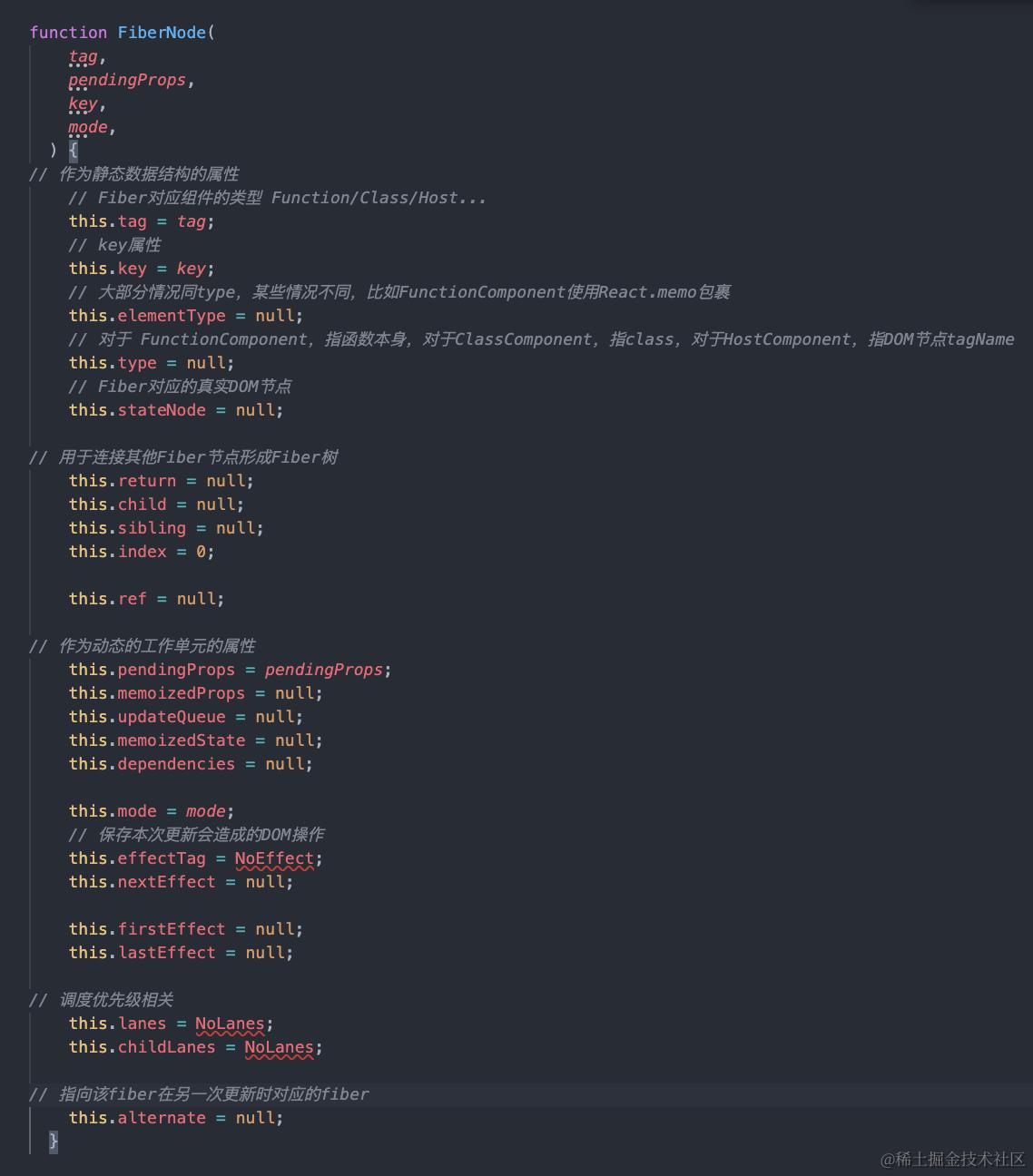
首先我们来认识一下Fiber节点长什么样:
首次挂载应用
先创建fiberRoot
调用 ReactDOM.createRoot(domContainer).render(<App />) 时创建
//调用createRootImpl创建fiberRoot
this._internalRoot = createRootImpl(container, tag, options);

function createRootImpl(
  container: Container,
  tag: RootTag,
  options: void | RootOptions,
) {

  // 1. 创建fiberRoot,current属性指向hostRootFiber
  const root = createContainer(container, tag:同步异步模式, hydrate, hydrationCallbacks);

  // 2. 标记dom对象, 把dom和hostRootFiber关联起来
  markContainerAsRoot(root.current, container);

  return root;
}
然后创建rootFiber
export function createHostRootFiber(tag: RootTag): Fiber {
    let mode;
    if (tag === ConcurrentRoot) {
      mode = ConcurrentMode | BlockingMode | StrictMode;
    } else if (tag === BlockingRoot) {
      mode = BlockingMode | StrictMode;
    } else {
      mode = NoMode;
    }
    return createFiber(HostRoot, null, null, mode);
  }
状态变化时
组件更新的第一步就是调用初始化时暴露的setXXX函数:dispatchSetState,然后创建update对象, 挂在hook.queue.pending上的环形链表。
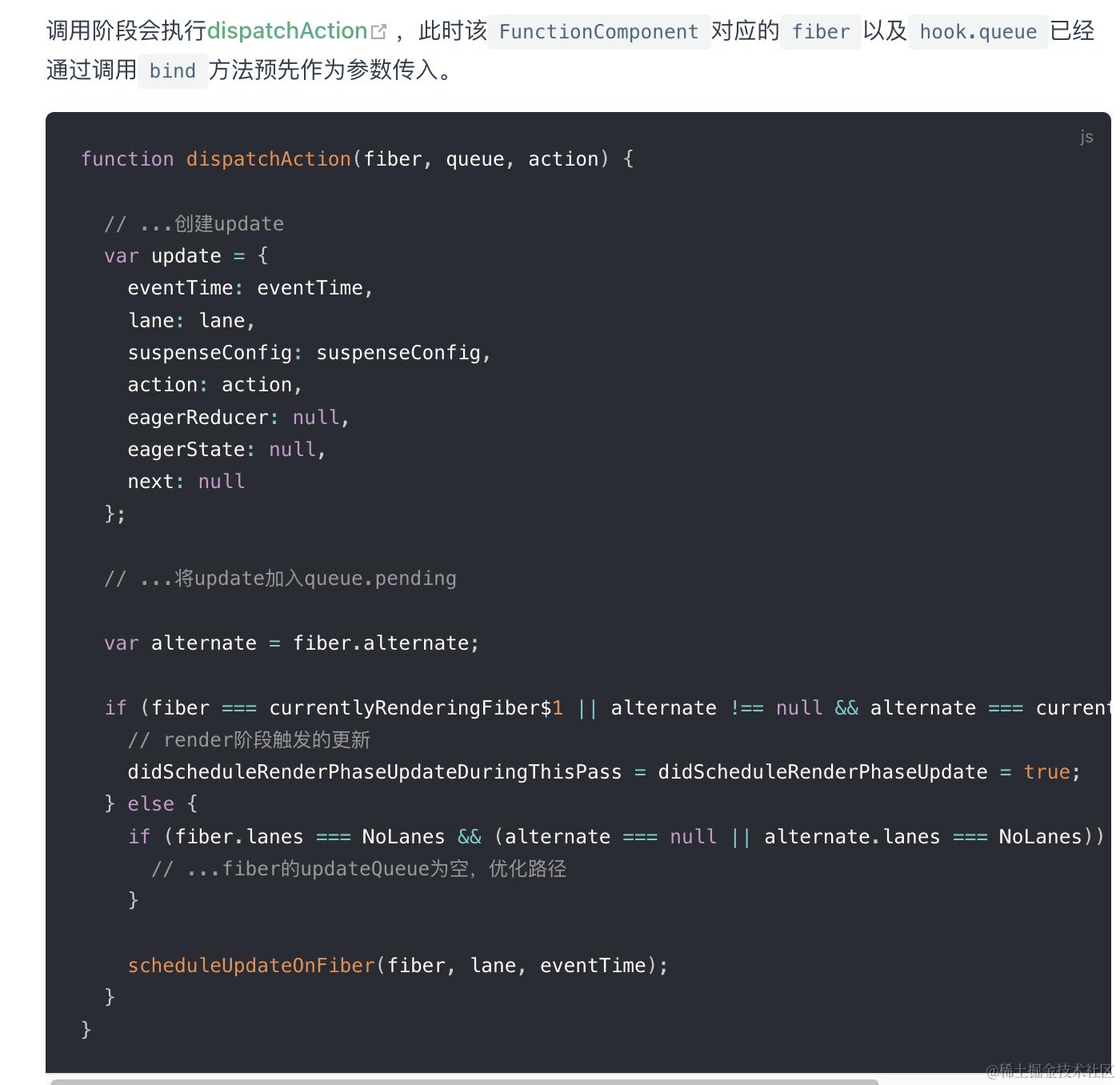
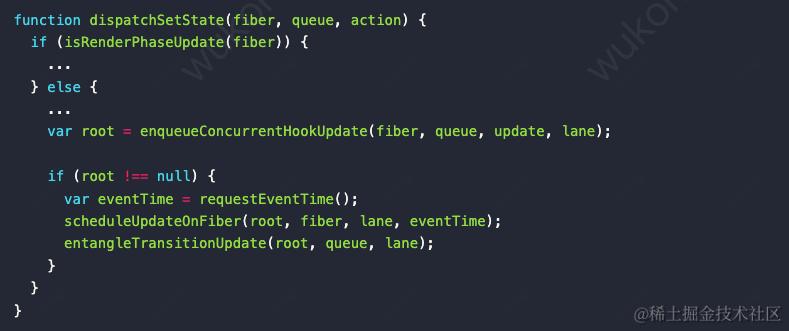
然后会执行enqueConcurrentHookUpdate把update对象挂到环形链表
之所以单向环形是因为react的更新是有优先级的,update的执行顺序并不是固定的,通过单向链表更新可能会导致第一个update丢失。而环形链表一个显然的优势就是可以从任何节点开始循环链表,由此保证了状态依赖的连续性
先创建Update对象
字段意义如下:
-
eventTime:任务时间,通过performance.now()获取的毫秒数。由于该字段在未来会重构,当前我们不需要理解他。
-
lane:优先级相关字段。当前还不需要掌握他,只需要知道不同
Update优先级可能是不同的,后面会深入讲解 -
suspenseConfig:
Suspense相关,暂不关注。 -
tag:更新的类型,包括
UpdateState|ReplaceState|ForceUpdate|CaptureUpdate。 -
payload:更新所承载的数据,不同类型的Fiber节点更新时挂载的数据不同,举几个例子
对于ClassComponent,payload为this.setState的第一个传参。
payload: {
    count: 999, // 根节点需要渲染的 React 元素
  },
对于HostRoot,payload为ReactDOM.render的第一个传参。
 payload: {
    element: <App />, // 根节点需要渲染的 React 元素
  },
对于FunctionComponent, payload为一个dispatch action:
payload: {
    action: 1, // 新的状态值(count + 1)
}
对于HostComponent, payload为一个DOM属性对象
payload: {
 className: 'active', // 新的 className 值
}
(HostRoot为执行ReactDom.render的组件对应Fiber节点,HostComponent为原生DOM元素对应Fiber节点)
-
callback:更新的回调函数。即在commit 阶段的 layout 子阶段中的回调函数, 例如setState的回调
-
next:与其他
Update连接形成链表。
然后把Update对象关联到更新所在的Fiber节点上
在React中,只有三种类型的Fiber节点需要关心Update对象,因为只有它们需要更新维护React内部状态
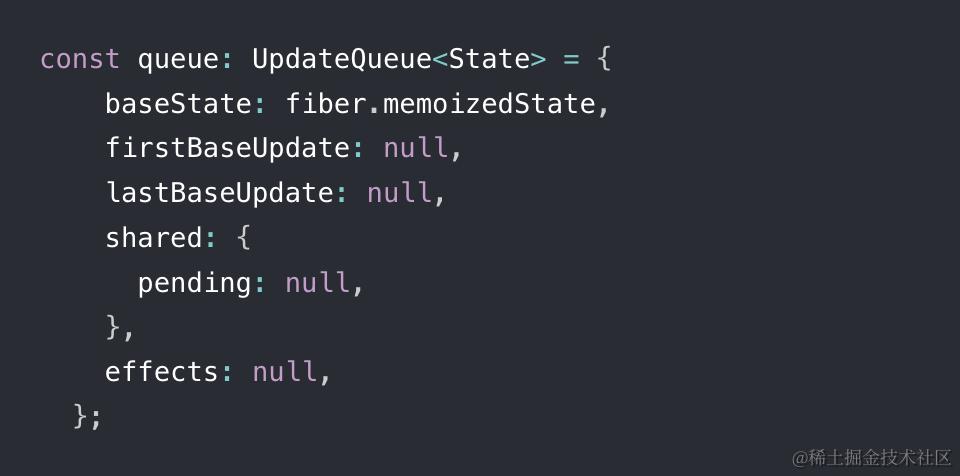
- ClassComponent和HostRoot:更新fiber的updatequeue
-
baseState:本次更新前该Fiber节点的state
-
firstBaseUpdate与lastBaseUpdate:本次更新前该Fiber节点已保存的Update。以链表形式存在,链表头为firstBaseUpdate,链表尾为lastBaseUpdate。之所以在更新产生前该Fiber节点内就存在Update,是由于某些Update优先级较低所以在上次render阶段由Update计算state时被跳过。 -
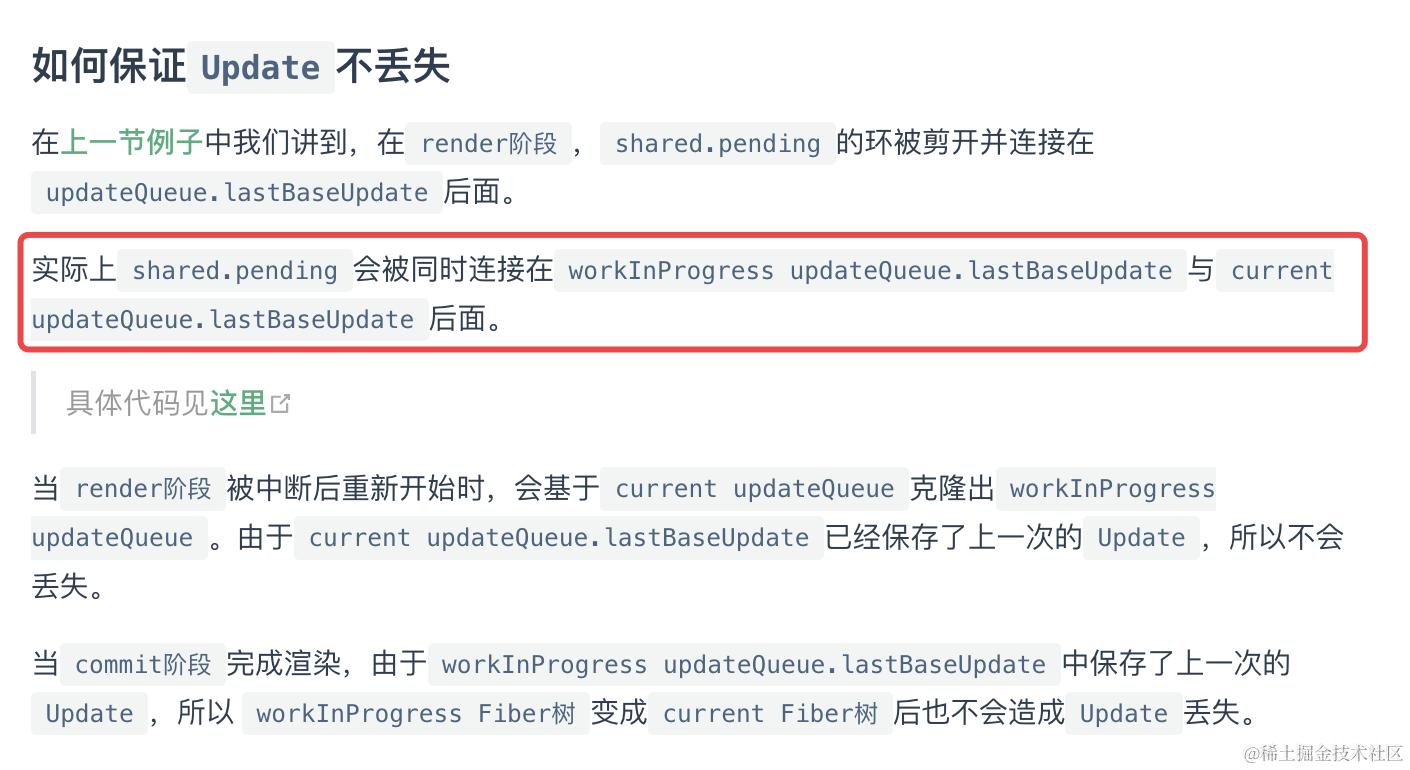
shared.pending:触发更新时,产生的Update会保存在shared.pending中形成单向环状链表。当由Update计算state时这个环会被剪开并连接在lastBaseUpdate后面。 -
effects:数组。保存
update.callback !== null的Update。
举例说明
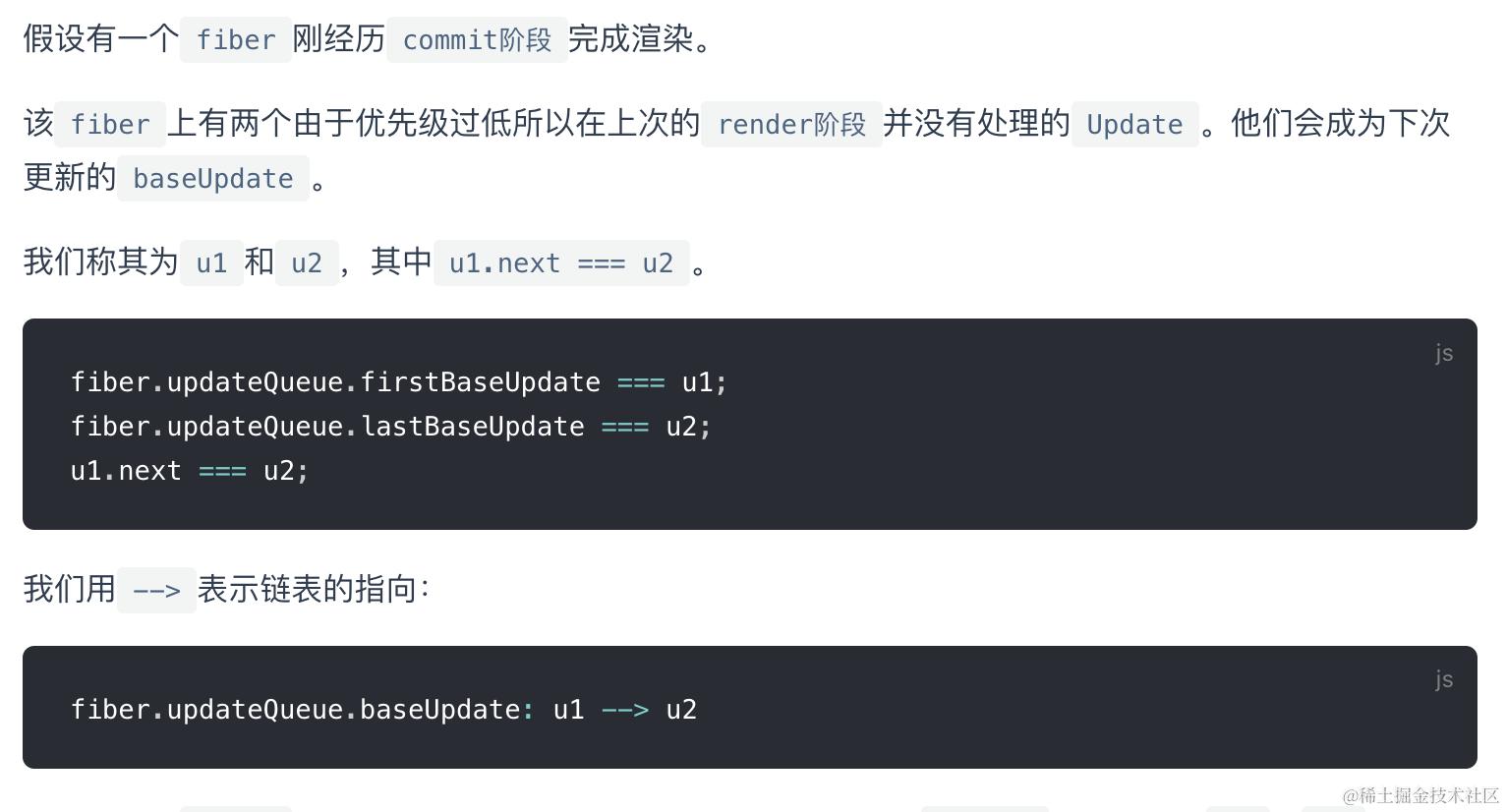
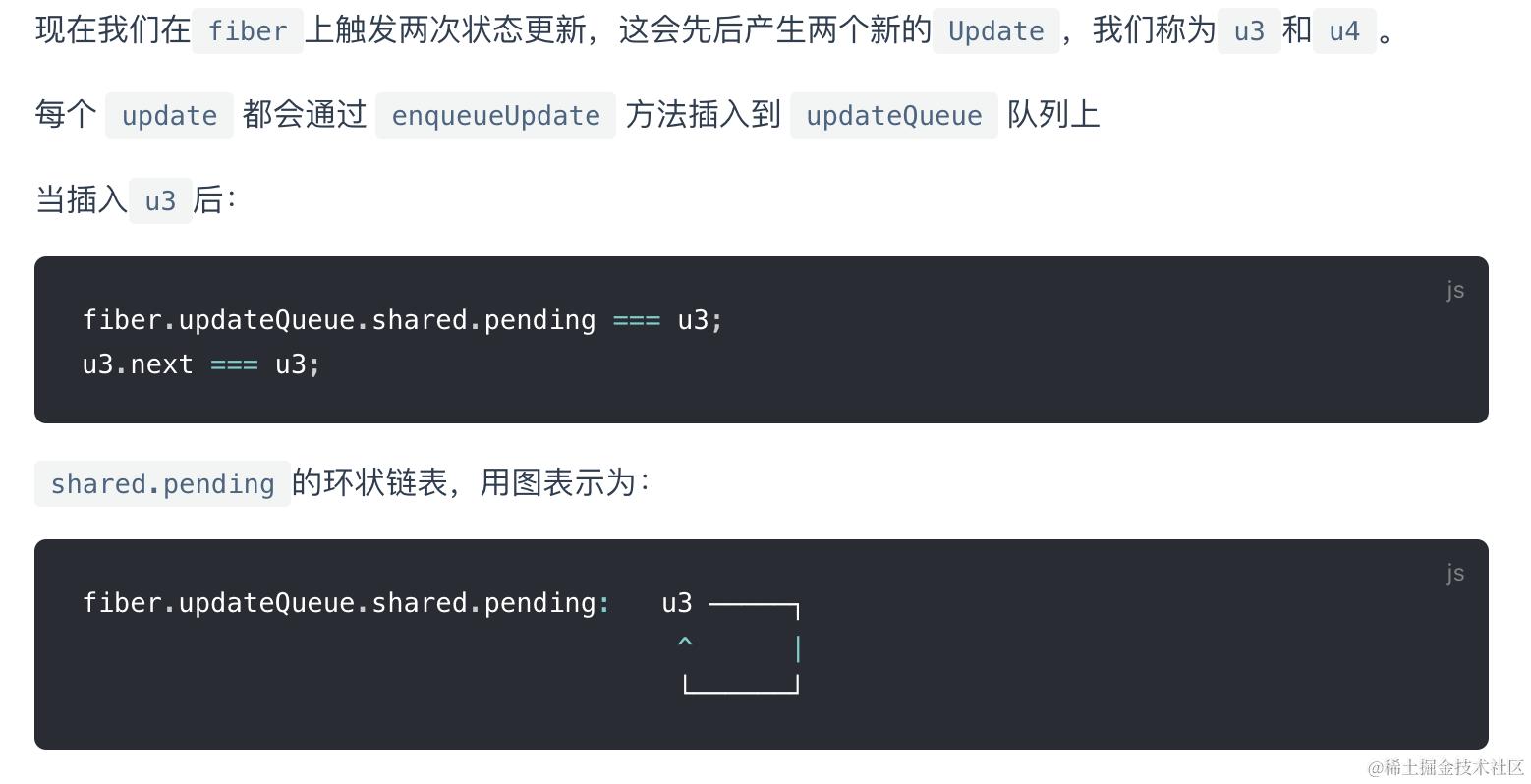
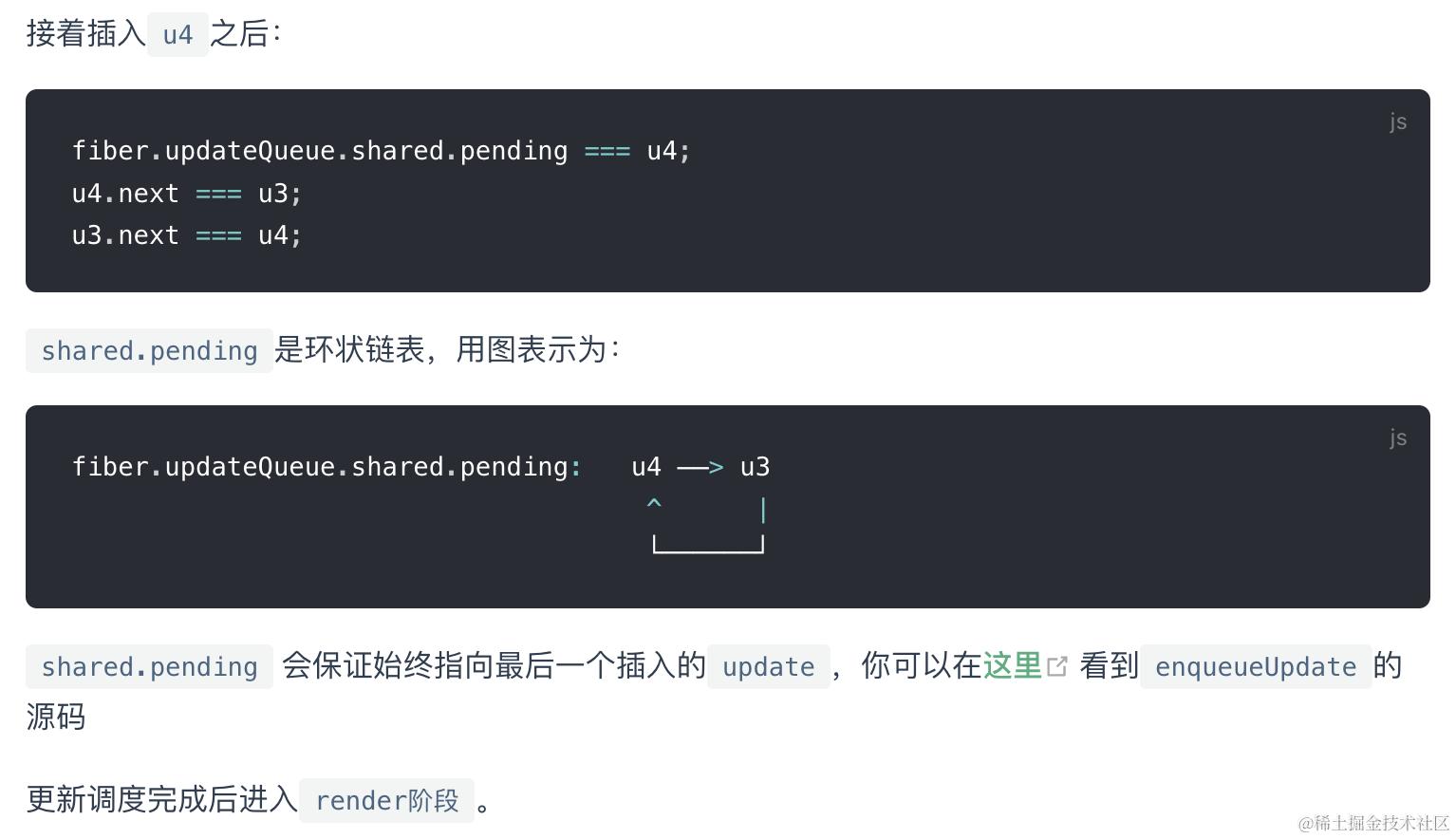
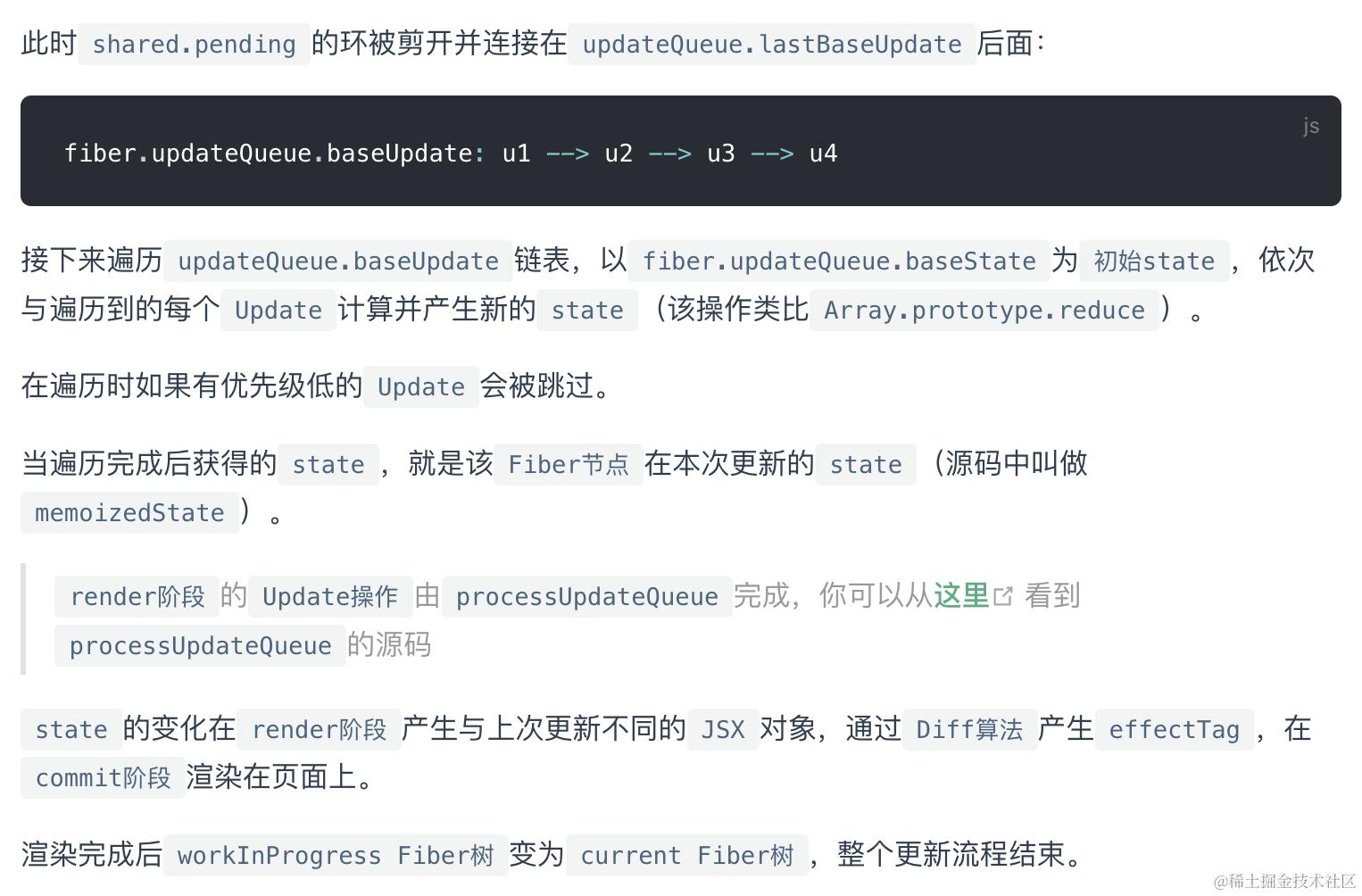
- Function Component的updatequeue
function fiber上不直接挂载updatequeue,而是每个hook上有一个单独的queue链表,然后hook们又整体接成一个链表
上文是整体概念,下文详细展开全过程
详细源码
Scheduler阶段 根据优先级分发任务
阶段一: 构造update对象并入队
三种方式发起更新的入口函数不同
- 类组件的setState enqueueSetState -> scheduleUpdateOnFiber
- 函数组件调用hook暴露的dispatchAction -> scheduleUpdateOnFiber
- ReactDOM.render updateContainer -> scheduleUpdateOnFiber
然后1,2,3 => markUpdateLaneFromFibertoRoot -> ensureRootIsScheduled
1,3: updateContainer/enqueueSetState
    // 获取当前触发更新的fiber节点。inst是组件实例

    const fiber = getInstance(inst);

    // eventTime是当前触发更新的时间戳

    const eventTime = requestEventTime();

    const suspenseConfig = requestCurrentSuspenseConfig();

    // 获取本次update的优先级

    const lane = requestUpdateLane(fiber, suspenseConfig);

    // 创建update对象

    const update = createUpdate(eventTime, lane, suspenseConfig);
    update.payload = {element}

    // payload就是setState的参数,回调函数或者是对象的形式。

    // 处理更新时参与计算新状态的过程

    update.payload = payload;

    // 将update放入fiber的updateQueue

    enqueueUpdate(fiber, update);

    // 开始进行调度

    scheduleUpdateOnFiber(fiber, lane, eventTime);

  }
2: dispatchAction
function dispatchAction(fiber, queue, action) {
   // 1. 创建update对象
  const eventTime = requestEventTime();
  const lane = requestUpdateLane(fiber); // 确定当前update对象的优先级
  const update: Update<S, A> = {
    lane,
    action,
    eagerReducer: null,
    eagerState: null,
    next: (null: any),
  };
  // 2. 将update对象添加到当前Hook对象的updateQueue队列当中
  const pending = queue.pending;
  if (pending === null) {
    update.next = update;
  } else {
    update.next = pending.next;
    pending.next = update;
  }
  queue.pending = update;

  // 调度更新
  scheduleUpdateOnFiber(fiber, lane, eventTime);
}
- 首先拿到有更新的组件所对应的fiber节点,然后获取当前这个update产生的时间,这与更新的饥饿问题相关,我们暂且不考虑,而且下一步的suspenseConfig可以先忽略
- 获取本次更新优先级,事件触发更新时,React合成事件机制调用
scheduler中的runWithPriority函数,会将事件优先级转化为scheduler内部的优先级并记录下来。当调用requestUpdateLane计算lane的时候,会去获取scheduler中的优先级,然后通过schedulerPrioritytoLanePriority转化为lane优先级
requestUpdateLane
function requestUpdateLane(fiber: Fiber): Lane {
  // Special cases
  const mode = fiber.mode;
  if ((mode & BlockingMode) === NoMode) {
    // legacy 模式
    return (SyncLane: Lane);
  } else if ((mode & ConcurrentMode) === NoMode) {
    // blocking模式
    return getCurrentPriorityLevel() === ImmediateSchedulerPriority
      ? (SyncLane: Lane)
      : (SyncBatchedLane: Lane);
  }
  // concurrent模式
  if (currentEventWipLanes === NoLanes) {
    currentEventWipLanes = workInProgressRootIncludedLanes;
  }
  const isTransition = requestCurrentTransition() !== NoTransition;
  if (isTransition) {
    // 特殊情况, 处于suspense过程中
    if (currentEventPendingLanes !== NoLanes) {
      currentEventPendingLanes =
        mostRecentlyUpdatedRoot !== null
          ? mostRecentlyUpdatedRoot.pendingLanes
          : NoLanes;
    }
    return findTransitionLane(currentEventWipLanes, currentEventPendingLanes);
  }
  // 正常情况, 获取调度优先级
  const schedulerPriority = getCurrentPriorityLevel();
  let lane;
  if (
    (executionContext & DiscreteEventContext) !== NoContext &&
    schedulerPriority === UserBlockingSchedulerPriority
  ) {
    // executionContext 存在输入事件. 且调度优先级是用户阻塞性质
    lane = findUpdateLane(InputDiscreteLanePriority, currentEventWipLanes);
  } else {
    // 调度优先级转换为车道模型
    const schedulerLanePriority =
      schedulerPriorityToLanePriority(schedulerPriority);
    lane = findUpdateLane(schedulerLanePriority, currentEventWipLanes);
  }
  return lane;
}
返回一个合适的 update 优先级
legacy 模式: 返回SyncLane
blocking 模式: 返回SyncLane
concurrent 模式: 正常情况下, 根据当前的调度优先级来生成一个lane. 特殊情况下(处于 suspense 过程中), 会优先选择TransitionLanes通道中的空闲通道(如果所有TransitionLanes通道都被占用, 就取最高优先级. 源码).
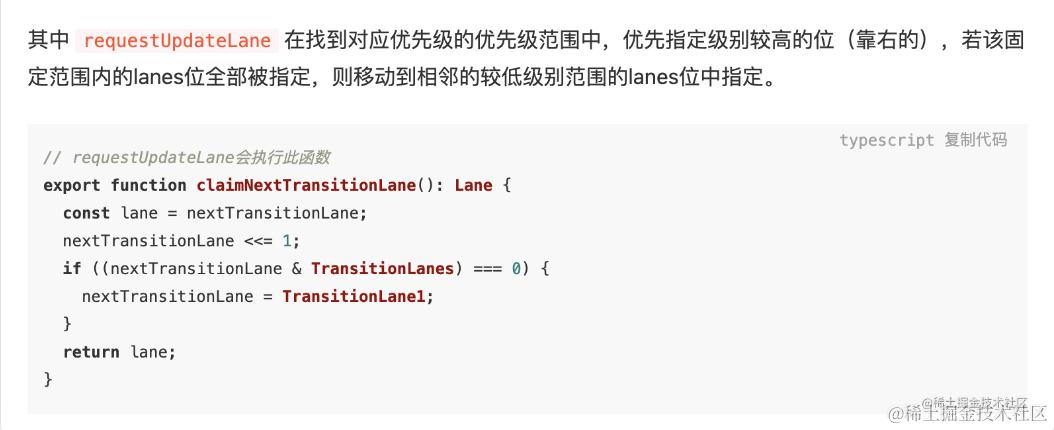 3. 创建update对象,可以看到update.payload = {element},这就是我们在Update一节中提到的对于
HostRoot,payload为ReactDOM.render的第一个传参
在后续render阶段的beginWork:
会根据该update对象计算新的state,再通过新的state生成新的jsx,再通过diff比对新的jsx和老fiber,生成新fiber
每个fiber节点上产生创建的update对象们会被连成链表存在各自的fiber.updateQueue.baseUpdate属性上(firstbaseup -> lastbaseup ->share.pending们)
阶段2: 开始调度
scheduleUpdateOnFiber
这是React调度的真正入口,第二步从产生更新的节点开始,往上一直循环到root,目的是将fiber.lanes一直向上收集,收集到父级节点的childLanes中,childLanes是识别这个fiber子树是否需要更新的关键。在root上标记更新,也就是将update的lane放到root.pendingLanes中,每次渲染的优先级基准:renderLanes就是取自pendingLanes中最紧急的那一部分lanes。
// 第一步,检查是否有无限更新

  checkForNestedUpdates();

  ...

  // 第二步,向上收集fiber.childLanes

  const root = markUpdateLaneFromFiberToRoot(fiber, lane);

  ...


  // 第三步,在root上标记更新,将update的lane放到root.pendingLanes

  markRootUpdated(root, lane, eventTime){
      root.pendingLanes |= updateLane;
            ...
  };


  // 获取优先级等级,Immediate,normal, idle等

  const priorityLevel = getCurrentPriorityLevel();


  if (lane === SyncLane) {

    // 本次更新是同步的,例如传统的同步渲染模式

    if (

      (executionContext & LegacyUnbatchedContext) !== NoContext &&

      (executionContext & (RenderContext | CommitContext)) === NoContext

    ) {

      // 如果是本次更新是同步的,并且当前还未渲染,意味着主线程空闲,并没有React的

      // 更新任务在执行,直接进行Fiber构造
      ...


      performSyncWorkOnRoot(root);

    } else {

      // 如果是本次更新是同步的,不过当前有React更新任务正在进行,

      // 而且因为无法打断,所以调用ensureRootIsScheduled

      // 目的是去复用已经在更新的任务,让这个已有的任务

      // 把这次更新顺便做了

      ensureRootIsScheduled(root, eventTime);

      ...


    这里包含了一个热点问题(setState到底是同步还是异步)的标准答案:

如果逻辑进入flushSyncCallbackQueue(executionContext === NoContext), 则会主动取消调度, 并刷新回调, 立即进入fiber树构造过程. 当执行setState下一行代码时, fiber树已经重新渲染了, 故setState体现为同步.
正常情况下, 不会取消schedule调度. 由于schedule调度是通过MessageChannel触发(宏任务), 故体现为异步.

    if (executionContext === NoContext) {
    // 如果执行上下文为空, 会取消调度任务, 手动执行callback,进行fiber树构造
        flushSyncCallbackQueue();
      }


    }

  } else {
    // 离散上下文代表用户事件
      if (
            (executionContext & DiscreteEventContext) !== NoContext &&
            (priorityLevel === UserBlockingSchedulerPriority ||
              priorityLevel === ImmediateSchedulerPriority)
      ){
    ...

        // Schedule other updates after in case the callback is sync.

        // 如果是更新是异步的,调用ensureRootIsScheduled去进入异步调度

        ensureRootIsScheduled(root, eventTime);

        schedulePendingInteractions(root, lane);
    }
  }
markUpdateLaneFromFiberToRoot
只在对比更新阶段才发挥出它的作用, 它从sourceFiber一路向上合并childLane至RootFiber, 设置这些节点的fiber.lanes或fiber.childLanes(在legacy模式下为SyncLane), 这样fiber树构造阶段就能通过检查父根上有哪些Lane,来快速找到需要更新的节点(有Lane的就需要更新,没有的就跳过)
function markUpdateLaneFromFiberToRoot(
  sourceFiber: Fiber, // sourceFiber表示被更新的节点
  lane: Lane, // lane表示update优先级
): FiberRoot | null {

  // 1. 将update优先级设置到sourceFiber.lanes
  sourceFiber.lanes = mergeLanes(sourceFiber.lanes, lane);
  let alternate = sourceFiber.alternate;
  if (alternate !== null) {
    // 同时设置sourceFiber.alternate的优先级
    alternate.lanes = mergeLanes(alternate.lanes, lane);
  }

  // 2. 从sourceFiber开始, 向上遍历所有节点, 直到HostRoot. 设置沿途所有节点(包括alternate)的childLanes
  let node = sourceFiber;
  let parent = sourceFiber.return;
  while (parent !== null) {
    parent.childLanes = mergeLanes(parent.childLanes, lane);
    alternate = parent.alternate;
    if (alternate !== null) {
      alternate.childLanes = mergeLanes(alternate.childLanes, lane);
    }
    node = parent;
    parent = parent.return;
  }
  if (node.tag === HostRoot) {
    const root: FiberRoot = node.stateNode;
    return root;
  } else {
    return null;
  }
}
协调阶段在beginWork中去跳过无更新lane的节点
阶段3: 注册调度任务
ensureRootIsScheduled
function ensureRootIsScheduled(root: FiberRoot, currentTime: number) {

// 前半部分: 判断是否需要注册新的调度

    const existingCallbackNode = root.callbackNode;
    //检查是否有低优先级更新一直被高优先级更新耽误,有的话标记为过期加入root.expireLane使其在getNextLane中优先被取到,避免被饥饿
    markStarvedLanesAsExpired(root, currentTime);

// Determine the next lanes to work on, and their priority.
//获取本次需要调度的最高优先级更新
const nextLanes = getNextLanes(
  root,
  root === workInProgressRoot ? workInProgressRootRenderLanes : NoLanes,
);
// This returns the priority level computed during the `getNextLanes` call.
const newCallbackPriority = returnNextLanesPriority();
    //当前根节点下没有需要执行的任务
if (nextLanes === NoLanes) {
  if (existingCallbackNode !== null) {
	cancelCallback(existingCallbackNode);
	root.callbackNode = null;
	root.callbackPriority = NoLanePriority;
  }
  return;
}

// 检查是否有已存在正在被调度的任务,也许可以复用
if (existingCallbackNode !== null) {
  const existingCallbackPriority = root.callbackPriority;
  // 当某一优先级任务正在渲染时,进来一个低优先级的任务,恰好这两个任务的优先级不同
  // 理论上,前者的优先级获取到的callbackPriority是一个,后者的优先级获取到的
  // callbackPriority是另一个,二者肯定不相同。

  // 但是,getHighestPriorityLanes总会获取到本次renderLanes里优先级最高的那
  // 些lanes,所以获取到的callbackPriority总是高优先级任务的,低优先级任务的callbackPriority
  // 无法获取到。也就是说,即使低优先级任务的lanes被加入了renderLanes,但是获取
  // 到的还是先前已经在执行的高优先级任务的lane,即:如果existingCallbackPriority
  // 和 newCallbackPriority不相等,说明newCallbackPriority 一定大于 existingCallbackPriority
  // 所以要取消掉原有的低优先级任务,相等的话说明没必要再重新调度一个,直接复用已有的任务
  // 去做更新(比如重复连续setState,会在一个task做batch更新)
if (existingCallbackNode !== null) {
  const existingCallbackPriority = root.callbackPriority;
  // 比较新旧任务优先级
  if (existingCallbackPriority === newCallbackPriority) {
    return; // 优先级相同,无需重新调度
  }
  // 新任务优先级更高:取消当前任务
  cancelCallback(existingCallbackNode);

    }
}

// 后半部分: 调度一个新任务
let newCallbackNode;
if (newCallbackPriority === SyncLanePriority) {
  // Special case: Sync React callbacks are scheduled on a special
  // internal queue
  // 若新任务的优先级为同步优先级,则同步调度,传统的同步渲染会走这里
  newCallbackNode = scheduleSyncCallback(
	performSyncWorkOnRoot.bind(null, root),
  );
} else if (newCallbackPriority === SyncBatchedLanePriority) {
  // https://github.com/facebook/react/pull/19469
  // 同步模式到concurrent模式的过渡模式: blocking模式会走这里
  newCallbackNode = scheduleCallback(
	ImmediateSchedulerPriority,
	performSyncWorkOnRoot.bind(null, root),
  );
} else {
  // concurrent模式的渲染会走这里

  // 根据任务优先级获取调度优先级
  const schedulerPriorityLevel = lanePriorityToSchedulerPriority(
	newCallbackPriority,
  );

  // 将React的更新任务放到Scheduler中去调度,调度优先级是schedulerPriorityLevel
  newCallbackNode = scheduleCallback(
	schedulerPriorityLevel,
	performConcurrentWorkOnRoot.bind(null, root),
  );
}

// 更新root上任务相关的字段
root.callbackPriority = newCallbackPriority;
root.callbackNode = newCallbackNode;
}
现在我们拥有一个rootFiber,该rootFiber对应的Fiber树中某个Fiber节点包含一个Update。 接下来通知Scheduler根据更新的优先级,决定以同步还是异步的方式调度本次更新。
其中,scheduleCallback和scheduleSyncCallback会调用Scheduler提供的调度方法runWithPriority根据优先级调度回调函数执行。
这里调度真正执行的回调函数为performSync/ConcurrentWork,即reconciler阶段的入口函数。
Reconciler工作阶段 创建React Elements和对应Fiber树
在组件mount时,JSX被转译成React Element对象,Reconciler根据React Element对象描述的内容生成对应的Fiber节点
在update时,Reconciler通过Update对象计算出新的state,然后调用组件render方法生成新的JSX => 新的React Element对象描述的内容和老的Fiber节点保存的数据对比,生成新的Fiber节点,并根据对比结果为Fiber节点打上标记。
可以看到, 无论是Legacy还是Concurrent模式, 在正式render之前, 都会调用getNextLanes获取一个优先级
function getNextLanes(root: FiberRoot, wipLanes: Lanes): Lanes {
  // 1. check是否有等待中的lanes
  const pendingLanes = root.pendingLanes;
  if (pendingLanes === NoLanes) {
    return_highestLanePriority = NoLanePriority;
    return NoLanes;
  }
  let nextLanes = NoLanes;
  let nextLanePriority = NoLanePriority;
  const expiredLanes = root.expiredLanes;
  const suspendedLanes = root.suspendedLanes;
  const pingedLanes = root.pingedLanes;
  // 2. check是否有已过期的lanes
  if (expiredLanes !== NoLanes) {
    nextLanes = expiredLanes;
    nextLanePriority = return_highestLanePriority = SyncLanePriority;
  } else {
    const nonIdlePendingLanes = pendingLanes & NonIdleLanes;
    if (nonIdlePendingLanes !== NoLanes) {
      // 非Idle任务 ...
    } else {
      // Idle任务 ...
    }
  }
  if (nextLanes === NoLanes) {
    return NoLanes;
  }
  return nextLanes;
}
getNextLanes会根据fiberRoot对象上的属性(expiredLanes, suspendedLanes, pingedLanes等), 确定出当前最紧急的lanes作为本次渲染的renderLane.
此处返回的lanes会作为全局渲染的优先级, 用于fiber树构造过程中. 针对fiber对象或update对象, 只要它们的优先级(如: fiber.lanes和update.lane)比renderLane低, 都将会被忽略.
同步模式调用
renderRootSync
function renderRootSync(root: FiberRoot, lanes: Lanes) {
  const prevExecutionContext = executionContext;
  executionContext |= RenderContext;
  // 如果fiberRoot变动, 或者update.lane变动, 都会刷新栈帧, 丢弃上一次渲染进度
  if (workInProgressRoot !== root || workInProgressRootRenderLanes !== lanes) {
    // 刷新栈帧, legacy模式下都会进入
    prepareFreshStack(root, lanes);
  }
  do {
    try {
      workLoopSync();
      break;
    } catch (thrownValue) {
      handleError(root, thrownValue);
    }
  } while (true);
  executionContext = prevExecutionContext;
  // 重置全局变量, 表明render结束
  workInProgressRoot = null;
  workInProgressRootRenderLanes = NoLanes;
  return workInProgressRootExitStatus;
}
进而调用workLoopSync,不断移动workInProgress指针,深度遍历JSX组件树,构建Fiber树
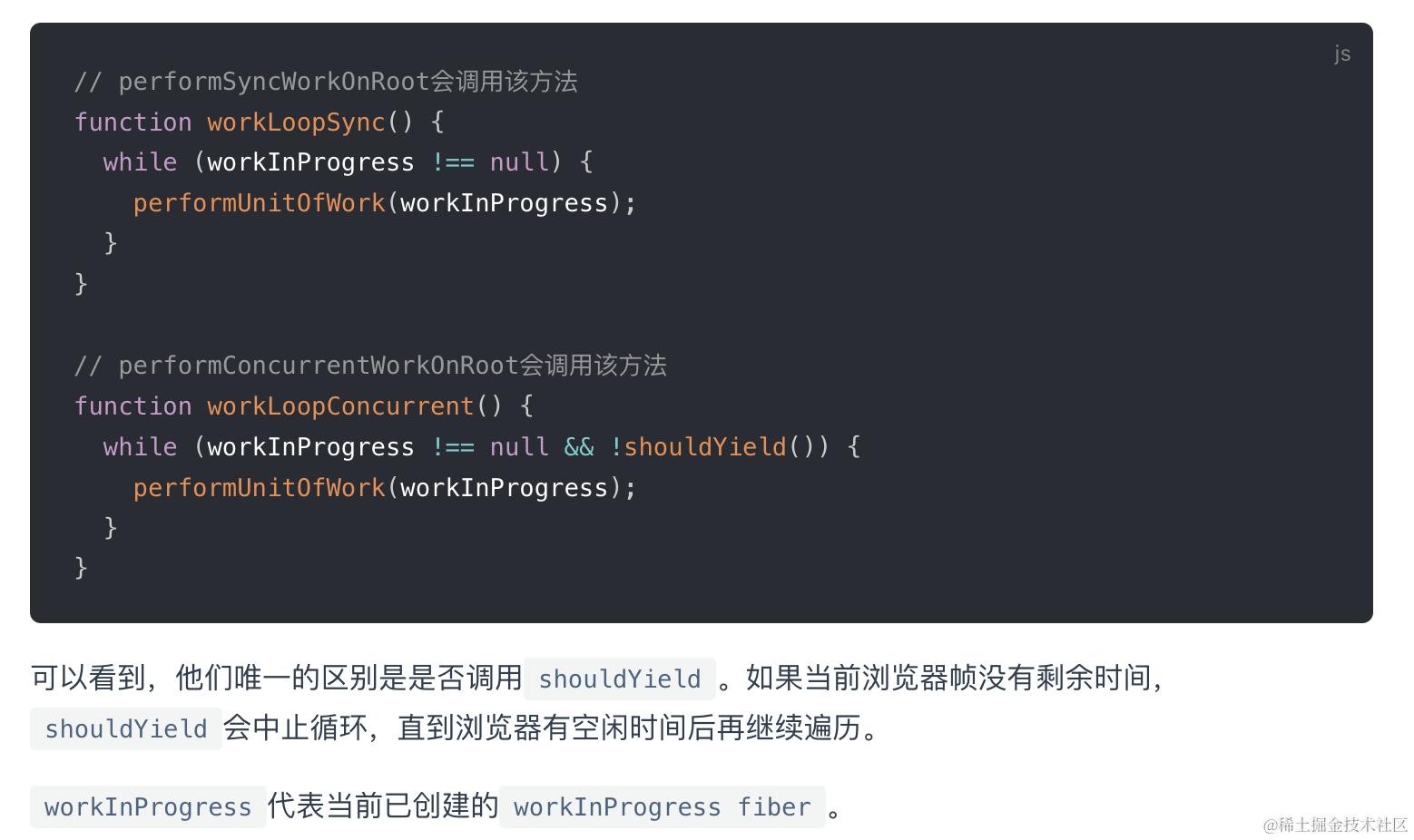
shouldYield相关见后文调度原理章节
异步模式调用
renderRootCocurrent
最终同步异步都会调用
performUnitOfWork方法
// ... 省略部分无关代码
function performUnitOfWork(unitOfWork: Fiber): void {
  // unitOfWork就是被传入的workInProgress
  const current = unitOfWork.alternate;
  let next;
  next = beginWork(current, unitOfWork, subtreeRenderLanes);
  unitOfWork.memoizedProps = unitOfWork.pendingProps;
  if (next === null) {
    // 如果没有派生出新的节点, 则进入completeWork阶段, 传入的是当前unitOfWork
    completeUnitOfWork(unitOfWork);
  } else {
    workInProgress = next;
  }
}
递归创建下一个Fiber节点并赋值给workInProgress,并将workInProgress与已创建的Fiber节点连接起来构成Fiber树。
递 首先从
rootFiber开始向下深度优先遍历。为遍历到的每个Fiber节点调用beginWork方法
该方法会根据传入的Fiber节点创建子Fiber节点,并将这两个Fiber节点连接起来。
当遍历到叶子节点(即没有子组件的组件)时就会进入“归”阶段。
归 在“归”阶段会调用completeWork处理
Fiber节点。
当某个Fiber节点执行完completeWork,如果其存在兄弟Fiber节点(即fiber.sibling !== null),会进入其兄弟Fiber的“递”阶段。
如果不存在兄弟Fiber,会进入父级Fiber的“归”阶段。
“递”和“归”阶段会交错执行直到“归”到rootFiber。至此,render阶段的工作就结束了。
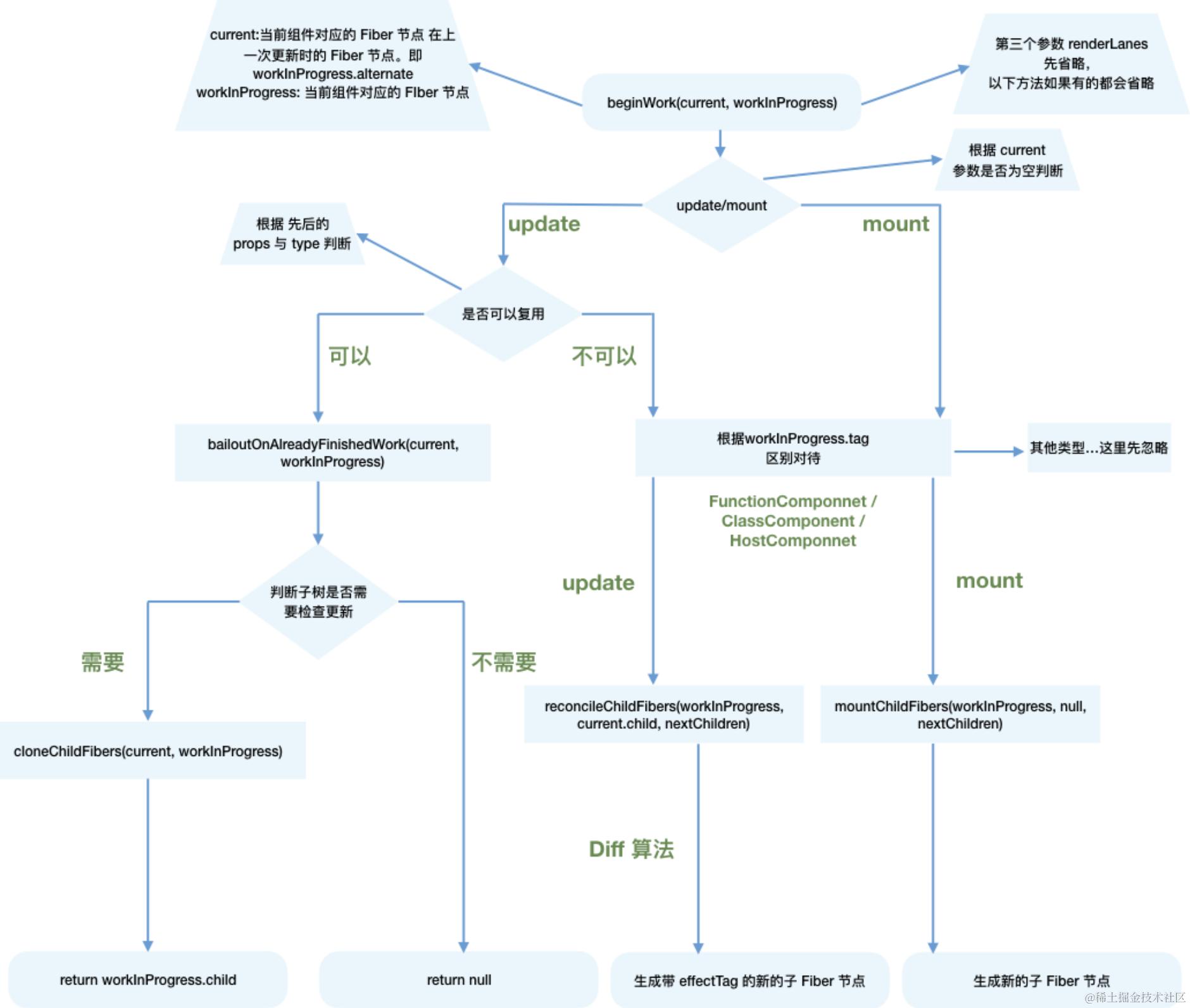
beginWork (根据JSX构建Fiber)
-
fiber.lanes: 代表本节点的优先级 -
fiber.childLanes: 代表子节点的优先级
从FiberNode的构造函数中可以看出,fiber.lanes和fiber.childLanes的初始值都为NoLanes, 在fiber树构造过程中, 使用全局的渲染优先级(renderLanes)和fiber.lanes判断fiber节点是否更新- 如果全局的渲染优先级
renderLanes不包括fiber.lanes, 证明该fiber节点没有更新, 可以复用. - 如果不能复用, 进入创建阶段.
- 如果全局的渲染优先级
- mount:
根据fiber.tag不同区别对待,调用
mountChildFibers创建不同类型的子Fiber节点
    switch (
    	workInProgress.tag
    ) {
            //以类组件举例
    	case ClassComponent: {
    		const Component = workInProgress.type;
    		const unresolvedProps = workInProgress.pendingProps;
    		const resolvedProps =
    			workInProgress.elementType === Component
    				? unresolvedProps
    				: resolveDefaultProps(Component, unresolvedProps);
    		return updateClassComponent(
    			current,
    			workInProgress,
    			Component,
    			resolvedProps,
    			renderLanes,
    		);
    	}
    	case HostRoot:
    		return updateHostRoot(current, workInProgress, renderLanes);
    	case HostComponent:
    		return updateHostComponent(current, workInProgress, renderLanes);
    	case HostText:
    		return updateHostText(current, workInProgress);
    	case Fragment:
    		return updateFragment(current, workInProgress, renderLanes);
    }
首次mount时,先针对hostRootFiber进行beginWork => updateXXX
function updateHostRoot(current, workInProgress, renderLanes) {
  // 1. 状态计算, 更新整合到 workInProgress.memoizedState中来
  const updateQueue = workInProgress.updateQueue;
  const nextProps = workInProgress.pendingProps;
  const prevState = workInProgress.memoizedState;
  const prevChildren = prevState !== null ? prevState.element : null;

// 克隆更新队列(避免并发更新冲突)
  cloneUpdateQueue(current, workInProgress);

  // 遍历updateQueue.shared.pending, 提取有足够优先级的update对象, 计算出最终的状态 workInProgress.memoizedState
  processUpdateQueue(workInProgress, nextProps, null, renderLanes);
  const nextState = workInProgress.memoizedState;

  // 2. 获取下级`ReactElement`对象
  const nextChildren = nextState.element;
  const root: FiberRoot = workInProgress.stateNode;
  if (root.hydrate && enterHydrationState(workInProgress)) {
    // ...服务端渲染相关, 此处省略
  } else {
    // 3. 根据`ReactElement`对象, 调用`reconcileChildren`生成`Fiber`子节点(只生成`次级子节点`)
    reconcileChildren(current, workInProgress, nextChildren, renderLanes);
  }
  return workInProgress.child;
}
- update:
如果
current存在,在满足如下两个条件时可以复用current节点
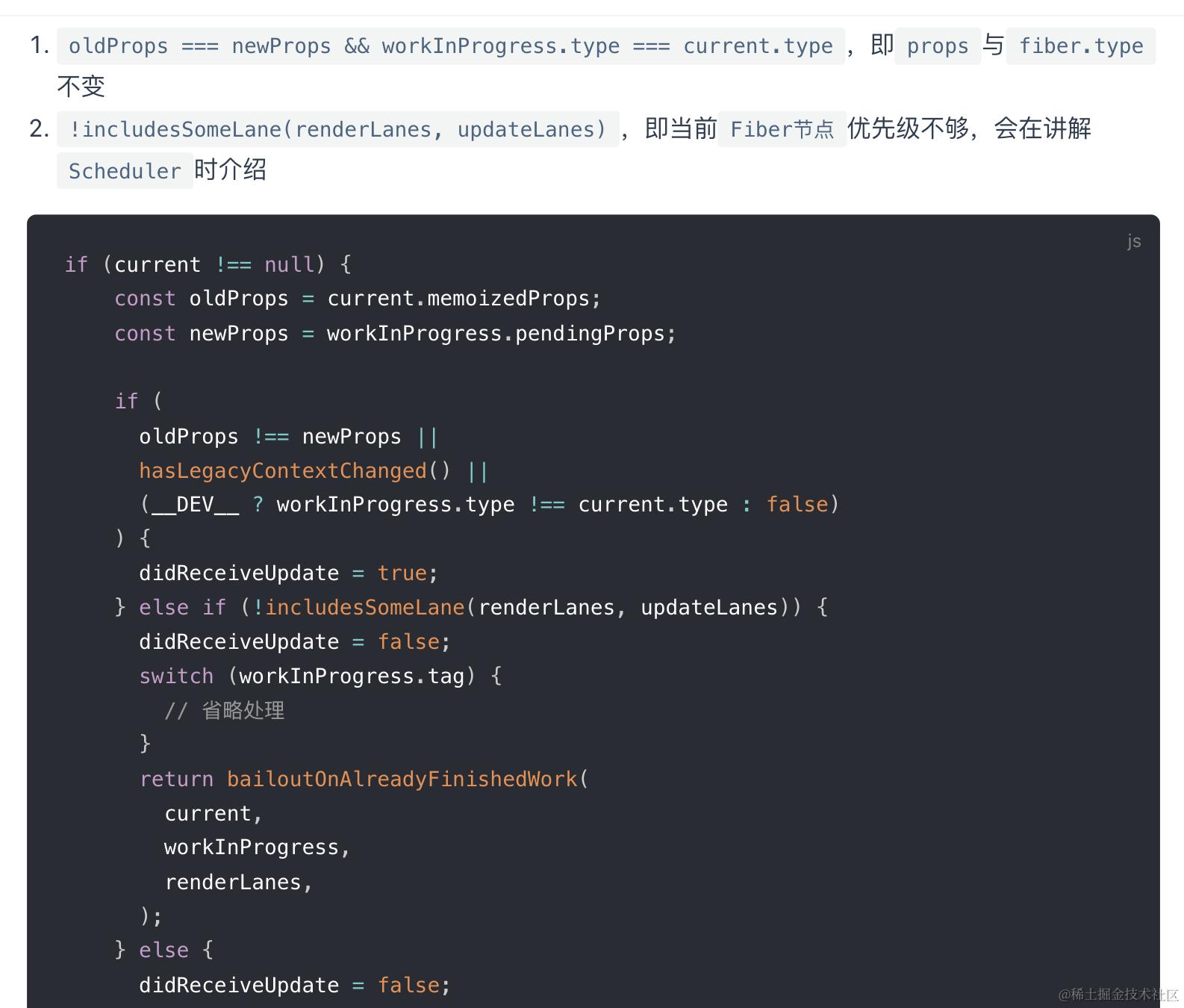
这样就能克隆current.child作为workInProgress.child,而不需要新建workInProgress.child。
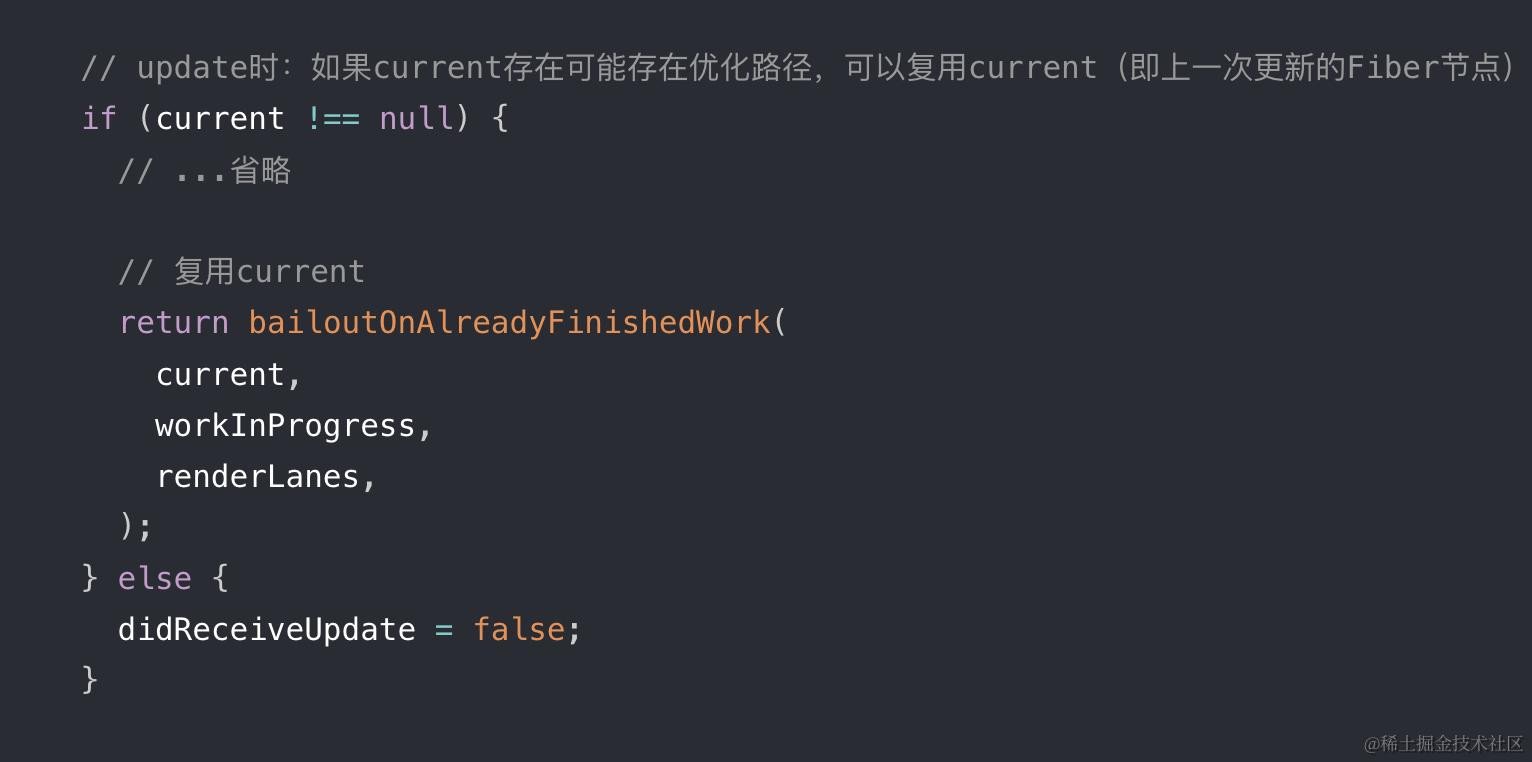
如果current不存在,和mount类似地根据fiber.tag区别对待,调用reconcileChildFibers(Diff入口函数)创建不同类型的子Fiber节点
mount和update都会进入reconcileChildren,在里面区分进mountChildFibers还是reconcileChildFibers
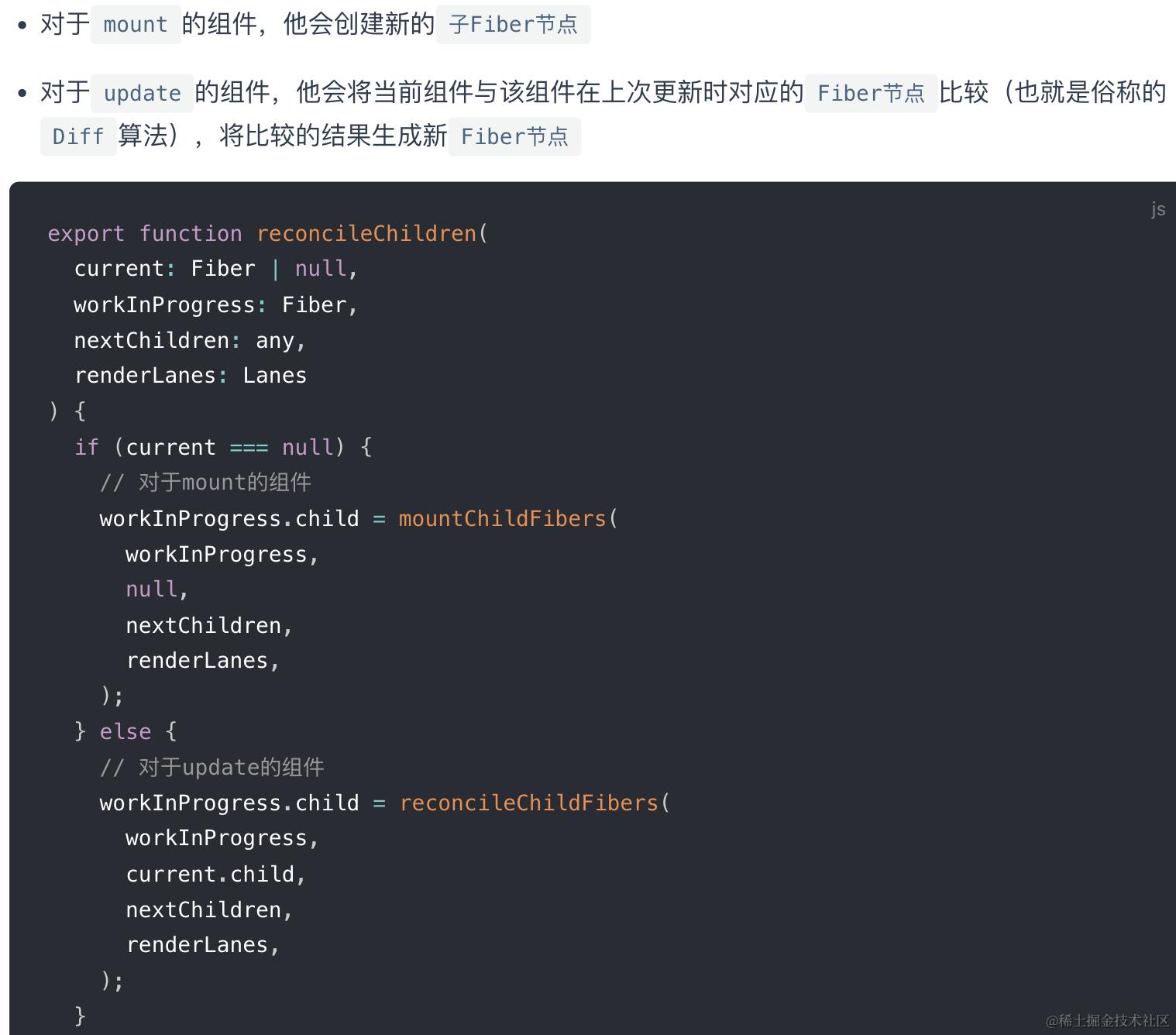
不论走哪个逻辑,最终他会生成新的子Fiber节点A并赋值给workInProgress.child,作为本次beginWork返回值,并在下次performUnitOfWork执行时将workInProgress的传参
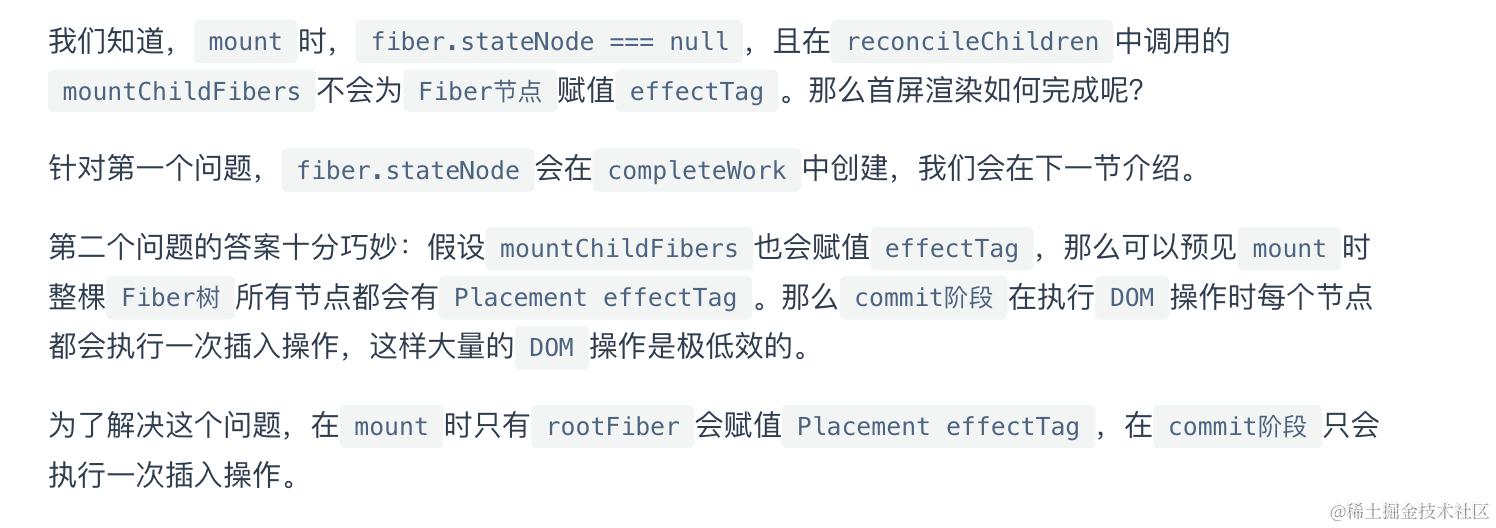
值得一提的是,mountChildFibers与reconcileChildFibers这两个方法的逻辑基本一致。唯一的区别是:后者会为生成的Fiber节点带上effectTag(flag)属性,而前者不会,因为mount时只需要在根节点.flag挂一个placement插入。
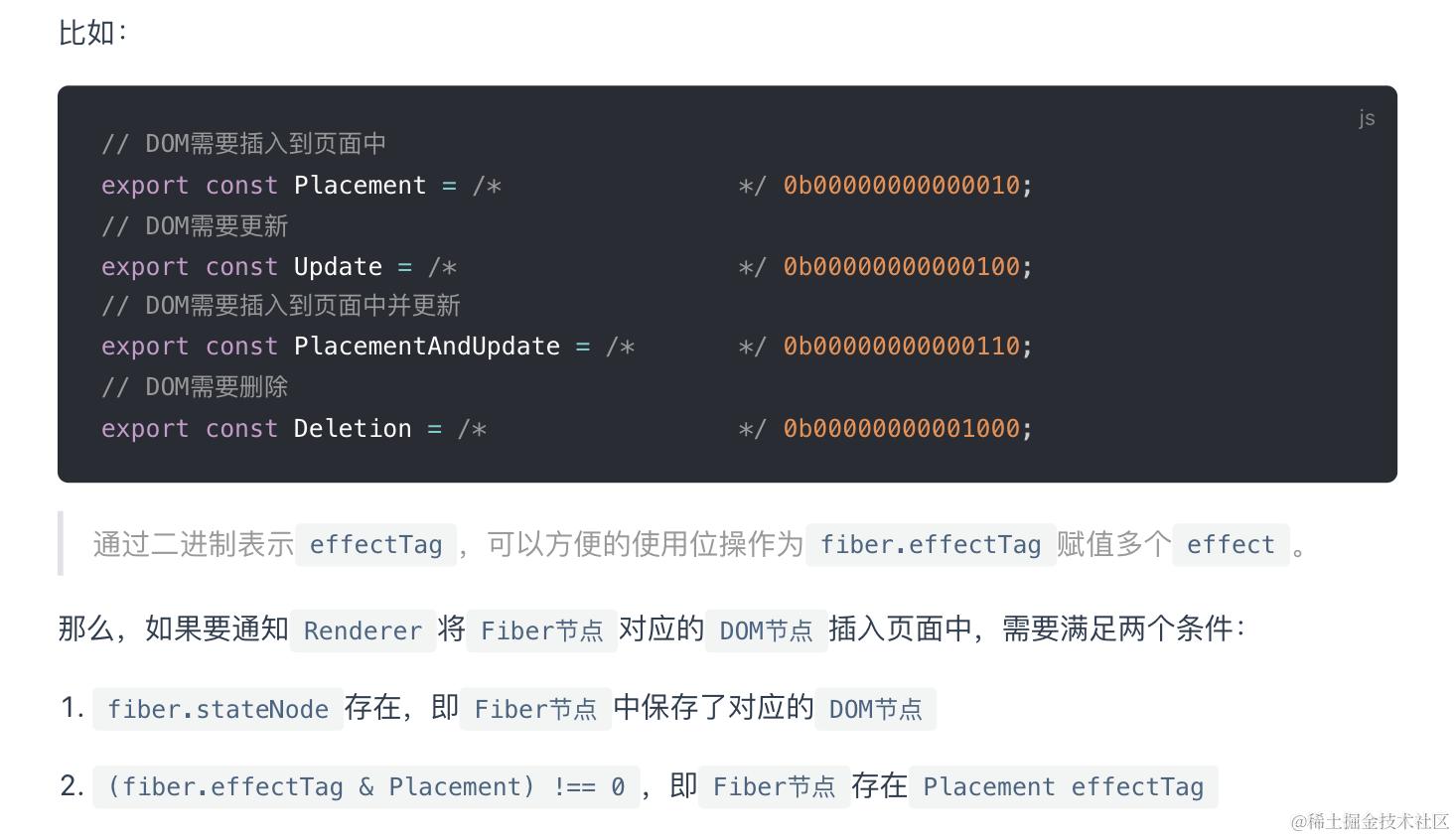
EffectTag(新版本叫flag)
每个Fiber节点通过fiber.flag记录其需要执行的副作用类型,比如如果组件有生命周期,那就 | 一个Update类型副作用,提示React该组件挂载后可能需要更新
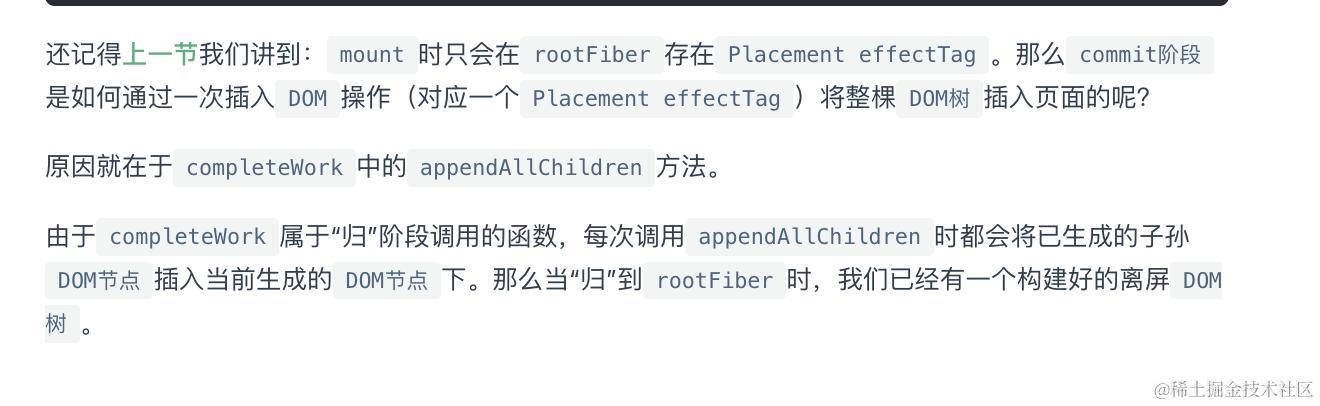
completeWork
根据Fiber创建DOM,绑定事件, 将有副作用的fiber向上收集到父节点的副作用队列
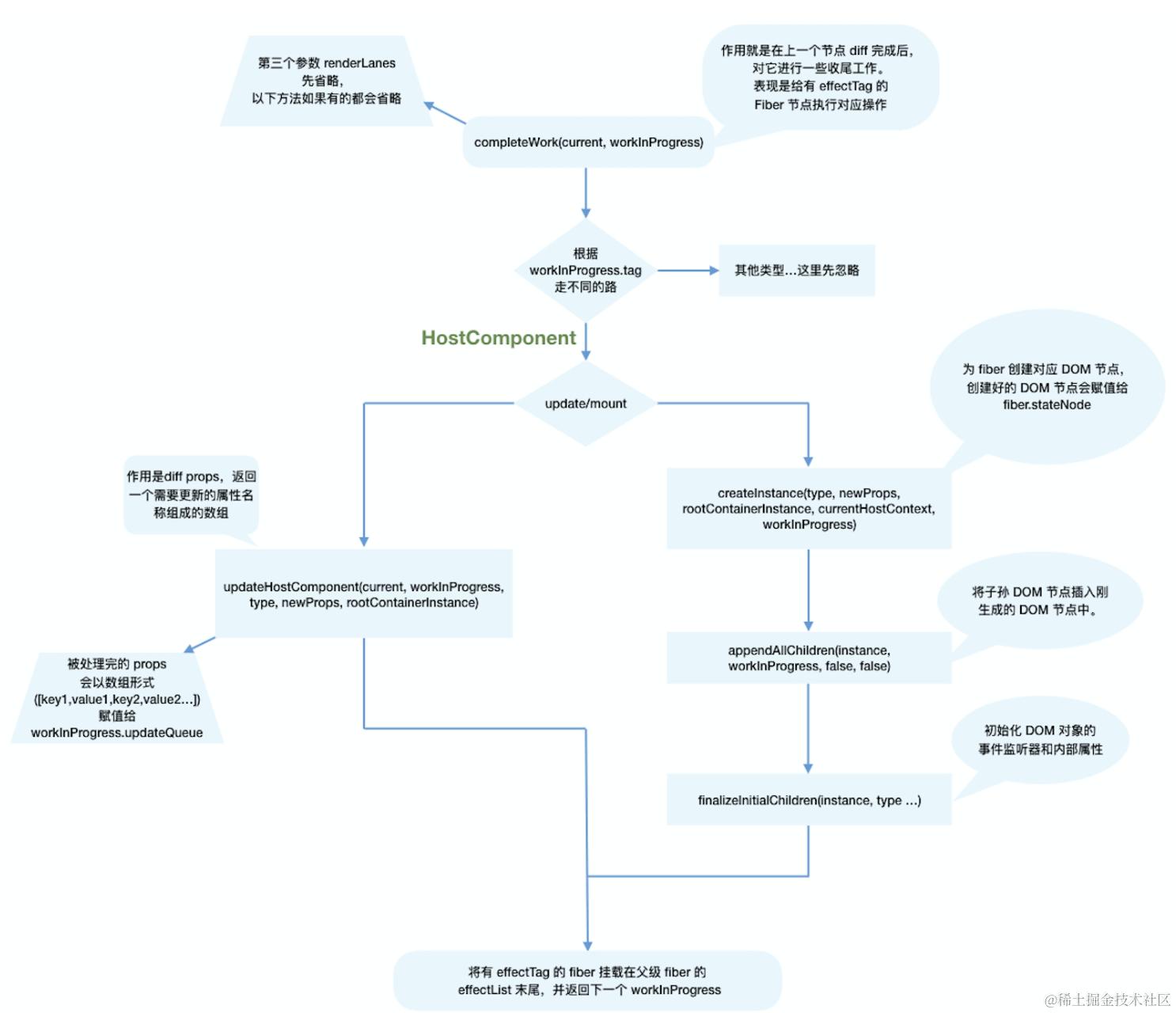
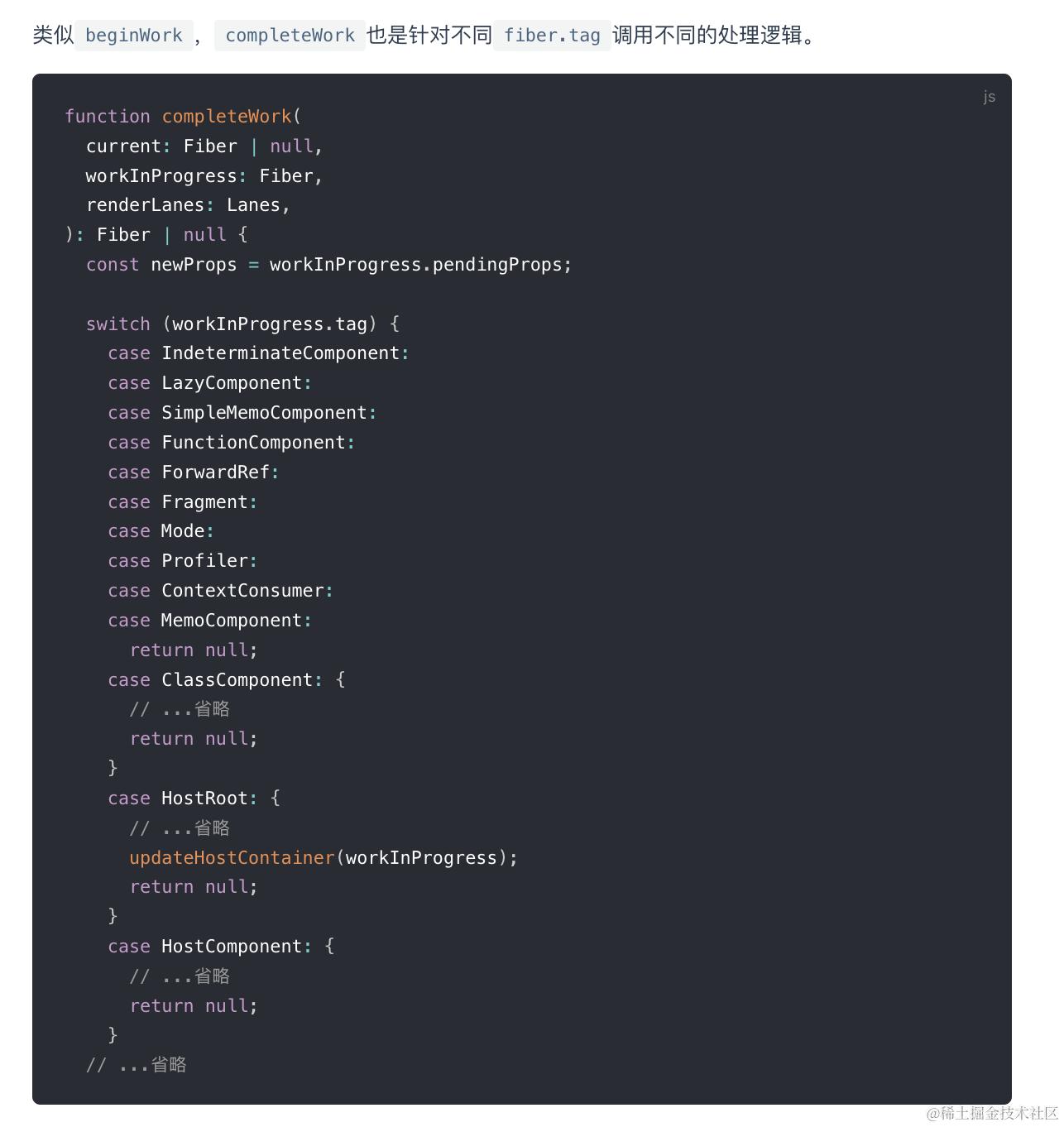 以HostComponent为例:
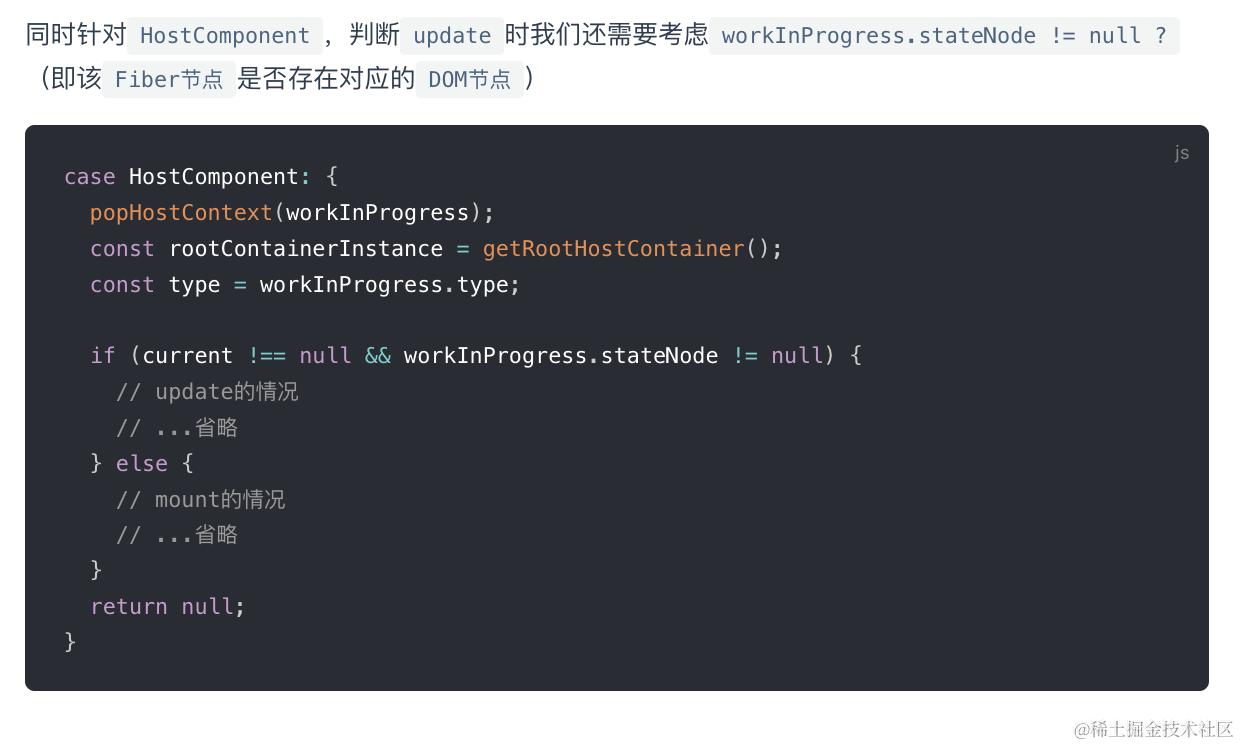
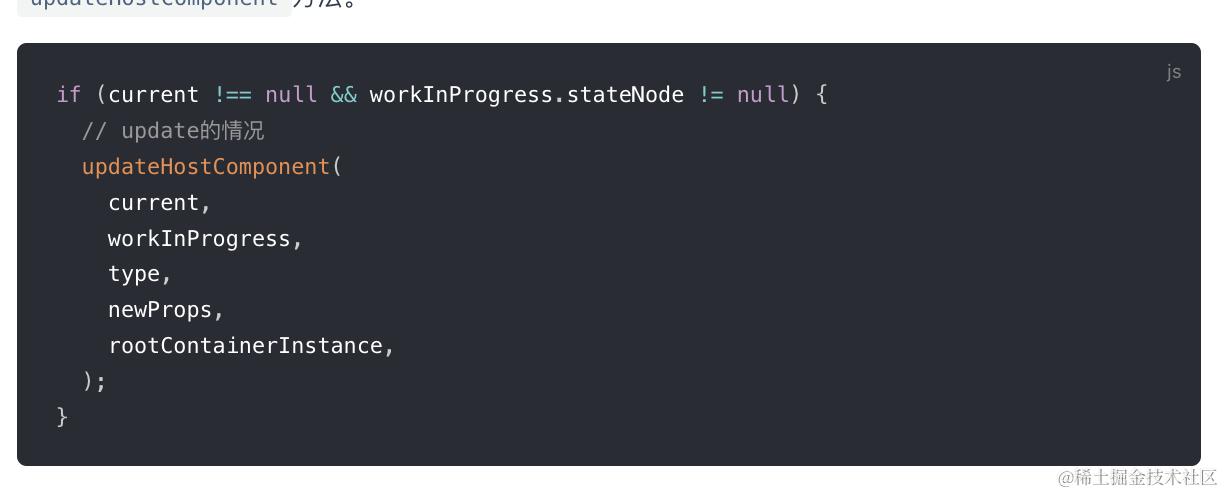
- update 主要就是调用updateHostComponent方法,处理一些props update,并赋给workInProgress.updateQueue(一个数组),并最终会在commit阶段被渲染在页面上
-
mount 同样,我们省略了不相关的逻辑。可以看到,mount时的主要逻辑包括三个:
-
为Fiber节点生成对应的DOM节点
-
将子孙DOM节点插入刚生成的DOM节点中
-
与update逻辑中的updateHostComponent类似的处理props的过程
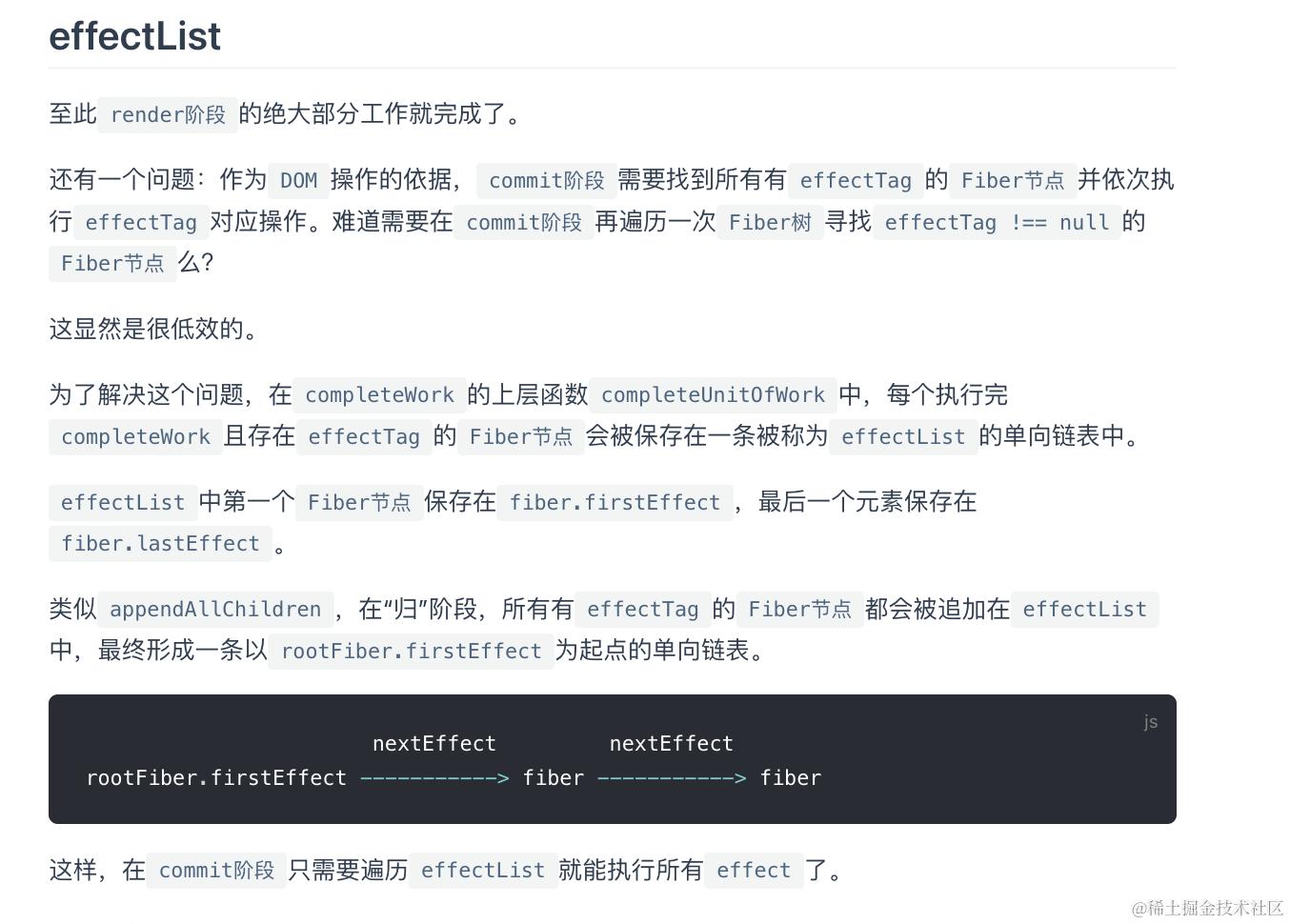
归的时候,每个父Fiber都会维护一个副作用队列,来自于子节点的副作用队列上浮, fisrtEffect指向队首Fiber,lastEffect指向队尾Fiber,如果子节点自身也有副作用,将自身追加到父Fiber副作用队列的队尾
Commit阶段
function commitRootImpl(root, renderPriorityLevel) {
  // 设置局部变量,指新构建的那颗fiber树
  const finishedWork = root.finishedWork;
  const lanes = root.finishedLanes;

  // 清空FiberRoot对象上的属性
  root.finishedWork = null;
  root.finishedLanes = NoLanes;
  root.callbackNode = null;

  // 渲染阶段
  let firstEffect = finishedWork.firstEffect;
  if (firstEffect !== null) {
    const prevExecutionContext = executionContext;
    executionContext |= CommitContext;
    // 阶段1: dom突变之前
    nextEffect = firstEffect;
    do {
      commitBeforeMutationEffects();
    } while (nextEffect !== null);

    // 阶段2: dom突变, 界面发生改变
    nextEffect = firstEffect;
    do {
      commitMutationEffects(root, renderPriorityLevel);
    } while (nextEffect !== null);

    // 恢复界面状态
    resetAfterCommit(root.containerInfo);
    // 切换current指针
    root.current = finishedWork;


    // 阶段3: layout阶段, 调用生命周期componentDidUpdate和回调函数等
    nextEffect = firstEffect;
    do {
      commitLayoutEffects(root, lanes);
    } while (nextEffect !== null);
    nextEffect = null;
    executionContext = prevExecutionContext;
  }


  // ============ 渲染后: 重置与清理 ============
  if (rootDoesHavePassiveEffects) {
    // 有被动作用(使用useEffect), 保存一些全局变量
  } else {
    // 分解副作用队列链表, 辅助垃圾回收
    // 如果有被动作用(使用useEffect), 会把分解操作放在flushPassiveEffects函数中
    nextEffect = firstEffect;
    while (nextEffect !== null) {
      const nextNextEffect = nextEffect.nextEffect;
      nextEffect.nextEffect = null;
      if (nextEffect.flags & Deletion) {
        detachFiberAfterEffects(nextEffect);
      }
      nextEffect = nextNextEffect;
    }
  }
  // 重置一些全局变量(省略这部分代码)...
  // 下面代码用于检测是否有新的更新任务
  // 比如在componentDidMount函数中, 再次调用setState()

  //在整个渲染过程中, 有可能产生新的`update`(比如在`componentDidMount`函数中, 再次调用`setState()`).
-   如果是常规(异步)任务, 不用特殊处理, 调用`ensureRootIsScheduled`确保任务已经注册到调度中心即可.

      // 1. 检测常规(异步)任务, 如果有则会发起异步调度(调度中心`scheduler`只能异步调用)
      ensureRootIsScheduled(root, now());
      // 2. 检测同步任务, 如果有则主动调用flushSyncCallbackQueue(无需再次等待scheduler调度), 再次进入fiber树构造循环
      flushSyncCallbackQueue();

      return null;
    }
将打好标签的节点渲染到视图上。遍历effectList执行对应的dom操作或部分生命周期
三个子阶段:
- beforeMutation
- mutation
- layout
1. beforeMutation阶段
dom 变更之前, 主要处理副作用队列中带有Snapshot,Passive标记的fiber节点
遍历effectList, 调用commitBeforeMutationEffects。
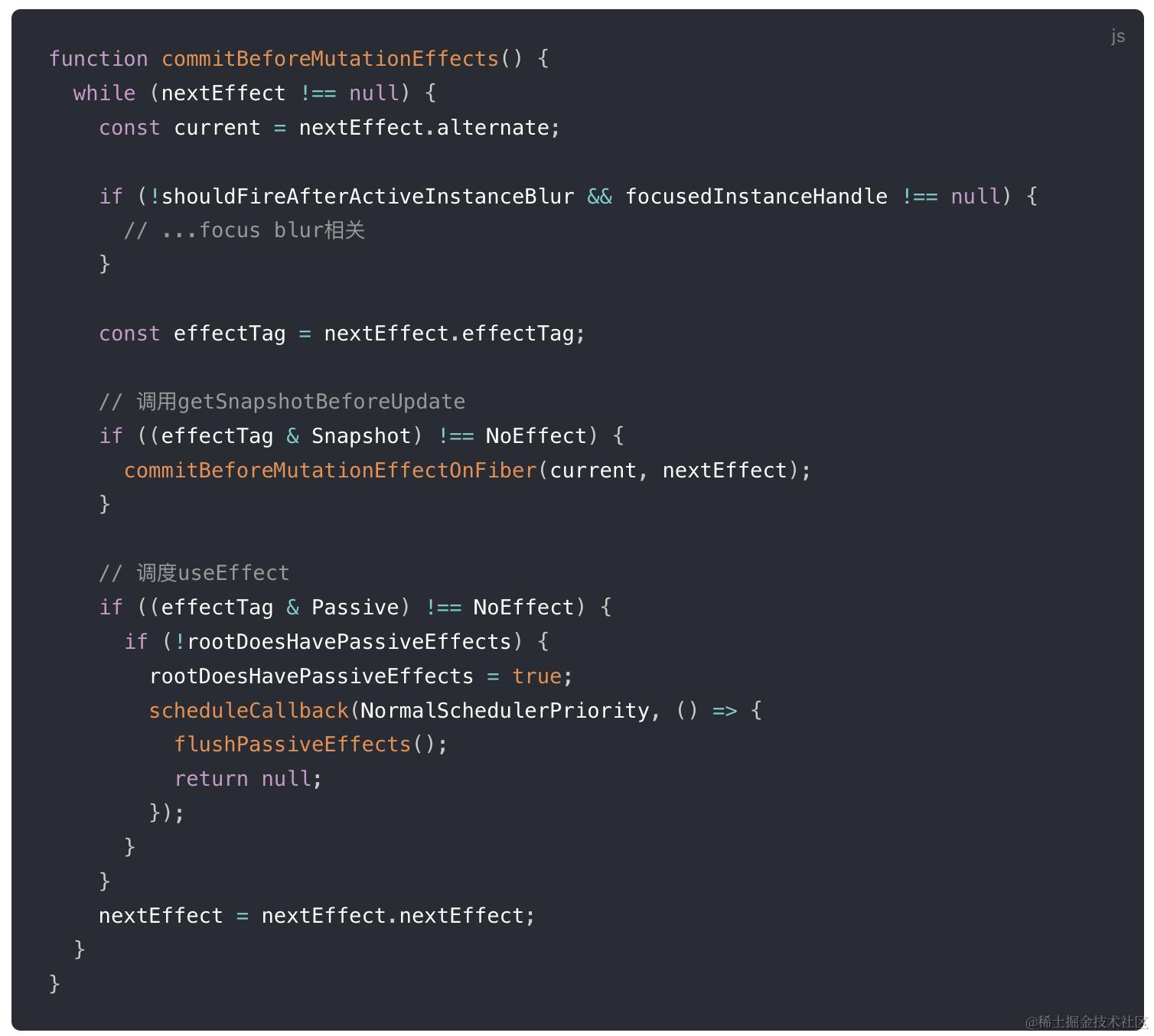 整体可以分为三部分:
-
处理DOM节点渲染 / 删除后的 autoFocus、blur 逻辑。
-
调用getSnapshotBeforeUpdate生命周期钩子。
commitBeforeMutationEffectOnFiber是commitBeforeMutationLifeCycles的别名。在该方法内会调用getSnapshotBeforeUpdate。
从Reactv16开始,componentWillXXX钩子前增加了UNSAFE_前缀。
究其原因,是因为Stack Reconciler重构为Fiber Reconciler后,render阶段的任务可能中断 / 重新开始,对应的组件在render阶段的生命周期钩子(即componentWillXXX)可能触发多次。
这种行为和Reactv15不一致,所以标记为UNSAFE_。
为此,React提供了替代的生命周期钩子getSnapshotBeforeUpdate。
我们可以看见,getSnapshotBeforeUpdate是在commit阶段内的before mutation阶段调用的,由于commit阶段是同步的,所以不会遇到多次调用的问题。
-
调度useEffect。
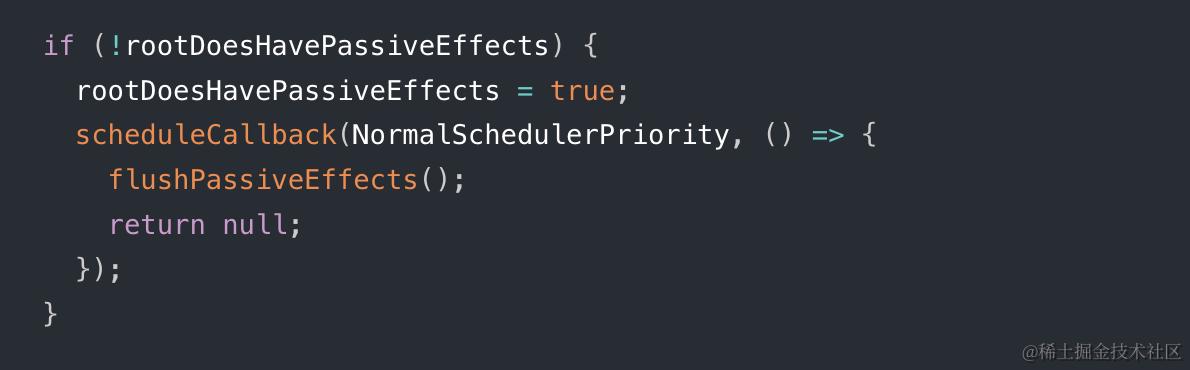
在这几行代码内,scheduleCallback方法由Scheduler模块提供,用于以某个优先级异步调度一个回调函数。
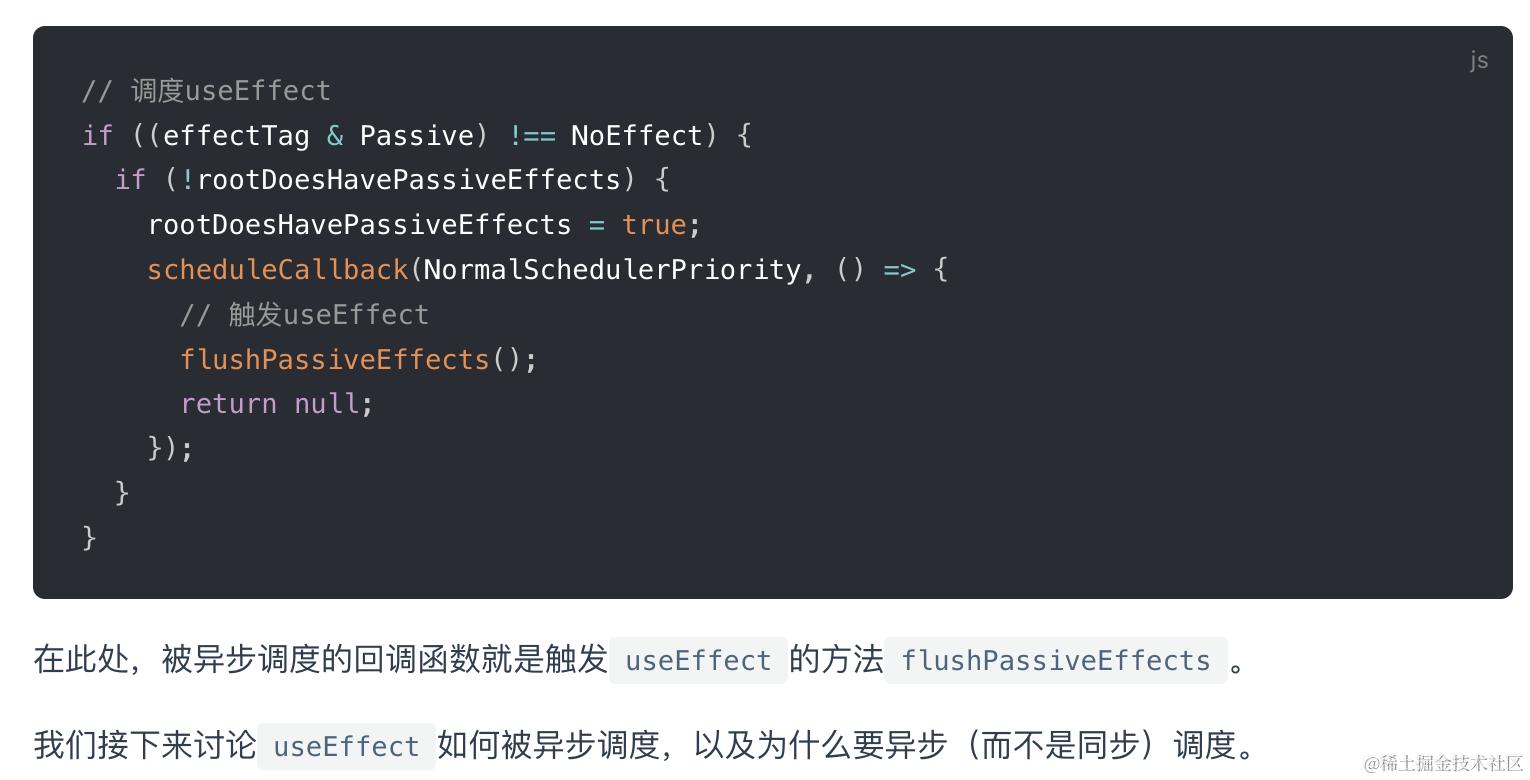
异步调度首先是在上图注册回调,然后layout阶段为全局变量rootWithPendingPassiveEffects赋值,然后有了值flushPassiveEffects内部再从全局变量rootWithPendingPassiveEffects获取到effectList并遍历,effectList中保存了需要执行副作用的Fiber节点。(useEffect异步执行的原因主要是防止同步执行时阻塞浏览器渲染)
2. Mutation阶段
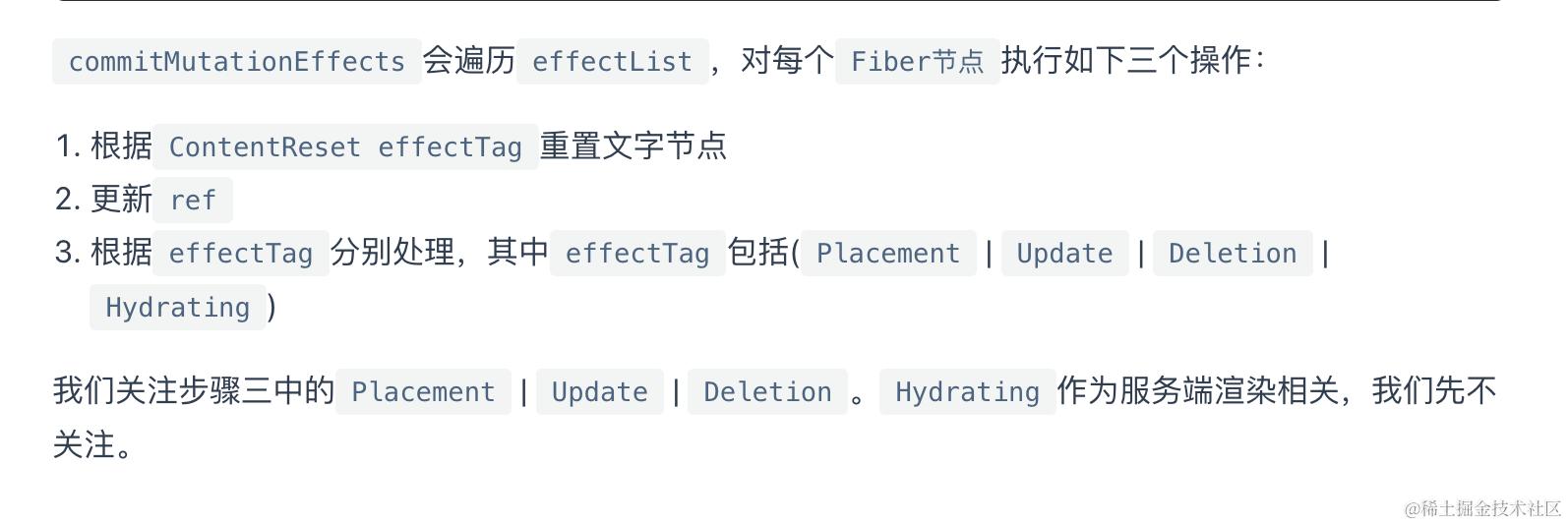
dom 变更, 界面得到更新. 主要处理副作用队列中带Placement, Update, Deletion, Hydrating标记的fiber节点.
遍历effectList,执行commitMutationEffects。
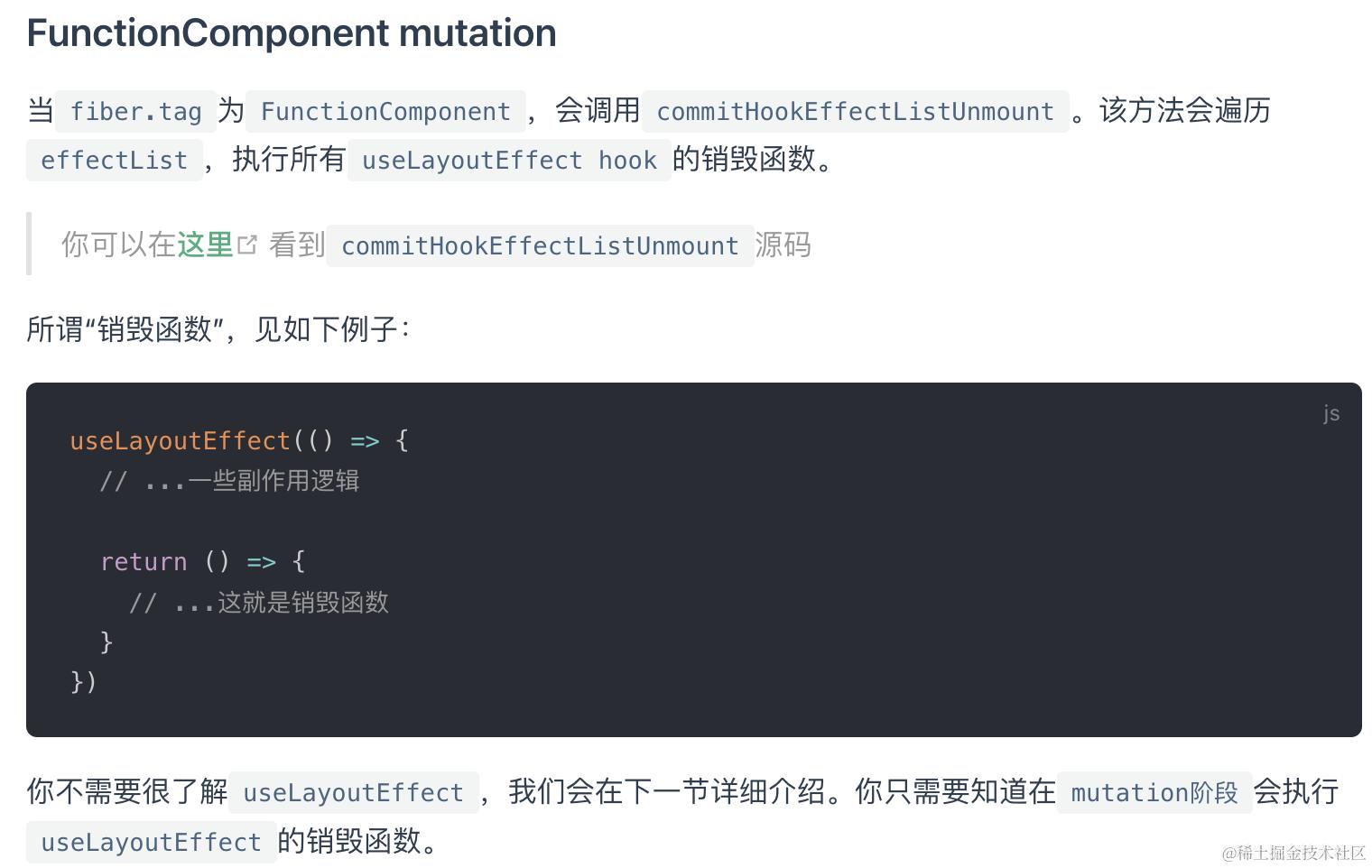
Placement 就是DOM节点的原生insertBefore/appendChild Update 意味着该Fiber节点需要更新:
- FunctionComponent
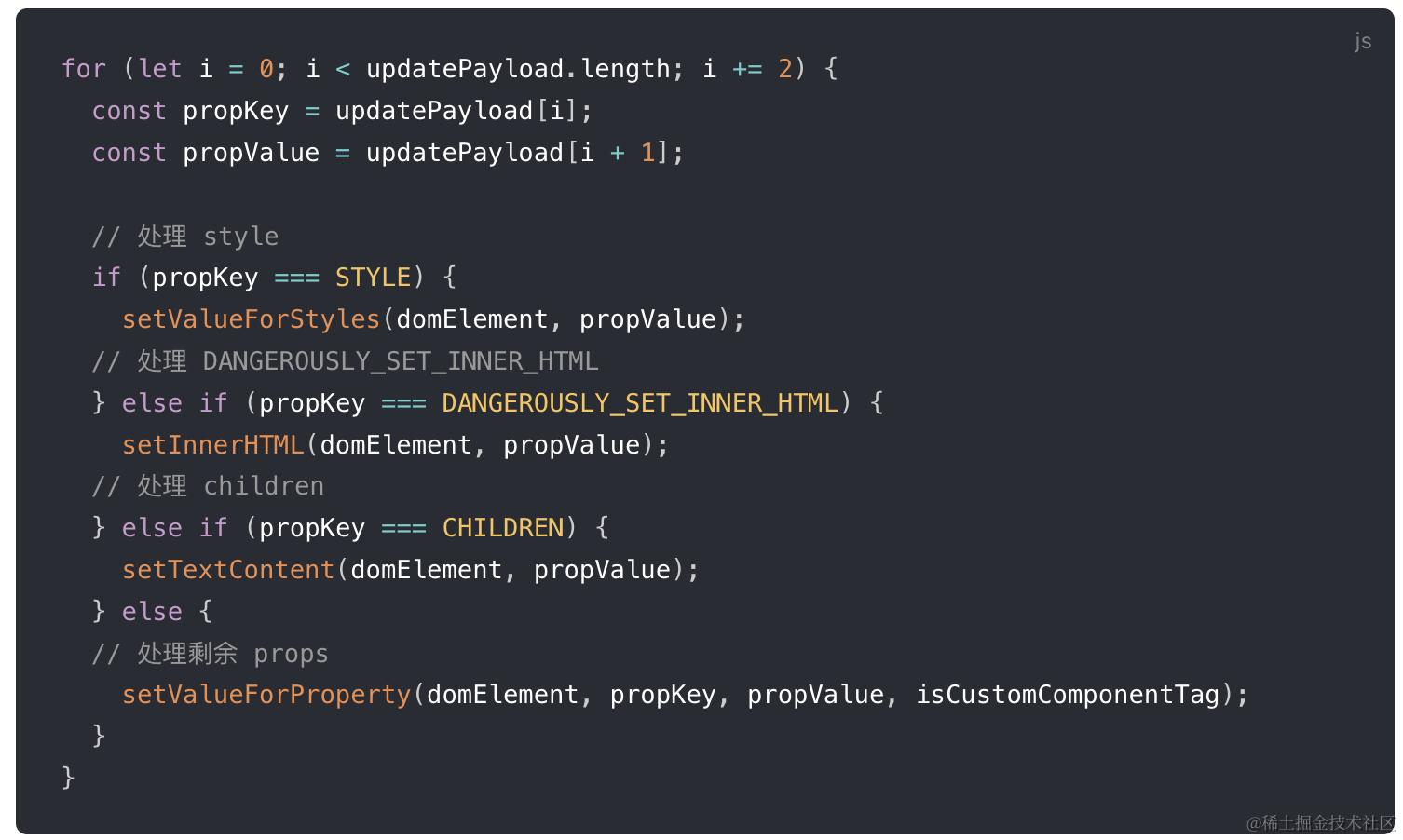
- HostComponent
会将completeWork阶段生成的updateQueue数组中的内容进行读取,渲染到页面上
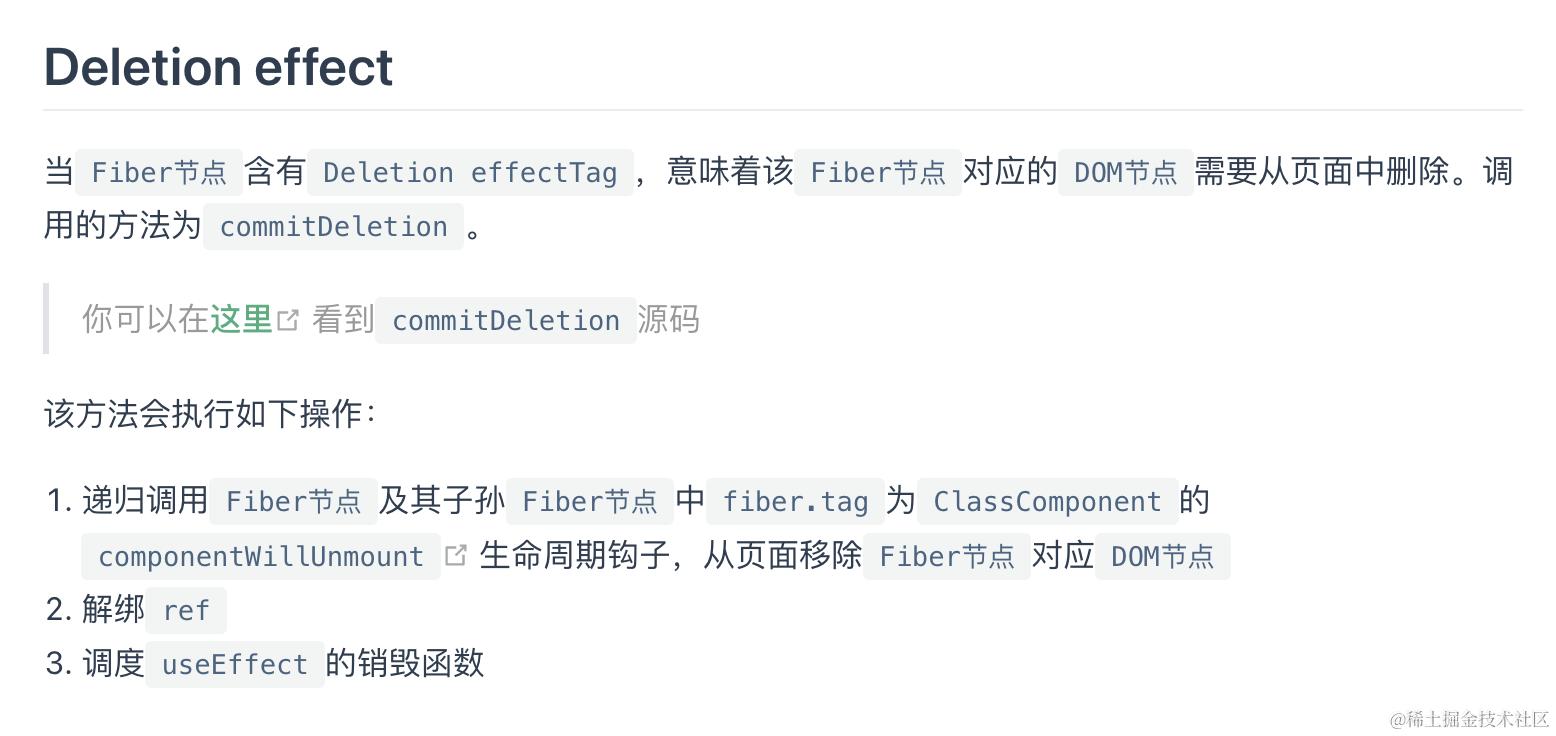
Delete
3. Layout阶段
dom 变更后, 主要处理副作用队列中带有Update | Callback标记的fiber节点
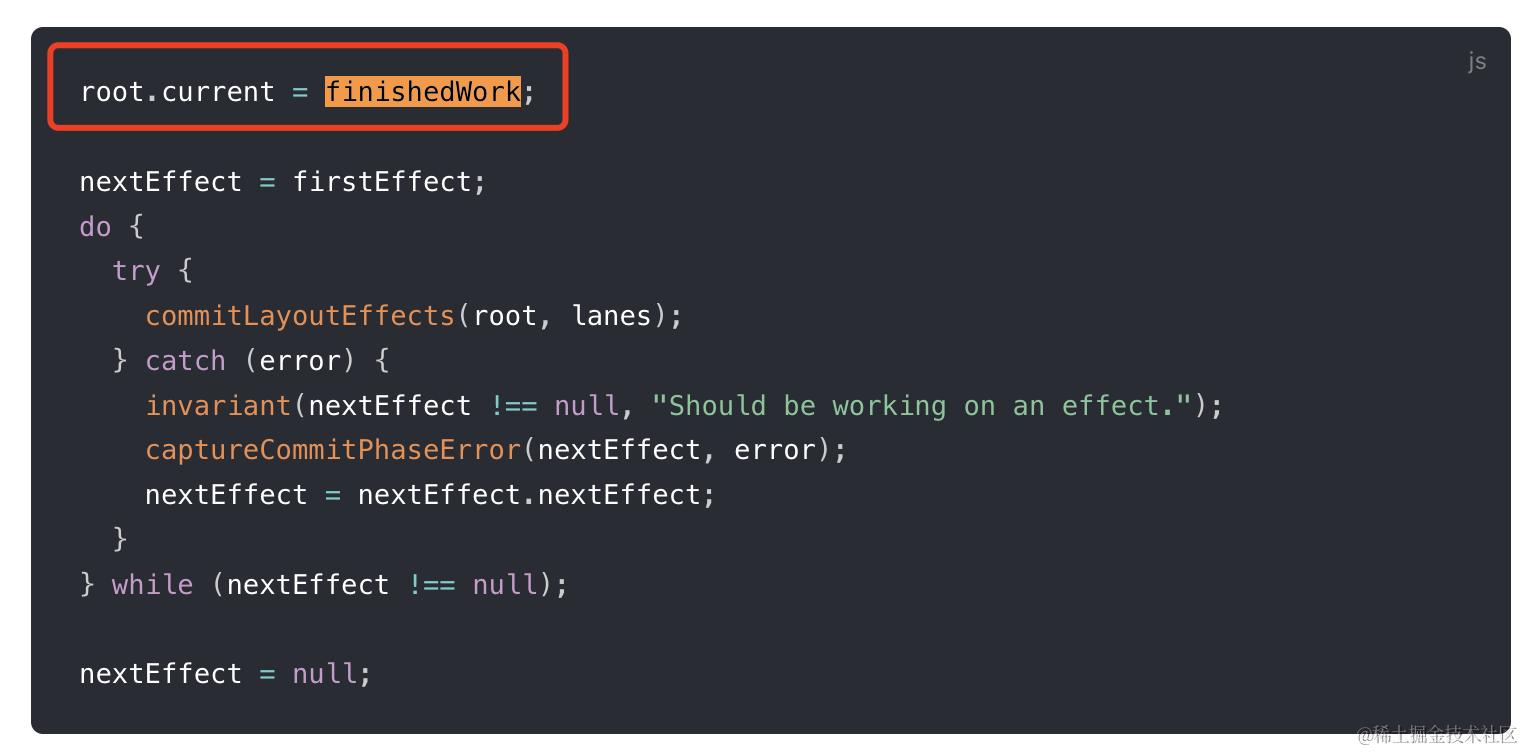 如上图,开始前会先进行currentFiber树切换
workInProgress Fiber树在commit阶段完成渲染后会变为current Fiber树。这行代码的作用就是切换fiberRootNode指向的current Fiber树。
那么这行代码为什么在这里呢?(在mutation阶段结束后,layout阶段开始前。)
我们知道componentWillUnmount会在mutation阶段执行,它需要操作的是老树。所以此时current Fiber树还要指向前一次更新的Fiber树,以便生命周期钩子内获取的DOM还是更新前的。
componentDidMount和componentDidUpdate会在layout阶段执行,它需要操作的是新树。所以此时current Fiber树已经指向更新后的Fiber树,以便生命周期钩子内获取的DOM就是更新后的。
切换Fiber树之后再遍历effectList,执行函数。具体执行的函数是commitLayoutEffects。
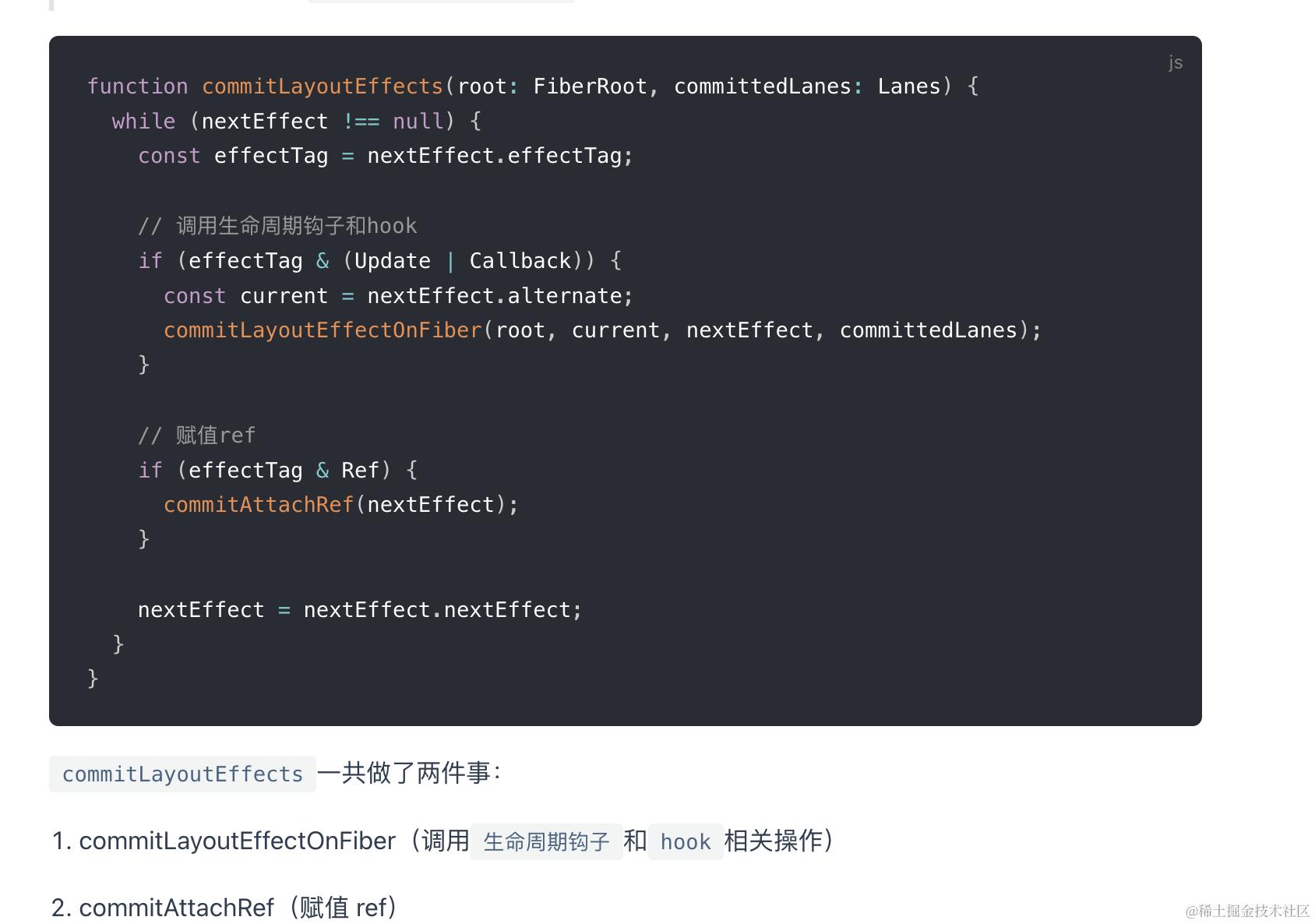
- commitLayoutEffects
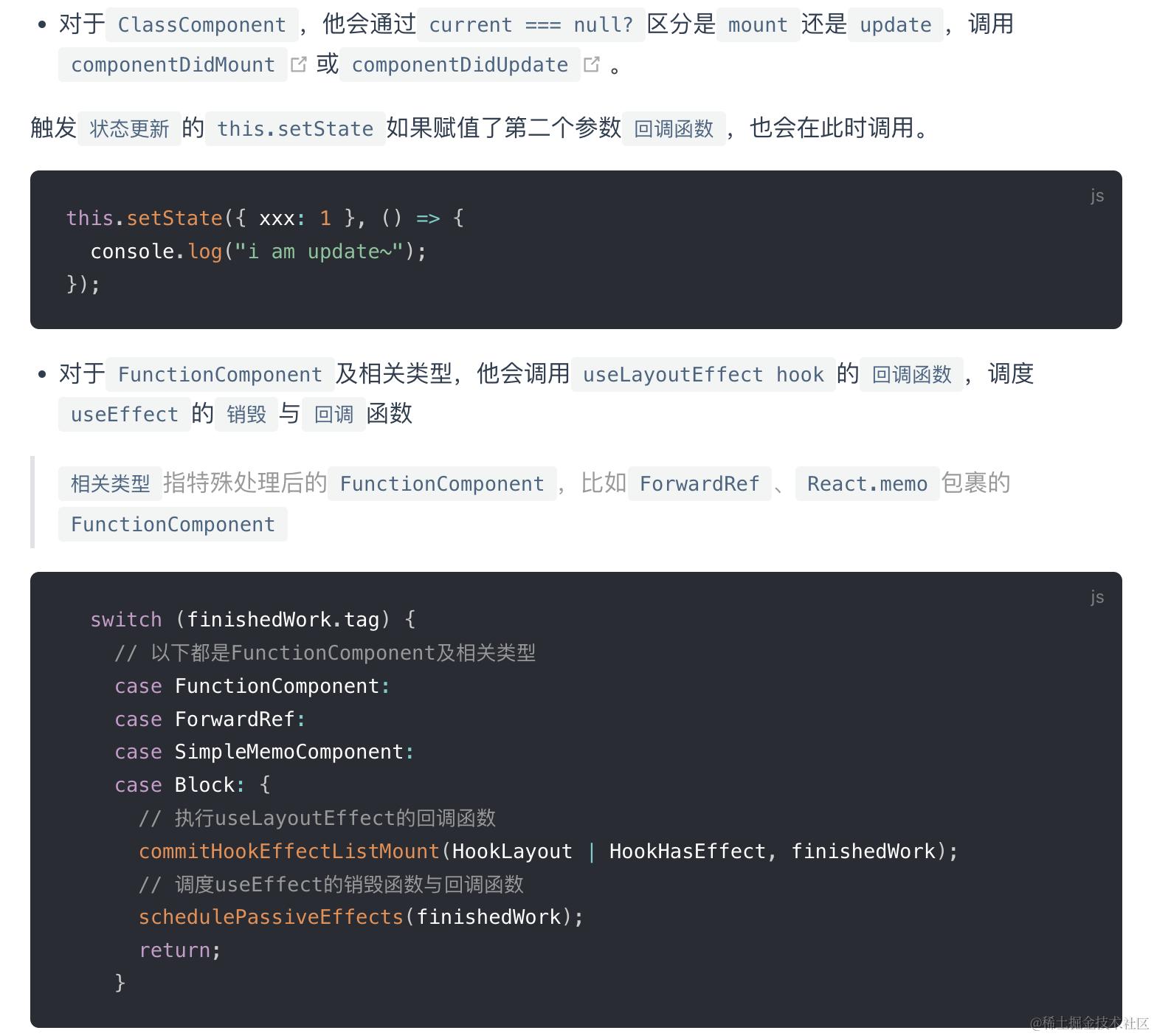
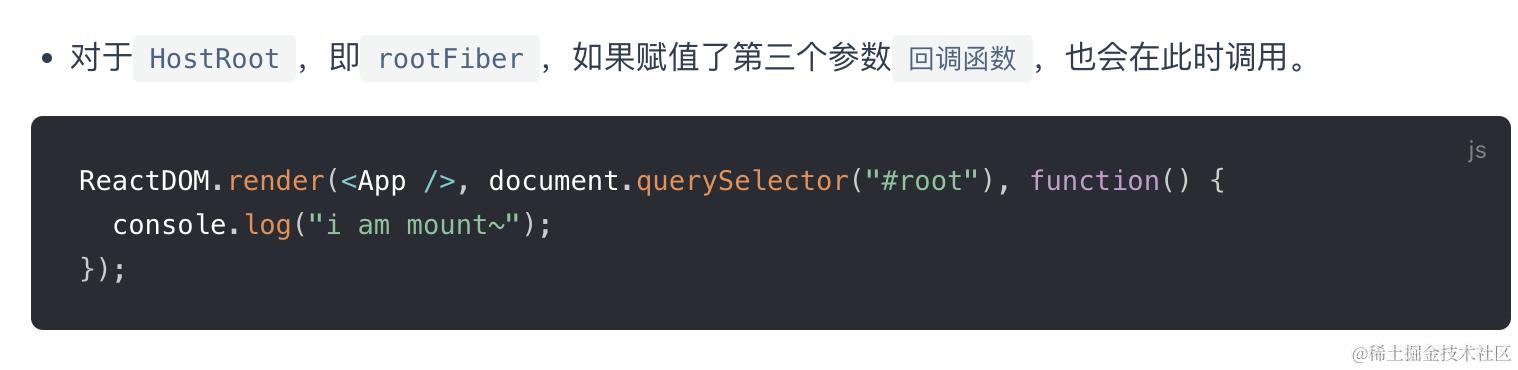 注意在mutation阶段,调用的是
上一次useLayoutEffect的销毁函数,layout阶段调用的是这一次useLayoutEffect的回调
结合这里我们可以发现,
useLayoutEffect hook从调用上一次更新的销毁函数到调用本次更新的回调函数调用是同步执行的。useEffect则不同,回调和销毁函数都会在layout阶段结束之后异步的调度执行
- commitAttachRef
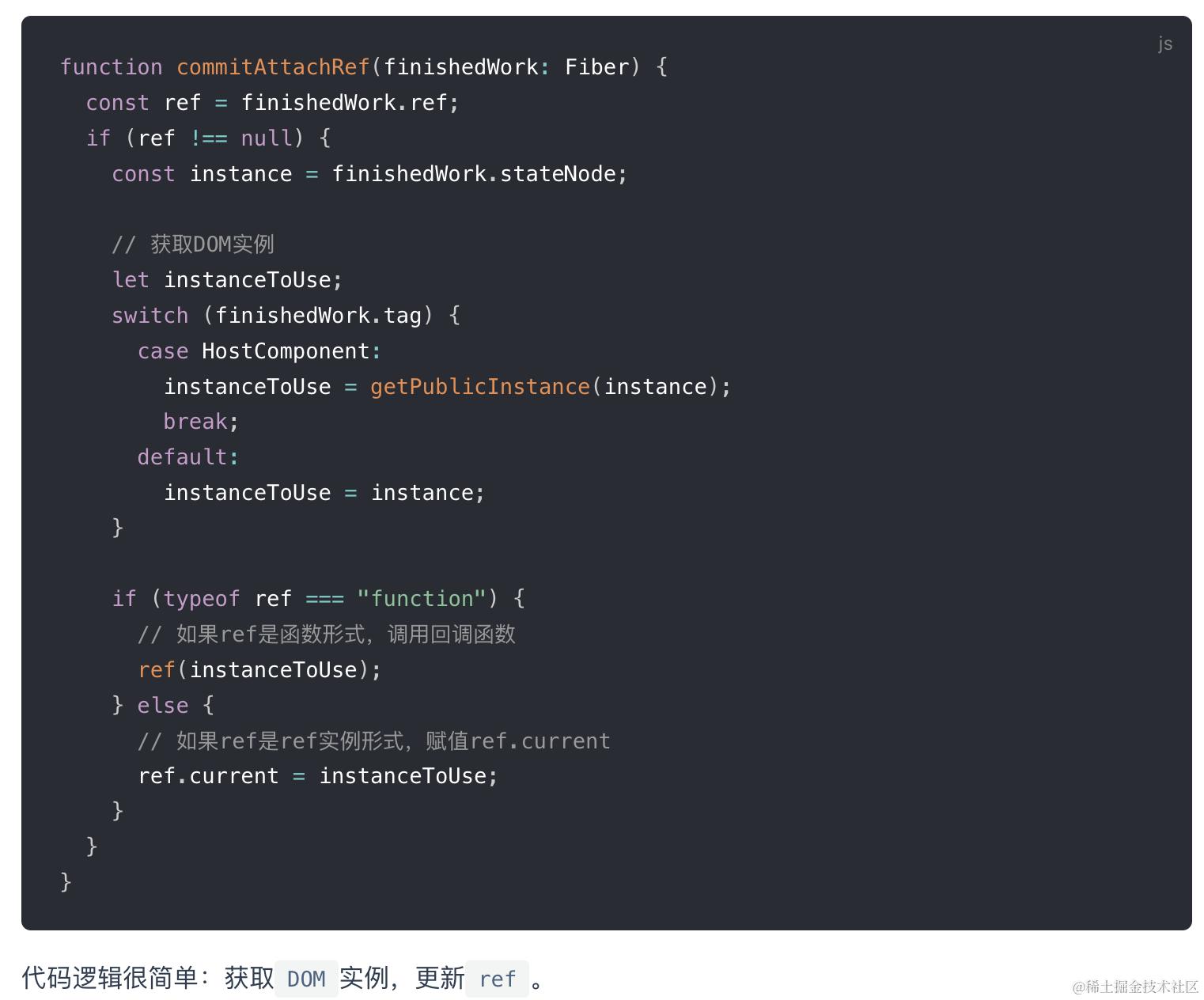
细节实现
Diff算法
React Diff算法为了解决性能瓶颈,只会针对同层级节点来进行
对于update的节点,他会将当前节点的新JSX与该节点在上次更新时对应的Fiber节点比较,将比较的结果生成新Fiber节点。
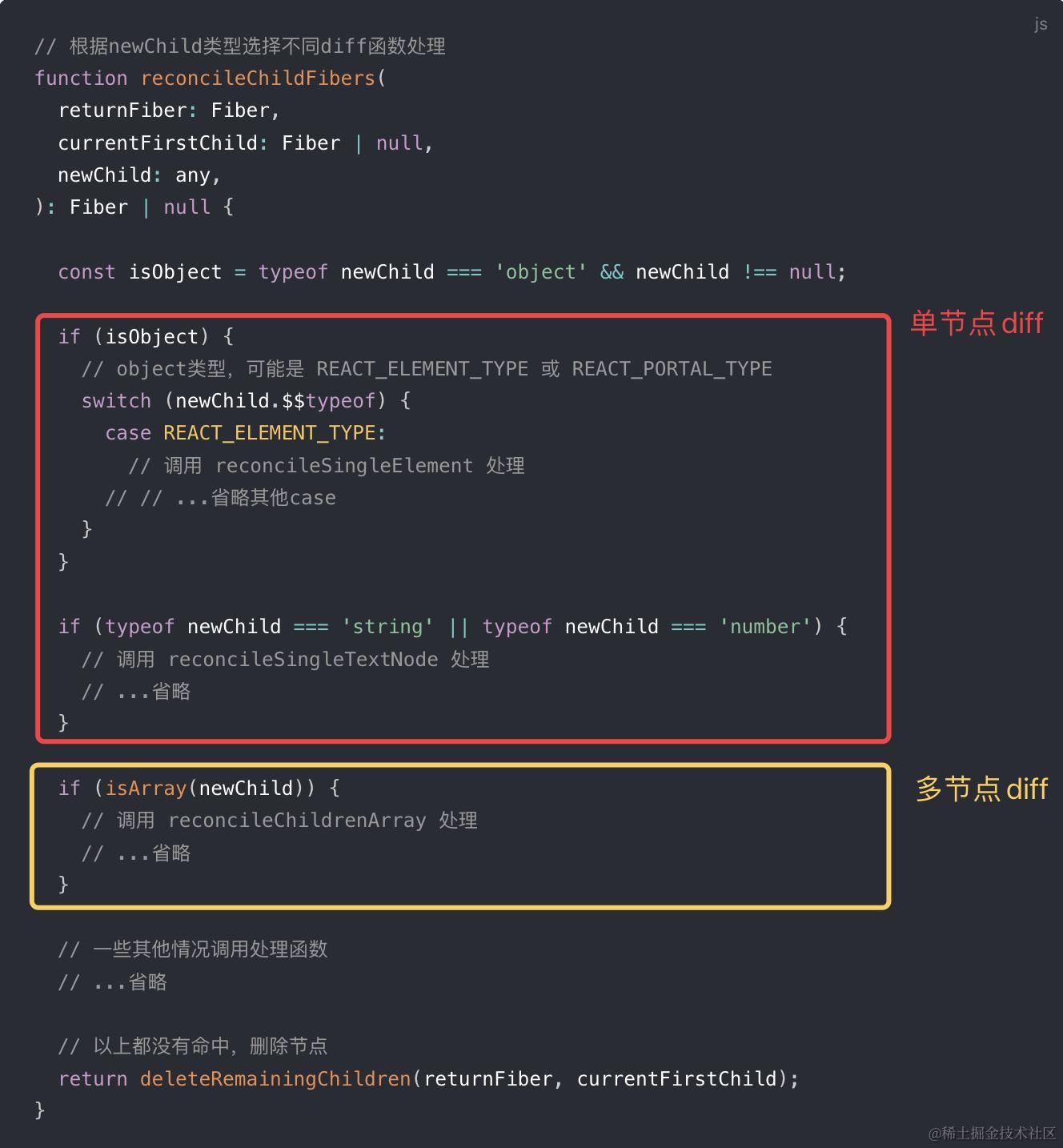 当节点JSX类型为object、number、string,代表同级只有一个节点,进行单节点Diff
当节点JSX类型为Array,同级有多个节点,进行多节点Diff
-
单节点diff
以reconcileSingleElement为例:
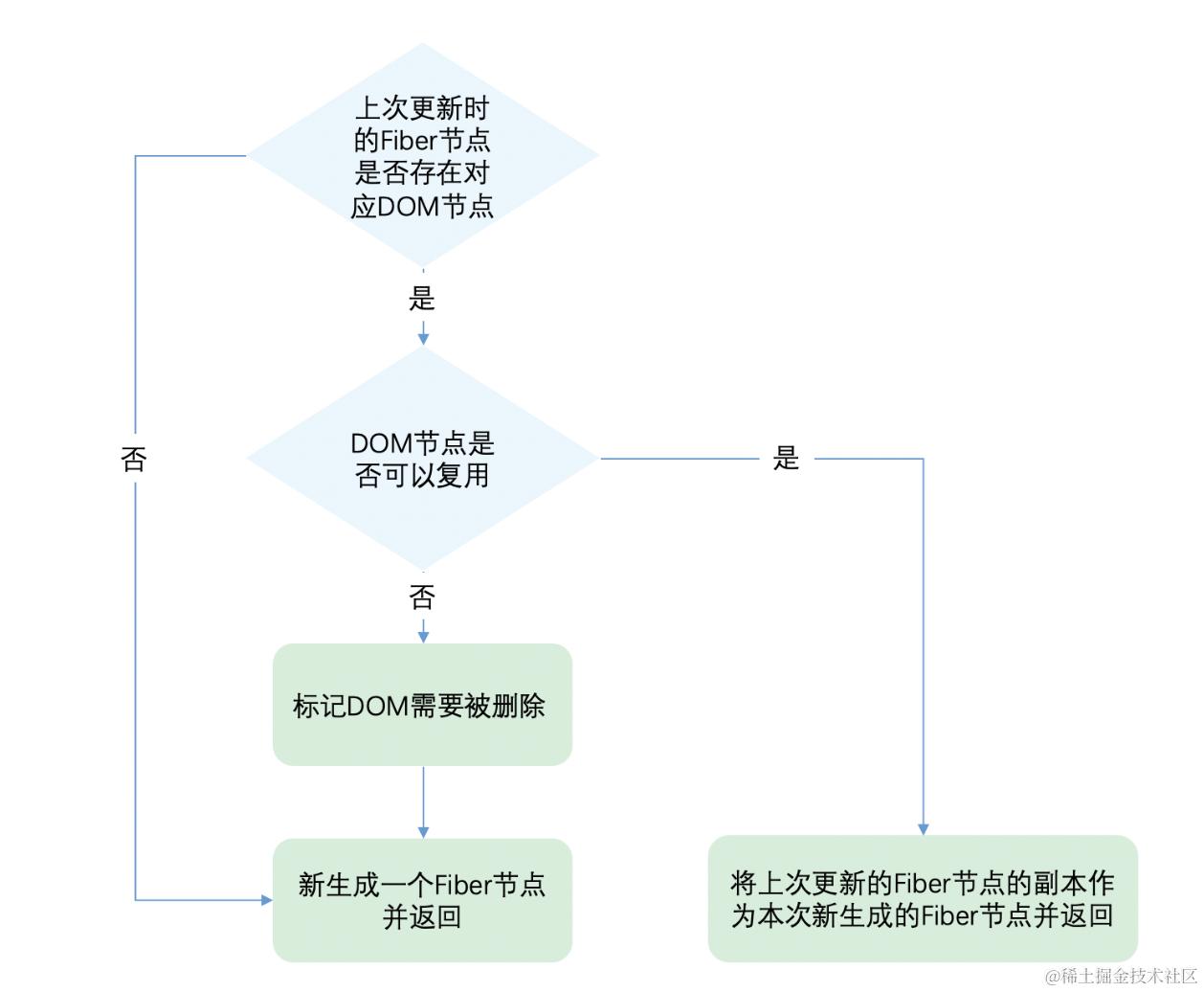
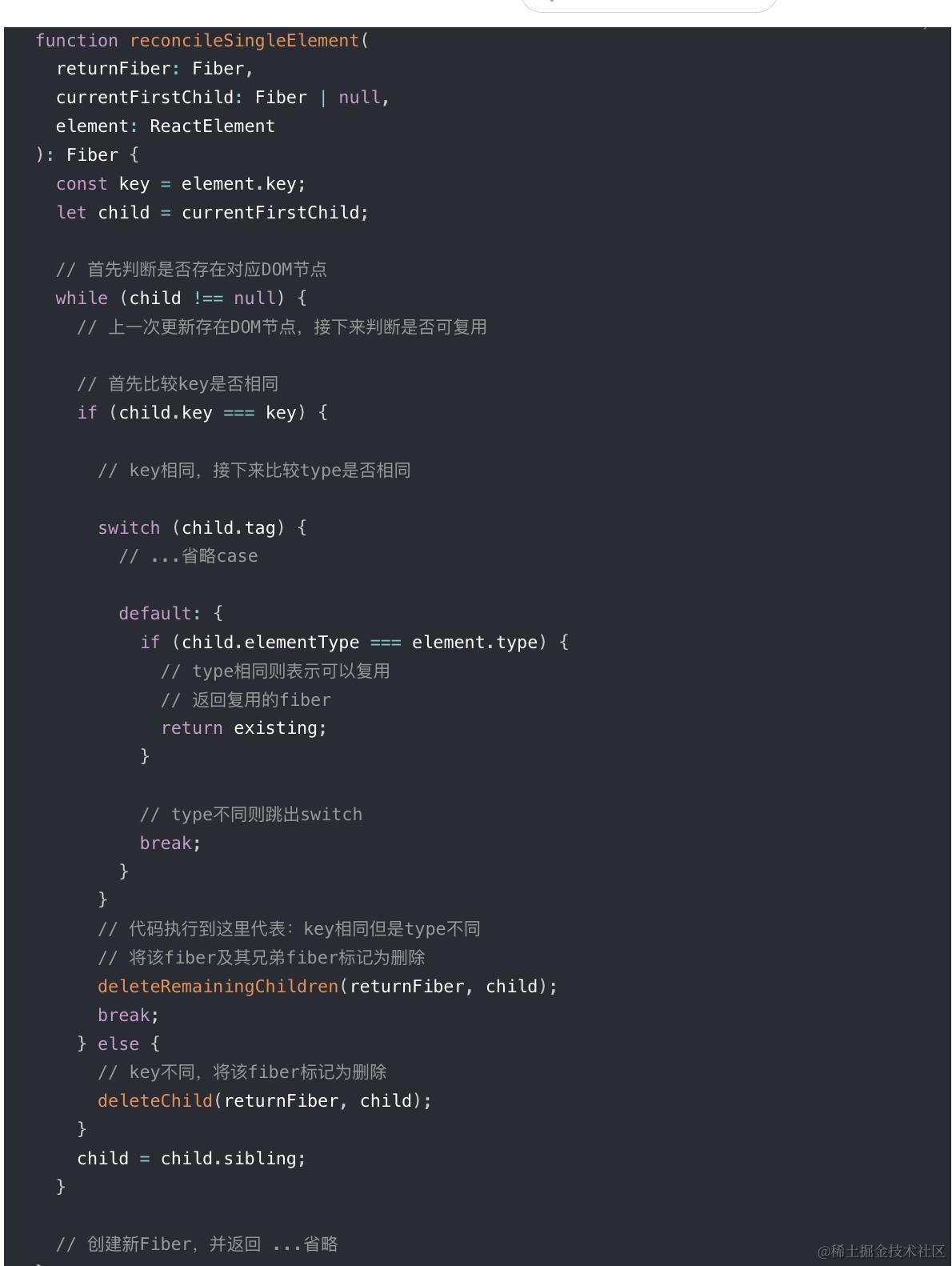 React通过先判断key是否相同,如果key相同则判断type是否相同,只有都相同时一个DOM节点才能复用。
这里有个细节需要关注下:
当key相同但type不同时,表示唯一的可能性也没机会了,将该fiber及其兄弟fiber记为删除
当key和type都不同时,仅表示当前节点没可能性,所以只把该fiber标记为删除
-
多节点diff
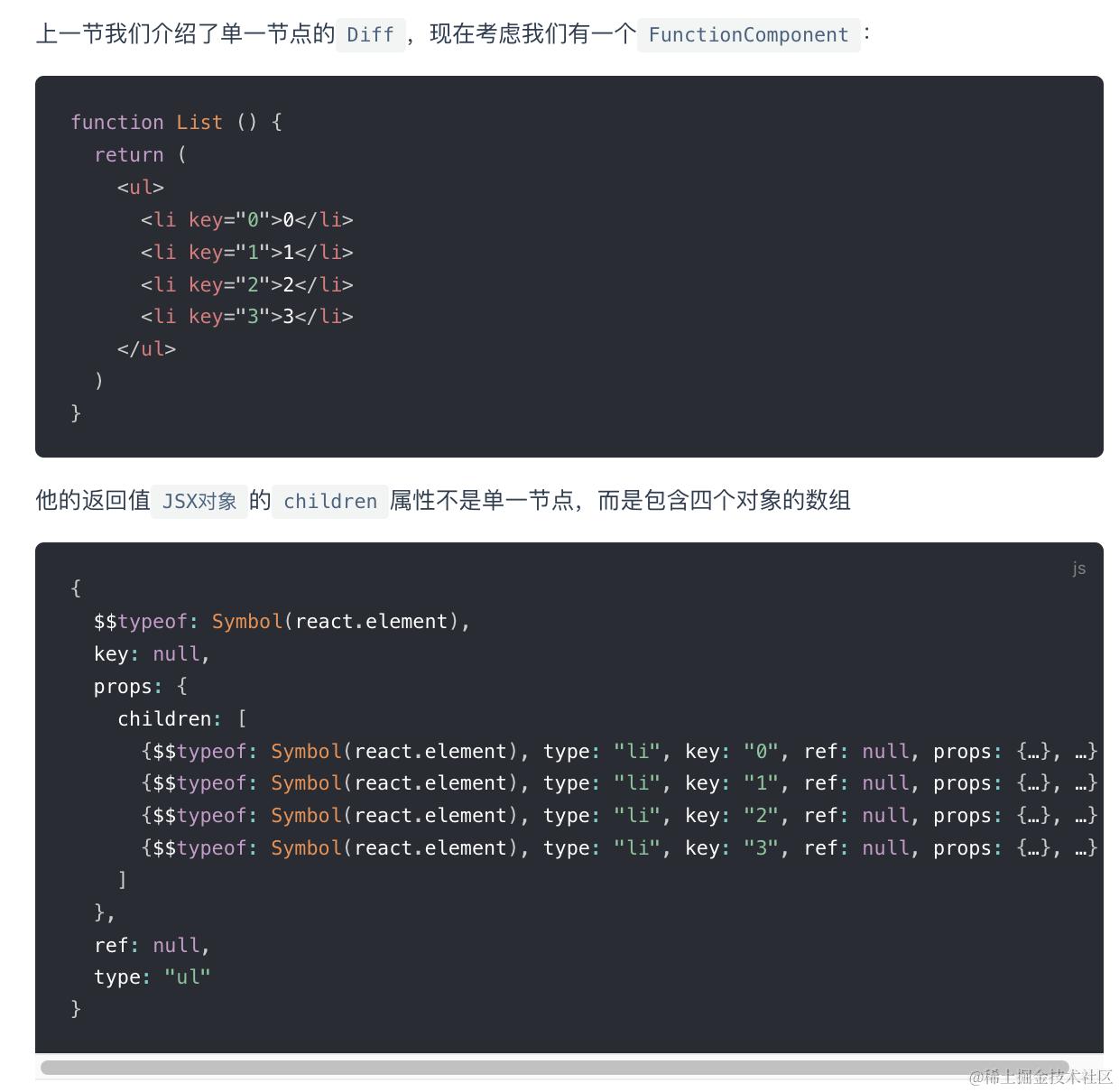
对于同层级多节点diff,一定属于节点更新,节点增减,节点位置改变这三种情况之内
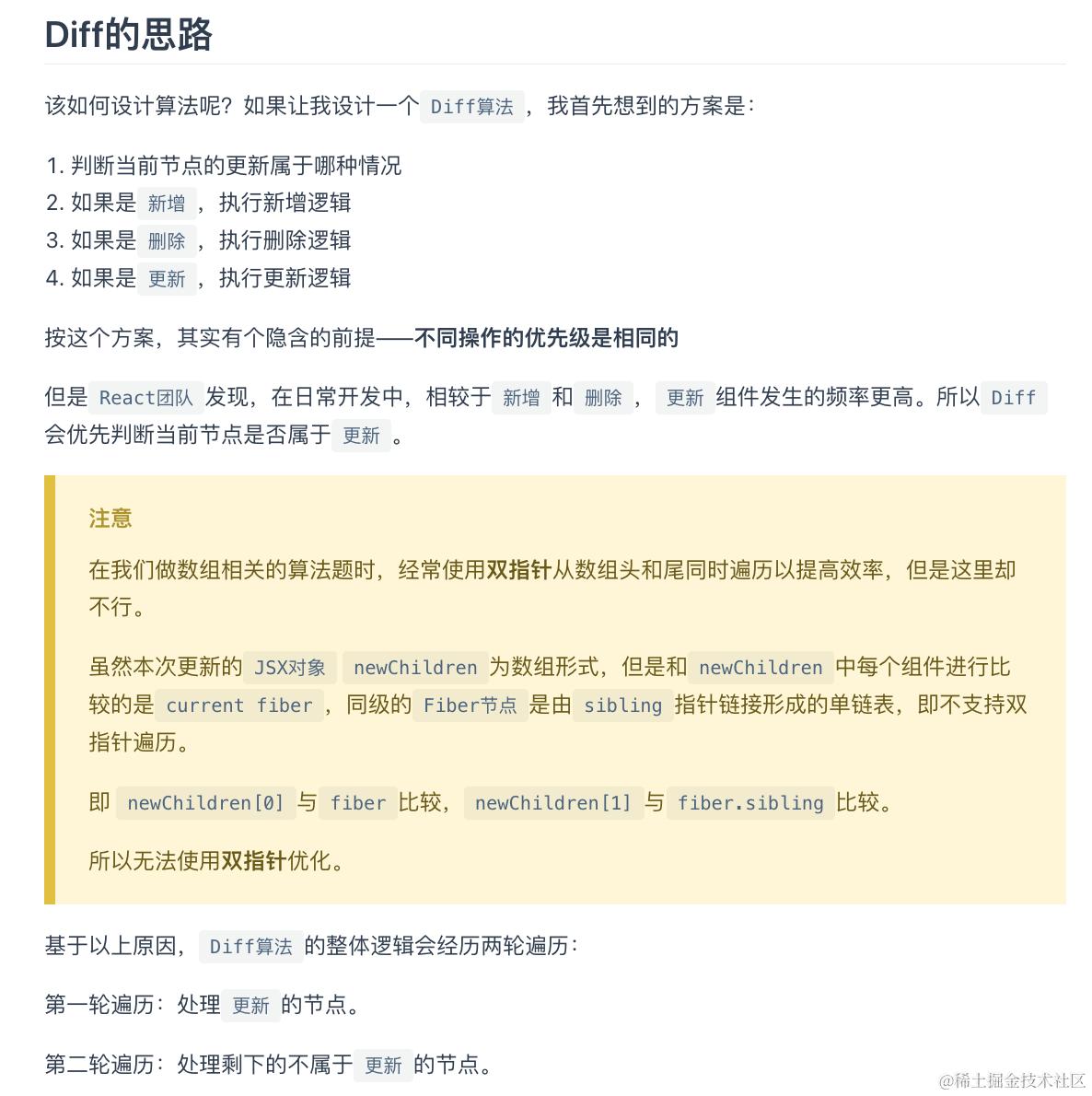 换句话说, newChildren[i]对应oldFiber对象中的不同层级的fibling属性
第一轮遍历 第一轮遍历步骤如下:
-
遍历newChildren,将newChildren[i]与oldFiber比较,判断DOM节点是否可复用。
-
如果可复用,i++,继续比较newChildren[i]与oldFiber.sibling,可以复用则继续遍历。
-
如果不可复用,分两种情况:
key不同导致不可复用,立即跳出整个遍历,第一轮遍历结束。
key相同type不同导致不可复用,会将oldFiber标记为DELETION,并继续遍历
- 如果newChildren遍历完(即i === newChildren.length - 1)或者oldFiber遍历完(即oldFiber.sibling === null),跳出遍历,第一轮遍历结束。
当遍历结束后,会有两种结果:
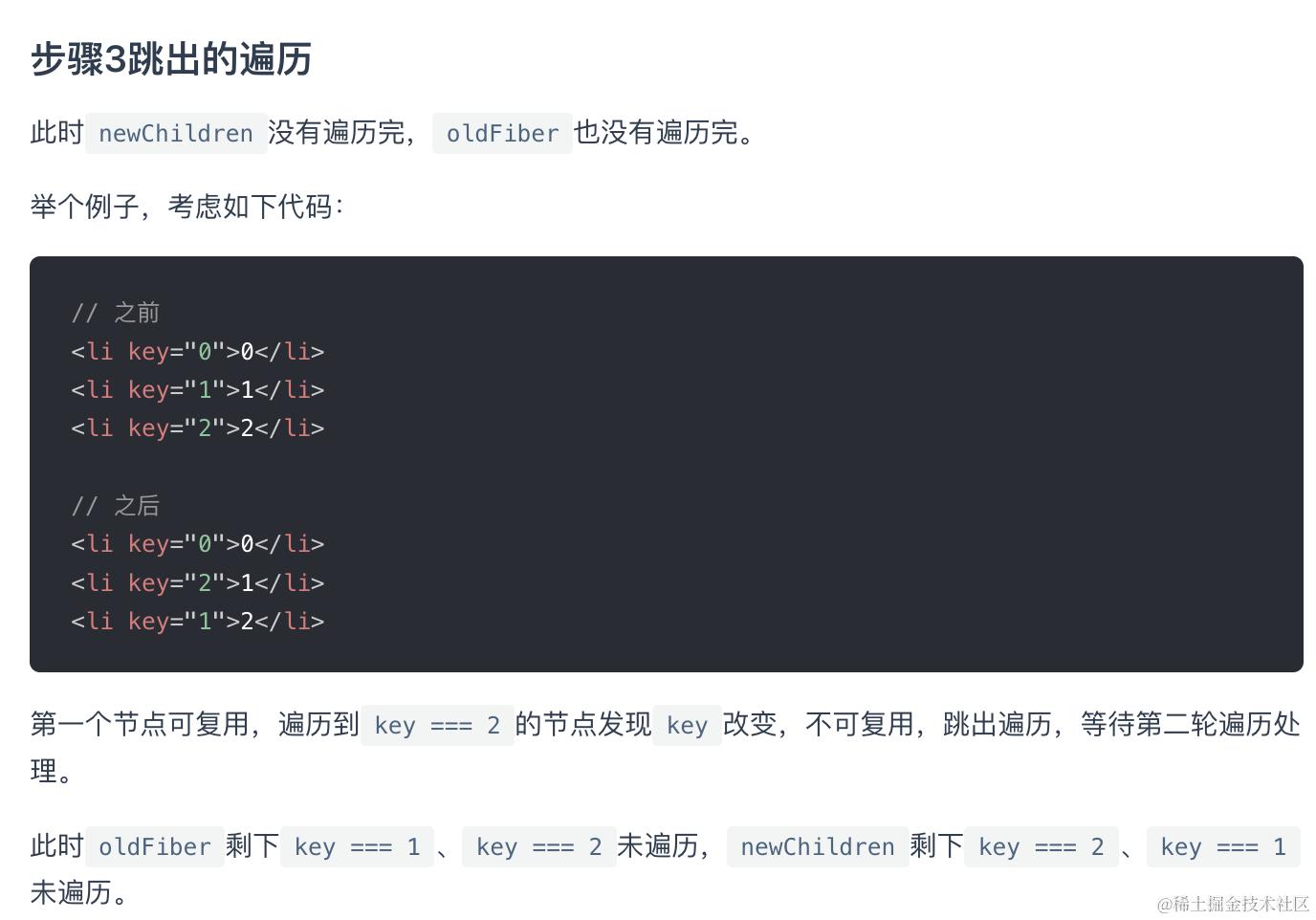
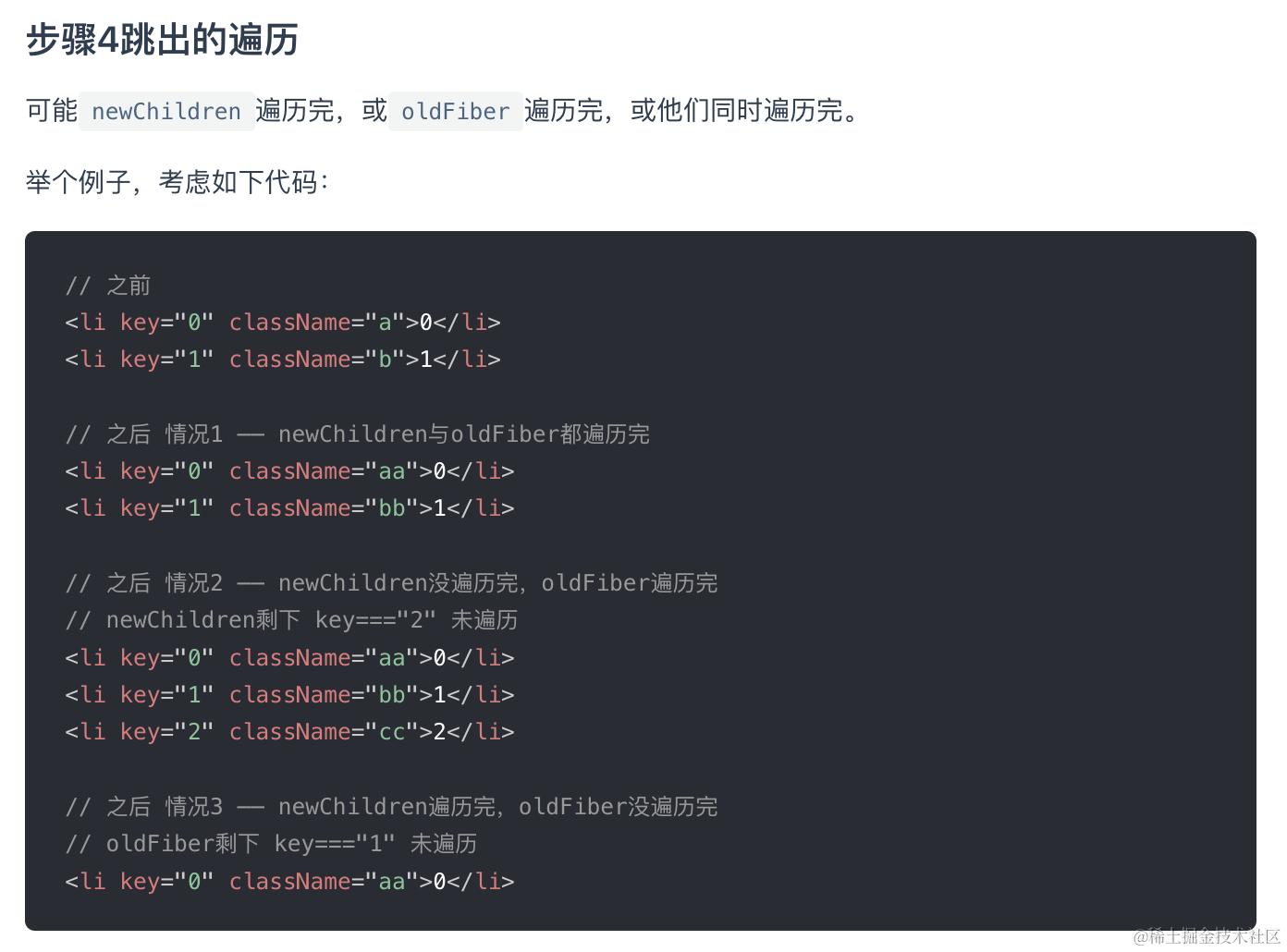
第二轮遍历
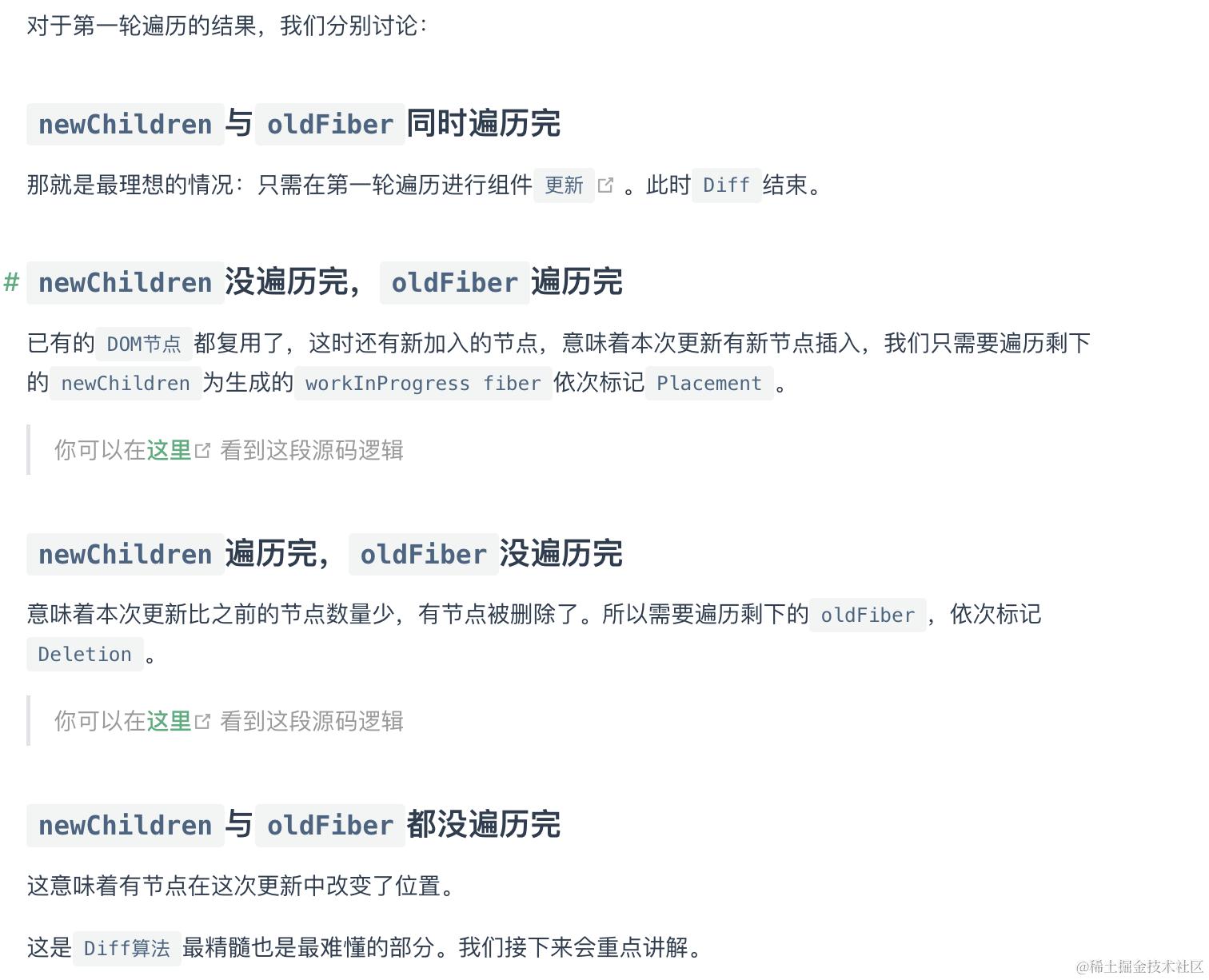 都没遍历完一定是遍历到了key不同的对子,不是简单的原基础增删,而是有节点在该层级移动了位置,所以直接终止遍历,放弃剩余复用节点的尝试
找到移动的节点 节点移动了之后,要利用key来找到原来与之对应的节点,为了快速的找到key对应的oldFiber,我们将所有还未处理的oldFiber存入以key为key,oldFiber为value的Map中。
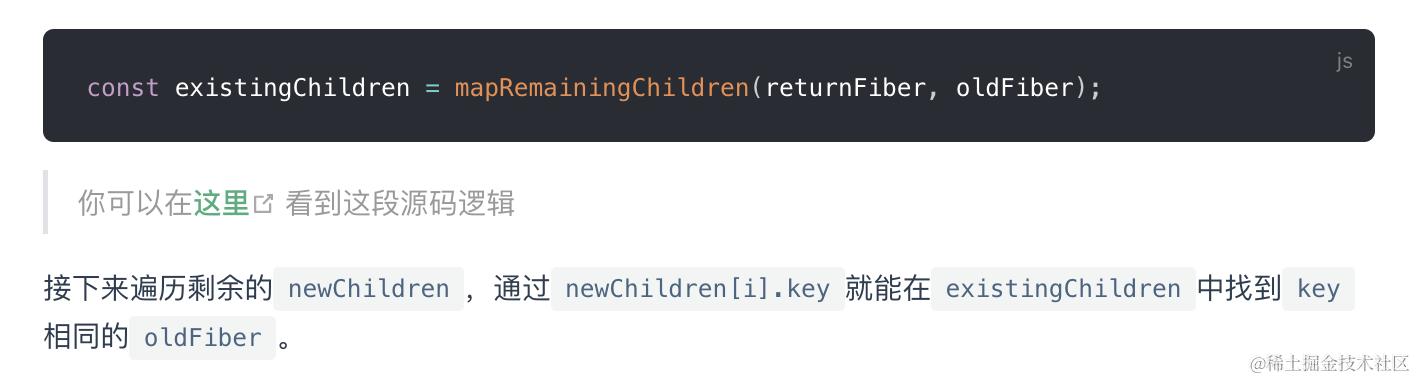
移动节点 (具体向左右移几位) 具体可参考react.iamkasong.com/diff/multi.…
Hooks
MemoizedState
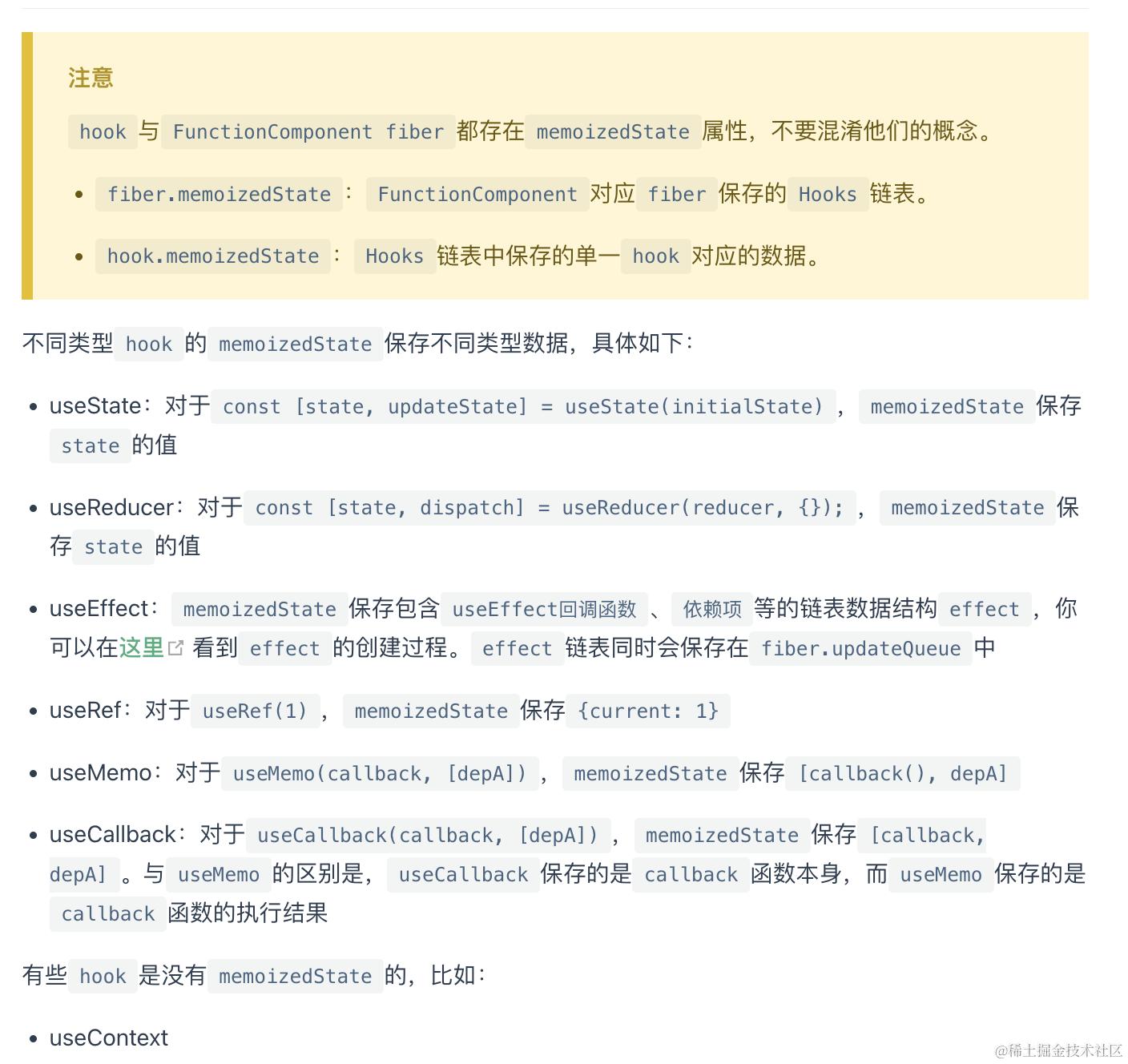
Hook的数据结构
上文在beginWork阶段提到,如果是函数组件,会调用updateFunctionComponent
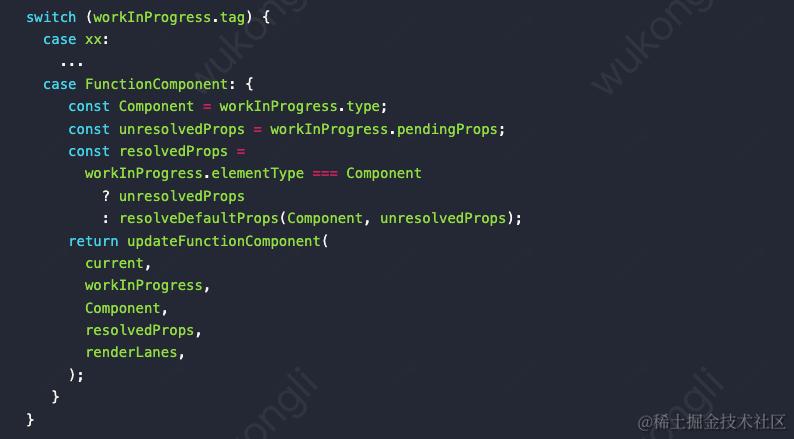
然后调用的是
renderWithHooks
function renderWithHooks(
  current
  workInProgress,
  Component,
  props,
  secondArg,
  nextRenderLanes,
) {
  // --------------- 1. 设置全局变量 -------------------
  renderLanes = nextRenderLanes; // 当前渲染优先级
  currentlyRenderingFiber = workInProgress; // 当前fiber节点, 也就是function组件对应的fiber节点

  // 清除当前fiber的遗留状态
  workInProgress.memoizedState = null;
  workInProgress.updateQueue = null;
  workInProgress.lanes = NoLanes;

  // --------------- 2. 调用function,生成子级ReactElement对象 -------------------
  // 指定dispatcher, 区分mount和update
  ReactCurrentDispatcher.current =
    current === null || current.memoizedState === null
      ? HooksDispatcherOnMount
      : HooksDispatcherOnUpdate;
  // 执行function函数, 其中进行分析Hooks的使用
  let children = Component(props, secondArg);

  // --------------- 3. 重置全局变量,并返回 -------------------
  // 执行function之后, 还原被修改的全局变量, 不影响下一次调用
  renderLanes = NoLanes;
  currentlyRenderingFiber = (null: any);

  currentHook = null;
  workInProgressHook = null;
  didScheduleRenderPhaseUpdate = false;

  return children;
}
-
调用
function前: 设置全局变量, 标记渲染优先级和当前fiber, 清除当前fiber的遗留状态. -
调用
function: 构造出Hooks链表, 最后生成子级ReactElement对象(children).
区分mount和update
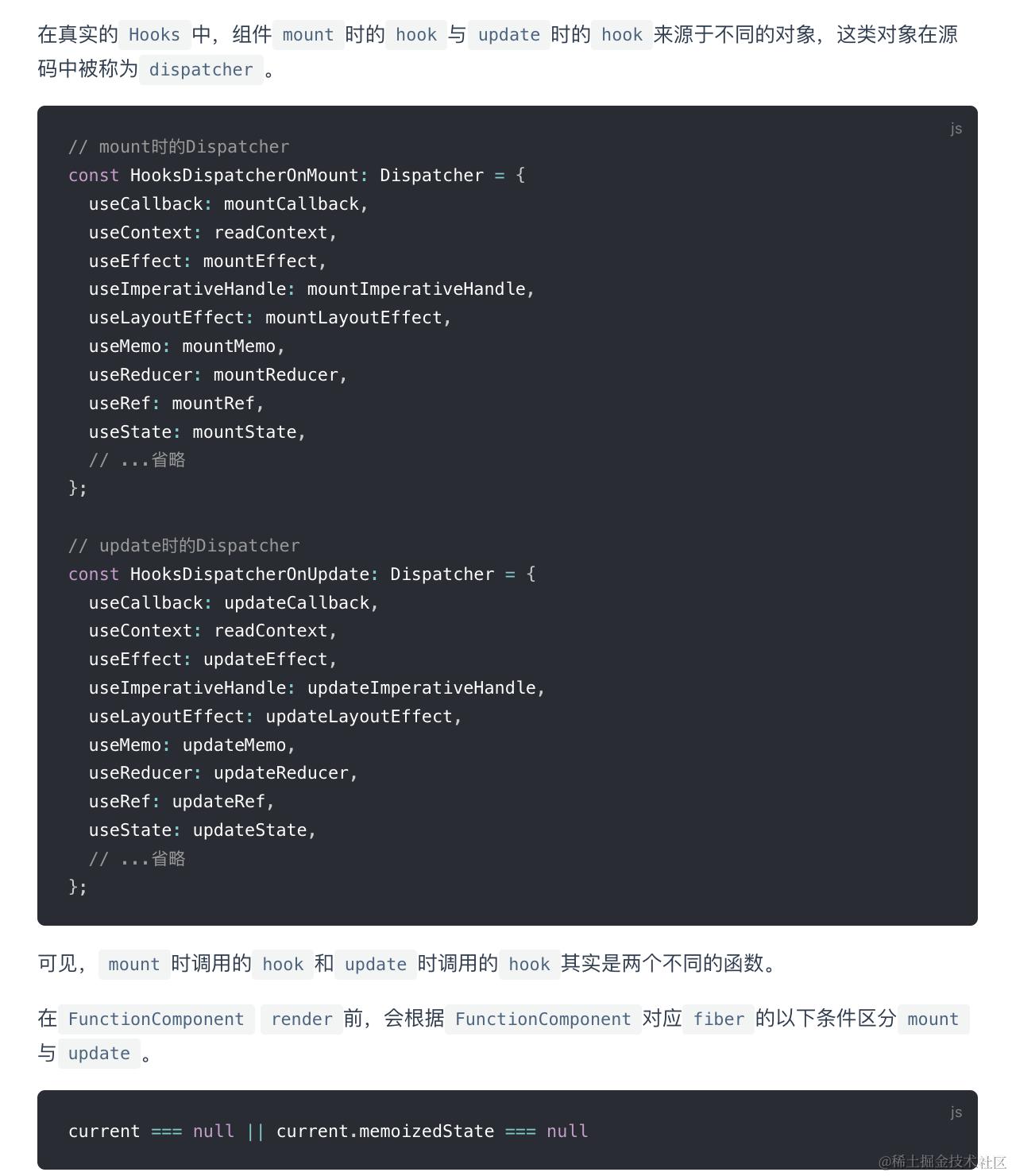
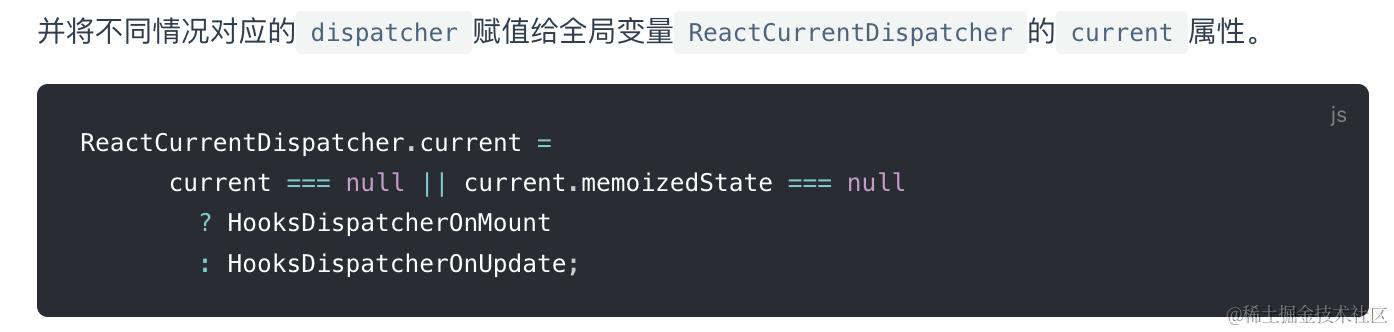
接下来开始执行renderWithHooks, 调用function,内部构造state hook和effects hook
在
function中, 通过Hook Api(如: useState, useEffect)创建Hook对象.
状态Hook实现了状态持久化(等同于class组件维护fiber.memoizedState).副作用Hook则实现了维护fiber.flags,并提供副作用回调(类似于class组件的生命周期回调)
State Hook
useState
mount:
组件首次渲染时(函数组件从头首次执行),useState会调用两部分:
- mountState
function mount(State)Reducer<S, I, A>(
    reducer: (S, A) => S,
    initialArg: I,
    init?: (I) => S,
): [S, Dispatch<A>] {
    // 1. 创建hook
    const hook = mountWorkInProgressHook();
    let initialState;
    if (init !== undefined) {
            initialState = init(initialArg);
    } else {
            initialState = ((initialArg: any): S);
    }
    // 2. 初始化hook的属性
    // 2.1 设置 hook.memoizedState/hook.baseState
    hook.memoizedState = hook.baseState = initialState;
    // 2.2 设置 hook.queue
    const queue = (hook.queue = {
            pending: null,
            dispatch: null,
            // queue.lastRenderedReducer是由(内部)外传入
            lastRenderedReducer: reducer,
            lastRenderedState: (initialState: any),
    });
    // 2.3 设置 hook.dispatch
    const dispatch: Dispatch<A> = (queue.dispatch = (dispatchAction.bind(
            null,
            currentlyRenderingFiber,
            queue,
    ): any));

    // 3. 返回[当前状态, dispatch函数]
    return [hook.memoizedState, dispatch];
}
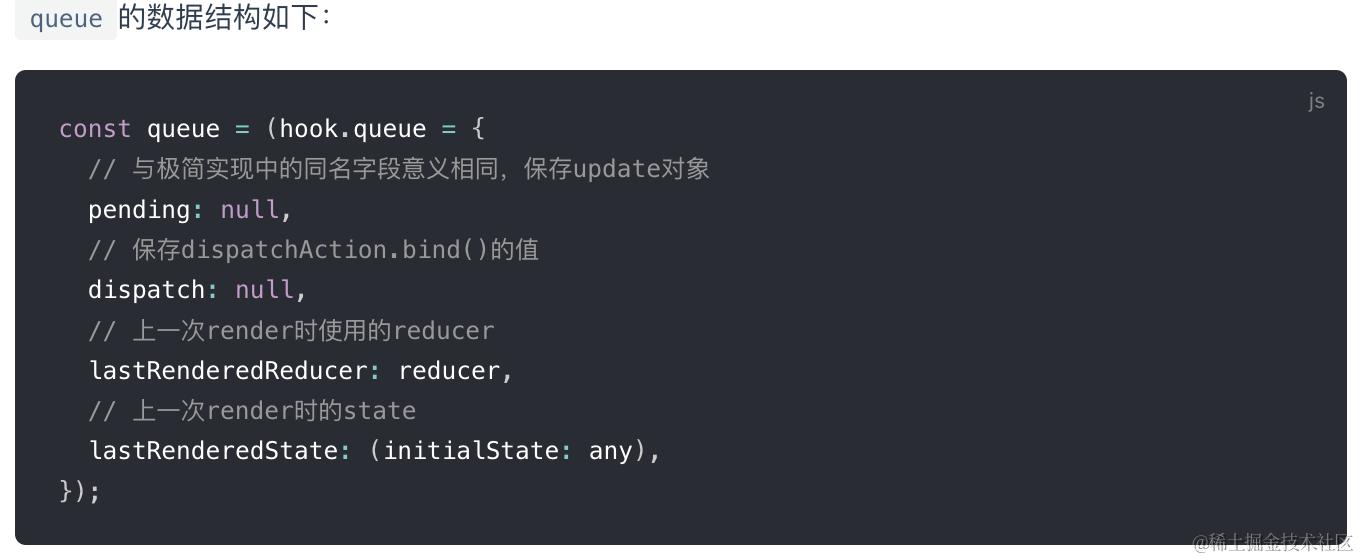
会调用mountWorkInProgressHook这个关键函数
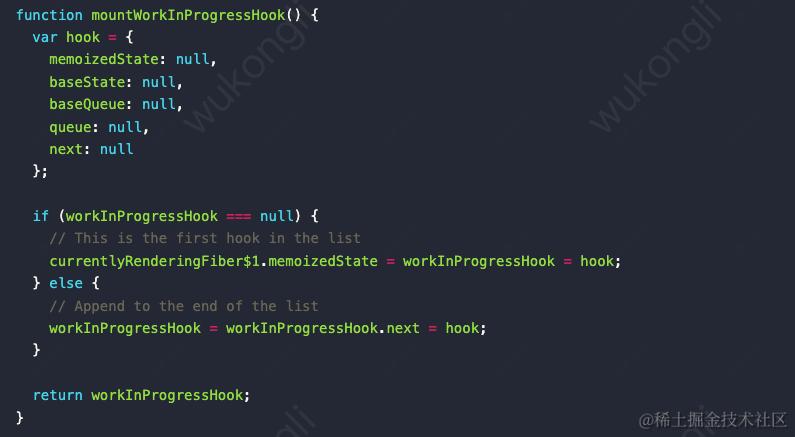 把hook链表挂载到
currentRenderingFiber(就是workInProgressFiber)的memoizedState上,并且按照声明顺序连成串
关键全局变量workInProgressHook的作用是记录每次生成的hook对象,用来指向组件中正在调用哪个hook。每一次调用hook函数都会把workInProgressHook指向hook函数产生的hook对象。
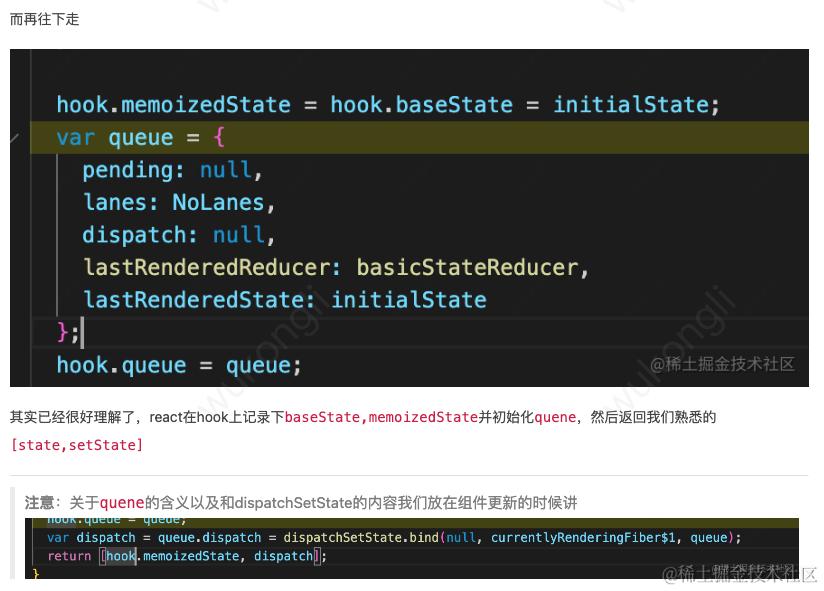
每个useXXX对应一个hook对象,调用该useXXX时产生的update会存在fiber.memoizedState(保存该FunctionComponent对应的Hooks链表 ).queue
update:
1. 发起更新
 function dispatchAction<S, A>(
        fiber: Fiber,
        queue: UpdateQueue<S, A>,
        action: A,
) {
        // 1. 创建update对象
        const eventTime = requestEventTime();
        const lane = requestUpdateLane(fiber); // Legacy模式返回SyncLane
        const update: Update<S, A> = {
                lane,
                action,
                eagerReducer: null,
                eagerState: null,
                next: (null: any),
        };

        // 2. 将update对象添加到hook.queue.pending队列
        const pending = queue.pending;
        if (pending === null) {
                // 首个update, 创建一个环形链表
                update.next = update;
        } else {
                update.next = pending.next;
                pending.next = update;
        }
        queue.pending = update;

        const alternate = fiber.alternate;
        if (
                fiber === currentlyRenderingFiber ||
                (alternate !== null && alternate === currentlyRenderingFiber)
        ) {
                // 渲染时更新, 做好全局标记
                didScheduleRenderPhaseUpdateDuringThisPass =
                        didScheduleRenderPhaseUpdate = true;
        } else {

                //3. 性能优化
                if (
                        fiber.lanes === NoLanes &&
                        (alternate === null || alternate.lanes === NoLanes)
                ) {
                        const lastRenderedReducer = queue.lastRenderedReducer;
                        if (lastRenderedReducer !== null) {
                                let prevDispatcher;
                                const currentState: S = (queue.lastRenderedState: any);
                                const eagerState = lastRenderedReducer(currentState, action);
                                // 暂存`eagerReducer`和`eagerState`, 如果在render阶段reducer==update.eagerReducer, 则可以直接使用无需再次计算
                                update.eagerReducer = lastRenderedReducer;
                                update.eagerState = eagerState;
                                if (is(eagerState, currentState)) {
                                        // 快速通道, eagerState与currentState相同, 无需调度更新
                                        // 注: update已经被添加到了queue.pending, 并没有丢弃. 之后需要更新的时候, 此update还是会起作用
                                        return;
                                }
                        }
                }

                // 4. 发起调度更新, 进入`reconciler 运作流程`中的输入阶段.
                scheduleUpdateOnFiber(fiber, lane, eventTime);
        }
}
-
创建
update对象, 其中update.lane代表优先级(可回顾fiber 树构造(基础准备)中的update优先级). -
将
update对象添加到hook.queue.pending环形链表.环形链表的特征: 为了方便添加新元素和快速拿到队首元素(都是O(1)), 所以pending指针指向了链表中最后一个元素.- 链表的使用方式可以参考React 算法之链表操作
-
发起调度更新: 调用
scheduleUpdateOnFiber, 进入reconciler 运作流程中的输入阶段.
2. 调用组件function
构建hook时updateState => useReducer
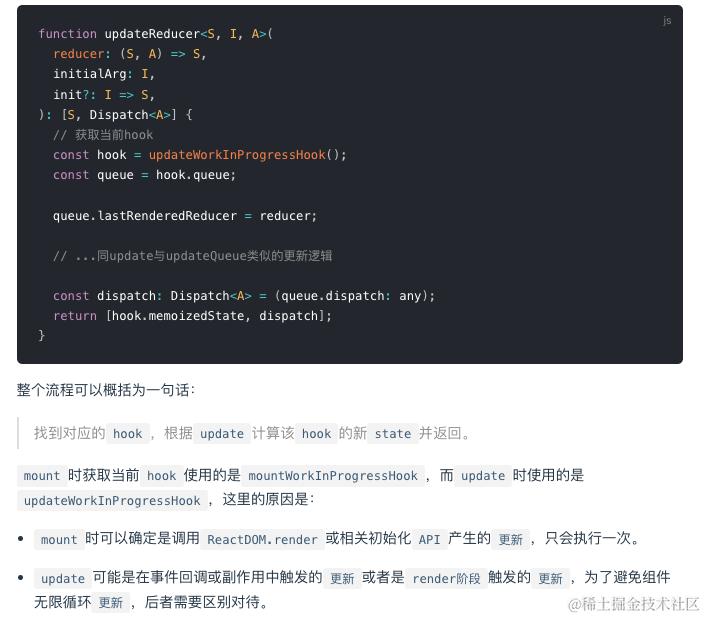
调用updateWorkInProgressHook这个关键函数: 目的是为了让currentHook和workInProgressHook两个指针同时向后移动.
 function updateWorkInProgressHook(): Hook {
        // 1. 移动currentHook指针
        let nextCurrentHook: null | Hook;
        if (currentHook === null) {
                const current = currentlyRenderingFiber.alternate;
                if (current !== null) {
                        nextCurrentHook = current.memoizedState;
                } else {
                        nextCurrentHook = null;
                }
        } else {
                nextCurrentHook = currentHook.next;
        }

        // 2. 移动workInProgressHook指针
        let nextWorkInProgressHook: null | Hook;
        if (workInProgressHook === null) {
                nextWorkInProgressHook = currentlyRenderingFiber.memoizedState;
        } else {
                nextWorkInProgressHook = workInProgressHook.next;
        }

        if (nextWorkInProgressHook !== null) {
                // 渲染时更新: 本节不讨论
        } else {
                currentHook = nextCurrentHook;
                // 3. 克隆currentHook作为新的workInProgressHook.
                // 随后逻辑与mountWorkInProgressHook一致
                const newHook: Hook = {
                        memoizedState: currentHook.memoizedState,

                        baseState: currentHook.baseState,
                        baseQueue: currentHook.baseQueue,
                        queue: currentHook.queue,

                        next: null, // 注意next指针是null
                };
                if (workInProgressHook === null) {
                        currentlyRenderingFiber.memoizedState = workInProgressHook = newHook;
                } else {
                        workInProgressHook = workInProgressHook.next = newHook;
                }
        }
        return workInProgressHook;
}
- 由于
renderWithHooks函数设置了workInProgress.memoizedState=null, 所以workInProgressHook初始值必然为null, 只能从currentHook克隆. - 而从
currentHook克隆而来的newHook.next=null, 进而导致workInProgressHook链表需要完全重建.
所以function执行完成之后, 有关Hook的内存结构如下
useEffect
mount
-mountHookTypesDev:同useState
-mountEffectImpl
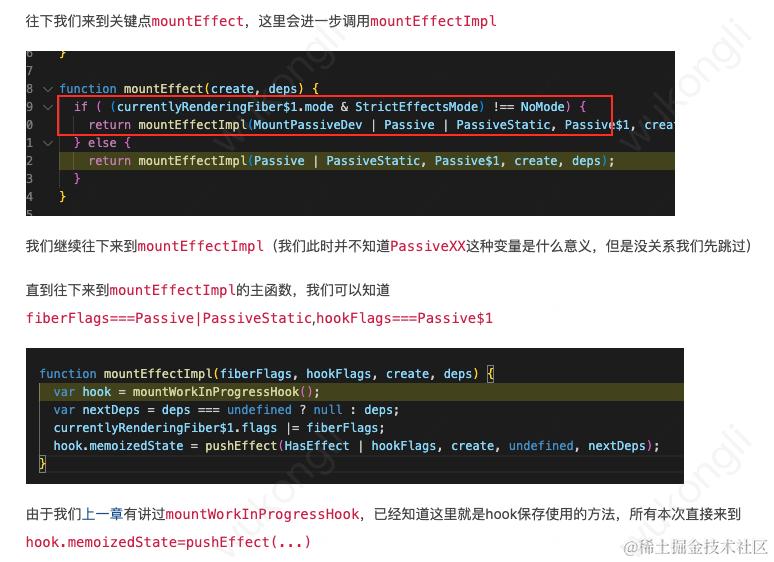
mountWorkInProgressHook同useState
-pushEffect
function pushEffect(tag, create, destroy, deps) {
  var effect = {
    tag: tag,
    create: create,
    destroy: destroy,
    deps: deps,
    // Circular
    next: null
  };
   var componentUpdateQueue = currentlyRenderingFiber$1.updateQueue;

  if (componentUpdateQueue === null) {
    componentUpdateQueue = createFunctionComponentUpdateQueue();
    currentlyRenderingFiber$1.updateQueue = componentUpdateQueue;
    componentUpdateQueue.lastEffect = effect.next = effect;
  } else {
  var lastEffect = componentUpdateQueue.lastEffect;

  if (lastEffect === null) {
    componentUpdateQueue.lastEffect = effect.next = effect;
  } else {
    var firstEffect = lastEffect.next;
    lastEffect.next = effect;
    effect.next = firstEffect;
    componentUpdateQueue.lastEffect = effect;
  }
    }
  return effect;
}
把effect也存成类似update的环形链表,然后将return的环链挂在hook.memoizedState上
update -updateHookTypesDev:同useState
-updateEffectImpl
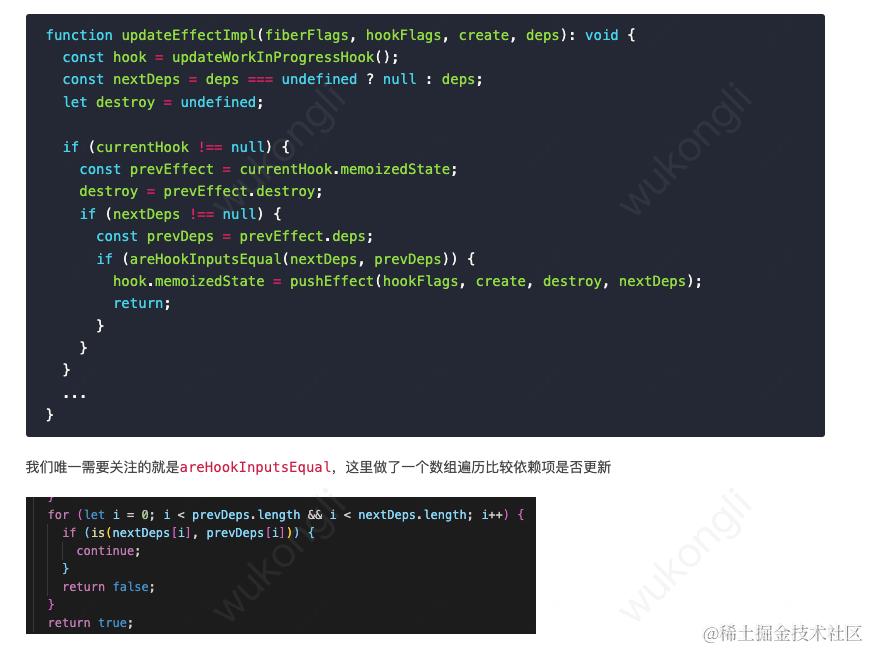
commit
useEffect回调的执行和副作用清理都在commit阶段,在commit阶段则会通过Scheduler协调器异步执行updateQueue
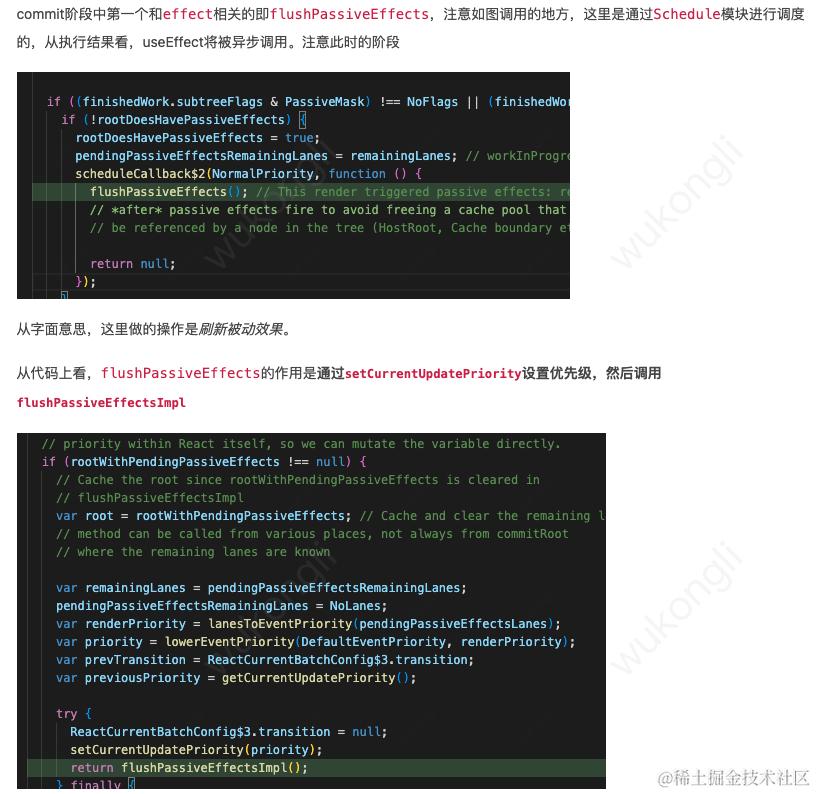
-flushPassiveEffectsImpl
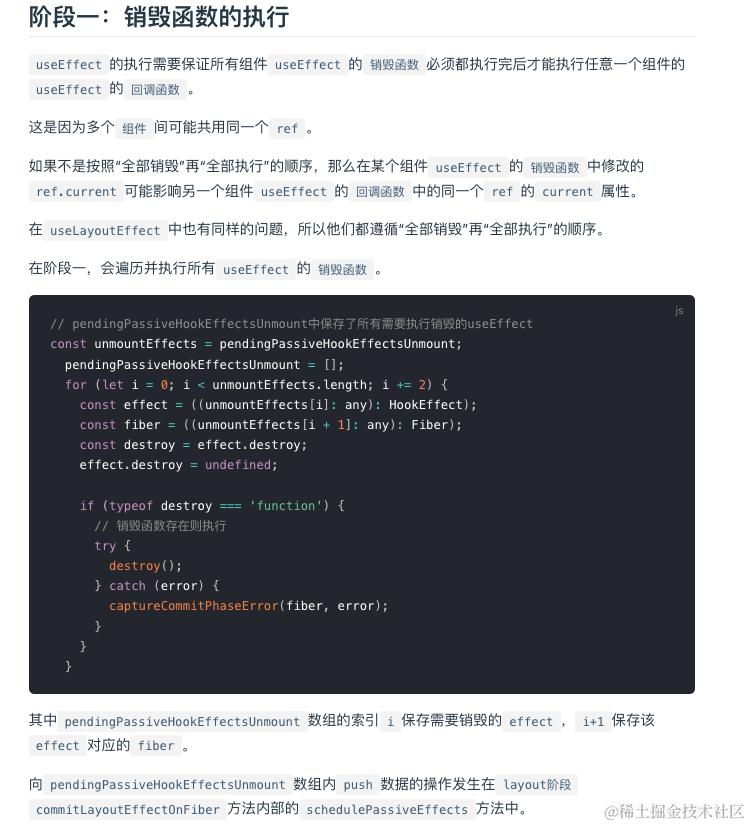
- 调用该
useEffect在上一次render时的返回的销毁函数
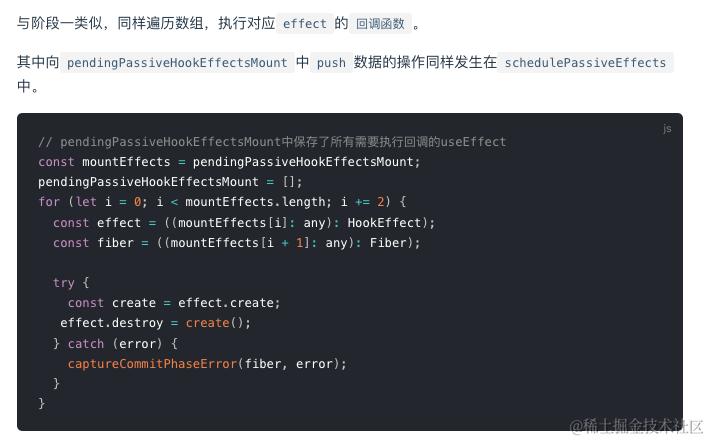
- 调用该
useEffect在本次render时传入的函数
优先级管理
之前提到Update对象的lane属性就是用来标志优先级
状态更新Update由用户交互产生,用户心里对交互执行顺序有个预期。React根据人机交互研究的结果中用户对交互的预期顺序为交互产生的状态更新赋予不同优先级。
具体如下:
- 生命周期方法:同步执行。
- 受控的用户输入:比如输入框内输入文字,同步执行。
- 交互事件:比如动画,高优先级执行。
- 其他:比如数据请求,低优先级执行。
优先级最终会反映到
Update.lane变量上,看这样一个例子:
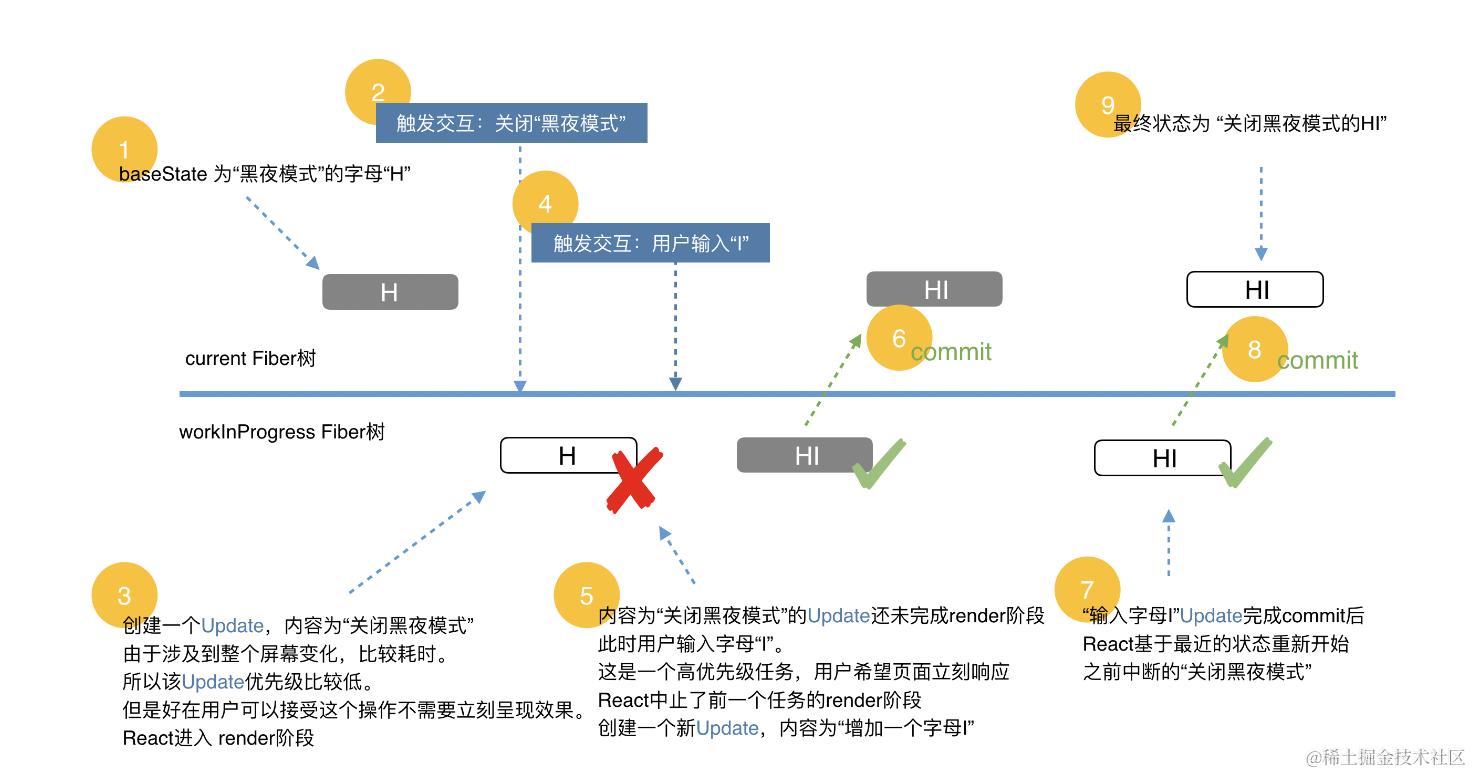 两个Update对象u1,u2的lane应该是u1.lane>u2.lane(越小优先级越高)
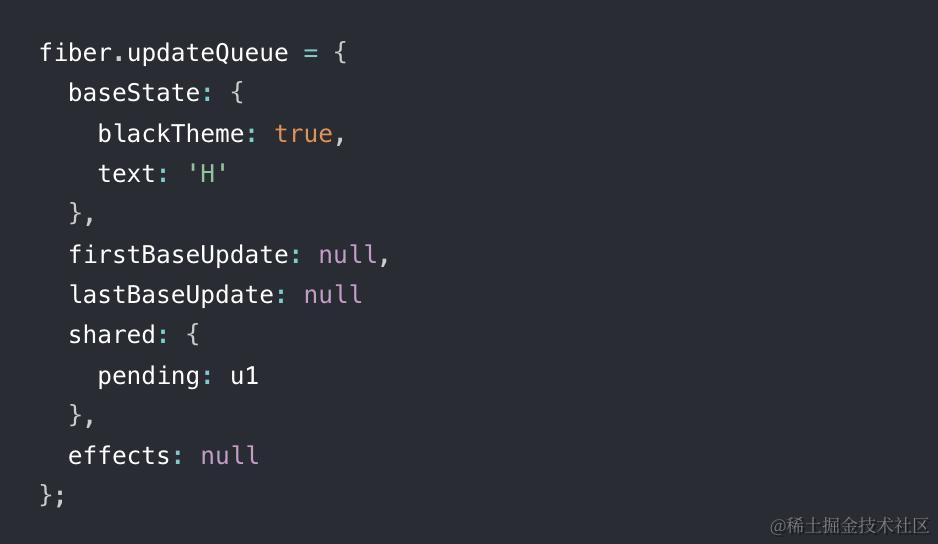
u1先触发并进入render阶段, 此时这个fiber节点的updateQueue如下图所示:
 在u1完成render阶段前用户通过键盘输入字母“I”,产生了u2。u2属于受控的用户输入,优先级高于u1,于是
中断u1产生的render阶段。此时:
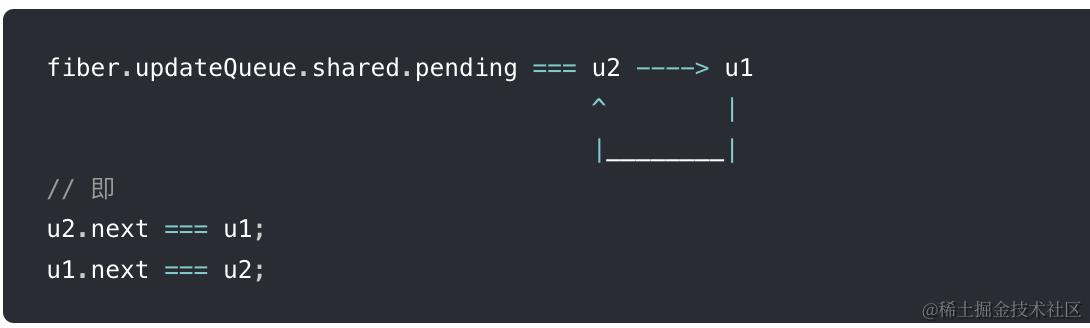
share.pending会始终保持指向最后一个插入的Update,然后进入u2的render阶段,将环剪开接在lastBaseUpdate后面
fiber.updateQueue.shared.pending = u1 ---> u2
然后开始遍历baseUpdate:
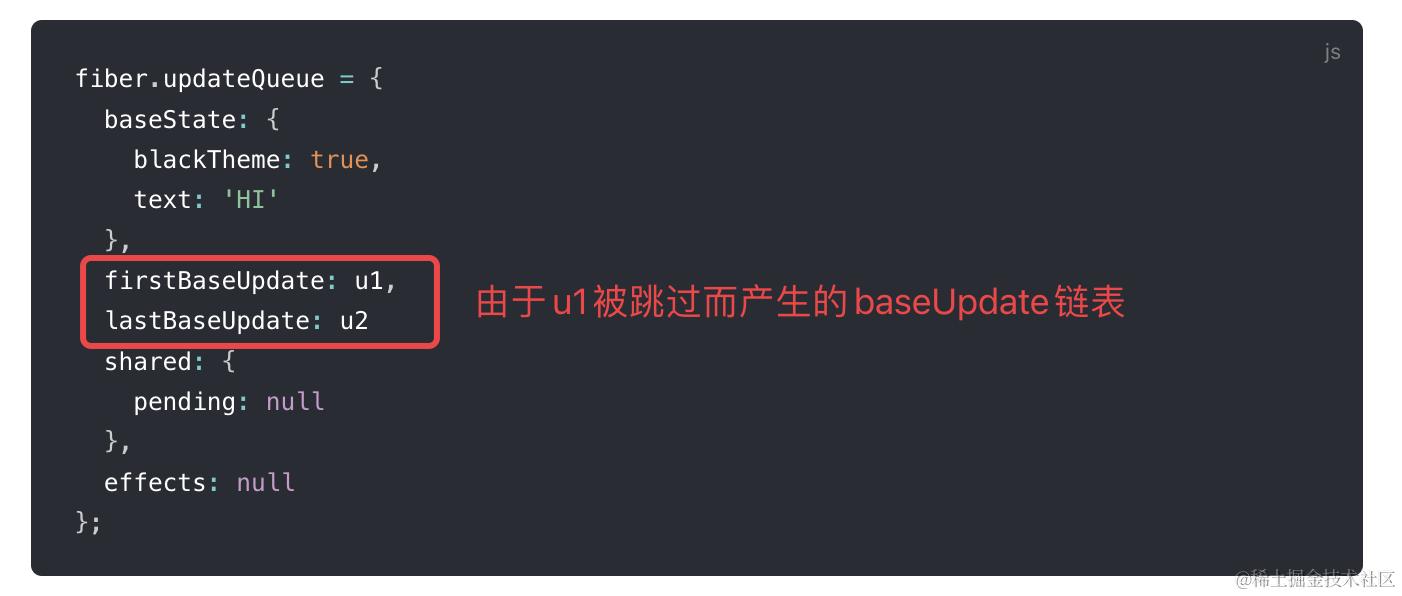
- u1由于lane优先级不够,被跳过,
React 认为:update之间可能有依赖关系,所以被跳过的update及其后面所有update会成为下次更新的baseUpdate
 2. u2的commit阶段结束之后,开始schedule下一次更新,基于
firstBaseUpdate:u1,止于lastBaseUpdate:u2
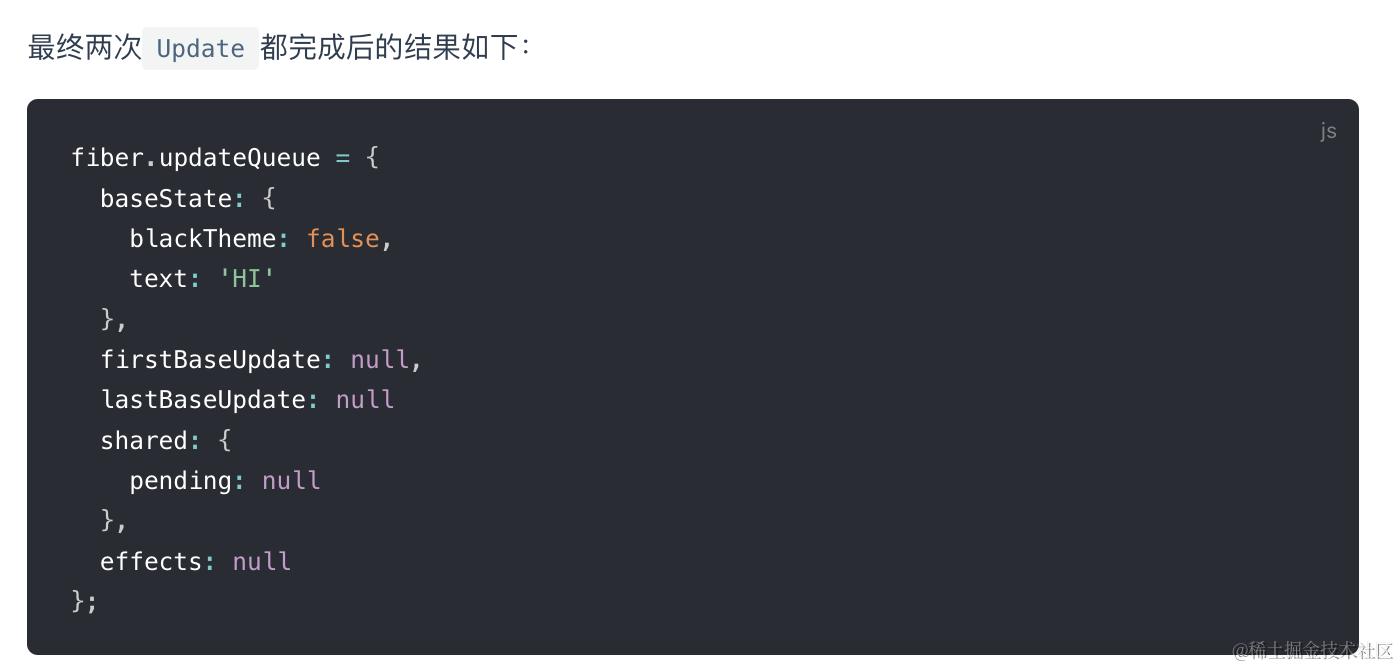 我们可以看见,u2对应的更新执行了两次,相应的render阶段的生命周期勾子componentWillXXX也会触发两次。这也是为什么这些勾子会被标记为unsafe_
被中断的update如何恢复
其实就是利用current tree来备份一份便于恢复
时间切片
Scheduler的时间切片功能是通过task(宏任务)实现的,任务剩余时间<0时React会跳出循环停止执行代码,让出浏览器线程进行其他工作。
最常见的task当属setTimeout了。但是有个task比setTimeout执行时机更靠前,那就是MessageChannel,所以Scheduler将需要被执行的回调函数作为MessageChannel的回调执行。如果当前宿主环境不支持MessageChannel,则使用setTimeout。
    const hasMoreWork = scheduledHostCallback(
        hasTimeRemaining,
        currentTime,
      );
      if (!hasMoreWork) {
        isMessageLoopRunning = false;
        scheduledHostCallback = null;
      } else {
        // If there's more work, schedule the next message event at the end
        // of the preceding one.
        port.postMessage(null);
      }
(由于requestIdleCallback工作帧率低,只有20FPS,还有兼容问题,React并没有使用它,而是用requestAnimationFrame和MessageChannel进行polyfill。)
在React的render阶段,开启Concurrent Mode时,每次遍历前,都会通过Scheduler提供的shouldYield方法判断是否需要中断遍历,使浏览器有时间渲染
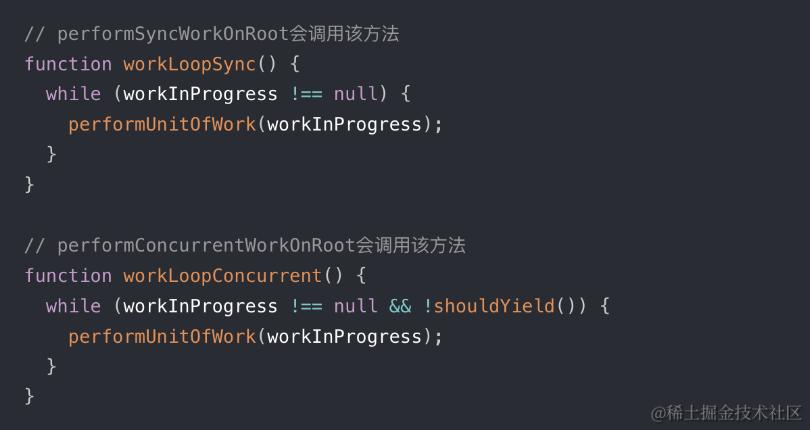
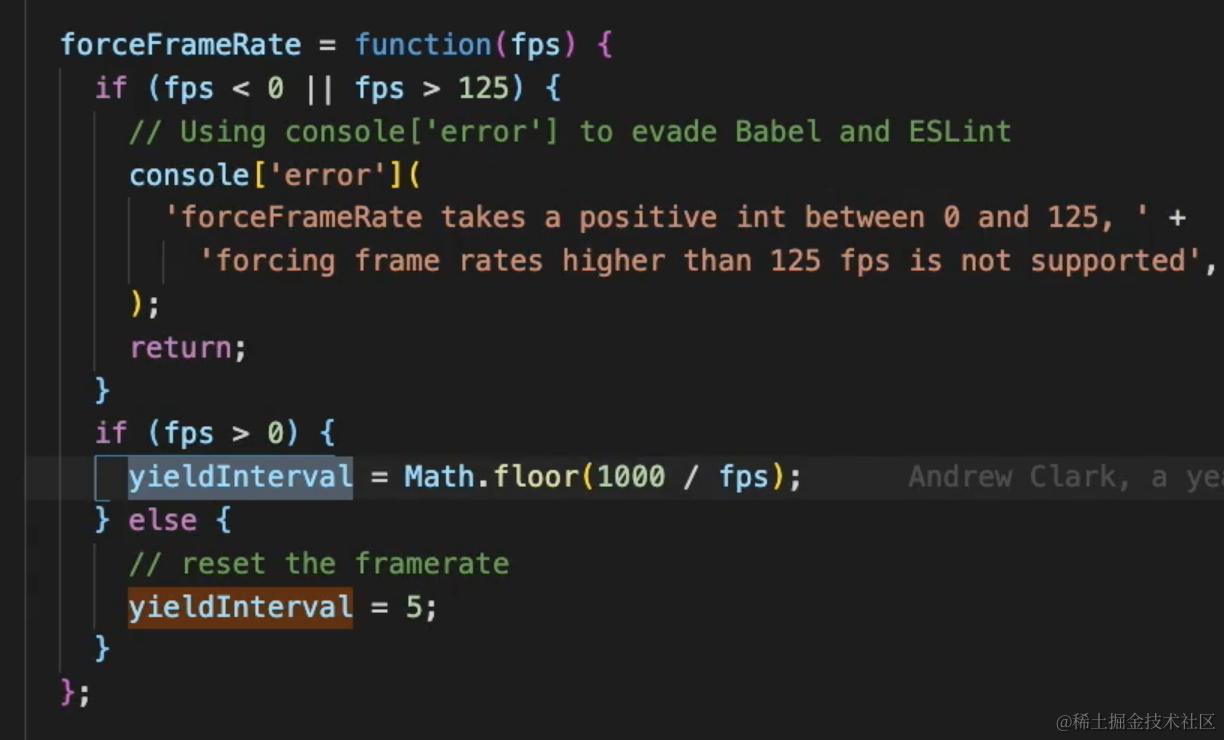
shouldYield会判断当前环境是否为浏览器,是则用MessageChannel不是则用setTimeout(flushCallback,0)模拟任务, 返回currentTime >= deadline(也就是 yieldInterval<0, 其初始值为5ms,所以任务一般都会被切片成5ms)
随着应用运行,会通过fps动态调整分配给任务的可执行时间。
Scheduler优先级
export const NoPriority = 0;
export const ImmediatePriority = 1;
export const UserBlockingPriority = 2;
export const NormalPriority = 3;
export const LowPriority = 4;
export const IdlePriority = 5;
 Scheduler是独立于React的包,对外暴露一个方法
unstable_runWithPriority,在React内部凡是涉及优先级调度的地方都会调用它
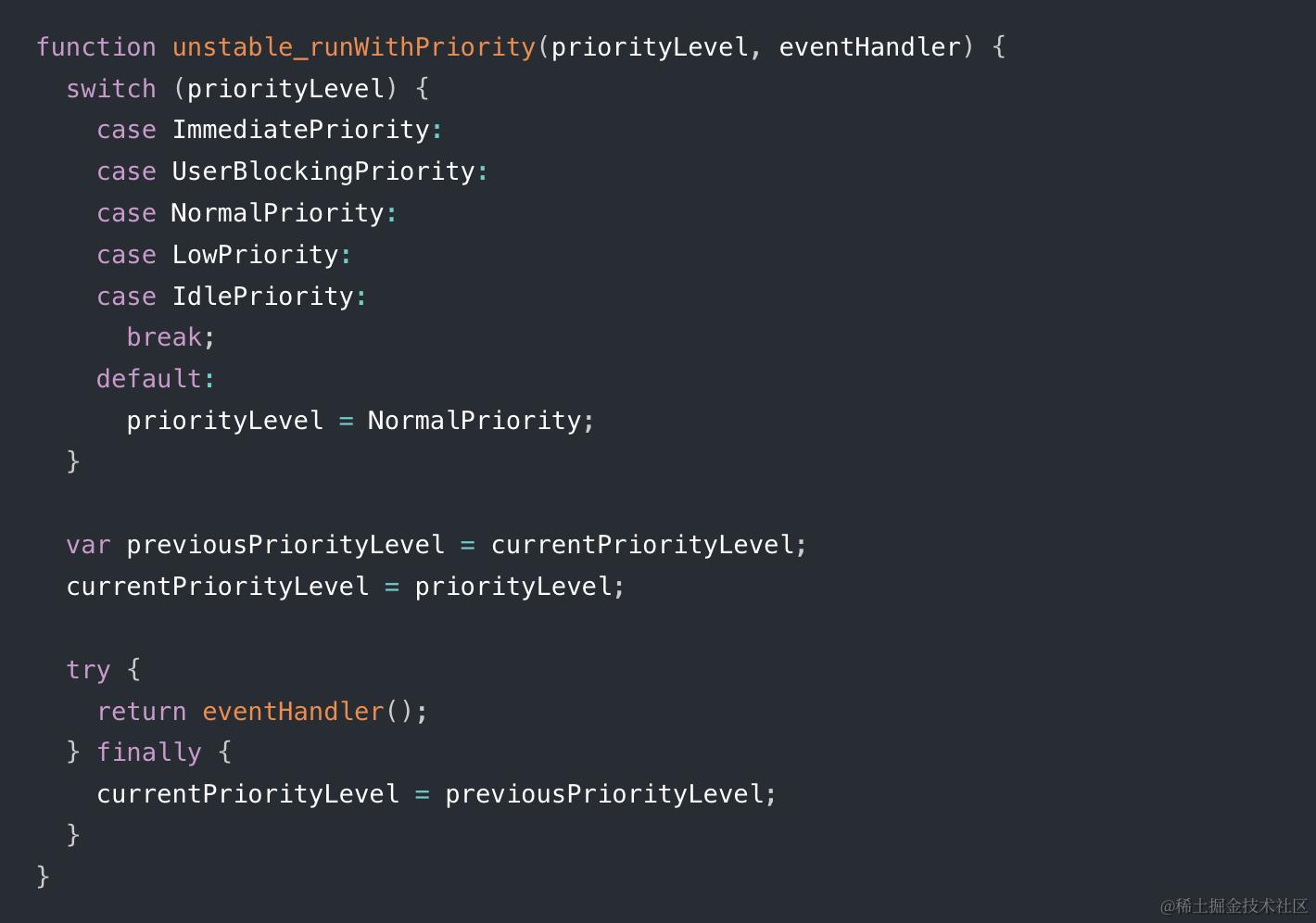 内部有5种优先级,eg.
 commitRoot优先级为Immediate,beforeMutation中调度useEffect的优先级为Normal
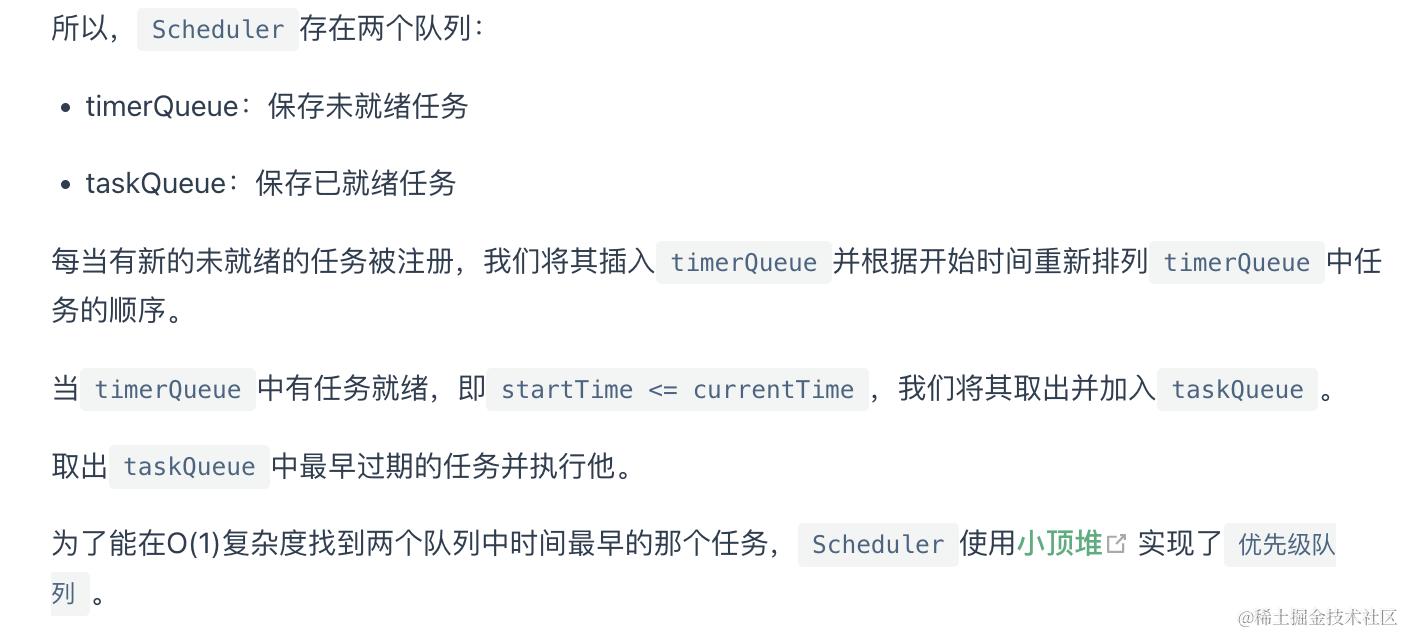
 不同优先级对应不同的最大延迟时间,startTime=currentTime+delay,当startTime>currentTime表示有剩余时间(未就绪任务),小于开始时间表示任务需要立即被执行(已就绪任务)
performUnitOfWork被中断后是如何重新启动的呢?
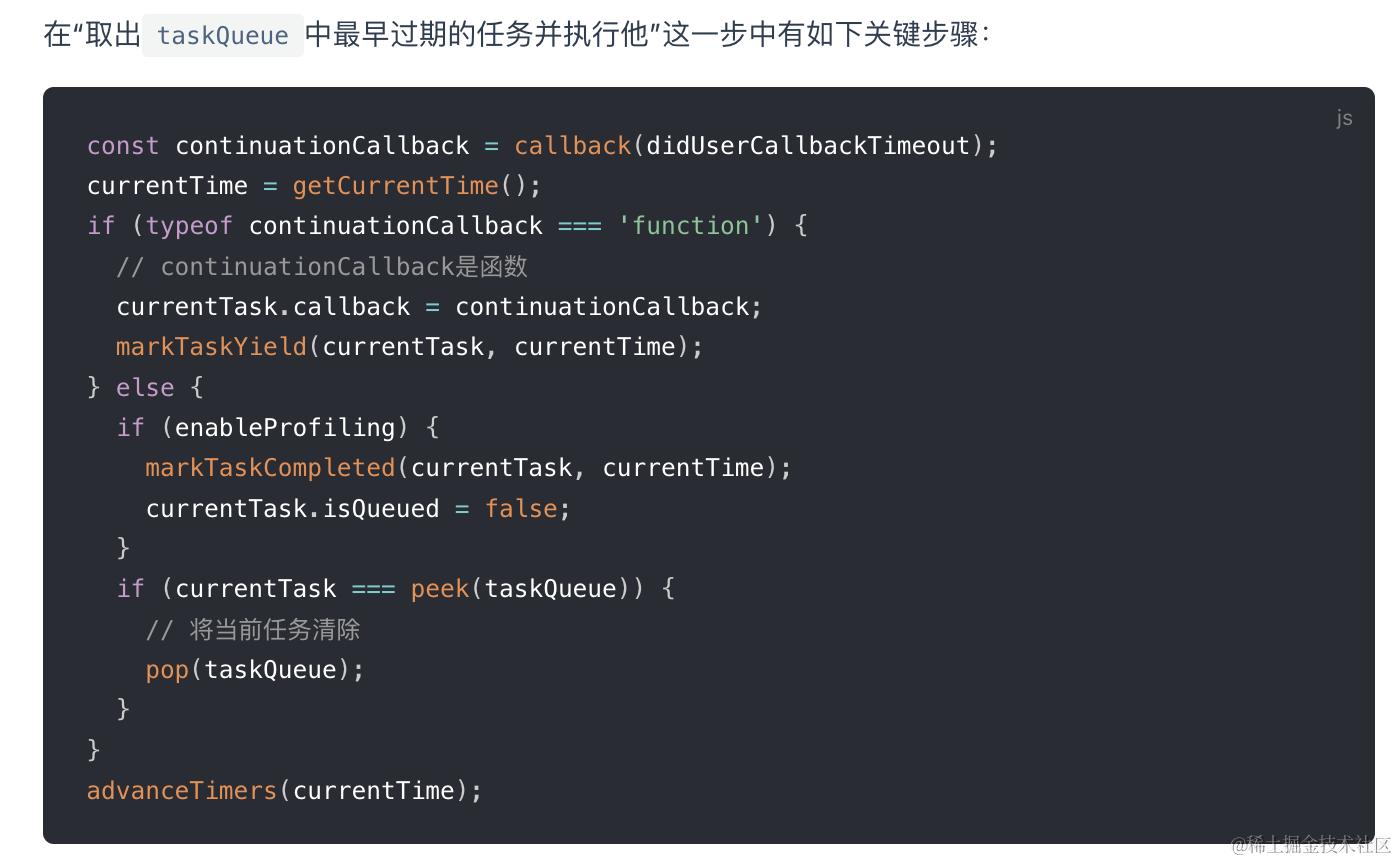 当注册的回调函数执行后的返回值continuationCallback为function,会将continuationCallback作为当前任务的回调函数。
如果返回值不是function,则将当前被执行的任务清除出taskQueue。
render阶段被调度的函数为performConcurrentWorkOnRoot,在该函数末尾有这样一段代码:
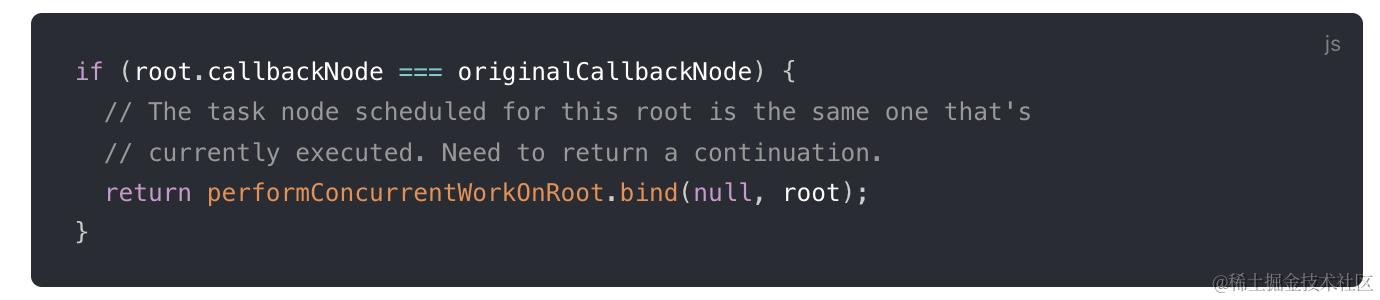 因此,被中断的任务不会被清出队列,React判断任务被中断后会把该任务作为currentTask的回调重新伺机触发
Fiber优先级(Lane)
*Scheduler*调度的优先级会在react-reconciler内部调用schedularPriorityToLanePriority转换得出Lane优先级
与fiber构造过程相关的优先级(如fiber.updateQueue,fiber.lanes)都使用LanePriority.
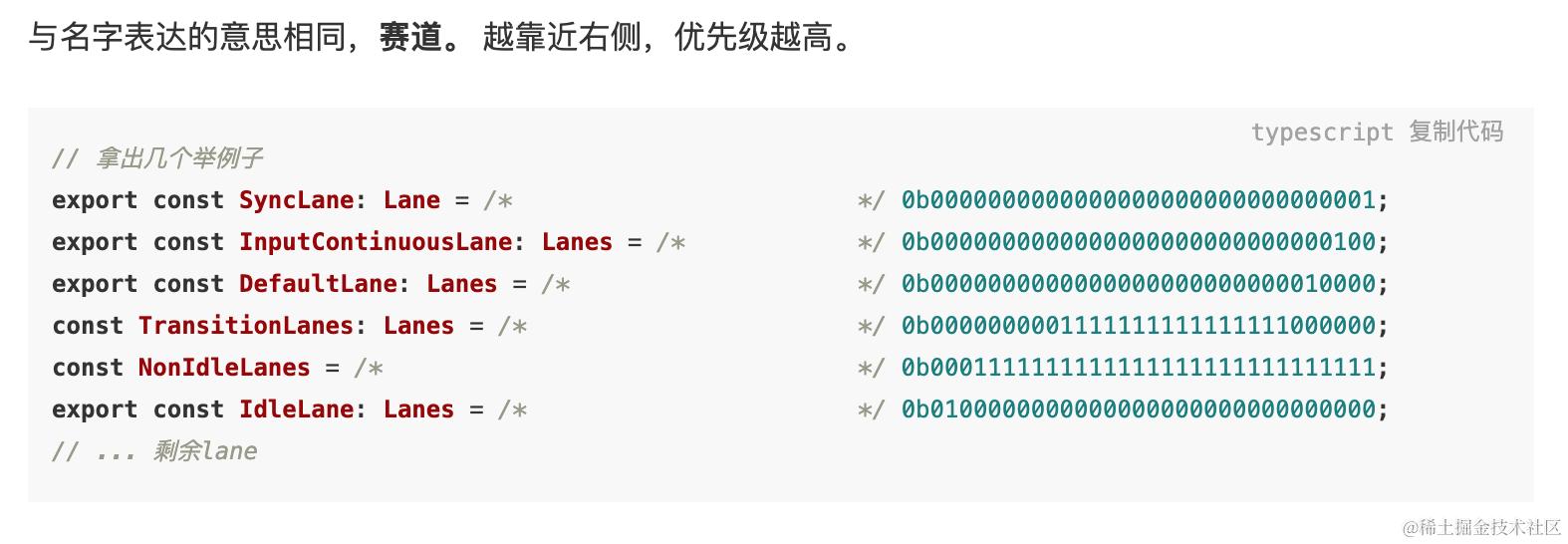
Lane类型被定义为二进制变量, 利用了位掩码的特性, 在频繁运算的时候占用内存少, 计算速度快.
通过位运算可以更简单的判断不同任务是否有优先级重叠,删除添加任务等
//Old:  通过expirationTime实现
维护一个链表, 按照单个task的优先级顺序进行插入

删除单个task(从链表中删除一个元素)
task.prev.next = task.next;

增加单个task(需要对比当前task的优先级, 插入到链表正确的位置上)
let current = queue;
while (task.expirationTime >= current.expirationTime) {
  current = current.next;
}
task.next = current.next;
current.next = task;

比较task是否在group中
const isTaskIncludedInBatch =
  taskPriority <= highestPriorityInRange &&
  taskPriority >= lowestPriorityInRange;

// New: 通过Lanes实现
// 1) 删除单个task
batchOfTasks &= ~task;
// 2) 增加单个task
batchOfTasks |= task;
// 3) 比较task是否在group中
const isTaskIncludedInBatch = (task & batchOfTasks) !== 0;
-
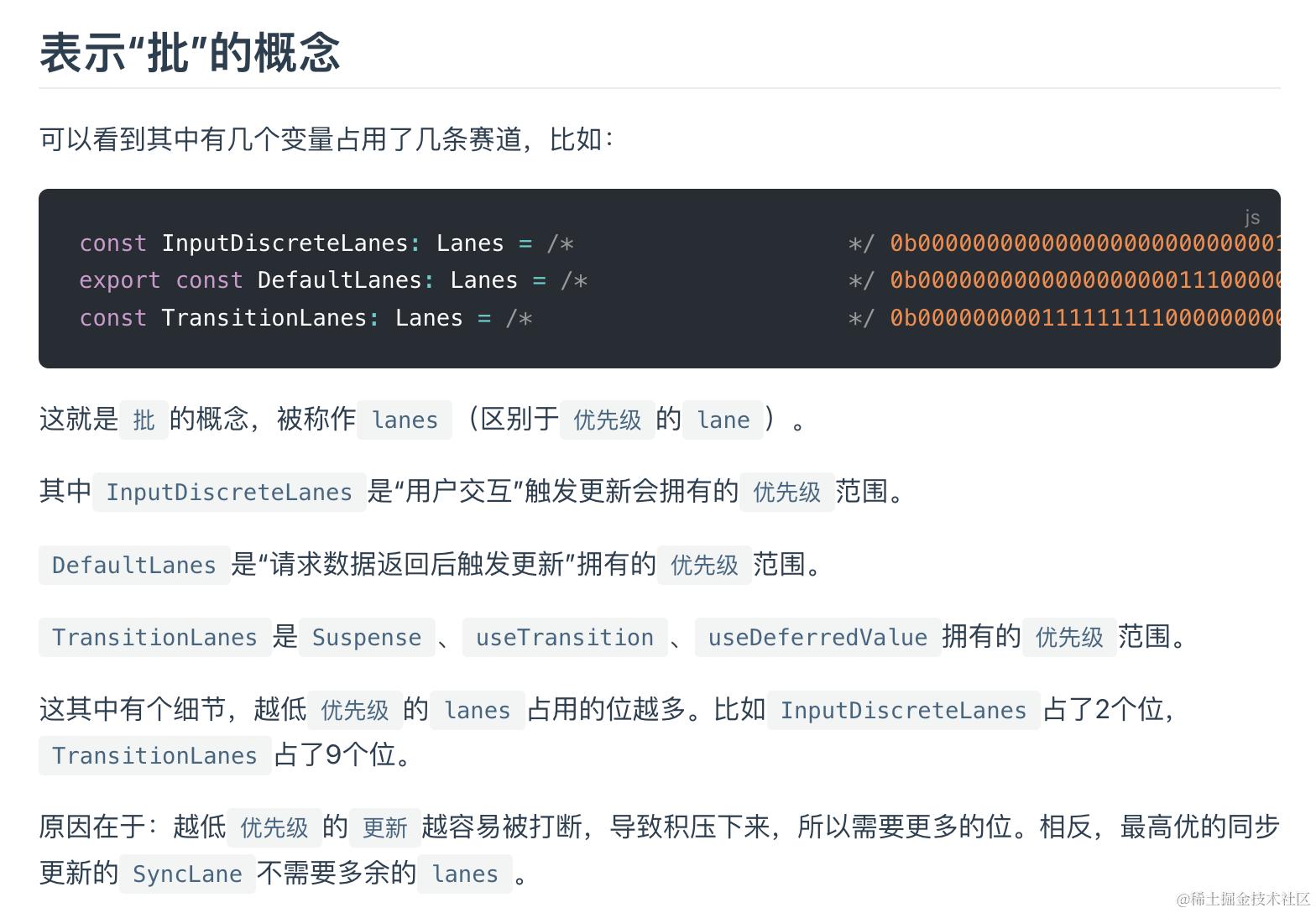
共定义了18 种车道(
Lane/Lanes)变量, 每一个变量占有 1 个或多个比特位, 分别定义为Lane和Lanes类型. -
每一种车道(
Lane/Lanes)都有对应的优先级, 所以源码中定义了 18 种优先级(LanePriority). -
占有低位比特位的
Lane变量对应的优先级越高- 最高优先级为
SyncLanePriority对应的车道为SyncLane = 0b0000000000000000000000000000001. - 最低优先级为
OffscreenLanePriority对应的车道为OffscreenLane = 0b1000000000000000000000000000000.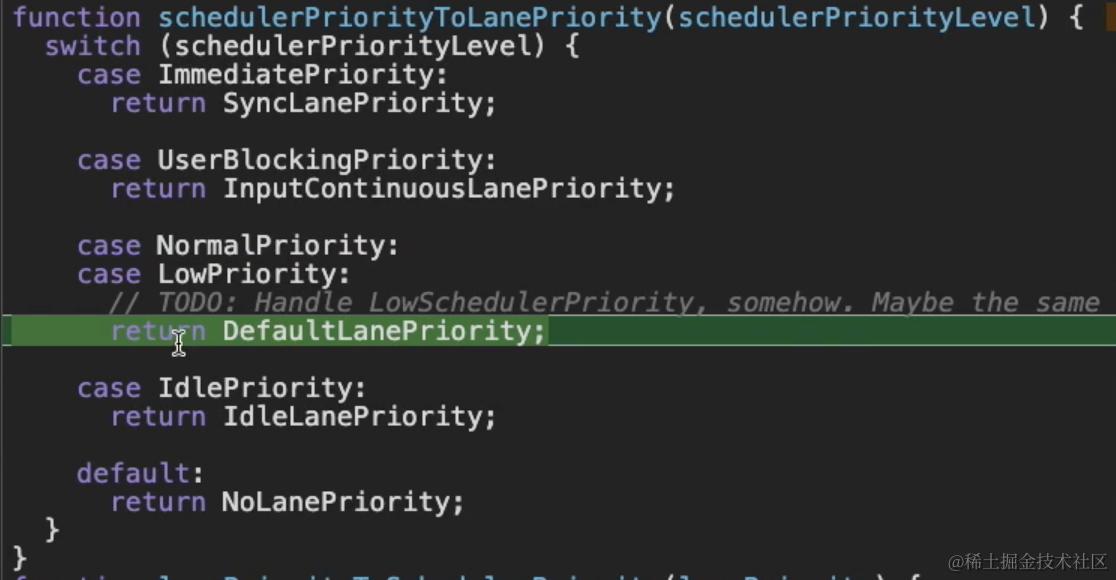
- 最高优先级为
React综合优先级
调度原理
逻辑位于scheduler包
- scheduler内部维护一个任务队列,
taskqueue是一个小顶堆,永远弹出优先级最高的任务 - 创建
MessageChannel,模拟类似requestIdleCallback的行为。 - 创建任务,推入队列,执行
requestHostCallback - 装载任务,如果loop空闲就通过MessageChannel宏任务执行
performWorkUntilDeadline - perform内部检查如果任务装载了,更新一下任务的执行截止时间((当前时间 + 一个时间切片间隔:如5ms)
- 执行
scheduledHostCallback,也就是flushWork, 确保任务在时间片内执行,超时则暂停,并重新调度成一个message channel异步宏任务,等待下个事件循环:从currentTask恢复,继续处理下一个任务,防止主线程阻塞。
function scheduleCallback(priorityLevel, callback, options){
    var taskQueue = new MinHeap();
    const channel = new MessageChannel();
    const port2 = channel.port2;
    channel.port1.onmessage = performWorkUntilDeadline;

    const performWorkUntilDeadline = () => {
      if (scheduledHostCallback !== null) {
        const currentTime = getCurrentTime(); // 1. 获取当前时间
        deadline = currentTime + yieldInterval; // 2. 设置deadline
        const hasTimeRemaining = true;
        try {
          // 3. 执行回调, 返回是否有还有剩余任务
          const hasMoreWork = scheduledHostCallback(hasTimeRemaining, currentTime);
          if (!hasMoreWork) {
            // 没有剩余任务, 退出
            isMessageLoopRunning = false;
            scheduledHostCallback = null;
          } else {
            port.postMessage(null); // 有剩余任务, 发起新的调度
          }
        } catch (error) {
          port.postMessage(null); // 如有异常, 重新发起调度
          throw error;
        }
      } else {
        isMessageLoopRunning = false;
      }
      needsPaint = false; // 重置开关
    };

    // 1. 设置当前时间和开始时间
      var currentTime = getCurrentTime();
      var startTime;
      if (typeof options === 'object' && options !== null) {
        // 从函数调用关系来看, 在v17.0.2中,所有调用 unstable_scheduleCallback 都未传入options
        // 所以省略延时任务相关的代码
      } else {
        startTime = currentTime;
      }

    // 2. 根据传入的优先级, 设置任务的过期时间 expirationTime
      var timeout;
      switch (priorityLevel) {
        case ImmediatePriority:
          timeout = IMMEDIATE_PRIORITY_TIMEOUT;
          break;
        case UserBlockingPriority:
          timeout = USER_BLOCKING_PRIORITY_TIMEOUT;
          break;
        case IdlePriority:
          timeout = IDLE_PRIORITY_TIMEOUT;
          break;
        case LowPriority:
          timeout = LOW_PRIORITY_TIMEOUT;
          break;
        case NormalPriority:
        default:
          timeout = NORMAL_PRIORITY_TIMEOUT;
          break;
      }

      // 3. 创建新任务
      var expirationTime = startTime + timeout;

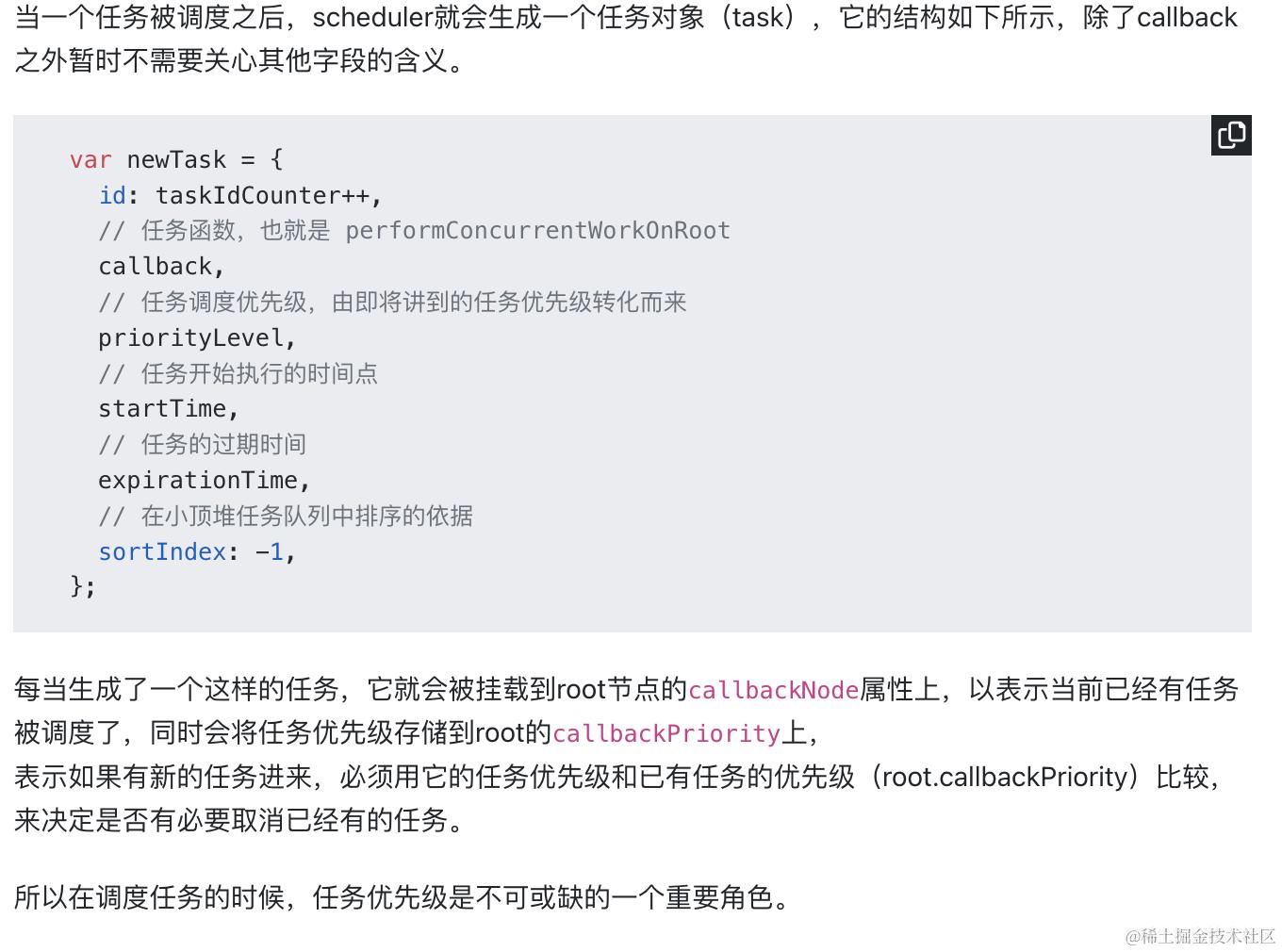
      var newTask = {
        id: taskIdCounter++,
        callback,
        priorityLevel,
        startTime,
        expirationTime,
        sortIndex: -1,
      };

      // 若新任务优先级更高,请求中断当前任务
      if (newTask.priorityLevel > currentRunningTask.priorityLevel) {
        // 标记需要中断
        isPerformingWork = false;
        // 通过 MessageChannel 或 setTimeout 立即触发新一轮调度
        requestHostCallback(flushWork);
      }

      //任务未过期
      if (startTime < currentTime) {
        newTask.sortIndex = expirationTime;
        // 4. 加入任务队列
        push(taskQueue, newTask);
        // 5. 请求调度
        if (!isHostCallbackScheduled && !isPerformingWork) {
          isHostCallbackScheduled = true;
          requestHostCallback(flushWork);

      }
      return newTask;
}

    // 请求回调
    requestHostCallback = function (callback) {
      // 1. 保存callback
      scheduledHostCallback = callback;
      if (!isMessageLoopRunning) {
        isMessageLoopRunning = true;
        // 2. 通过 MessageChannel 发送消息
        port2.postMessage(null);
      }
    };

    // 取消回调
    cancelHostCallback = function () {
      scheduledHostCallback = null;
    };
flushWork中调用了workLoop. 队列消费的主要逻辑是在workLoop函数中, 这就是[React 工作循环](https://7km.top/main/workloop)一文中提到的任务调度循环.
// 是否让出主线程
shouldYieldToHost = function () {
  const currentTime = getCurrentTime();
  if (currentTime >= deadline) {
  //有重绘需要或者用户输入等待处理
    if (needsPaint || scheduling.isInputPending()) {
      return true;
    }

// 在持续运行的react应用中, currentTime肯定大于300ms, 这个判断只在初始化过程中才有可能返回false
    return currentTime >= maxYieldInterval;
  } else {
    // There's still time left in the frame.
    return false;
  }
};


function workLoop(hasTimeRemaining, initialTime) {
  let currentTime = initialTime; // 保存当前时间, 用于判断任务是否过期
  currentTask = peek(taskQueue); // 获取队列中的第一个任务

  //只要taskqueue堆没有清空,就一直循环
  while (currentTask !== null) {

  // 如果没有剩余时间或者需要让出主线程,跳出循环
    if (
      currentTask.expirationTime > currentTime &&
      (!hasTimeRemaining || shouldYieldToHost())
    ) {
      break;
    }
    const callback = currentTask.callback;
    if (typeof callback === 'function') {
      currentTask.callback = null;
      currentPriorityLevel = currentTask.priorityLevel;
      const didUserCallbackTimeout = currentTask.expirationTime <= currentTime;
      // 执行回调
      const continuationCallback = callback(didUserCallbackTimeout);
      currentTime = getCurrentTime();
      // 回调完成, 判断是否还有连续(派生)回调
      if (typeof continuationCallback === 'function') {
        // 产生了连续回调(如fiber树太大, 出现了中断渲染), 保留currentTask
        currentTask.callback = continuationCallback;
      } else {
        // 把currentTask移出队列
        if (currentTask === peek(taskQueue)) {
          pop(taskQueue);
        }
      }
    } else {
      // 如果任务被取消(这时currentTask.callback = null), 将其移出队列
      pop(taskQueue);
    }
    // 更新currentTask
    currentTask = peek(taskQueue);
  }
  if (currentTask !== null) {
    return true; // 如果task队列没有清空, 返回true. 等待调度中心下一次回调
  } else {
    return false; // task队列已经清空, 返回false.
  }
}
每一次while循环的退出就是一个时间切片, 深入分析while循环的退出条件:
-
队列被完全清空: 这种情况就是很正常的情况, 一气呵成, 没有遇到任何阻碍.
-
执行超时: 在消费
taskQueue时, 在执行task.callback之前, 都会检测是否超时, 所以超时检测是以task为单位.- 如果某个
task.callback执行时间太长(如:fiber树很大, 或逻辑很重)也会造成超时 - 所以在执行
task.callback过程中, 也需要一种机制检测是否超时, 如果超时了就立刻暂停task.callback的执行.
- 如果某个
时间切片原理
消费任务队列的过程中, 可以消费1~n个 task, 甚至清空整个 queue. 但是在每一次具体执行task.callback之前都要进行超时检测, 如果超时可以立即退出循环,告诉performWorkUntilDeadlinehasMoreWork,perform会再通过message channel加一个宏任务,下个事件循环执行
可中断渲染原理
在时间切片的基础之上, 如果单个task.callback执行时间就很长(假设 200ms). 就需要task.callback自己能够检测是否超时, 所以在 fiber 树构造过程中, 每构造完成一个单元, 都会检测一次超时如遇超时就退出fiber树构造循环, 并返回一个新的回调函数(就是此处的continuationCallback)存在currentTask.callback,同样告诉performWorkUntilDeadlinehasMoreWork,perform会再通过message channel加一个宏任务,下个事件循环执行

