1、Nginx安装
yum install gcc-c++
yum install -y pcre pcre-devel
yum install -y zlib zlib-devel
yum install -y openssl openssl-devel
wget -c https://nginx.org/download/nginx-1.16.1.tar.gz
tar -zxvf nginx-1.16.1.tar.gz
cd nginx-1.16.1
./configure --prefix=/usr/local/nginx --with-http_ssl_module
make
make install
[root@VM_0_12_centos ~]
nginx: /usr/local/nginx
cd /usr/local/nginx/sbin/
./nginx
./nginx -s stop
./nginx -s quit
./nginx -s reload
./nginx -s stop
./nginx
2、申请https
- 申请SSL证书地址
- 创建证书
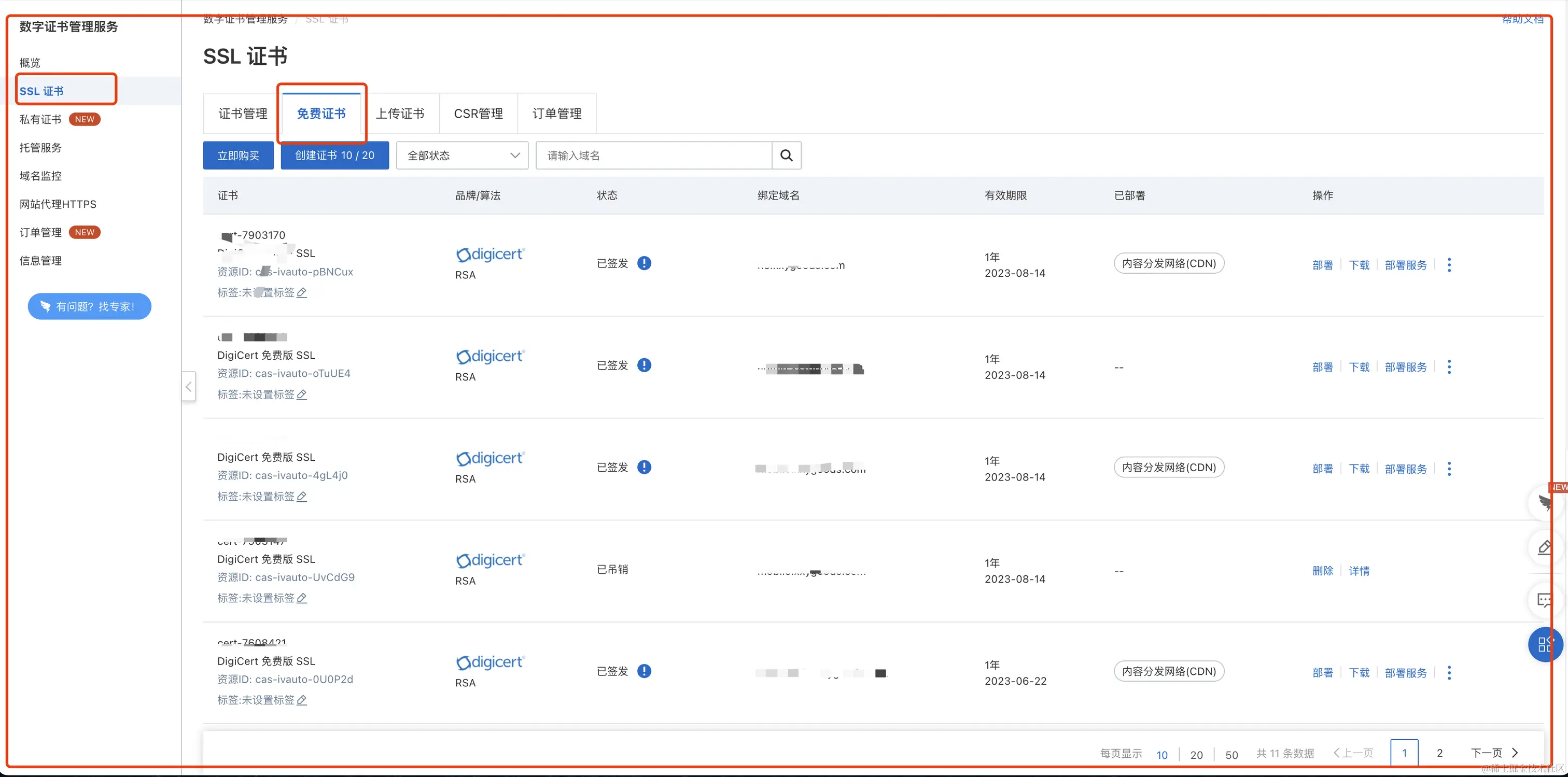
- 下载证书
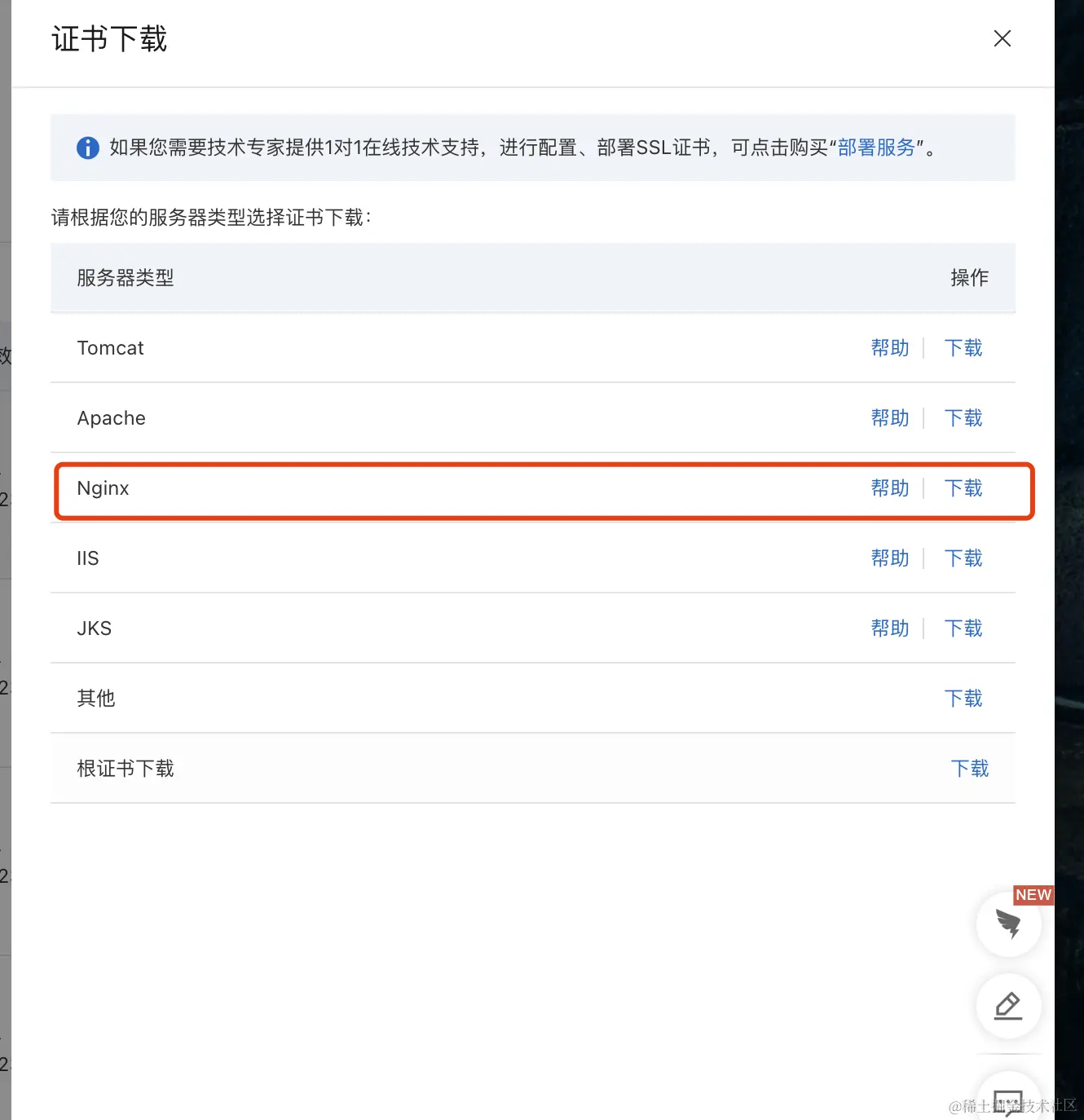
- 在/usr/local/nginx/conf/目录下创建cert文件
- 将证书上传到/usr/local/nginx/conf/cert文件夹下
3、服务器部署https
server {
listen 443 ssl
server_name yourdomain
root html
index index.html index.htm
ssl_certificate cert/cert-file-name.pem
ssl_certificate_key cert/cert-file-name.key
ssl_session_timeout 5m
ssl_ciphers ECDHE-RSA-AES128-GCM-SHA256:ECDHE:ECDH:AES:HIGH:!NULL:!aNULL:!MD5:!ADH:!RC4
ssl_protocols TLSv1.1 TLSv1.2 TLSv1.3
ssl_prefer_server_ciphers on
location / {
root html
index index.html index.htm
}
}
server {
listen 80;
server_name your service name;
rewrite ^(.*)$ https://$host$1;
location / {
index index.html index.htm;
}
}
4、重启nginx服务
cd /usr/local/nginx/sbin
./nginx -s stop
./nginx