OpenLayer 非常优秀、悠久的前端地图框架,10 年前OpenLayers 是 Web 地图库的第一选择。随着 2012 年的重构以及 Leaflet 和 Mapbox GL JS 竞争的加剧,该项目有一个阶段失去了人气。如今,它已成为一个功能齐全、灵活且高性能的地理空间 JavaScript 库,用户可以长期依赖它,尤其是当他们的地图需求变得更加复杂时。
国外地图相关的可视库如火如荼,在竞争中不断成长,国内开源领域近几年也不断涌现后起之秀,AntV L7 (github.com/antvis/l7) 是蚂蚁集团开源的地理可视化引擎,L7 侧重地理数据可视化表达,作为新生代的可视化引擎,站在巨人的肩膀上更快的成长,少走很多弯路, 同时 L7 在技术上也不断创新发展,可视化能力也越来越丰富,满足各种复杂的地图需求。
new in ol@7 🎉
- new webgl vector renderer
- untranspiled modules
(package size dropped 5 MB) - other goodies
new webgl vector renderer 🧪
- points, lines and polygons
- for untiled vector data
土地覆盖 2018
土地覆盖 2022
\
low level style api with default shaders for common use cases
import Layer from 'ol/layer/Layer.js';
import VectorLayerRenderer from 'ol/renderer/webgl/VectorLayer.js';
import {packColor} from 'ol/renderer/webgl/shaders.js';

class WebGLLayer extends Layer {
  createRenderer() {
    return new VectorLayerRenderer(this, {
      fill: {
        attributes: {
          color: (feature) => packColor(feature.get('color')),
          opacity: () => 0.6,
        },
      },
      stroke: {
        attributes: {
          color: () => packColor([0, 0, 0, 1]),
          width: () => 3,
        },
      },
    });
  }
}
\
default vertex shader (fill)
const DECODE_COLOR_EXPRESSION = `vec3(
  fract(floor(a_color / 256.0 / 256.0) / 256.0),
  fract(floor(a_color / 256.0) / 256.0),
  fract(a_color / 256.0)
);`;

const FILL_VERTEX_SHADER = `
  precision mediump float;
uniform mat4 u_projectionMatrix;
attribute vec2 a_position;
attribute float a_color;
attribute float a_opacity;
varying vec3 v_color;
varying float v_opacity;

void main(void) {
    gl_Position = u_projectionMatrix * vec4(a_position, 0.0, 1.0);
    v_color = ${DECODE_COLOR_EXPRESSION}
    v_opacity = a_opacity;
  }`;
low level style api building blocks
import VectorLayerRenderer from 'ol/renderer/webgl/VectorLayer.js';

new VectorLayerRenderer(this, {
  fill: {
    vertexShader: fillVertexShader,
    fragmentShader: fillFragmentShader,
    attributes: fillAttributes,
  },
  stroke: {
    vertexShader: strokeVertexShader,
    fragmentShader: strokeFragmentShader,
    attributes: strokeAttributes,
  },
  point: {
    vertexShader: poiontVertexShader,
    fragmentShader: pointFragmentShader,
    attributes: pointAttributes,
  },
  uniforms,
  postProcesses
});
graticule 🌍
import Graticule from 'ol/Graticule.js';

const graticule = new Graticule({ showLabels: true });
map.addLayer(graticule);
vector editing
- interactions for drawing, modifying, translating, and snapping
- new trace option for the draw interaction 💥
\
style
| old style | new style 🌱 |
|---|---|
| ``` | |
| import Style from 'ol/style/Style'; import Fill from 'ol/style/Fill'; import Stroke from 'ol/style/Stroke'; // previously layer.setStyle( new Style({ fill: new Fill({ color: 'orange', }), stroke: new Stroke({ color: 'red', width: 5, }), }) ); | |
| ``` | ``` |
| layer.setStyle({ 'fill-color': 'orange', 'stroke-color': 'red', 'stroke-width': 5, }); |
#### link interaction 🌱
import Link from 'ol/interaction/Link';
// sync map state with the URL map.addInteraction(new Link());
#### vector tiles single vectortile source
import MapboxVectorLayer from 'ol/layer/MapboxVector';
new MapboxVectorLayer({ styleUrl: 'api.maptiler.com/maps/bright…', });
#### ol-mapbox-style vector, geojson and raster
import {apply} 'ol-mapbox-style'; import LayerGroup from 'ol/layer/Group.js';
apply(map, 'api.maptiler.com/maps/topo/s…');
#### label and symbol decluttering also per-style 🌱
import VectorTileLayer from 'ol/layer/VectorTile';
new VectorTileLayer({ declutter: true, style: { 'icon-declutter-mode': 'none', // or 'obstacle' 'icon-src': '/data/icon.png', }; });
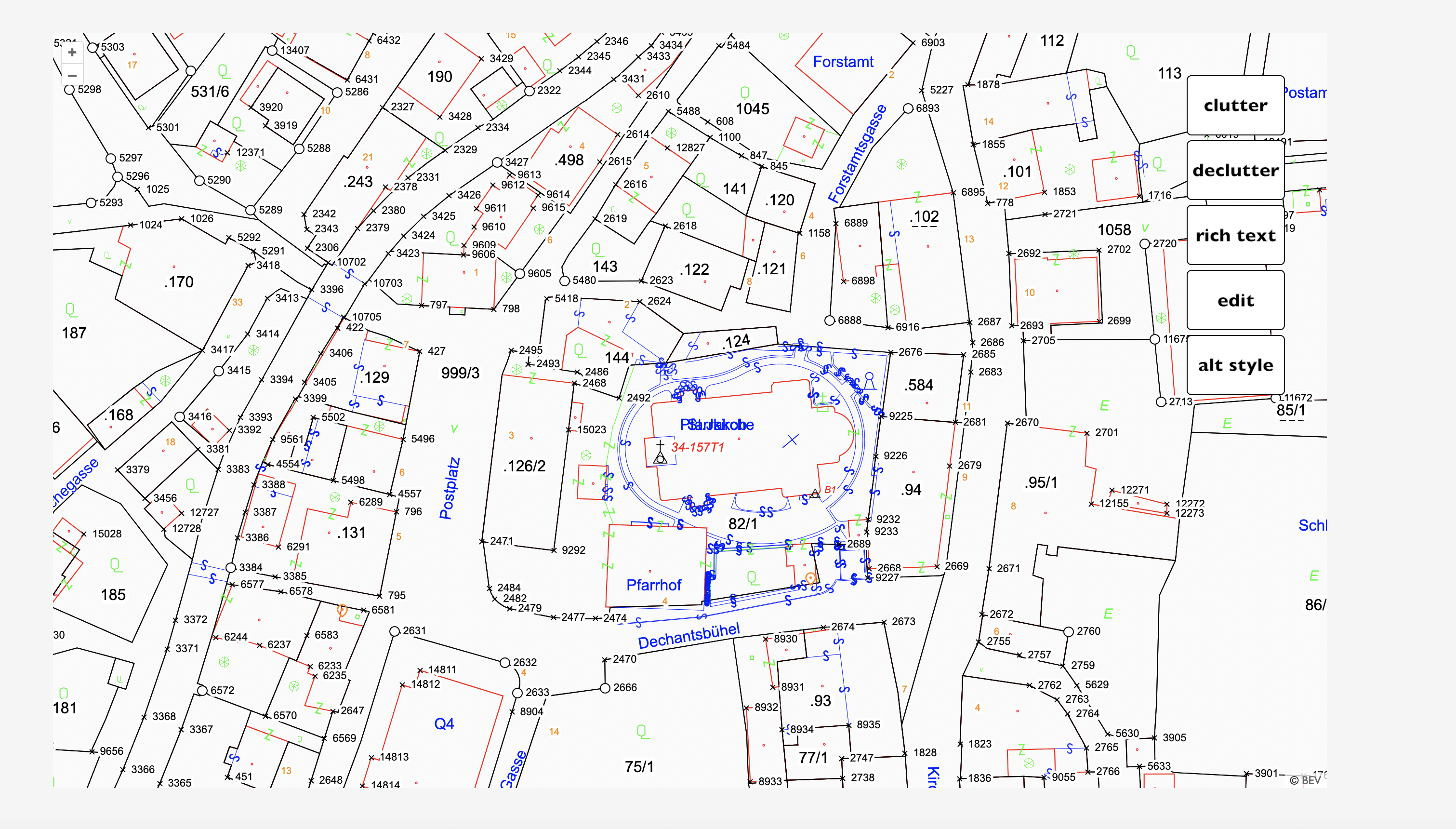
#### rich text style 🌱
textStyle.setText([
feature.getId(),
'bold 13px Calibri,sans-serif',
${feature.get('name')},
'',
'\n',
'',
${feature.get('kWp')} kWp,
'italic 11px Calibri,sans-serif',
])
\
#### webgl tiles (geotiff sources)
import GeoTIFF from 'ol/source/GeoTIFF';
const source = new GeoTIFF({ sources: [ {url: 'example.com/world.tif'}, ] });
import GeoTIFF from 'ol/source/GeoTIFF';
const source = new GeoTIFF({ sources: [ {url: 'example.com/B08.tif'}, {url: 'example.com/B04.tif'}, {url: 'example.com/B02.tif'}, ] });
#### webgl tiles (band math)
const red = ['band', 3]; const nir = ['band', 4]; const diff = ['-', nir, red]; const sum = ['+', nir, red];
const ndvi = ['/', diff, sum];
#### webgl tiles(style expressions)
const layer = new TileLayer({ source: new GeoTIFF(options), style: { color: [ 'interpolate', ['linear'], ndvi, -1, 'rgb(100, 100, 100)', 1, 'rgb(0, 69, 0)' ], } })
#### webgl tiles (variables)
const style = { variables: { seaLevel: 0, }, color: [ 'case', ['<=', elevation, ['var', 'seaLevel']], [139, 212, 255, 1], [139, 212, 255, 0], ], }
slider.addEventListener('input', () => { layer.updateStyleVariables({ seaLevel: parseFloat(slider.value) }); });
#### resolving views 🪄
import GeoTIFF from 'ol/source/GeoTIFF';
const source = new GeoTIFF(options);
const map = new Map({ target: 'container', layers: [new TileLayer({source})], view: source.getView(), });
#### pixel data 🌱
map.on('pointermove', event => {
// this next line is the new part! layer.getData(event.pixel);
// do something with the pixel data console.log(data); });
#### more new webgl tile features 🌱

-   expressions for band arguments (6.10)
-   support a palette operator in style expressions (6.10)
-   webgl context in render events (6.10)
-   non-square tiles (6.15)
-   load geotiff from blob (6.15)
-   geotiff nodata handling (6.9, 6.15)
-   geotiff normalize option (6.9)
-   multiple sources for webgl tile layers (6.13)
-   canvas reuse for webgl layers (6.10)

#### map composition history

-   until v5: everything rendered to a single canvas
-   early v6: each layer rendered to its own canvas\
    (because we introduced layer-level webgl renderers)
-   mid v6: combine canvas2d outputs when fully opaque, same resolution and same rotation technique
-   late v6: combine all adjacent canvas2d outputs

#### dom element structure
custom renderer 🚀 interactive svg
import Layer from 'ol/layer/Layer.js';

const container = document.createElement('div');
fetch(url)
  .then(response => response.text())
  .then(svg => {
    container.innerHTML = svg;
  });

const svgLayer = new Layer({
  render(frameState) {
    // transform container to match frameState
    // (center, resolution, size)
    return container;
  },
});
webgl points layer style expressions
import WebGLPointsLayer from 'ol/layer/WebGLPoints.js';

new WebGLPointsLayer({
  className: 'webgl-layer',
  source: source,
  style: {
    variables, // contains the current year of the animation
    filter, // only points within 10 years back from current year,
    symbol: {
      symbolType: 'circle',
      size, // size based on mass of the meteorite and decay
      color: 'rgb(255, 0, 0)',
      opacity: ['*', 0.5, decay],
    },
  },
})