携手创作,共同成长!这是我参与「掘金日新计划 · 8 月更文挑战」的第31天,点击查看活动详情
组件之间的通讯方式
父给子组件传值
我们继续在上边的 index.vue 中写,我们把一个值为 “Hello” 的变量 title 传给 test 组件。使用 :title=‘title’传递给 test 组件。其中第一个 :title 相当于 key,在 test 组件中接收时,就用相同的 key 接收,当然可以起别的名字,相应的 test 组件用对应的名字接收即可。这里为了规范,我们就使用 title。后边引号内的 title 是要传递的值
<template>
	<view class="content">
		<test :title="title"></test>
	</view>
</template>

<script>
	import test from "@/components/test.vue"
	export default {
		components:{
			test
		},
		data(){
			return{
				title:'Hello'
			}
		}
	}
</script>
在 test 组件内使用 props 接收
<template>
	<view>
		这是一个test组件{{title}}
	</view>
</template>

<script>
	export default {
		name:"test",
		props:["title"]
	}
</script>
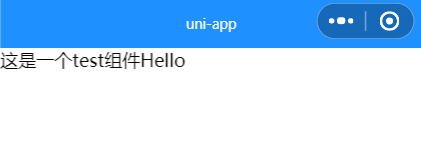
运行程序:
子给父组件传值
在 test.vue 中增加一个按钮,并添加点击事件,点击后使用this.$emit给父组件传值,第一个参数是自定义事件,这个需要在父组件增加对应方法。第二个参数就是要传过去的值
<template>
	<view>
		......
		<button @click="sendNum">给父组件传值</button>
	</view>
</template>

<script>
	export default {
		name:"test",
		data(){
			return{
				num:3
			}
		},
		methods:{
			sendNum(){
				this.$emit("myEvent",this.num)
			}
		},
		......
	}
</script>
在父组件 index.vue 中,使用子组件的地方注册子组件中的自定义事件@myEvent="getNum",当子组件触发 myEvent 方法时,会调用父组件的 getNum 方法,在这个方法中,我们接收传过来的参数即可拿到子组件传的数据:
<template>
	<view class="content">
		<test :title="title" @myEvent="getNum"></test>
		这是子组件传过来的num:{{num}}
	</view>
</template>

<script>
	import test from "@/components/test.vue"
	export default {
		components:{
			test
		},
		data(){
			return{
				......
				num:0
			}
		},
		methods:{
			getNum(num){
				this.num = num
			}
		}
	}
</script>
兄弟组件传值
思路是由 uni.$on来注册一个全局的自定义事件,然后由 uni.$emit 触发。我们新建 a.vue 和 b.vue,并在 index.vue 中使用
修改 index.vue
<template>
	<view class="content">
		<test-a></test-a>
		<test-b></test-b>
	</view>
</template>

<script>
	import testA from "@/components/a.vue"
	import testB from "@/components/b.vue"
	export default {
		components:{
			"test-a":testA,
			"test-b":testB
		}
	}
</script>
我们希望通过 a 、b 组件间通讯,通过 a 修改 b 中的 num 值。所以我们在 b 组件中注册一个事件,当有人触发事件时,修改 b 中 num 的值,传的参数是多少 num 就 += 多少
<template>
	<view>
		这是b组件:{{num}}
	</view>
</template>

<script>
	export default {
		name:"b",
		data() {
			return {
				num:0
			};
		},
		created() {
			uni.$on('updateNum',num=>{
				this.num+= num
			})
		}
	}
</script>
a.vue 中我们给 button 增加点击事件,通过uni.$emit调用在 b 组件中定义的方法 updateNum,并传入参数 10,所以每次点击按钮 b 中的 num 就增加 10