携手创作,共同成长!这是我参与「掘金日新计划 · 8 月更文挑战」的第29天,点击查看活动详情
条件编译
条件编译是利用注释实现的,在不同语法里注释写法不一样,vue/nvue 模板里使用 <!-- 注释 -->
<template>
	<view class="content">
		<!-- #ifdef H5 -->
		<view>我希望只在H5看见</view>
		<!-- #endif -->
		<!-- #ifdef MP-WEIXIN -->
		<view>我希望只在微信小程序看见</view>
		<!-- #endif -->
	</view>
</template>
运行在浏览器:
运行在微信小程序:
API 的条件编译,js使用 // 注释
<script>
	export default {
		......
		onLoad() {
			// #ifdef  H5
			console.log("我只希望在H5中打印")
			// #endif

			// #ifdef  MP-WEIXIN
			console.log("我只希望在微信小程序中打印")
			// #endif
		}
	}
</script>
运行在 H5 和 微信小程序,分别打印对应内容
css 使用 /* 注释 */
<style>
	/* h5 样式*/
	/* #ifdef H5*/
	view{
		color: pink
	}
	/* #endif */

	/* #ifdef MP-WEIXIN */
	view{
		color: blue
	}
	/* #endif */
</style>
运行在浏览器:
运行在小程序:
导航
声明式导航
<navigator url="../detail/detail">跳转至详情页</navigator>
<navigator url="/pages/message/message" open-type="switchTab">跳转至信息页</navigator>
<navigator url="/pages/detail/detail" open-type="redirect">跳转至详情页</navigator>
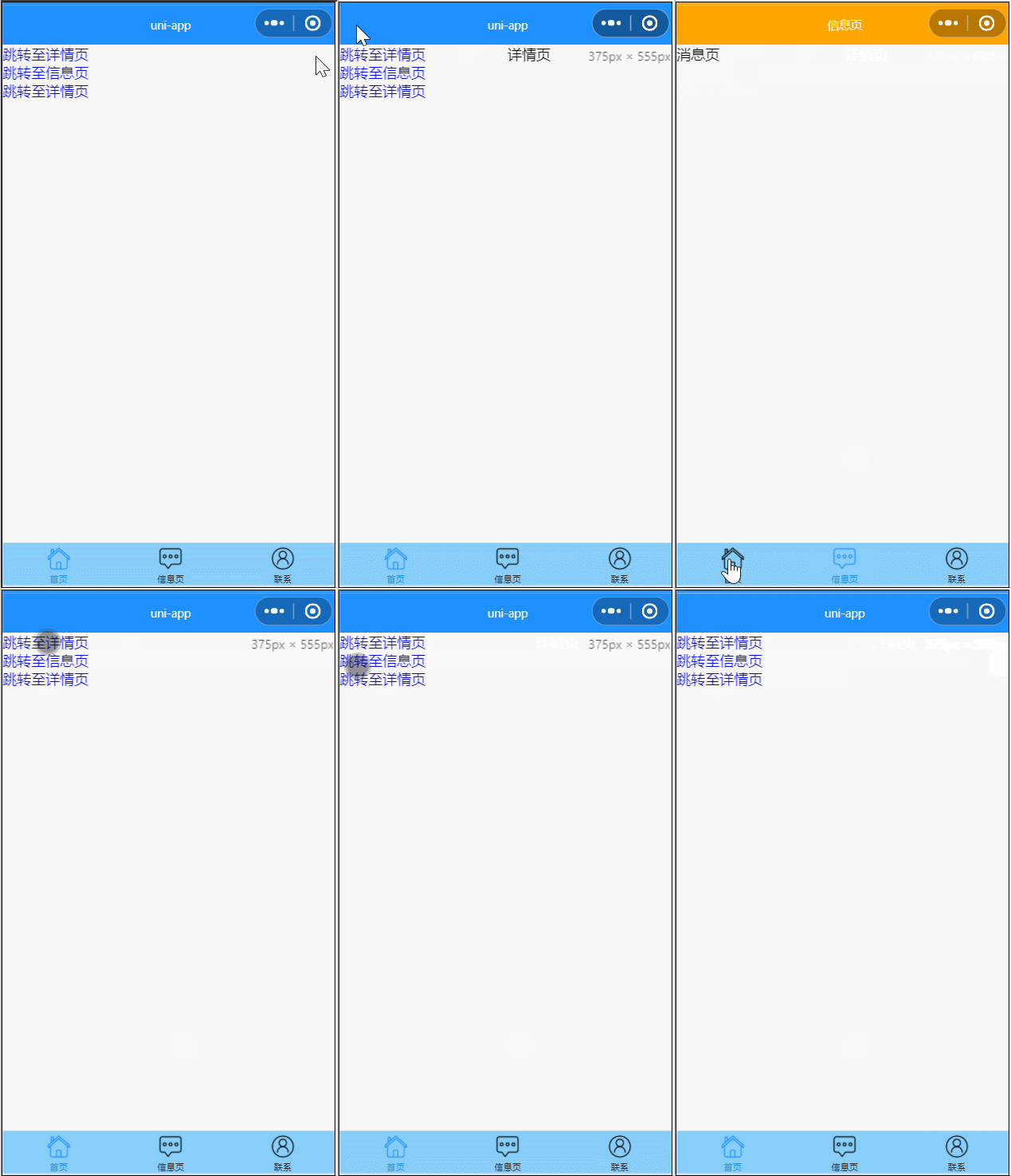
1、点击跳转详情页,会跳转详情页,其中 url 是应用内的跳转链接,值为相对路径或绝对路径,如:../detail/detail,/pages/detail/detail,注意不能加 .vue 后缀
2、第二个跳转的链接是信息页,是一个 tabbar页面,需要注意的是,跳转 tabbar 页面,必须设置open-type="switchTab"
3、第三个还是跳转详情页,不过open-type="redirect",这回关闭当前页再打开要跳转的页,所以左上角没有返回按钮了
编程式导航
<button @click="goDetail">跳转至详情页</button>
<button @click="goMessage">跳转至信息页</button>
<button @click="redirectDetail">跳转至详情页,并关闭当前页面</button>
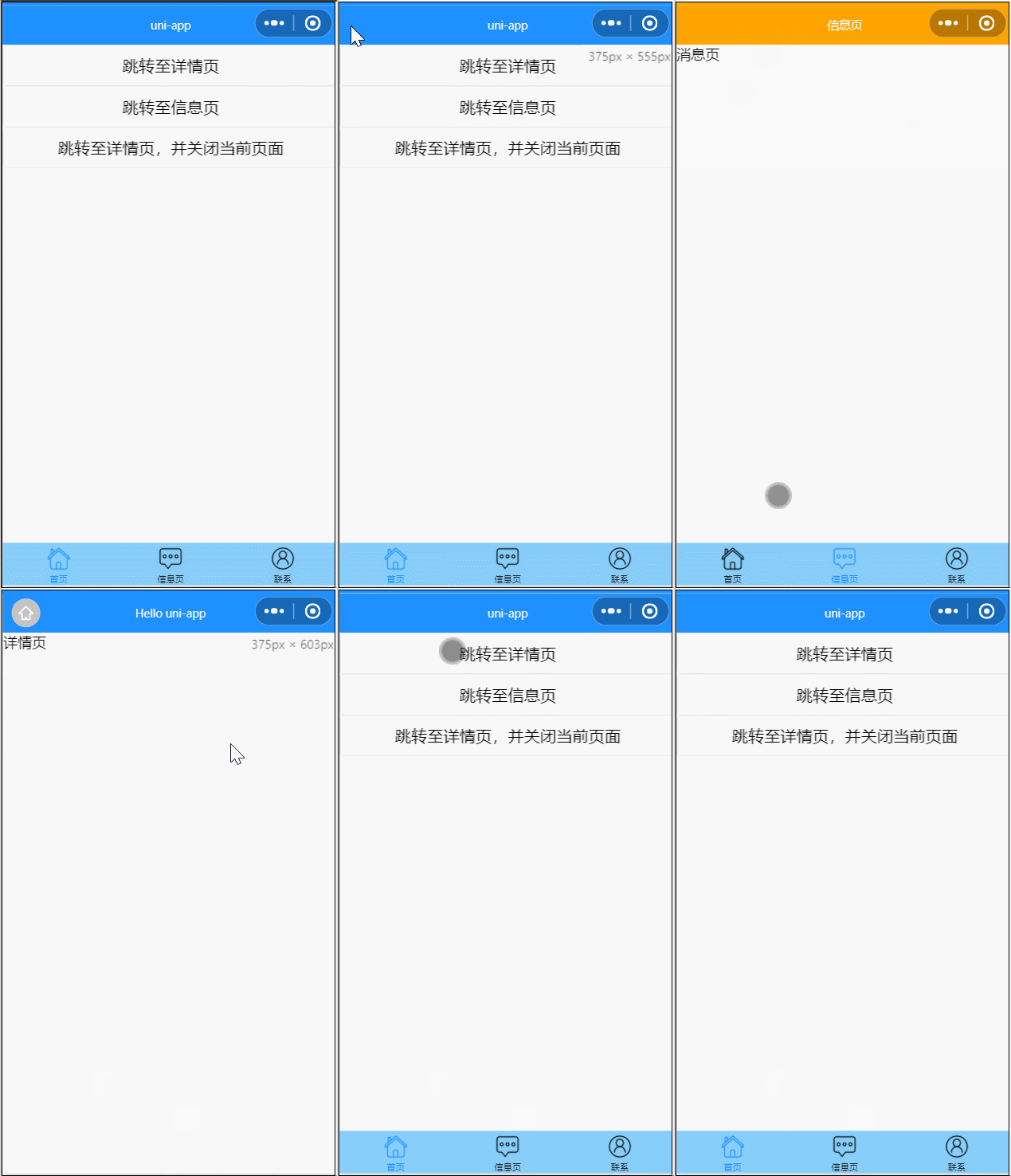
1、给跳转至详情页增加 click 事件 goDetail,方法里使用uni.navigateTo保留当前页面,跳转到应用内的某个页面
2、给跳转至信息页增加 click 事件 goMessage,方法里使用uni.switchTab跳转到 tabBar 页面,并关闭其他所有非 tabBar 页面
3、给跳转至详情页,并关闭当前页面增加 click 事件 redirectDetail,方法里使用uni.redirectTo关闭当前页面,跳转到应用内的某个页面
传参
声明式导航传参
<navigator url="../detail/detail?id=80&name=Lily">跳转至详情页</navigator>
编程式导航传参
goDetail(){
	uni.navigateTo({
		url:'/pages/detail/detail?id=80&name=Lily'
	})
}
跳转页面接收参数
export default{
	onLoad(options) {
		console.log(options)
	}
}
这样当我们点击跳转后,会输出: