安装
官方文档:
https://hugegraph.apache.org/docs/quickstart/hugegraph-server/
首先可以按官方文档来准备好前置条件.
存储的选择:
我这里选用的存储是mysql,需要做如下修改,官方也可以选择内存或者hbase等。
修改配置:
hugegraph-0.12.0/conf/graphs/hugegraph.properties
backend=mysql
serializer=mysql
jdbc.driver=com.mysql.jdbc.Driver
jdbc.url=jdbc:mysql://127.0.0.1:3306
jdbc.username=root
jdbc.password=bYR-KFa-AEJ-Y9U2018
jdbc.reconnect_max_times=3
jdbc.reconnect_interval=3
jdbc.sslmode=false
启动之前需要先进行一初始化stroe
./bin/init-store.sh

然后启动server:
./bin/start-hugegraph.sh
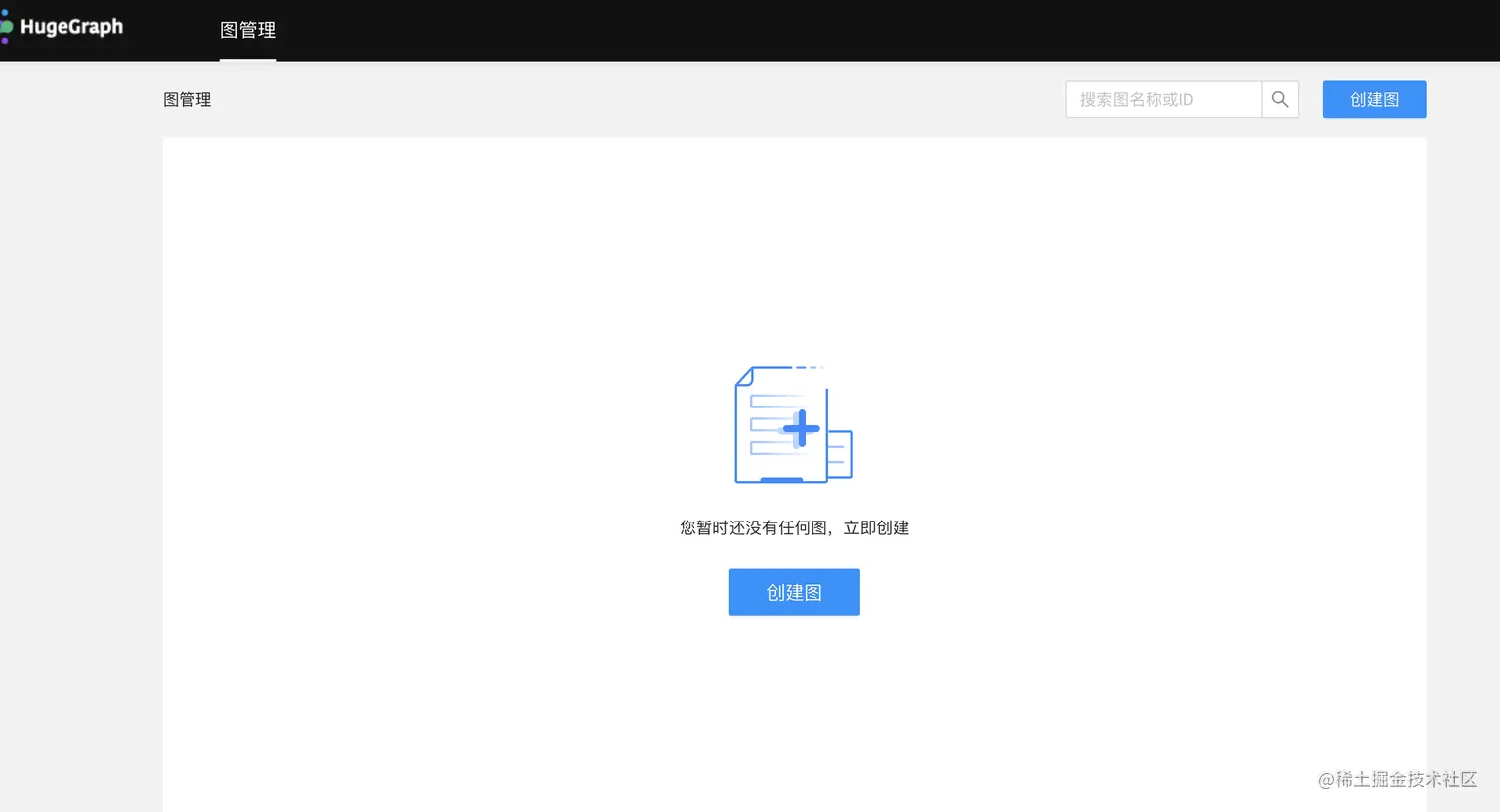
- 安装可视化页面 hugegraph-hubble-1.6.0
下载地址:
https://github.com/hugegraph/hugegraph-hubble

启动:
./bin/start-hubble.sh


默认访问地址:http://localhost:8088/
如图:
java 客户端
依赖:
<dependency>
<groupId>com.baidu.hugegraph</groupId>
<artifactId>hugegraph-client</artifactId>
<version>2.0.1</version>
</dependency>
在使用客户端之前先了解一下关于操作 graph的基本知识:
SchemaManager 用于管理 HugeGraph 中的四种元数据 :
- PropertyKey:属性的类型
- VertexLabel:顶点的类型
- EdgeLabel:边的类型
- IndexLabel:索引的类型,目前支持五种,即 Secondary、Range、Search、Shard 和 Unique
图数据
Vertex:顶点是构成图的最基本元素,一个图中可以有非常多的顶点。
Edge:有了点,还需要边才能构成完整的图。
参考文档:
https:
public static void main(String[] args) {
HugeClient hugeClient = null;
try {
hugeClient = HugeClient.builder("http://localhost:8080", "hugegraph")
.configTimeout(20)
.configUser("**", "**")
.build();
SchemaManager schema = hugeClient.schema();
schema.propertyKey("name").asText().ifNotExist().create();
schema.propertyKey("age").asInt().ifNotExist().create();
schema.propertyKey("city").asText().ifNotExist().create();
schema.propertyKey("weight").asDouble().ifNotExist().create();
schema.propertyKey("lang").asText().ifNotExist().create();
schema.propertyKey("date").asDate().ifNotExist().create();
schema.propertyKey("price").asInt().ifNotExist().create();
schema.vertexLabel("person")
.properties("name", "age", "city")
.primaryKeys("name")
.ifNotExist()
.create();
schema.vertexLabel("software")
.properties("name", "lang", "price")
.primaryKeys("name")
.ifNotExist()
.create();
schema.edgeLabel("knows")
.sourceLabel("person")
.targetLabel("person")
.properties("date", "weight")
.ifNotExist()
.create();
schema.edgeLabel("created")
.sourceLabel("person").targetLabel("software")
.properties("date", "weight")
.ifNotExist()
.create();
schema.indexLabel("personByAgeAndCity")
.onV("person")
.by("age", "city")
.secondary()
.ifNotExist()
.create();
GraphManager graph = hugeClient.graph();
Vertex marko = graph.addVertex(T.label, "person", "name", "marko",
"age", 29, "city", "Beijing");
Vertex vadas = graph.addVertex(T.label, "person", "name", "vadas",
"age", 27, "city", "Hongkong");
Vertex lop = graph.addVertex(T.label, "software", "name", "lop",
"lang", "java", "price", 328);
Vertex josh = graph.addVertex(T.label, "person", "name", "josh",
"age", 32, "city", "Beijing");
Vertex ripple = graph.addVertex(T.label, "software", "name", "ripple",
"lang", "java", "price", 199);
Vertex peter = graph.addVertex(T.label, "person", "name", "peter",
"age", 35, "city", "Shanghai");
marko.addEdge("knows", vadas, "date", "2016-01-10", "weight", 0.5);
marko.addEdge("knows", josh, "date", "2013-02-20", "weight", 1.0);
marko.addEdge("created", lop, "date", "2017-12-10", "weight", 0.4);
josh.addEdge("created", lop, "date", "2009-11-11", "weight", 0.4);
josh.addEdge("created", ripple, "date", "2017-12-10", "weight", 1.0);
peter.addEdge("created", lop, "date", "2017-03-24", "weight", 0.2);
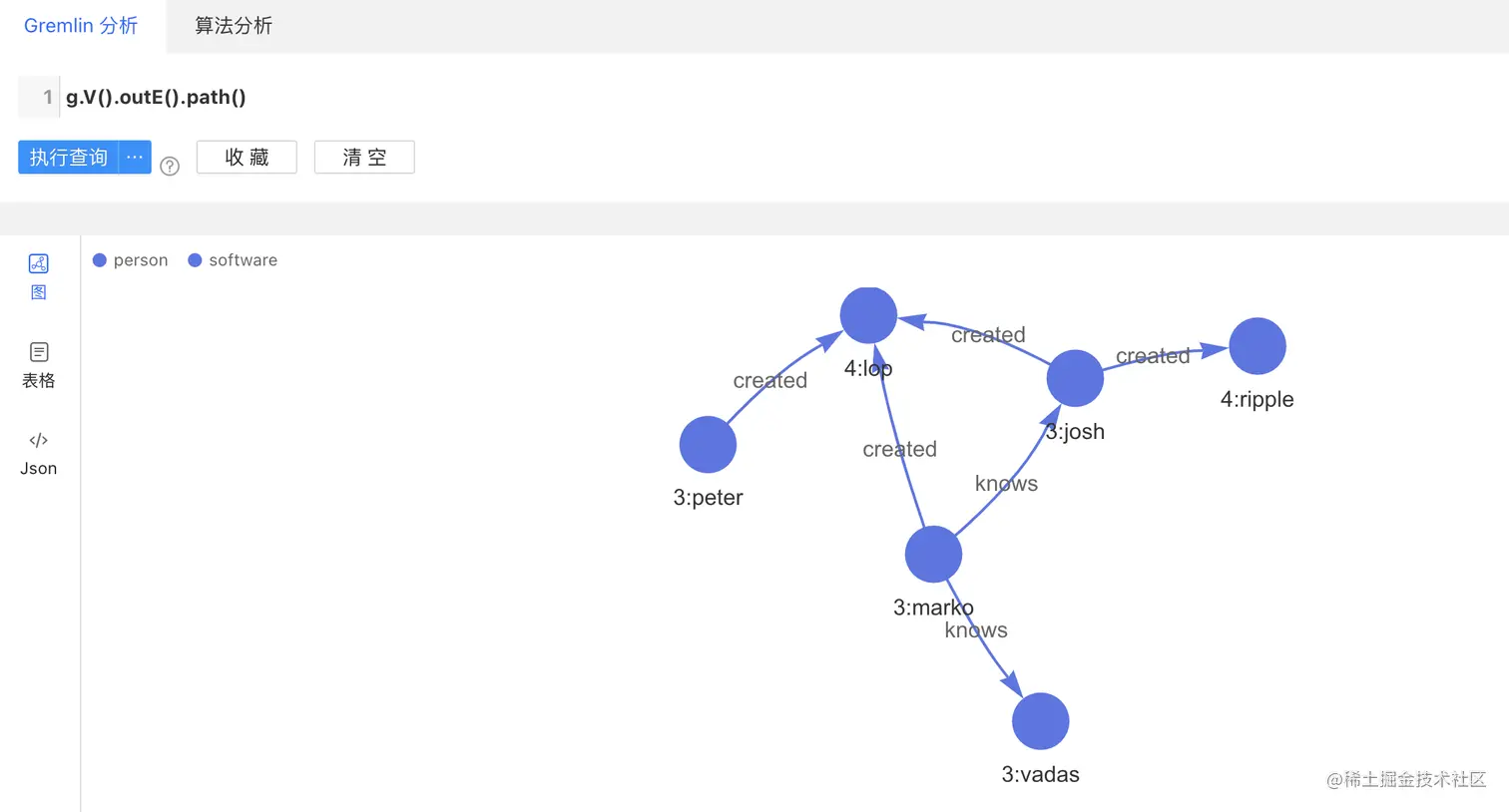
GremlinManager gremlin = hugeClient.gremlin();
System.out.println("==== Path ====");
ResultSet resultSet = gremlin.gremlin("g.V().outE().path()").execute();
Iterator<Result> results = resultSet.iterator();
results.forEachRemaining(result -> {
System.out.println(result.getObject().getClass());
Object object = result.getObject();
if (object instanceof Vertex) {
System.out.println(((Vertex) object).id());
} else if (object instanceof Edge) {
System.out.println(((Edge) object).id());
} else if (object instanceof Path) {
List<Object> elements = ((Path) object).objects();
elements.forEach(element -> {
System.out.println(element.getClass());
System.out.println(element);
});
} else {
System.out.println(object);
}
});
} catch (Exception e) {
e.printStackTrace();
} finally {
hugeClient.close();
}
查看结果也可以去hugegraph-hubble上面进行可视化的查询:
展示
json:
[
  {
    "labels": [
      [],
      []
    ],
    "objects": [
      {
        "id": "3:josh",
        "label": "person",
        "properties": {
          "name": "josh",
          "age": 32,
          "city": "Beijing"
        }
      },
      {
        "id": "S3:josh>4>>S4:lop",
        "label": "created",
        "source": "3:josh",
        "target": "4:lop",
        "properties": {
          "weight": 0.4,
          "date": "2009-11-11 00:00:00.000"
        }
      }
    ],
    "crosspoint": null
  },
  {
    "labels": [
      [],
      []
    ],
    "objects": [
      {
        "id": "3:josh",
        "label": "person",
        "properties": {
          "name": "josh",
          "age": 32,
          "city": "Beijing"
        }
      },
      {
        "id": "S3:josh>4>>S4:ripple",
        "label": "created",
        "source": "3:josh",
        "target": "4:ripple",
        "properties": {
          "weight": 1,
          "date": "2017-12-10 00:00:00.000"
        }
      }
    ],
    "crosspoint": null
  },
  {
    "labels": [
      [],
      []
    ],
    "objects": [
      {
        "id": "3:marko",
        "label": "person",
        "properties": {
          "name": "marko",
          "age": 29,
          "city": "Beijing"
        }
      },
      {
        "id": "S3:marko>3>>S3:josh",
        "label": "knows",
        "source": "3:marko",
        "target": "3:josh",
        "properties": {
          "weight": 1,
          "date": "2013-02-20 00:00:00.000"
        }
      }
    ],
    "crosspoint": null
  },
  {
    "labels": [
      [],
      []
    ],
    "objects": [
      {
        "id": "3:marko",
        "label": "person",
        "properties": {
          "name": "marko",
          "age": 29,
          "city": "Beijing"
        }
      },
      {
        "id": "S3:marko>3>>S3:vadas",
        "label": "knows",
        "source": "3:marko",
        "target": "3:vadas",
        "properties": {
          "weight": 0.5,
          "date": "2016-01-10 00:00:00.000"
        }
      }
    ],
    "crosspoint": null
  },
  {
    "labels": [
      [],
      []
    ],
    "objects": [
      {
        "id": "3:marko",
        "label": "person",
        "properties": {
          "name": "marko",
          "age": 29,
          "city": "Beijing"
        }
      },
      {
        "id": "S3:marko>4>>S4:lop",
        "label": "created",
        "source": "3:marko",
        "target": "4:lop",
        "properties": {
          "weight": 0.4,
          "date": "2017-12-10 00:00:00.000"
        }
      }
    ],
    "crosspoint": null
  },
  {
    "labels": [
      [],
      []
    ],
    "objects": [
      {
        "id": "3:peter",
        "label": "person",
        "properties": {
          "name": "peter",
          "age": 35,
          "city": "Shanghai"
        }
      },
      {
        "id": "S3:peter>4>>S4:lop",
        "label": "created",
        "source": "3:peter",
        "target": "4:lop",
        "properties": {
          "weight": 0.2,
          "date": "2017-03-24 00:00:00.000"
        }
      }
    ],
    "crosspoint": null
  }
]
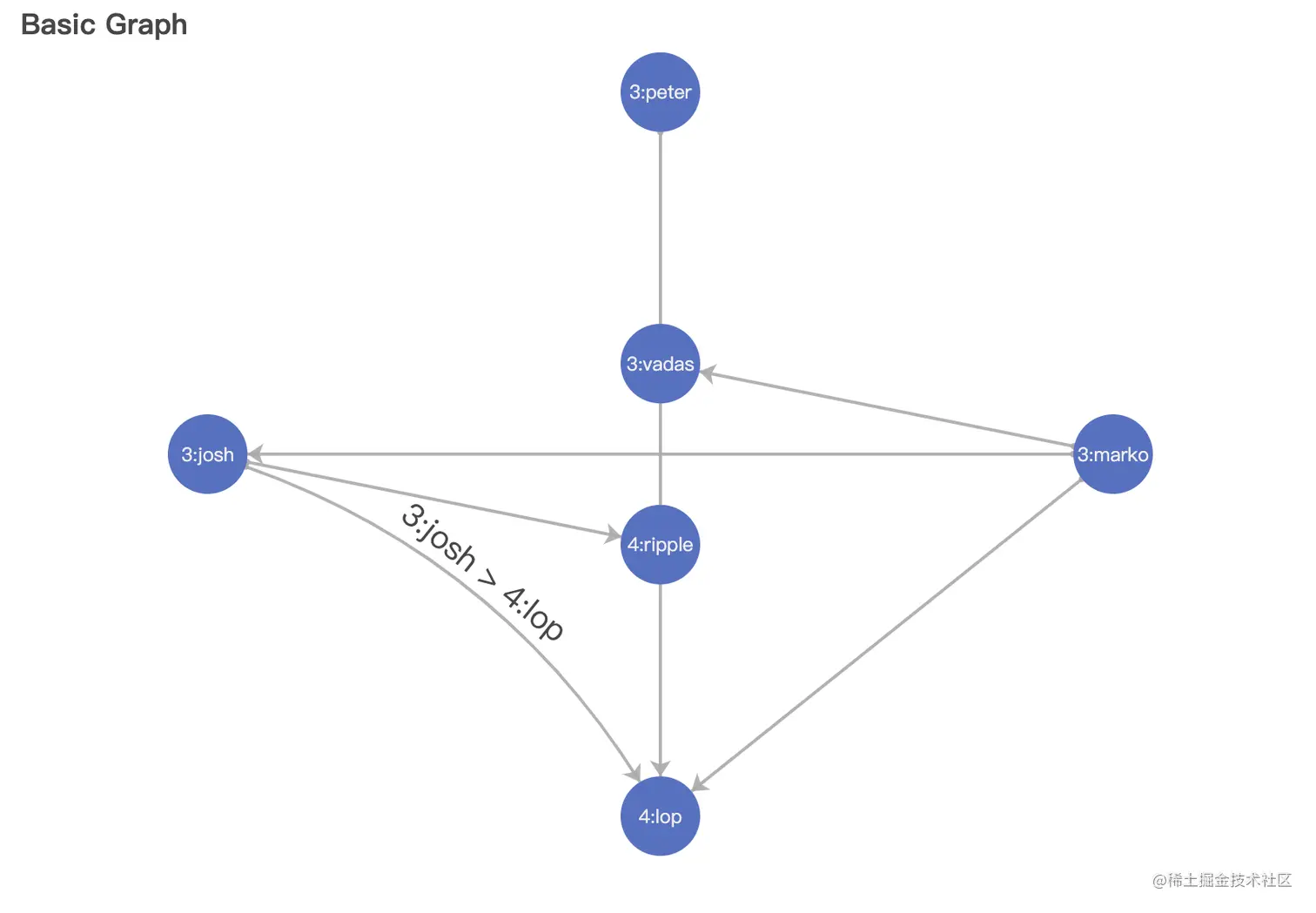
尝试将结果放到echart上面
option = {
  title: {
    text: 'Basic Graph'
  },
  tooltip: {},
  animationDurationUpdate: 1500,
  animationEasingUpdate: 'quinticInOut',
  series: [
    {
      type: 'graph',
      layout: 'none',
      symbolSize: 50,
      roam: true,
      label: {
        show: true
      },
      edgeSymbol: ['circle', 'arrow'],
      edgeSymbolSize: [4, 10],
      edgeLabel: {
        fontSize: 20
      },
      data: [
        {
          name: '3:josh',
          x: 300,
          y: 300
        },
        {
          name: '3:marko',
          x: 800,
          y: 300
        },
        {
          name: '3:peter',
          x: 550,
          y: 100
        },
        {
          name: '4:lop',
          x: 550,
          y: 500
        },
        {
          name: '4:ripple',
          x: 550,
          y: 350
        },
        {
          name: '3:vadas',
          x: 550,
          y: 250
        }
      ],
      // links: [],
      links: [
        {
          source: '3:josh',
          target: '4:lop',
          label: {
            show: true
          },
          lineStyle: {
            curveness: 0.2
          }
        },
        {
          source: '3:josh',
          target: '4:ripple'
        },
        {
          source: '3:marko',
          target: '3:josh'
        },
        {
          source: '3:marko',
          target: '3:vadas'
        },
        {
          source: '3:marko',
          target: '4:lop'
        },
        {
          source: '3:peter',
          target: '4:lop'
        }
      ],
      lineStyle: {
        opacity: 0.9,
        width: 2,
        curveness: 0
      }
    }
  ]
};
总结
到这里,已经基本入门了,后面会继续看一些官方文档,争取在实战中使用
https://hugegraph.apache.org/cn/docs/clients/restful-api/traverser/#31-traverser-api%E6%A6%82%E8%BF%B0